
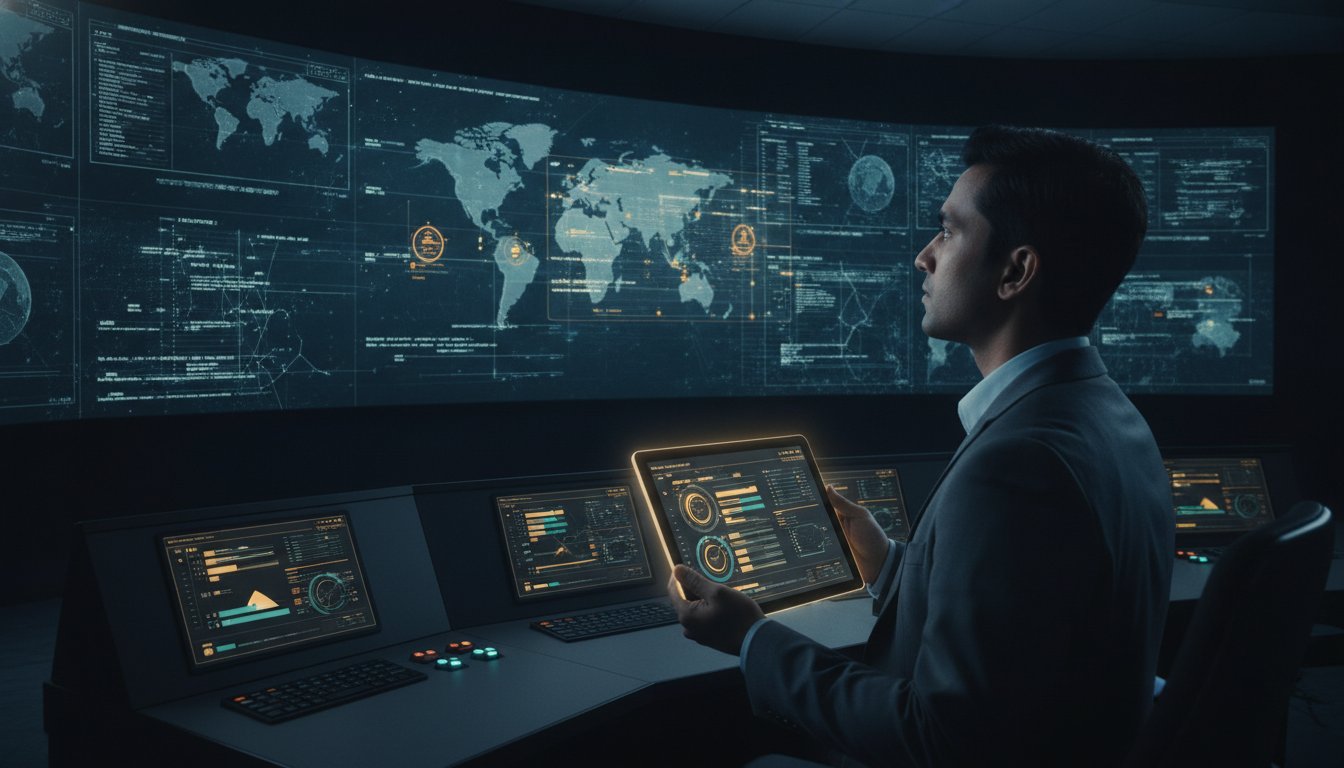
What if the most expensive component of your command center isn’t the hardware itself, but the sixty seconds of visibility you lose during a critical incident? In mission-critical environments, a flickering panel or an overheated processor is more than a technical glitch. It’s a blind spot that can derail a coordinated response and create dangerous data silos. Maintaining these complex systems requires a level of precision that goes beyond basic hardware care. A rigorous video wall maintenance checklist is the foundational requirement for ensuring a reliable common operating picture.
Most control rooms already have the screens. What they’re missing is the layer that decides what goes on them, and escalates automatically when something needs attention. This article provides a comprehensive framework for maintaining high-stakes visualization systems to prevent operational downtime. We will examine the technical requirements for 24/7 readiness, from thermal management to the integration of the vis/ability operational intelligence layer. By following this structured approach, your team can move from reactive troubleshooting to a state of zero-downtime operations where every data stream is simplified and actionable.
Key Takeaways
- Maintain physical integrity by implementing a rigorous video wall maintenance checklist to monitor pixel health and power redundancy.
- Establish environmental standards and power failover protocols to prevent hardware throttling and ensure continuous operation in high-stakes environments.
- Integrate an operational intelligence layer to unify fragmented data feeds and eliminate the silos that prevent a clear common operating picture.
- Automate incident escalation workflows so that critical information is prioritized and visualized the moment a human decision is required.
- Transition from reactive hardware troubleshooting to a proactive management model that empowers operators to act with greater certainty.
Physical Component Integrity: The Hardware Reliability Checklist
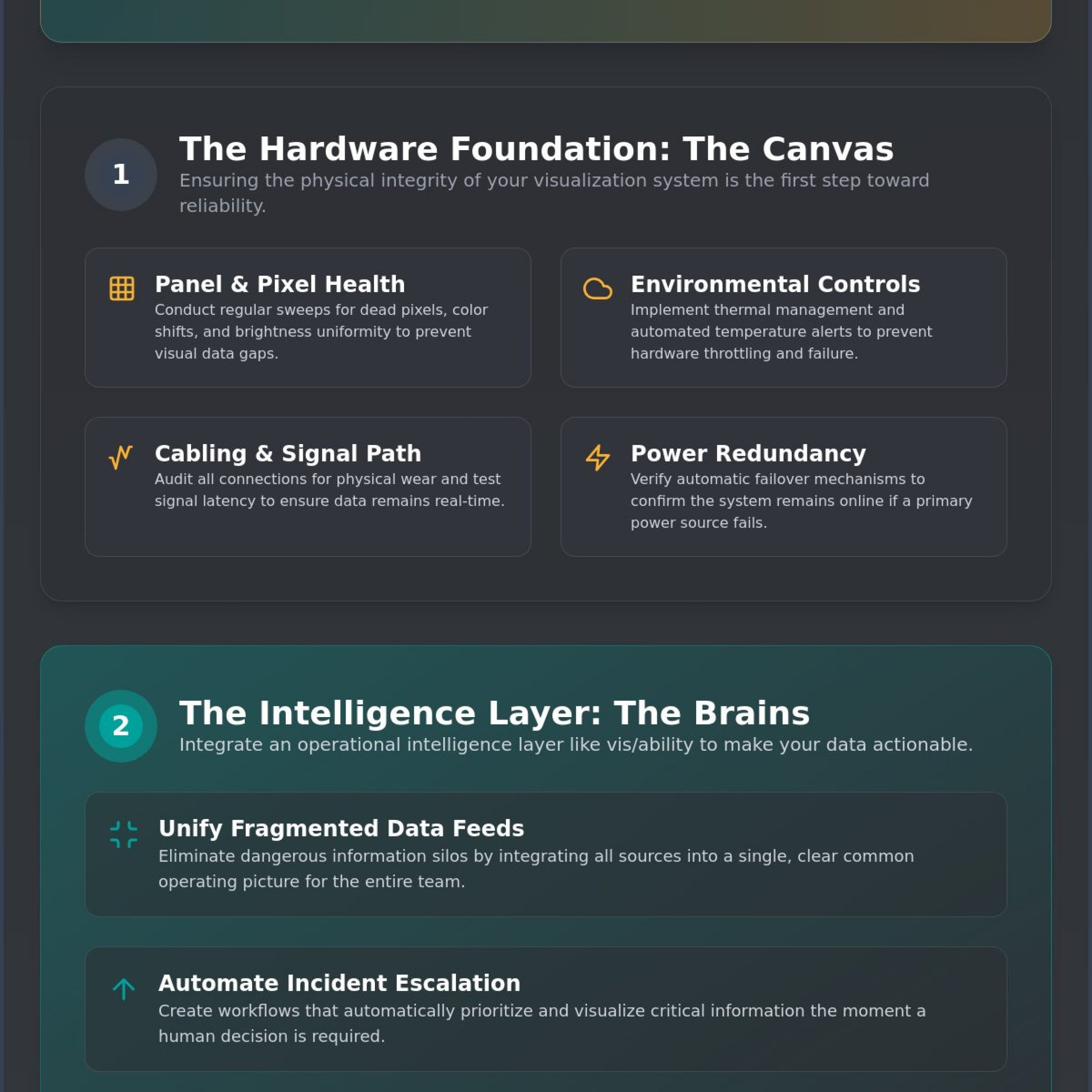
In a command center, hardware failure isn’t just an IT ticket; it’s a loss of situational awareness. Maintaining the physical integrity of your system ensures that every pixel serves its purpose in the common operating picture. A comprehensive video wall maintenance checklist begins with a granular inspection of the display modules themselves. Over time, LED and LCD panels can experience pixel degradation or subtle color shifts. While these might seem minor in a lobby display, they’re catastrophic in a dispatch center. A “dead” pixel could easily be mistaken for a missing asset or a cleared incident on a geospatial map, leading to critical operator oversight.
Most control rooms already have the screens. What they’re missing is the layer that decides what goes on them, and escalates automatically when something needs attention. While the hardware provides the canvas, the vis/ability platform acts as the operational intelligence layer that ensures that canvas never goes dark. It unifies the hardware with the data, making sure the physical display is always ready to receive the most vital information.
Panel and Module Health Inspections
Visual clarity is non-negotiable for emergency response and data analysis. Technicians must conduct regular sweeps for stuck pixels that could obscure critical markers. Beyond individual pixels, bezel alignment is vital. Even a millimeter of shift can disrupt the continuity of complex data streams. Brightness uniformity must also be verified across the entire wall. If one module dims, it creates a visual distraction that pulls focus away from the mission. These inspections prevent the fragmentation of data that occurs when hardware fails to present a unified image.
Cabling and Signal Path Verification
The infrastructure behind the glass is often where the most significant risks hide. High-stakes environments require an audit of every HDMI, DisplayPort, and fiber optic connection. Physical wear or loose seating can introduce intermittent signal drops that are difficult to diagnose under pressure. Testing signal latency from the source to the output is essential to ensure real-time data remains truly real-time. Finally, ensure that cable management doesn’t block the airflow required for heat dissipation. Thermal hotspots in 24/7 environments are a leading cause of premature hardware failure and system throttling. Identifying these hotspots through thermal audits is a proactive step toward zero-downtime operations.
A robust video wall maintenance checklist must also include a verification of power supply redundancy. Test automatic failover mechanisms to confirm the system stays online if a primary power source fails. In environments where decisions are made in seconds, waiting for a manual reboot isn’t an option. Without these proactive steps, even the most advanced displays become liabilities rather than assets.
Environmental Controls and Power Redundancy Standards
Operational readiness depends as much on the room’s environment as it does on the display technology itself. A video wall maintenance checklist that ignores ambient conditions is incomplete. High-density display arrays generate significant heat, and in a 24/7 command center, this thermal load can lead to hardware throttling or total component failure. While some organizations focus on IP ratings for weather protection in outdoor settings, the real challenge for a mission-critical SOC or NOC is managing the internal climate. Maintaining a steady-state environment ensures that processors and panels operate within their engineered tolerances, preventing the data lags that occur when systems overheat.
Most control rooms already have the screens. What they’re missing is the layer that decides what goes on them, and escalates automatically when something needs attention. This is where vis/ability functions as the operational intelligence layer, providing the clarity needed to manage both the data and the underlying infrastructure. By unifying environmental monitoring with content management, teams can ensure their common operating picture remains stable during peak operations.
Thermal Management in 24/7 Environments
Thermal stability is the bedrock of operational continuity. Technicians must set automated alerts for temperature thresholds within the display wall alcove to catch rising heat before it impacts performance. This requires a deep audit of HVAC integration to ensure dedicated cooling reaches the rear of the display modules. Regular cleaning of air intake filters and cooling fans is a mandatory task. Dust accumulation acts as an insulator, forcing fans to run at higher RPMs and increasing the risk of mechanical failure. Assessing EMI risks from surrounding gear is also vital, as electromagnetic interference can degrade signal quality in high-density equipment racks.
Power Conditioning and Surge Protection
Reliable power is the lifeblood of any visualization system. Validating UPS battery health and load capacity ensures that the system can withstand a sudden loss of grid power. It isn’t enough to simply have a backup; you must test the transition from grid power to backup generators under full load. Technicians should verify surge suppression at both the display and the processor level to protect against voltage spikes. Additionally, auditing power distribution units (PDUs) ensures a balanced load across failure-sensitive phases, preventing a single circuit trip from darkening the entire wall. Organizations seeking to harden their infrastructure often benefit from professional control room design services to ensure these power standards are met from day one.
Beyond the Glass: Maintaining the Operational Intelligence Layer
Focusing solely on hardware is a common pitfall in system upkeep. A truly effective video wall maintenance checklist must extend into the software and integration layers that actually drive decision-making. If the underlying intelligence layer fails, your high-resolution displays become nothing more than expensive wallpaper. Maintaining this layer involves auditing the platforms that aggregate real-time data and video streams to ensure they remain responsive during critical events. Most control rooms already have the screens. What they’re missing is the layer that decides what goes on them, and escalates automatically when something needs attention.
Defining the Operational Intelligence Layer
In many environments, operators struggle with fragmented data feeds that cause oversight. This is where vis/ability functions as the central hub for disparate data, bridging the gap between raw information and human judgment. Traditional systems often leave data trapped in silos, preventing a true common operating picture. By utilizing event-driven situational awareness, the platform identifies gaps and prioritizes the most essential information. This proactive approach ensures that the entire team, whether in the command center or on mobile devices, sees exactly what they need at the moment a pivotal decision is required.
Software Integration and Cyber Health
Maintaining a unified operating picture requires constant vigilance over third-party integrations. While tools like Axon provide essential video evidence, they offer only a partial solution. Without a unifying layer, these feeds remain isolated, forcing operators to switch between applications during a crisis. Technicians should regularly test the integration of these platforms to minimize data latency. Your video wall maintenance checklist must also include applying security patches to the video wall controller to prevent network intrusion. Cyber health is as critical as physical health in a mission-critical environment.
Finally, ensure that mobile vis/ability tools remain perfectly synced with the main control room display. Operational efficiency is lost when field responders and command staff view different versions of the truth. Regular audits of IPTV encoders and decoders ensure protocol compatibility across the network, maintaining the steady flow of intelligence. By treating software maintenance with the same urgency as hardware care, organizations move from reactive troubleshooting to a state of absolute technical reliability.
Operational Readiness: Testing Failover and Escalation Workflows
Operational readiness is the ultimate metric of a successful maintenance program. It’s one thing to ensure a panel is powered; it’s another to ensure it displays the right information when a crisis peaks. A comprehensive video wall maintenance checklist must include scheduled simulations of critical incidents to validate automated content escalation rules. These drills reveal whether the system logic actually supports the operator or if it contributes to the reasons why operators miss incidents during high-stress windows. Testing the human element alongside the technical infrastructure is the only way to guarantee a reliable response.
Most control rooms already have the screens. What they’re missing is the layer that decides what goes on them, and escalates automatically when something needs attention. Testing this layer ensures that when a pre-defined threshold is crossed, the vis/ability platform reacts instantly. This moves critical data from the background to the foreground without requiring manual intervention from an already taxed operator. By automating these transitions, you eliminate the delays inherent in fragmented, manual systems.
Automated Escalation and Alert Logic
Confirm that high-priority alerts trigger the correct visual layout changes across the entire wall. You need to test the event-driven triggers that prioritize essential information, ensuring that the most vital data streams are never buried. The primary goal of this testing is to ensure the system reduces cognitive overload by filtering out non-essential noise. If an operator is forced to hunt for a specific feed during an emergency, the system has failed its primary mission. Regular audits of user access levels are also necessary. Verify that only authorized personnel can modify the common operating picture to maintain the integrity of the information being shared.
Distributed Collaboration Readiness
A unified picture is only useful if it reaches every decision-maker, regardless of their location. Test the hand-off between public safety command centers, huddle rooms, and mobile field units. This involves auditing the latency of geospatial data shared across the vis/ability platform to ensure field teams see the same reality as the command staff. Use these tests to identify any bottlenecks in data transmission that could delay a coordinated response. If you’re ready to harden your operational workflows and ensure your team acts with greater certainty, explore our operational intelligence solutions to see how we unify disparate tools into a single, reliable hub.
Transitioning from Reactive Maintenance to vis/ability Intelligence
Many organizations treat their video wall maintenance checklist as a reactive log of past failures rather than a proactive strategy for operational readiness. Relying on a cycle of “break and fix” creates an inherent vulnerability. When maintenance is purely hardware-focused, the system remains a collection of disconnected parts. This fragmentation forces operators to act as the manual bridge between data silos, increasing the risk of fatigue and oversight during high-stakes operations. Moving beyond this reactive state requires a shift toward an intelligence-driven model that prioritizes the availability of information over the mere presence of hardware.
Most control rooms already have the screens. What they’re missing is the layer that decides what goes on them, and escalates automatically when something needs attention. By implementing vis/ability as the operational intelligence layer, organizations eliminate the need for manual troubleshooting during a crisis. The platform serves as the unifying engine behind SOC and NOC control rooms, ensuring that the technology actively supports the mission. This transition transforms the video wall from a passive display into a dynamic tool for event-driven situational awareness.
The ROI of Proactive Visualization
The financial and operational return on investment for proactive maintenance is significant. In critical infrastructure sectors like utilities, the cost of downtime is measured in cascading failures and lost service. Automated intelligence reduces the human cost of operator fatigue by filtering out noise and presenting only what is essential. This empowerment allows teams to act with greater certainty, knowing that their common operating picture is maintained by a system designed for 24/7 reliability. When the intelligence layer manages the complexity of data streams, the human element is free to focus on decisive action.
For organizations that manage these systems as part of a larger infrastructure portfolio, you can learn more about Maven Asset Management to see how their IBM Maximo consulting services help optimize the maintenance lifecycle of mission-critical assets.
Next Steps for Control Room Design
Future-proofing your command center requires more than just high-resolution panels. It demands a design philosophy that integrates maintenance-free software layers from the outset. Strategic leaders should review the mission-critical blueprint to understand how resilience is built into the fabric of the operation. Your video wall maintenance checklist should eventually evolve into a comprehensive audit of situational awareness gaps. Scheduling a professional assessment of these gaps is the first step toward ensuring your system is prepared for the next pivotal decision. To begin hardening your operational environment, contact our experts for a technical consultation.
Securing Absolute Technical Reliability for Your Mission
Maintaining a high-stakes visualization system requires more than periodic hardware cleaning. It demands a rigorous video wall maintenance checklist that encompasses physical health, thermal stability, and the integrity of the operational intelligence layer. Most control rooms already have the screens. What they’re missing is the layer that decides what goes on them, and escalates automatically when something needs attention. By transitioning from reactive troubleshooting to an event-driven model, your team can eliminate the data silos that lead to operator oversight during critical windows.
Activu has been a pioneer of situational awareness since 1983. Our patented vis/ability platform is trusted by Federal Government and Defense agencies to provide the bedrock for critical decision-making. This unifying hub ensures that your complex data streams are simplified and actionable when the stakes are at their highest. Request a vis/ability platform demo to secure your operational uptime and ensure your command center remains a quiet, powerful engine for successful operations.
Frequently Asked Questions
How often should a mission-critical video wall undergo a full maintenance audit?
Full maintenance audits should occur at least once every quarter, though daily visual inspections are necessary for 24/7 readiness. High-stakes environments require quarterly deep-dives into thermal loads and signal path integrity to ensure minor degradations don’t escalate into operational downtime. Incorporating these audits into your video wall maintenance checklist ensures the system remains prepared for the next pivotal decision.
What is the most common cause of video wall failure in 24/7 control rooms?
Thermal mismanagement and power supply exhaustion are the primary drivers of system failure in constant-use environments. Continuous operation generates significant heat, which can lead to processor throttling or module burnout if cooling systems and air intake filters aren’t regularly cleaned. Maintaining these environmental standards is the only way to ensure steady-state performance when the mission depends on absolute technical reliability.
Can software maintenance prevent hardware pixel burnout?
Software can extend hardware life by managing brightness uniformity and pixel shifting, but it cannot prevent physical aging entirely. An operational intelligence layer like vis/ability manages content distribution to avoid the static image retention that often leads to burnout. This proactive management reduces strain on specific modules, though physical inspections remain the bedrock of any maintenance strategy.
How do we maintain a common operating picture across distributed teams?
Maintaining a common operating picture across distributed teams requires a unifying platform that bridges the gap between raw data and human judgment. Most control rooms already have the screens. What they’re missing is the layer that decides what goes on them, and escalates automatically when something needs attention. This ensures field units and command staff view the same prioritized information simultaneously.
What are the NERC CIP requirements for video wall maintenance in utilities?
NERC CIP requirements for utilities focus heavily on access control, physical security, and the recovery of critical cyber assets. Organizations must document all personnel with access to the video wall and ensure that maintenance activities don’t introduce network vulnerabilities. Regular audits of the cybersecurity common operating picture help maintain compliance while securing the infrastructure against unauthorized intrusion.
Is cleaning the screen with standard chemicals safe for high-resolution LED walls?
Standard household or commercial chemicals are unsafe and will damage the specialized coatings on high-resolution LED panels. Use only dry, lint-free microfiber cloths or manufacturer-approved cleaning solutions applied with extreme care. Chemical erosion can cause permanent color shifts or pixel damage, compromising the clarity of your geospatial data and the overall integrity of the display.
How does event-driven visualization reduce the need for manual system monitoring?
Event-driven visualization reduces manual monitoring by automating the prioritization of essential information based on real-time triggers. Instead of operators scanning dozens of static feeds, the system reacts to critical incidents by moving vital data to the foreground automatically. This automation filters out non-essential noise, allowing the team to act with greater certainty when stakes are at their highest.
What happens to the video wall during a total power failure in a mission-critical center?
During a total power failure, the system relies on the seamless transition from grid power to UPS batteries and backup generators. A robust video wall maintenance checklist includes testing these failover mechanisms under full load to prevent a dark-wall scenario. If the primary site is compromised, the operational intelligence layer facilitates an immediate hand-off to mobile devices or secondary huddle rooms.