
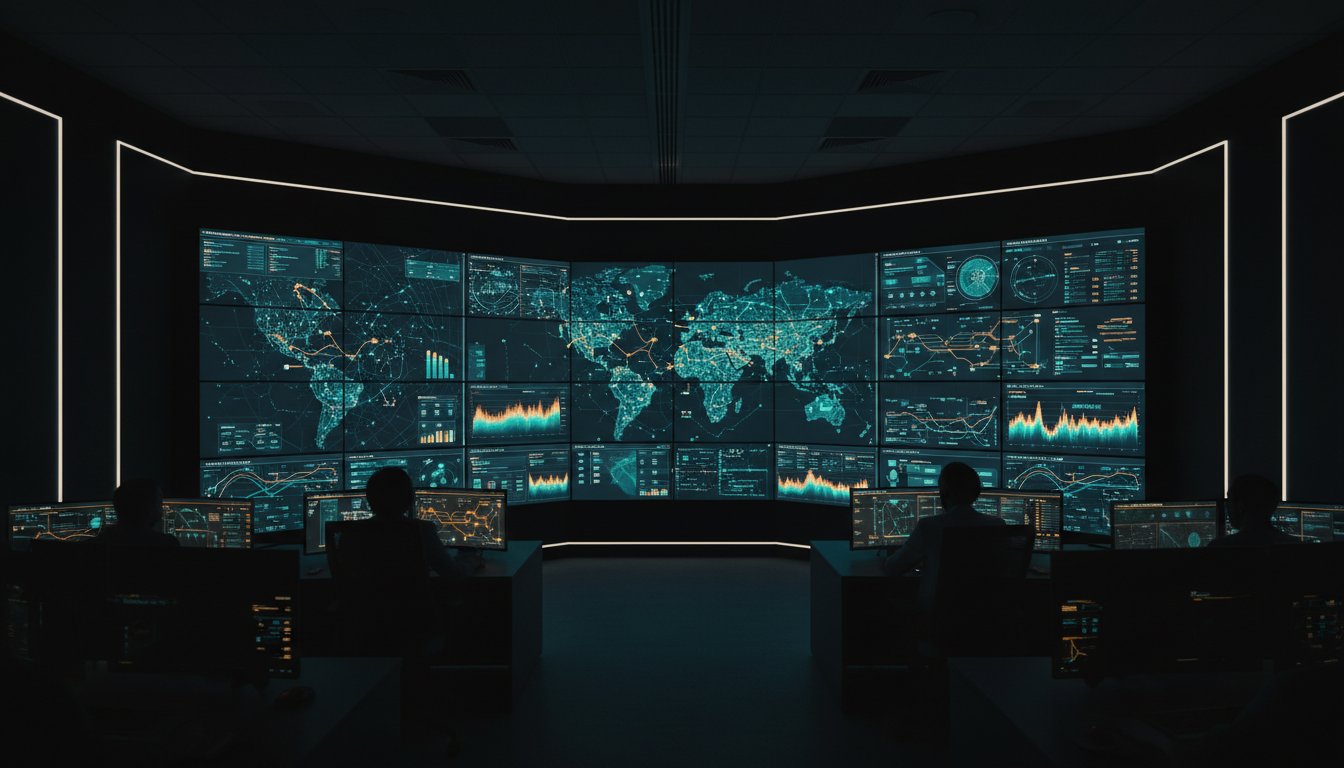
A single minute of unplanned downtime in a 24/7 utility or emergency operations center costs an average of $9,000, yet many teams still struggle with a video wall that offers more noise than insight. You understand the mental tax of monitoring dozens of disconnected data streams while trying to maintain a steady hand during a high-stakes crisis. It’s difficult to act with confidence when legacy software refuses to communicate with new hardware, blocking the visibility into what matters at the exact moment tactical precision is required.
This guide provides a roadmap to transform your display infrastructure into a powerful engine for real-time decision-making and operational clarity. You’ll learn how to consolidate disparate data sources into a unified operating picture that accelerates incident response times and eliminates information overload. We will examine the technical strategies required to future-proof your command center, ensuring your technology scales alongside your mission requirements without compromising absolute reliability.
Key Takeaways
- Define the Common Operating Picture (COP) to ensure distributed teams act on a single, unified logical canvas.
- Identify the specific hardware and processing requirements necessary to maintain 24/7 reliability in mission-critical environments.
- Distinguish between commercial and specialized systems to eliminate security vulnerabilities and hardware durability issues.
- Apply a strategic design framework to optimize your video wall layout for maximum situational awareness and operator ergonomics.
- Leverage intelligent, event-driven visualization to accelerate incident response times and bridge the gap between complex data and decisive action.
Beyond Pixels: Defining the Video Wall for Modern Operations
A video wall is far more than a collection of displays stitched together. In a mission-critical environment, it functions as a single, logical canvas designed to synthesize massive streams of complex data into a coherent narrative. For distributed teams, the primary objective is the creation of a Common Operating Picture (COP). This unified view ensures that every operator, whether in the room or working remotely, sees the same reality at the same time. Clarity is the baseline; synchronization is the goal.
Large screens alone don’t solve operational hurdles. A standard monitor displays an image; a strategic video wall facilitates a decision. The industry is moving away from reactive monitoring, where operators wait for an alarm to trigger. Instead, modern systems prioritize proactive, event-driven situational awareness. By 2026, industry standards will emphasize data integration over raw pixel count, shifting the focus toward how effectively a system can filter and present the right information at the exact moment of impact.
The Evolution of Display Technology
The technology has transitioned from static, maintenance-heavy projectors to high-resolution LED and LCD arrays with bezel gaps now as small as 0.88mm. The real revolution, however, lies in the architecture. We’ve moved from hardware-locked systems that require proprietary cabling to software-defined visualization. This shift allows for total flexibility in how content is routed and scaled across a network. By 2026, the benchmark for a successful installation won’t be resolution. It’ll be the system’s ability to ingest disparate API feeds and legacy video streams into one seamless, manageable interface.
Why Situational Awareness is the Real Goal
Situational awareness in critical infrastructure means more than just seeing a map or a camera feed. It’s the ability to perceive elements in the environment, comprehend their meaning, and project their status into the near future. A high-performing video wall can reduce cognitive load for operators by 25% or more by stripping away visual noise and highlighting anomalies. This clarity is vital in SOC, NOC, and GSOC control rooms. When a crisis hits, a unified view prevents siloed decision-making. It transforms a room full of individuals into a synchronized response force, ensuring that the bridge between raw data and human judgment remains unbreakable.
- Unified Visualization: Aggregates disparate data sources into a single pane of glass.
- Reduced Cognitive Load: Filters out irrelevant data to focus on actionable intelligence.
- Scalable Architecture: Uses software-defined protocols to share the COP across global locations.
The Anatomy of a Mission-Critical Video Wall System
A mission-critical video wall is more than a collection of screens; it’s a sophisticated ecosystem designed for 24/7/365 reliability. The hardware layer must feature industrial-grade components with advanced thermal management to prevent panel degradation over years of continuous use. Unlike consumer displays, these units offer a Mean Time Between Failure (MTBF) often exceeding 100,000 hours. This hardware works in tandem with the processing layer, where a dedicated video wall controller ingests hundreds of diverse data streams. These systems Improve Situational Awareness by ensuring that high-resolution maps, sensor data, and live video feeds remain synchronized without stutter or failure.
Display Technologies: LCD vs. LED
Selecting the right display technology depends on the viewing distance and operational environment. LCD narrow-bezel displays remain a cost-effective choice for smaller rooms where operators sit within 10 feet of the screen. They provide exceptional text clarity for monitoring complex SCADA systems. Direct-view LED panels offer a seamless canvas without any distracting bezels, making them ideal for large-scale command centers. When evaluating LED, pixel pitch is the most critical metric; a 1.2mm pitch ensures high-density data remains legible from across a large room. Brightness levels and long-term maintenance, such as front-serviceability, are equally vital for minimizing operational downtime. When considering display resolution, understanding the balance between HD or Ultra HD for mission-critical video walls ensures optimal performance without compromising real-time response capabilities.
The Software-Defined Advantage
Modern operations have moved beyond physical cables to a software-defined architecture. The vis/ability platform acts as the brain of the operation, virtualizing application integration so that any data source can be shared instantly. This platform uses event-driven triggers to change the video wall layout automatically when specific real-world data thresholds are met. For instance, a 15% surge in grid demand can trigger a localized map to expand across the main display.
Connectivity is managed through high-efficiency protocols like SRT and HEVC, which maintain sub-second latency for IPTV streams across the network. Selecting the right IPTV encoder for mission-critical control rooms ensures that video streams maintain the low latency required for real-time decision-making. This intelligence extends to the field, allowing mobile users to see the same critical information as those in the SOC. You can explore how these systems scale for global security operations centers to ensure total visibility across the enterprise.
Commercial vs. Mission-Critical: Why Standard Solutions Fail
Commercial off-the-shelf (COTS) hardware often looks identical to mission-critical equipment on a spec sheet, but the internal engineering tells a different story. Standard displays and controllers are designed for eight-hour workdays or retail environments where a failure is a minor inconvenience. In a command center, hardware must sustain a 100 percent duty cycle, operating 8,760 hours a year without degradation. Consumer-grade components typically lack the thermal management needed for these 24/7 environments, leading to pixel burnout or total panel failure within 18 months of continuous use. Understanding the strategic advantages of commercial off the shelf solutions for mission-critical operations helps organizations balance rapid deployment needs with long-term reliability requirements.
Security remains the most significant gap between retail and professional solutions. Retail controllers often rely on unpatched, non-hardened operating systems that lack the encryption protocols necessary for secure environments. For organizations in the utilities and energy sectors, this isn’t just a technical risk; it’s a regulatory one. Compliance with NERC CIP standards requires strict control over every node on the network. Using non-compliant hardware can result in fines exceeding $1 million per day per violation, making the initial savings of COTS hardware irrelevant.
The Total Cost of Ownership (TCO) reveals the true price of “cheap” solutions. While a mission-critical video wall requires a higher upfront investment, it eliminates the hidden costs of downtime. If a system fails during a grid instability event or a public safety crisis, the cost of lost situational awareness far outweighs the hardware price. Professional systems prioritize longevity, often providing a service life of 7 to 10 years compared to the 3-year replacement cycle of commercial alternatives.
Reliability and Redundancy Requirements
Mission-critical systems utilize redundant power supplies and failover processors to eliminate single points of failure. These systems employ black-screen prevention technology, ensuring that if a primary source drops, a secondary stream takes over instantly. A 2021 case study regarding an emergency operations center video wall in Charlotte demonstrates how purpose-built resilience allows operators to maintain focus during complex, multi-agency responses. By 2026, mission-critical redundancy will be defined by zero-millisecond failover capabilities where secondary processors mirror primary workloads in real-time to ensure perpetual visual continuity.
Cybersecurity at the Visual Layer
Protecting the video wall requires securing the entire data path from the source to the individual pixels. Modern mission-critical systems integrate Role-Based Access Control (RBAC), ensuring only authorized personnel can modify the canvas or access sensitive data streams. This level of control is vital when integrating with a Cybersecurity Common Operating Picture. It allows teams to visualize active threats while maintaining a “need-to-know” protocol for visual data, preventing unauthorized observers from seeing sensitive network topologies or classified intelligence during a breach response.

Designing for Success: A Framework for Video Wall Implementation
Successful implementation begins long before a single panel is mounted. Organizations that prioritize hardware specifications over operational requirements often face a 30% increase in post-deployment reconfiguration costs. A thorough needs analysis identifies exactly which data points drive decisions during a crisis. Conducting this analysis before selecting video wall hardware prevents technical debt and ensures the system scales with evolving mission requirements.
This process requires mapping every critical data source, including SIEM, SOAR, and telematics. Identifying these inputs early allows for the selection of a controller capable of seamless application integration. Reliability is the only acceptable metric in high-stakes environments. Establishing a maintenance plan that targets 99.999% uptime ensures long-term operational continuity and prevents system failure when visibility matters most. Building a comprehensive framework for mission critical operations resilience and visibility helps organizations bridge the gap between raw data and actionable intelligence during high-pressure scenarios.
Ergonomics and Control Room Design
The physical implementation of a video wall requires precise spatial planning. Calculating the Critical Viewing Distance is vital; for 4K displays, operators should sit approximately 1.5 to 2 times the vertical screen height away to maintain 20/20 visual acuity without strain. Ambient light must be managed at 300 to 500 lux to eliminate glare while keeping personnel alert. Ergonomic console furniture isn’t a luxury. It directly impacts performance, as optimized workstations can reduce operator fatigue and improve response times by 15% during extended shifts. The decision between HD or Ultra HD resolution for mission-critical applications must factor in viewing distance and the need for real-time data processing without latency issues. Understanding how 4K resolution transforms control room operations beyond pixels to operational intelligence helps teams leverage high-density displays to reduce information overload and improve decision-making speed during critical incidents.
Data and Application Integration
Modern command centers must move beyond simple HDMI feeds. Effective visualization requires native support for HTML5 browsers and specialized applications. Integrating public safety operations data with real-time geospatial maps provides a comprehensive operational picture. Modern controllers must also bridge the gap between legacy analog inputs and 10Gbps IP-based streams. This hybrid approach ensures that older infrastructure remains useful while the center transitions to a fully digital, software-defined environment. This level of integration turns raw data into actionable intelligence.
Build your foundation for better visibility and faster response times. Explore Activu Visability solutions to secure your operation.
The Activu Advantage: Intelligent Visualization for 2026
Modern operations demand a shift from passive monitoring to active intelligence. Activu’s vis/ability platform leads the industry in event-driven awareness. It transforms the traditional video wall from a static display into a proactive decision-support tool. For example, a major utility provider integrated this technology to manage grid stability. They achieved a 30% reduction in incident response times by ensuring that critical data appeared exactly when and where it was needed. Professional design services are vital here. Complex engineering projects require more than hardware; they require a deep understanding of operational industries and data flow. Scalable, software-centric solutions ensure your operation remains resilient as technology evolves toward 2026.
Visibility Into What Matters
Information overload is the primary enemy of situational awareness. Activu’s unique approach filters out the noise by highlighting only the specific alerts that require immediate human attention. This platform empowers operators to act with greater certainty during high-pressure scenarios. It functions as the essential bridge between raw digital data and human judgment. Instead of scanning dozens of screens for anomalies, your team receives the right information at the right moment. Clarity replaces chaos, allowing for faster, more accurate interventions in the moments that matter most.
Partnering for the Mission
Activu brings a 40-year history of protecting critical infrastructure as a vigilant guardian. We understand that a mission-critical video wall is only as effective as the engineering and support behind it. Our team provides global reach and 24/7 technical support capabilities to ensure zero downtime for your most vital systems. We don’t just sell software; we partner with you to build a foundation for long-term operational success. This commitment to reliability makes us the trusted choice for federal agencies and utility operators alike. Speak with an Activu design expert to plan your next project.
Securing Operational Resilience Through Intelligent Visualization
Success in a high-stakes command center depends on more than just high-resolution screens. A mission-critical video wall functions as the essential bridge between raw data and human judgment, providing the clarity required to manage complex infrastructure. While commercial-grade displays often fail under 24/7 pressure, Activu delivers the technical reliability that modern operations demand. We’ve spent 41 years serving as a trusted partner for Fortune 500 firms and government agencies that require absolute uptime.
Our solutions adhere to strict NIST and NERC CIP compliance standards, protecting your most sensitive data while enhancing your tactical view. We’ve designed the vis/ability platform to eliminate the chaos of information overload, allowing your team to focus on what matters most during a crisis. You don’t have to navigate the complexities of 2026 alone. Request a personal demo of the vis/ability platform today to see how we provide the bedrock for your most critical decisions. Your team’s potential is limitless when they have the right tools to see the path forward.
Frequently Asked Questions
What is the difference between a video wall and a large television?
Professional displays are engineered for 24/7/365 operation, whereas consumer TVs typically fail after 6 to 8 hours of continuous daily use. Industrial systems offer brightness levels up to 700 nits and ultra-narrow bezels under 1 millimeter to ensure seamless data visualization. These configurations include redundant power supplies and industrial-grade cooling to maintain thermal stability in high-stakes environments where every pixel matters for situational awareness.
How long do mission-critical video wall displays typically last?
Most mission-critical LED or LCD panels carry a rated lifespan of 60,000 to 100,000 hours before reaching half-brightness. In a 24/7 command center, this translates to 7 to 11 years of continuous operation. Regular calibration every 12 months ensures color uniformity across the entire array. Proactive maintenance schedules extend the hardware’s utility, ensuring the system remains a reliable foundation for monitoring critical infrastructure without interruption.
Can I integrate my existing security software with a new video wall system?
Yes, modern platforms integrate with existing Video Management Systems (VMS) and physical security information management tools through standard APIs or direct hardware inputs. Software solutions bridge the gap between legacy CCTV feeds and new digital assets. This allows operators to pull data from over 500 different third-party sources into a unified interface, streamlining the decision-making process during active incidents and emergency response scenarios.
What is the best pixel pitch for a control room environment?
The optimal pixel pitch for a control room usually falls between 0.9mm and 1.5mm to ensure text legibility at close viewing distances. If operators sit 10 feet from the screen, a 1.2mm pitch provides a crisp image without visible pixelation. Choosing the correct pitch prevents eye strain during 12-hour shifts. This precision is vital for monitoring complex geospatial data or intricate electrical grid schematics with absolute clarity.
How much does a professional video wall system cost to install?
Total investment for a professional video wall installation typically ranges from $50,000 for a small 2×2 array to over $500,000 for large-scale enterprise operations. This figure covers the displays, processors, mounting hardware, and specialized labor. Hardware accounts for roughly 60 percent of the budget, while software integration and site preparation make up the remaining 40 percent. Every project requires a custom assessment to align with operational requirements.
What happens if a single display in the video wall fails?
Professional systems utilize distributed processing to ensure the rest of the array remains operational if one unit fails. Redundant power supplies and hot-swappable components allow technicians to replace a faulty module in under 15 minutes without shutting down the entire system. This design prevents a single point of failure from blinding the command center. Operators maintain visibility into critical data while the hardware is serviced or replaced.
Does a video wall require special cooling or electrical infrastructure?
A high-density video wall generates significant heat, often requiring an additional 12,000 to 24,000 BTUs of cooling capacity depending on the array size. Electrical requirements often necessitate dedicated 20-amp circuits to handle the initial power draw and sustained load. Implementing an Uninterruptible Power Supply (UPS) protects the system from voltage spikes. Proper infrastructure planning reduces the risk of hardware degradation by 30 percent over the system’s operational life.
How does event-driven visualization work in a NOC or SOC?
Event-driven visualization automatically triggers specific content layouts on the screen when a pre-defined threshold is met. For instance, a 15 percent spike in network latency can prompt the system to display relevant server maps and traffic analytics immediately. This removes the manual step of searching for data during a crisis. It empowers teams to focus on resolution rather than information gathering, cutting response times by nearly 40 percent.