
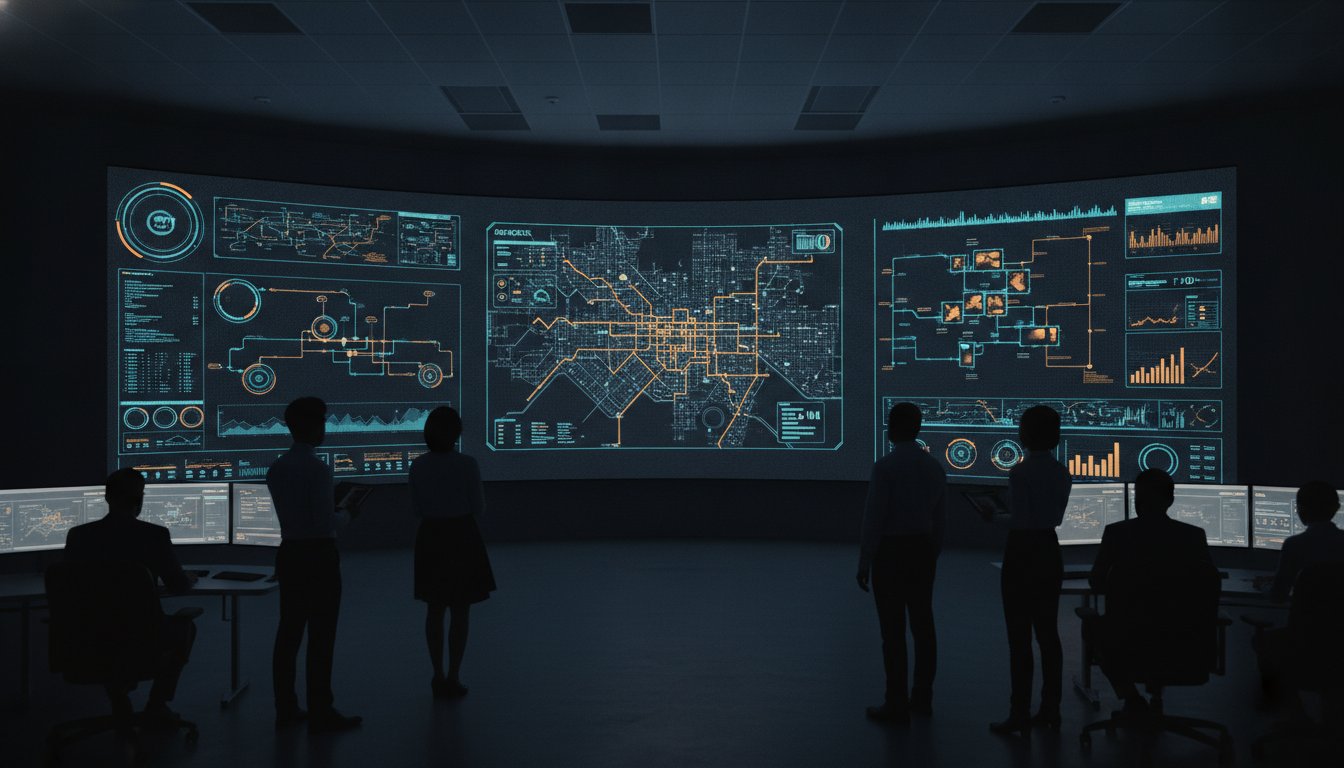
A single pixel of distorted data in a high-stakes environment isn’t just a technical glitch; it’s a failure in a team’s ability to respond to a crisis. You likely recognize the strain placed on operators who must squint at blurred GIS maps or fragmented SIEM alerts that fail to align with the display’s physical layout. Mastery of video wall resolution standards is the only way to eliminate this visual friction and prevent the siloed information that compromises situational awareness during urgent operations.
Most control rooms already have the screens. What they’re missing is the layer that decides what goes on them, and escalates automatically when something needs attention. This article provides the technical blueprint you need to understand the relationship between pixel pitch and operational clarity. You’ll learn how to configure a unified operating picture that ensures every data feed is legible, actionable, and reliable. We’ll examine the standards required to transform a wall of monitors into a powerful engine for human judgment, ensuring your team maintains control when the stakes are at their highest.
Key Takeaways
- Identify why commercial-grade displays fail in 24/7 command centers and how to define the specific video wall resolution standards your mission requires.
- Master the technical correlation between pixel pitch and operator viewing distance to maintain absolute clarity for complex data feeds.
- Move beyond static hardware by implementing an operational intelligence layer that automatically escalates critical information to the right screens.
- Ensure the legibility of high-precision tools like GIS and SCADA by aligning your resolution strategy with application-specific accuracy requirements.
- Build a resilient, future-proof environment using software-defined visualization that adapts to evolving data needs without requiring constant hardware overhauls.
The Operational Impact of Video Wall Resolution Standards
Operational clarity depends on more than just high pixel counts. It requires adherence to specific video wall resolution standards that prioritize human legibility over mere visibility. In mission-critical environments, the difference between a standard display and a high-density configuration isn’t just an aesthetic choice; it’s the difference between identifying a threat in seconds or missing it entirely. Most control rooms already have the screens. What they’re missing is the layer that decides what goes on them, and escalates automatically when something needs attention.
Standard commercial displays often follow basic display resolution standards designed for office work or entertainment. These systems frequently fail in 24/7 command centers where data must be readable from diverse angles and distances. When pixel density is insufficient, operators encounter fragmented data feeds that create artificial silos. If a supervisor can’t read a critical alert from across the room, that information remains locked within a local workstation, defeating the purpose of a common operating picture. This lack of clarity forces teams to work harder to bridge the gap between raw data and actionable intelligence.
Legibility vs. Visibility in High-Stakes Ops
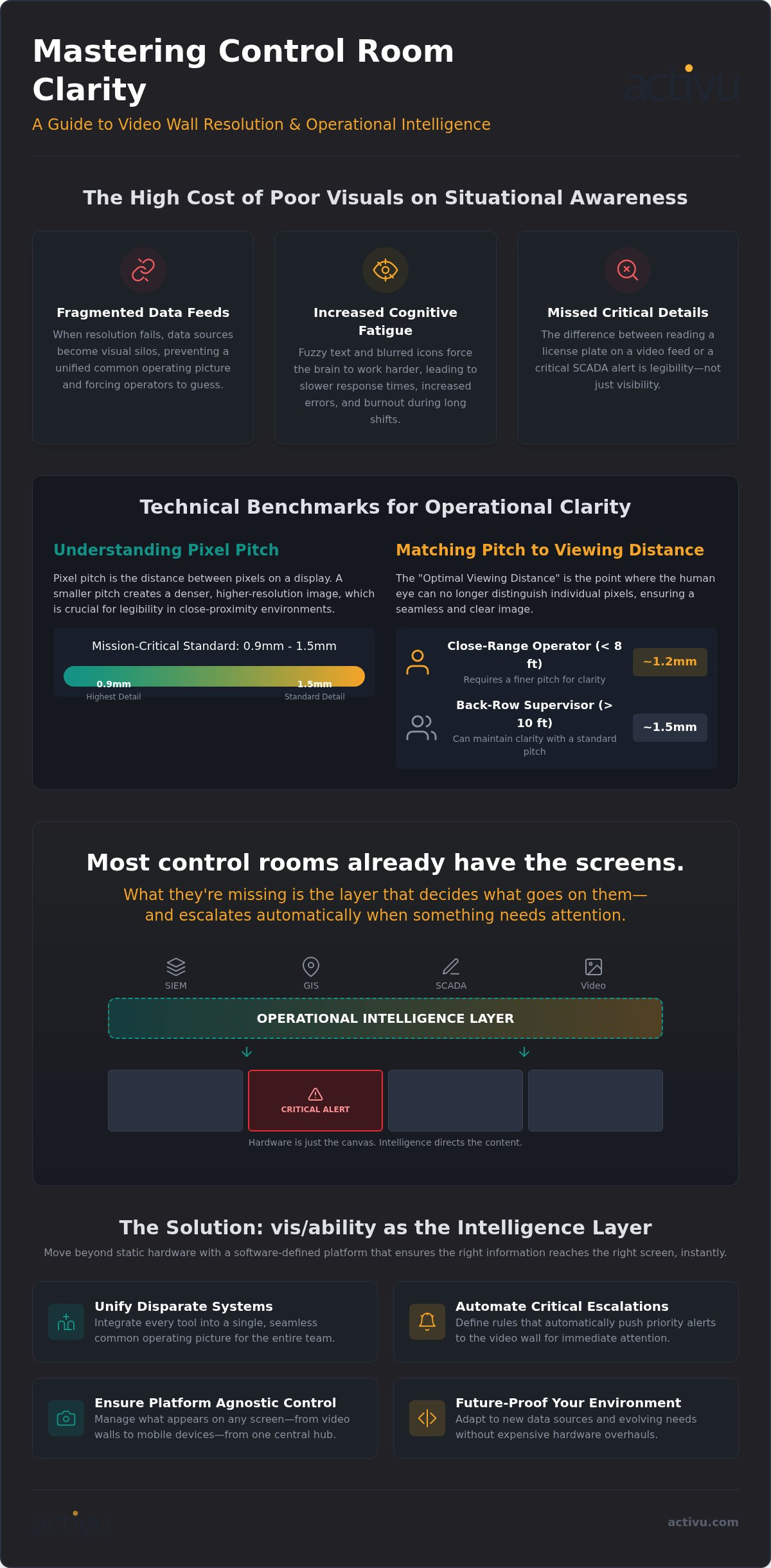
Visibility simply means you can see that an image exists on the screen. Legibility means you can interpret the fine details of the data it contains. In emergency response, seeing a video feed of a highway is visibility; reading a license plate or interpreting a complex SCADA alert is legibility. Critical details often reside in small text or thin lines on a GIS map that can easily blur on sub-par displays. Operational resolution is the ability to interpret and act on displayed data without ambiguity. Without meeting rigorous video wall resolution standards, your hardware becomes a bottleneck for decision-making rather than an asset.
Reducing Operator Fatigue through Visual Clarity
Poor visual clarity is a primary driver of operator cognitive fatigue. When text is fuzzy or icons are blurred, the brain works harder to process information. During a twelve-hour shift, this constant micro-strain leads to slower response times and increased errors. Squinting at a wall during a crisis is a symptom of a failed visual strategy that places unnecessary stress on the human element. High-resolution panels, when managed by an intelligent software layer, provide the crispness needed to maintain focus. This clarity allows for faster incident identification and ensures that situational awareness remains high, even during peak operational stress.
Technical Benchmarks: Pixel Pitch, 4K, and Viewing Distance
Engineering a command center requires aligning hardware capabilities with human visual limits. To achieve operational clarity, technical benchmarks must transcend basic consumer specs. Adhering to video wall resolution standards ensures that every individual in the room, from the front-row operator to the back-row supervisor, perceives a seamless, data-rich image. When these standards aren’t met, the resulting visual artifacts can lead to critical errors during high-stakes incidents.
Deciphering Pixel Pitch for Indoor Environments
Pixel pitch measures the distance from the center of one pixel to the center of the next. In mission-critical indoor settings, the current standard typically ranges from 0.9mm to 1.5mm. Smaller pitches like 0.9mm are essential for close-proximity viewing where operators sit within a few feet of the wall. This density prevents the screen door effect where individual pixels become visible, a distraction that compromises data legibility. Prioritizing density over total surface area is often the smarter move for rooms where fine-line SCADA alerts or geospatial maps are the primary focus. For teams sourcing high-performance hardware, vb-technology.com specializes in LED panels that meet these rigorous density requirements.
The “Optimal Viewing Hole” is the specific zone where the human eye can’t distinguish individual pixels. Calculating this distance is vital for operational readiness. If your operators sit six feet away, a 1.2mm pitch provides the necessary clarity to maintain situational awareness without visual artifacts. For larger rooms where supervisors sit further back, a 1.5mm pitch may suffice, balancing cost with the required level of detail. It’s about ensuring the hardware supports the human element, not just filling a wall with glass.
While 4K is now a baseline, 8K standards are rapidly entering the mission control space to support massive data canvases. However, large-scale video walls rarely fit a standard 16:9 aspect ratio. Custom configurations often result in non-standard resolutions that can distort critical geospatial data if not managed correctly. This is where the physical hardware meets its limit.
The vis/ability platform serves as this operational intelligence layer. It handles complex scaling across diverse panel types, ensuring that aspect ratios remain consistent regardless of the physical layout. This software-defined approach allows for the integration of high-resolution feeds into a unified operating picture, making it easier for teams to act with certainty. You can explore how these systems integrate into specialized environments by reviewing our control room design services.
The Gap Between Hardware Resolution and Operational Intelligence
High-resolution panels represent a significant investment in infrastructure, but they don’t guarantee operational success on their own. If a wall displays millions of pixels without a strategy for data prioritization, it becomes a wall of noise rather than a tool for clarity. “Dumb” video walls treat every data feed as equal, forcing operators to manually scan for anomalies amidst a sea of static information. This approach fails to leverage the technical potential of modern video wall resolution standards, as the human element becomes the bottleneck for processing raw data.
Bridging the gap between raw pixels and actionable situational awareness requires more than just better hardware. Without this intelligence, even the sharpest displays can’t prevent incidents from being missed when data is siloed or poorly scaled.
The Limitations of Standard Video Wall Controllers
Traditional matrix switchers and basic hardware controllers were designed for a simpler era of video routing. They often struggle with high-resolution application data, such as real-time GIS layers or dense cybersecurity dashboards. When these controllers attempt to scale legacy feeds to fit modern displays, they frequently resort to “pixel-stretching.” This process distorts the image, making fine text unreadable and icons blurry, which directly contradicts the purpose of maintaining high video wall resolution standards. These siloed hardware systems prevent the creation of a unified operating picture, as they can’t intelligently aggregate disparate data sources into a single, cohesive view.
Introducing the Operational Intelligence Layer
The vis/ability platform serves as the operational intelligence layer that transforms standard displays into a dynamic command environment. It unifies disparate resolution standards into a single, high-fidelity view, ensuring that every feed is displayed at its optimal clarity. Unlike traditional controllers, vis/ability uses event-driven visualization to prioritize screen real estate based on the urgency of the situation. When a critical threshold is met in a SIEM or SCADA system, the platform automatically escalates that specific data to the most prominent position on the wall.
This software-defined approach ensures that visibility isn’t limited to the physical command center. Because vis/ability acts as a central hub, the same high-resolution intelligence flows seamlessly to huddle rooms and mobile devices. This ensures that field responders and remote executives see the same unified operating picture as the operators on the main floor. By moving the intelligence from the hardware to the software layer, organizations can act with greater certainty, knowing that the most essential information is always in focus.
Application-Specific Resolution Requirements
Generic hardware specs often fail to account for the specialized data types found in mission-critical environments. While a billboard or commercial display might function with a massive pixel pitch, a command center managing a power grid or a metropolitan transport network requires surgical precision. Adhering to the correct video wall resolution standards is the only way to ensure that the fine lines of a SCADA diagram or the dense text of a SIEM alert remain legible under pressure. Precision is the bedrock of operational readiness, and it begins with matching resolution to the specific demands of your data.
Geospatial and Mapping Accuracy
Geospatial data is particularly sensitive to resolution. In real-time asset tracking, map labels and icon overlays often consist of small, high-contrast text that can blur if pixel density is insufficient. For organizations utilizing transportation solutions for fleet visualization, this clarity is non-negotiable. Identifying a specific vehicle or infrastructure asset in a crowded GIS layer requires the highest available pixel density to prevent costly misinterpretations during a response.
Cybersecurity and Network Oversight
In a Security Operations Center (SOC), the ability to visualize a Cybersecurity Common Operating Picture is the primary defense against evolving threats. These environments rely on aggregating SIEM and SOAR data without losing the granular detail of the original source. The vis/ability platform ensures that complex threat intelligence remains sharp and high-contrast. This level of detail allows analysts to detect patterns and anomalies that would be invisible on standard commercial displays. When resolution is optimized, threat detection speeds increase and cognitive load decreases.
Public safety operations face similar challenges when integrating video feeds from fragmented systems. While platforms like Axon provide essential video data, they often function as siloed tools that only offer a partial solution. These systems require a unifying operational intelligence layer to create a full common operating picture. This ensures that every responder, whether in the command center or on a mobile device, sees a clear and accurate representation of the field. To see how these video wall resolution standards apply to your specific mission, contact our engineering team for a technical consultation.
Future-Proofing Your Video Wall with vis/ability
Investing in high-end panels is a temporary fix if the underlying architecture remains static. As video wall resolution standards evolve from 4K toward 8K, the risk of technical obsolescence grows. Hardware-locked systems often require expensive, disruptive overhauls to support higher pixel densities or new data protocols. In contrast, a software-defined approach ensures your investment remains relevant as your operational requirements scale. This resilience allows your team to focus on the mission rather than the limitations of the hardware.
What they’re missing is the layer that decides what goes on them — and escalates automatically when something needs attention. By implementing this operational intelligence layer, you transform static displays into a dynamic resource that adapts to the urgency of the moment.
Integration with Emerging Data Standards
The vis/ability platform acts as the central hub for this technical evolution. It incorporates emerging video protocols and data standards without requiring immediate hardware replacements. This flexibility is essential for maintaining visual clarity across distributed teams. It ensures that an analyst in a huddle room or a responder on a mobile device sees the same high-fidelity intelligence as the operator in the primary command center. By preparing for AI-driven visualization, vis/ability enables automated escalation. This shift moves your team from a reactive posture to a state of proactive, event-driven intelligence where the most critical data always finds the right eyes.
Designing for Operational Continuity
High-resolution feeds are only useful if they remain consistently available when the stakes are at their highest. Activu’s design services focus on operational continuity, ensuring that your common operating picture remains intact during critical incidents. Our engineering team builds redundancy into the visualization layer. This prevents single points of failure from blinding your team during a crisis. We align your physical layout with rigorous video wall resolution standards to guarantee 24/7 reliability. This methodical approach creates a sense of trust, leading your team from a state of complexity to a state of clear, actionable intelligence.
To begin building a resilient, high-clarity command environment that empowers your team to act with certainty, contact Activu for a Control Room Design Consultation.
Establishing a Foundation for Operational Clarity
Operational success in high-stakes environments depends on the seamless transition from raw data to human judgment. Adhering to technical video wall resolution standards is the first step in ensuring that your team can identify threats and manage complex systems without the burden of visual fatigue. By aligning pixel pitch with the physical realities of your command center, you eliminate the silos created by unreadable data and fragmented feeds.
Trusted by Federal Government and Defense agencies, the vis/ability platform serves as this critical operational intelligence layer. It reduces cognitive load for 24/7 operators by providing a unified operating picture through seamless integration with Axon, SIEM, and SCADA tools. This approach ensures that technical tools empower individuals to act with greater certainty when stakes are at their highest.
Take control of your visual environment and ensure every pixel serves your mission. Request a vis/ability platform demo to see how we unify your operational data. We look forward to helping you achieve absolute clarity in your operations.
Frequently Asked Questions
What is the standard resolution for a control room video wall?
The standard resolution for a control room is not a single number but an aggregate of the total pixels across the entire display surface. Most modern systems aim for at least 4K per quadrant to ensure that fine details in GIS or SCADA maps remain sharp. This density is critical for maintaining situational awareness. The physical layout often dictates the final count, as multiple high-definition tiles combine to create a massive, high-fidelity operational canvas.
How does pixel pitch affect viewing distance in a NOC?
Pixel pitch determines the minimum distance at which the human eye can no longer distinguish individual pixels. In a NOC, a smaller pitch like 1.2mm allows operators to sit closer to the wall without seeing visual artifacts. This relationship is a fundamental part of video wall resolution standards. If your team sits further back, a 1.5mm pitch may suffice; however, closer proximity viewing always requires higher density to maintain data legibility.
Is 4K resolution necessary for all video wall applications?
4K is becoming the baseline for mission-critical sectors because it provides the pixel density required for complex data visualization. While 1080p may work for simple video feeds, it often fails when displaying dense text or intricate network diagrams. High resolution is a tool for better situational awareness.
What happens if my data feeds have different resolutions than my video wall?
When data feeds have different resolutions, standard hardware often scales them poorly, leading to blurred icons and unreadable text. This fragmentation creates silos where information is difficult to see across a room. The vis/ability platform unifies these disparate sources into a single operating picture. It manages the scaling process intelligently, ensuring that every feed, from legacy video to high-res application data, appears at its optimal clarity without distorting the overall view.
How much does a high-resolution video wall system cost to maintain?
Maintenance costs are tied to the underlying technology and the thermal management required for 24/7 operations. High-resolution LED systems require consistent cooling to prevent pixel degradation over time. The primary cost is often related to the software managing the wall. Software-defined visualization is more resilient than hardware-locked systems, as it allows for updates and protocol changes without requiring expensive hardware replacements. This proactive approach ensures long-term operational continuity for the command center.
What is the best pixel pitch for a 24/7 mission-critical environment?
For 24/7 environments, a pixel pitch between 0.9mm and 1.5mm is the most effective choice. This range balances the cost of high-density panels with the need for absolute clarity in SCADA and cybersecurity applications. Adhering to these video wall resolution standards ensures that operators don’t experience eye strain during long shifts. The right pitch allows for the fine-line legibility necessary to manage power grids or monitor complex network threats with total certainty.
Can software improve the resolution of my existing video wall panels?
Software cannot increase the physical pixel count of a display, but an operational intelligence layer can dramatically improve how that resolution is utilized. By preventing pixel-stretching and optimizing data placement, the vis/ability platform ensures that every pixel on your existing wall serves a purpose. It aggregates real-time data and video streams into a unified view, making your current hardware more useful for the entire team, whether they are in the command center or using mobile devices.
How do I calculate the total resolution of a multi-panel video wall?
Calculate the total resolution by multiplying the pixels of a single panel by the number of panels in the horizontal and vertical array. For instance, a 3×3 wall of 1080p panels creates a canvas of 5760 x 3240 pixels. While the total count is important, the effective resolution is what matters for the mission. Professional design services ensure that this total resolution aligns with the viewing distances and data types used in your specific environment.