
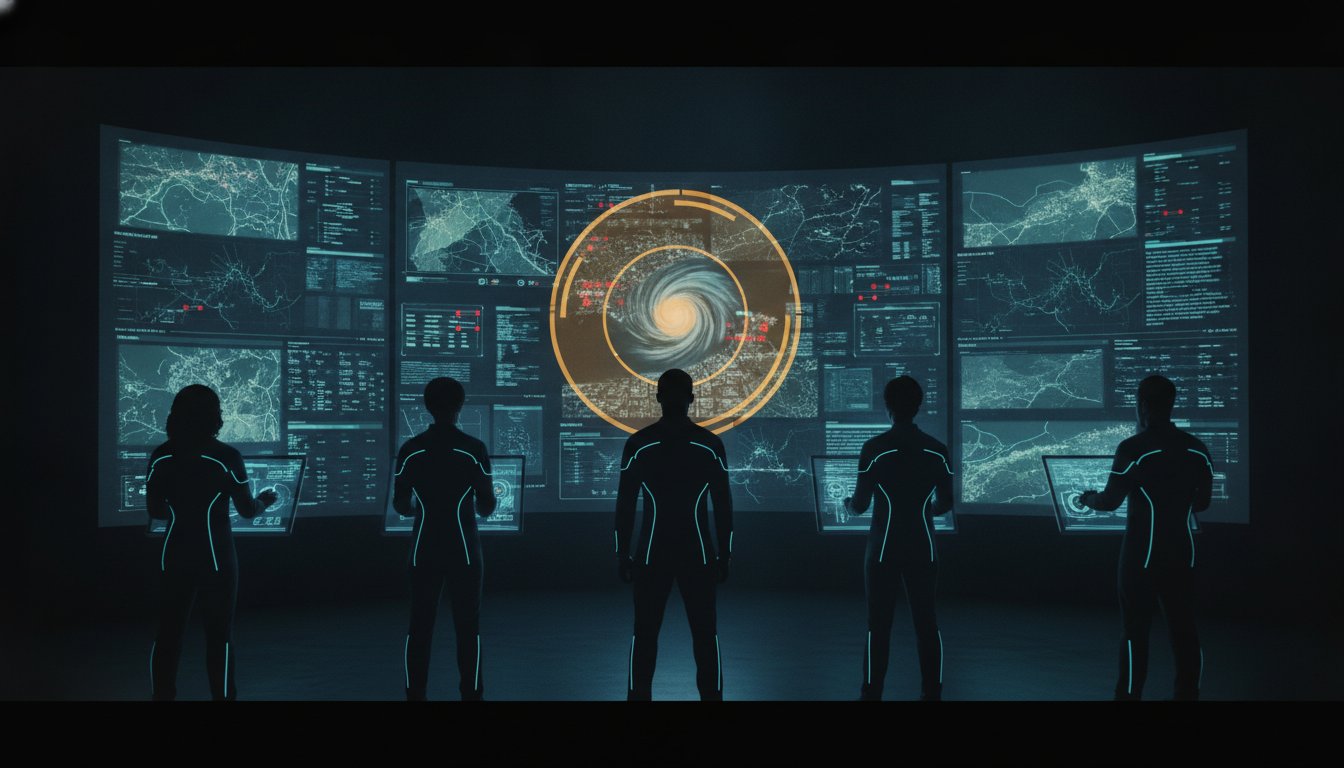
The highest resolution screen in the world becomes a liability if it forces an operator to hunt for the one pixel that matters. While the debate between hd or ultra hd usually focuses on technical specifications, more pixels often lead to more noise rather than more clarity. You likely understand the frustration of managing fragmented data silos where high-resolution feeds paradoxically hide critical incidents in plain sight. Most control rooms already have the screens. What they’re missing is the layer that decides what goes on them, and escalates automatically when something needs attention.
This article reveals how to balance pixel density with operational intelligence to ensure your team never misses a pivotal moment. You’ll gain a clear understanding of how resolution impacts situational awareness and follow a roadmap for selecting hardware that supports long-term goals. By framing technology as the bridge between raw data and human judgment, you can unify disparate streams into a single view that empowers decisive action when stakes are at their highest.
Key Takeaways
- Understand why increasing pixel density without a management strategy often leads to information overload and missed incidents.
- Evaluate the technical differences between hd or ultra hd to determine which standard best supports your specific viewing distances and data types.
- Learn a decision framework for auditing your VMS and geospatial feeds to ensure your hardware investment aligns with operational goals.
- Discover how the vis/ability platform serves as the central hub for unifying siloed data into a single, actionable common operating picture.
- Shift your focus from commodity hardware to an operational intelligence layer that automatically prioritizes the most critical information for your team.
The Operational Reality: Why Resolution Alone Is Not the Answer
Mission-critical environments demand absolute precision. When deciding between hd or ultra hd, many organizations assume that higher pixel counts automatically translate to better outcomes. This assumption ignores the fundamental challenge of modern operations: the overwhelming volume of raw data. A video wall saturated with high-resolution feeds often creates a wall of noise that obscures the very incidents it was designed to detect. Operational failure rarely happens because a screen lacks detail. It happens because the operator cannot find the signal amidst the noise.
Fragmented systems and siloed data streams remain the primary obstacles to situational awareness. While hardware manufacturers focus on immersion, they often overlook the cognitive load placed on an operator who must scan millions of pixels for a single anomaly. Hardware provides the canvas; software provides the intelligence. Without a system to prioritize information, a higher resolution simply means a more detailed view of the chaos. Every screen in a command center competes for the limited attention of the human operator. If the technology doesn’t assist in filtering that competition, it contributes to the problem.
The Hidden Cost of Data Silos
Individual tools like Axon provide essential data, but they offer only partial views of a complex incident. When these feeds remain isolated, operators are forced to act as the human integration layer, manually correlating data across multiple high-res displays. This fragmentation creates a high risk of missing critical events. A true Common Operating Picture (COP) isn’t built by adding more screens. It’s achieved by breaking down these silos to reveal the narrative hidden within the data. Relying on siloed tools without a unifying layer ensures that critical intelligence remains trapped behind separate logins and disconnected interfaces.
When Pixels Do Not Equal Clarity
There’s a distinct difference between sharpness and actionable intelligence. Technical standards like 4K resolution offer impressive detail, but detail alone doesn’t drive decision-making. In a crisis, an operator doesn’t need to see every pixel of a routine feed. They need to see the one feed that requires immediate intervention. A 4K display showing irrelevant background data is significantly less valuable than an HD display highlighting a critical, real-time alert. Staring at a massive video wall during a crisis is useless if the system hasn’t already identified where the operator’s eyes should be.
Most control rooms already have the screens. What they’re missing is the layer that decides what goes on them, and escalates automatically when something needs attention. The choice between hd or ultra hd is secondary to the strategy used to manage those pixels. True situational awareness requires an operational intelligence layer that sits above the hardware, transforming raw pixels into the clarity required for decisive action.
Defining the Standards: HD vs. Ultra HD in Mission-Critical Context
Technical precision in a command center relies on adhering to established display standards. Full HD (FHD) provides a 1920×1080 pixel baseline, serving as the functional standard for most legacy camera feeds and text-centric applications. Ultra High Definition (UHD), or 4K, expands this canvas to 3840×2160 pixels, offering four times the pixel density. The International Committee for Display Metrology (ICDM) provides the framework for these measurements, ensuring that display performance meets professional requirements for clarity and accuracy during 24/7 operations.
Deciding between hd or ultra hd requires a thorough audit of your native application support. Scaling a low-resolution feed to a 4K screen introduces interpolation artifacts that can compromise forensic investigations. Conversely, forcing high-density geospatial data onto an HD screen often renders critical labels unreadable. Most control rooms already have the screens required for these tasks. The hardware is rarely the bottleneck. The real challenge lies in the intelligence layer that manages how this data is presented to the operator to ensure maximum situational awareness.
High Definition (HD) and Full HD (FHD) Standards
FHD remains the workhorse of professional visualization. It excels in environments where text-heavy dashboards and legacy video management systems are the primary data sources. Because HD requires significantly less bandwidth than UHD, it’s often the more reliable choice for distributed teams and mobile responders. Legacy infrastructure often dictates this choice; many existing sensors and older platforms don’t output 4K natively. Forcing these systems into a UHD environment without a proper integration strategy can lead to a blurry wall that causes operator fatigue. In many public safety operations, a consistent HD stream is far more valuable than a high-resolution feed that risks network saturation during a critical incident.
Ultra High Definition (UHD) and 4K Capabilities
UHD offers the pixel real estate necessary for modern geospatial oversight and high-density mapping. The 4-for-1 rule is the primary benefit here. An operator can monitor four distinct 1080p feeds on a single 4K display without any loss of detail. This density is vital for complex environments where every icon on a map represents a potential threat or asset. Native 4K support ensures that intricate data, such as a cybersecurity common operating picture, remains crisp even when viewed from a distance. Determining whether to deploy hd or ultra hd depends on these specific data needs. Most control rooms already have the screens. What they’re missing is the layer that decides what goes on them, and escalates automatically when something needs attention.
Comparing Performance: HD vs. Ultra HD for Situational Awareness
Operational success depends on an operator’s ability to interpret data quickly and accurately. Choosing between hd or ultra hd is a calculation of human optics and network capacity. In a command center, viewing distance dictates whether those extra pixels provide a tangible benefit or become a wasted investment. If an operator sits more than ten feet from a large display, the human eye often cannot distinguish between 1080p and 4K. However, as teams move closer to the glass in huddle rooms or individual workstations, the increased density of Ultra HD becomes a critical asset for identifying subtle anomalies that HD might blur.
One common misconception in the industry is the “up-scaling” myth. Displaying standard HD content on a UHD wall does not improve intelligence; it simply makes the existing pixels larger. You don’t gain new data by stretching a low-resolution feed across a high-resolution canvas. True situational awareness requires native end-to-end resolution. Without it, you’re merely looking at a sharper version of an incomplete picture. High-resolution hardware can certainly improve your video wall display, but only when the source data matches the output capability.
Legibility and the Big Picture Problem
Legibility is the bedrock of effective oversight. In complex SCADA environments or GIS applications, icons and text labels are often small and densely packed. Standard HD can cause these details to alias or “shimmer,” leading to significant operator eye strain over a twelve-hour shift. Ultra HD provides the clarity needed to read fine print on a map or monitor minute fluctuations in a data grid without squinting. This precision is why many organizations prioritize 4K for their Video Wall Systems for Control Rooms. When every icon represents a billion-dollar asset or a human life, clarity isn’t a luxury; it’s a requirement.
Bandwidth and Infrastructure Considerations
The technical cost of UHD is measured in bits per second. A single 4K stream requires significantly more bandwidth than its HD counterpart, which can create bottlenecks in secure enterprise networks. While protocols like HEVC and SRT help manage the load, they don’t eliminate the fundamental reality that 4K is heavy. In mission-critical environments, latency is the enemy. A “good enough” HD feed with zero lag is infinitely more useful than a perfect 4K feed that arrives three seconds late. You must balance the desire for hd or ultra hd with the reality of your network’s throughput. Most control rooms already have the screens. What they’re missing is the layer that decides what goes on them, and escalates automatically when something needs attention.

The Decision Framework: Scaling Your Video Wall Strategy
Selecting hd or ultra hd hardware is a secondary concern to the logic governing your command center. A successful visualization strategy requires a methodical audit of your operational environment before any hardware procurement begins. High-resolution panels without a corresponding data strategy often result in expensive, underutilized assets. Organizations must move beyond the “more is better” philosophy and adopt a framework that prioritizes actionable intelligence over raw pixel counts.
The first step involves a rigorous audit of your primary data sources. If your Video Management Systems (VMS), web applications, or geospatial tools output natively in 1080p, a 4K wall will not magically reveal hidden details. Second, you must calculate the physical reality of your space. Determine the operator-to-screen distance; if your team sits more than 10 or 12 feet away from the displays, the visual benefits of UHD become imperceptible to the human eye. Third, evaluate your network’s capacity to sustain high-bitrate streams. Network saturation during a crisis is a catastrophic failure that no amount of resolution can rectify. Finally, shift your focus from hardware specifications to the information management layer that orchestrates the entire operation.
Assessing Your Operational Needs
Understanding why operators miss incidents on high-res walls is fundamental to improving situational awareness. Often, the problem is not a lack of detail but a lack of focus. When a wall is saturated with too many high-density feeds, the human brain struggles to identify the one critical change that signifies a developing threat. Determining if your mission-critical tasks require the density of Ultra HD depends on whether you are monitoring fine-grained text or broad geospatial movements. For agencies focused on Public Safety Visualization Solutions, the priority is often the speed of information delivery rather than the density of the background map.
Future-Proofing Your Visualization Strategy
Investing in a Commercial Off-the-Shelf (COTS) hardware approach provides the greatest flexibility for long-term growth. When you pair standard hardware with specialized software, you avoid being locked into proprietary display systems that are difficult to scale or maintain. This approach allows you to integrate new applications and data streams without replacing your entire physical infrastructure. Most control rooms already have the screens. What they’re missing is the layer that decides what goes on them, and escalates automatically when something needs attention. Prioritizing flexible application integration ensures your center remains relevant as data volumes increase. To understand the broader implications of these choices, consult our Strategic Guide to Video Walls.
If you are ready to transition from raw pixels to operational intelligence, contact our control room design specialists to evaluate your current environment.
Beyond Resolution: The vis/ability Operational Intelligence Layer
The technical choice between hd or ultra hd hardware is only the first step in building a resilient operation. Raw pixels, regardless of their density, cannot provide the context required for high-stakes decision-making. Most control rooms already have the screens. What they’re missing is the layer that decides what goes on them, and escalates automatically when something needs attention. The vis/ability platform serves as this operational intelligence layer, functioning as the central hub into which every other tool flows. It ensures that high-resolution hardware becomes a strategic asset rather than a source of cognitive fatigue.
Selecting hd or ultra hd displays without this intelligence layer is like buying a high-performance engine without a transmission. The screens provide the power, but the software provides the control. By prioritizing essential information, vis/ability makes 4K hardware truly useful. It filters the noise and ensures that only the most relevant data reaches the operator’s field of view. This shift moves the organization from a state of reactive viewing to one of proactive, event-driven intelligence.
Unifying Fragmented Feeds with vis/ability
Organizations frequently rely on specialized tools like Axon for field video or various SIEM and SOAR platforms for digital security. While these systems are powerful, they only offer a partial solution in isolation. vis/ability integrates these siloed streams into a single, common operating picture. This unified view extends to mobile vis/ability, allowing field responders and remote stakeholders in huddle rooms to see the exact same data as the command center staff. You can Learn about vis/ability and how it transforms fragmented data into a cohesive tactical advantage.
Event-Driven Automation and Escalation
Manual intervention is a liability during a crisis. vis/ability utilizes event-driven automation to reconfigure display layouts the moment a critical threshold is met. If a security breach occurs or a utility grid fluctuates, the platform automatically promotes the most relevant data to the center of the wall. This reduces the manual tasks required of operators, allowing them to remain focused on the incident at hand. This transition from reactive monitoring to proactive intelligence is what defines operational excellence. It builds a foundation of continuity and resilience that remains steady even when the stakes are at their highest.
Establishing Operational Clarity for the Future
The technical decision between hd or ultra hd is ultimately a strategic one. While pixel density and viewing distances are important, they’re secondary to how your team interprets and acts upon data. True situational awareness isn’t found in the number of pixels on a wall but in the speed and accuracy of the human response. Most control rooms already have the screens. What they’re missing is the layer that decides what goes on them, and escalates automatically when something needs attention.
Federal government and defense agencies rely on this methodology to maintain a cybersecurity common operating picture that remains clear during high-stakes incidents. By leveraging event-driven automation, these organizations significantly reduce incident response times and eliminate the noise of fragmented data silos. You can transform your command center into a proactive hub of intelligence that empowers your team to act with absolute certainty. Your technology should be the bedrock of your operation, providing the calm and clarity necessary to manage potential complexity.
Request a demo of vis/ability to see how we unify your HD and Ultra HD feeds.
Frequently Asked Questions
Is Ultra HD necessary for a Network Operations Center (NOC)?
Ultra HD is necessary only when your NOC workflows involve high-density data like intricate circuit maps or massive cybersecurity dashboards. Standard HD is often sufficient for monitoring large status icons or basic alert logs. The decision to deploy hd or ultra hd depends on the specific level of detail required for an operator to identify a fault without squinting. If the goal is broad oversight of system health, HD provides a reliable, low-bandwidth solution.
What is the difference between 4K and Ultra HD in a professional setting?
4K technically refers to a 4096-pixel horizontal resolution used in cinema—and for those interested in how these standards apply to digital media, you can learn more about i912 TV NETWORK—while Ultra HD refers to the 3840×2160 resolution found in professional displays. Most control rooms already have the screens. What they’re missing is the layer that decides what goes on them, and escalates automatically when something needs attention.
How does video wall resolution affect operator fatigue?
Resolution impacts fatigue by determining the clarity of text and fine icons over long shifts. Low-resolution displays cause aliasing, where text edges appear jagged, forcing the operator’s eyes to work harder to decode information. Conversely, a high-resolution wall that is poorly managed can lead to cognitive overload. The human brain struggles to filter relevant signals when it’s presented with a massive volume of detailed but non-essential data.
Can I mix HD and Ultra HD monitors on the same video wall?
You can mix display standards, but it’s not recommended without a robust video wall controller to manage the scaling. Mixing resolutions creates challenges with windowing, as a single data feed might appear at different sizes across different panels. A unified platform ensures that content remains legible and proportional, regardless of whether it’s displayed on an hd or ultra hd screen within the same array.
Does higher resolution require a specific type of video wall controller?
Yes, UHD requires controllers with significantly higher internal bandwidth and processing power. A standard controller might support 4K input but fail to maintain a consistent 60Hz frame rate across multiple outputs, leading to stuttering or latency. Professional-grade controllers are engineered to handle the massive data throughput of 4K feeds without compromising the real-time responsiveness required for emergency operations and decisive action.
How can I manage multiple high-resolution data feeds without overwhelming my operators?
Managing high-density feeds requires an operational intelligence layer that automates information prioritization. Instead of overwhelming operators with every available pixel, the system should only promote feeds that meet specific alert thresholds. This event-driven approach ensures that the video wall acts as a strategic tool rather than a source of distraction. It allows the team to focus entirely on resolving incidents rather than managing the display.
What protocols are best for streaming Ultra HD content in a control room?
HEVC (H.265) and SRT (Secure Reliable Transport) are the preferred protocols for 4K streams in mission-critical environments. HEVC provides superior compression, reducing the bandwidth load on enterprise networks by nearly 50% compared to older standards. SRT ensures that these high-resolution streams remain stable and secure, even when transmitted across challenging network conditions or to remote stakeholders using mobile devices.