
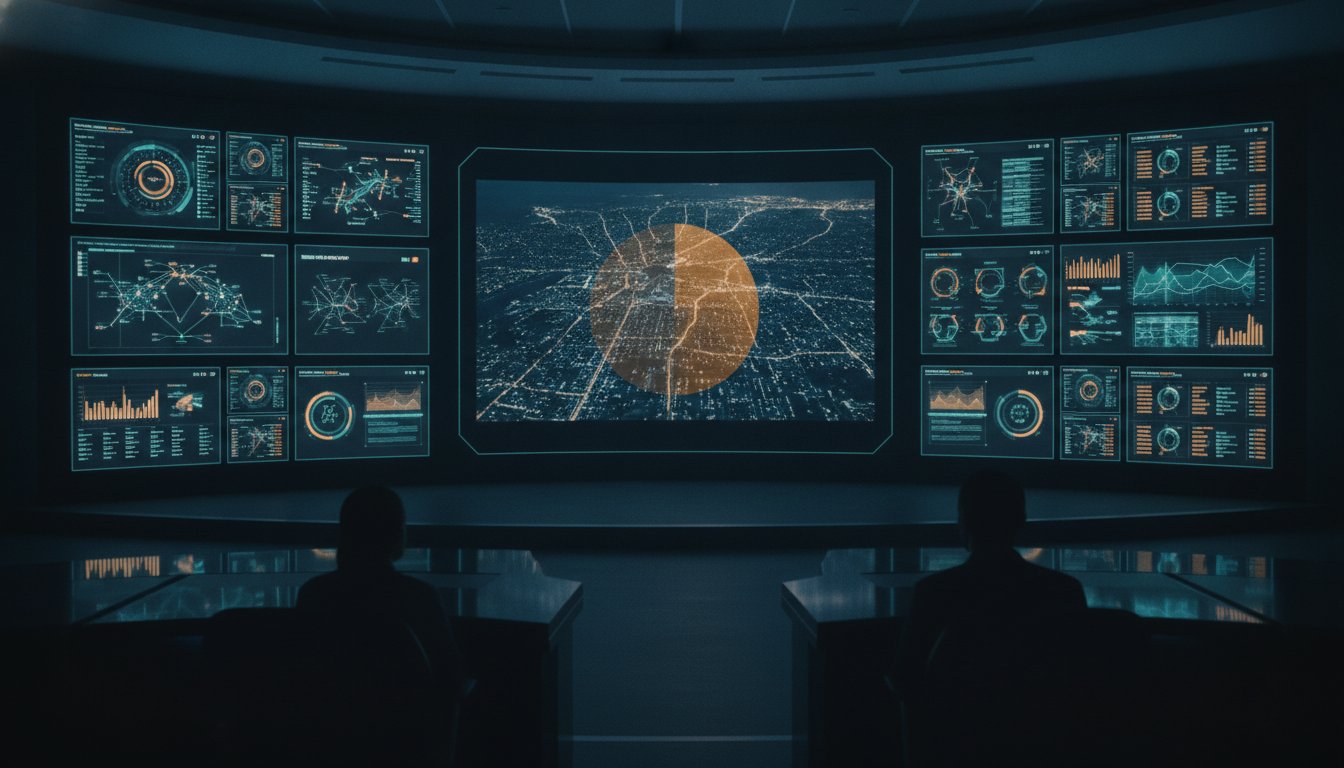
Most video walls in high-stakes environments are currently failing the people who monitor them. While your command center might be filled with the latest 4K displays, those screens often contribute more to operator fatigue than to actual situational awareness. When a crisis unfolds, your team cannot afford to waste precious seconds manually toggling between fragmented data feeds or squinting at cluttered, static grids. True operational intelligence requires a shift from simply showing everything to showing exactly what matters when the stakes are highest.
Most control rooms already have the screens. What they’re missing is the layer that decides what goes on them; and escalates automatically when something needs attention. By optimizing video wall content layouts through a centralized operational intelligence layer, you transform your display from a passive wall of glass into a proactive asset. This approach significantly reduces the cognitive load on your staff, ensuring that critical alerts are never missed due to visual noise or system silos.
This guide examines the methodology for building a dynamic, event-driven common operating picture. You will learn how to automate layout transitions based on real-time triggers and integrate disparate tools into a unified interface that accelerates decision-making and restores calm to your operations.
Key Takeaways
- Identify why fragmented data silos often turn expensive displays into background noise, leading to dangerous gaps in situational awareness.
- Implement visual hierarchy principles to ensure your common operating picture remains the central focus for every operator in the room.
- Transition from static grids to dynamic, event-driven systems by optimizing video wall content layouts to respond to real-time data triggers.
- Define the specific trigger logic and critical success indicators that dictate which information must escalate automatically during an incident.
- Leverage an operational intelligence layer to unify fragmented systems into a single, cohesive platform that empowers the entire team to act with certainty.
The Operational Cost of Fragmented Video Wall Layouts
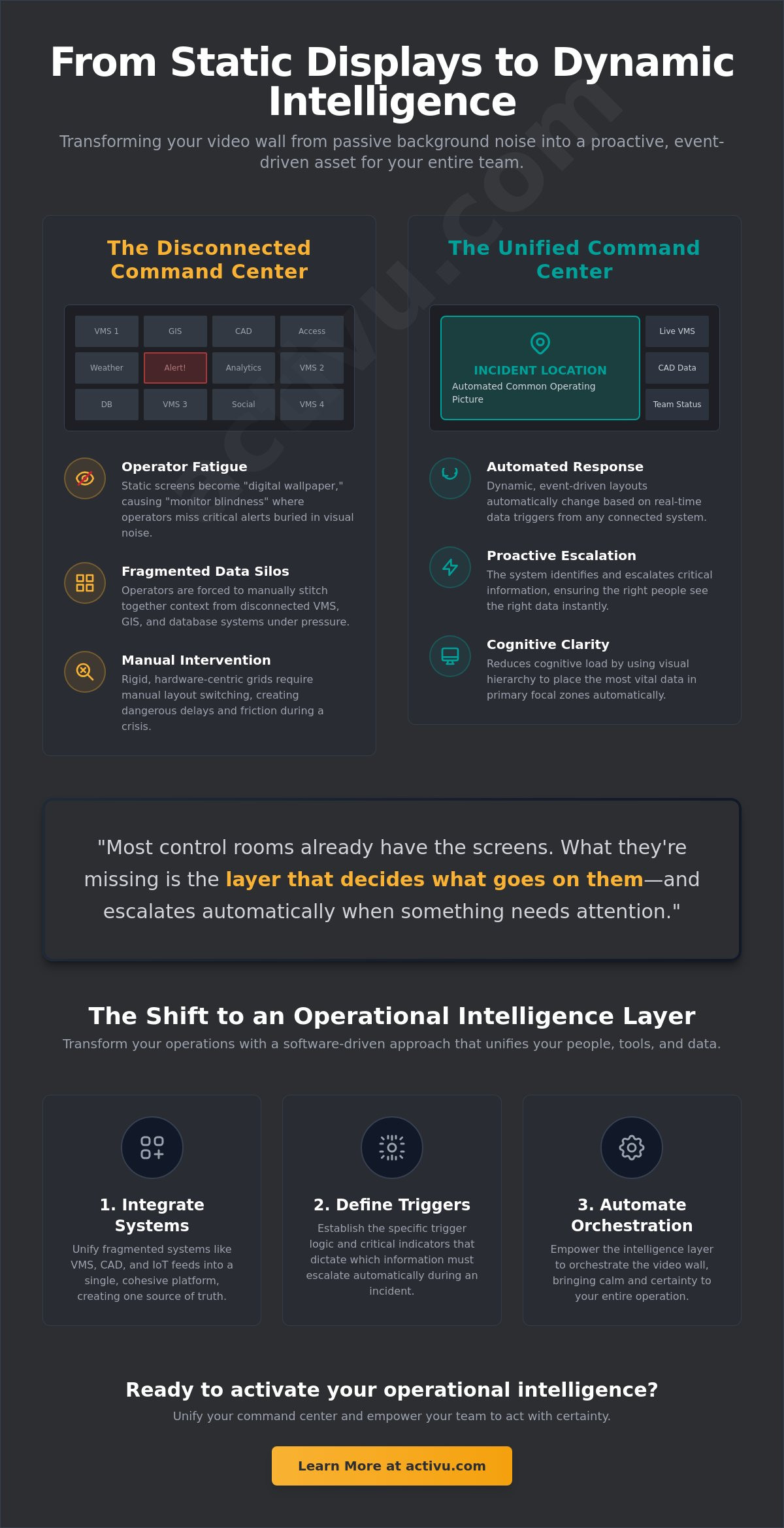
Many organizations invest heavily in video wall technology only to watch it fade into “digital wallpaper.” When screens display static, unchanging feeds for hours, the human brain naturally stops processing the information. It becomes background noise. In high-stakes environments like a SOC or GSOC, this loss of visual engagement is a direct threat to operational readiness. Expensive hardware serves little purpose if it fails to grab attention at the exact moment a crisis begins.
Fragmented data feeds force operators to perform exhausting mental gymnastics. They must stitch together information from disparate systems like VMS, geospatial overlays, and internal databases. When these feeds aren’t integrated, the operator becomes the “integration layer.” Humans are not built to perform this role under pressure. Most control rooms already have the screens. What they’re missing is the layer that decides what goes on them; and escalates automatically when something needs attention. Without this, optimizing video wall content layouts remains an impossible goal, leaving teams to struggle with siloed information that lacks context.
Why Operators Miss Incidents in a Cluttered Environment
Operators face a persistent “needle in a haystack” problem. In public safety or utility operations, a minor anomaly can escalate into a catastrophe in minutes. If that anomaly is buried in a cluttered layout, it simply won’t be seen. Fatigue plays a massive role in 24/7 centers. Staring at a static wall for an entire shift causes “monitor blindness,” where even obvious changes are ignored. Recognition is delayed, response times lag, and the cost of inaction grows. Tools like Axon provide valuable data, but they only offer a partial solution. Without a unifying platform, these tools remain another silo that operators must manually monitor.
The Limitations of Static Grid Thinking
The traditional 2×2 or 3×3 grid is a relic of hardware-centric design. It assumes that the importance of data is fixed and unchanging. In reality, mission-critical workflows are dynamic. Manual layout switching creates dangerous friction during a crisis. When an incident occurs, an operator shouldn’t have to navigate complex menus to find the right view. Hardware-focused systems lack the software-driven intelligence required for optimizing video wall content layouts. They remain rigid when they need to be fluid. To move beyond these limitations, organizations must look toward vis/ability, the operational intelligence layer that transforms static displays into proactive decision-support tools.
Designing for Cognitive Clarity: Layout Principles for Command Centers
Effective command center design prioritizes the human operator over the display hardware. When optimizing video wall content layouts, you must account for how the human eye naturally scans large surfaces. Research into visual patterns suggests that operators typically follow an F-pattern or focus on a “Golden Triangle” located in the upper-left and center of the display canvas. Placing the Common Operating Picture (COP) within this primary focal zone ensures that the most critical information is processed first, without requiring conscious effort from the team.
Information density must be managed with surgical precision. A layout that attempts to show every available data point simultaneously creates visual noise that masks critical anomalies. High-level dashboards should occupy the primary zones, while detailed drill-down feeds remain accessible but secondary. Most control rooms already have the screens. What they’re missing is the layer that decides what goes on them; and escalates automatically when something needs attention. By applying a clear visual hierarchy, you transform a wall of data into a structured tool for decision-making. Using color coding and standardized symbology allows operators to recognize urgency through visual shorthand, bypassing the need to read dense text during a crisis. For those designing high-stakes environments, our control room design services can help map these visual priorities to your specific operational needs.
Mapping Data to Visual Zones
- Primary Zone: Reserved for the unified operating picture. This is the “single source of truth” that every team member must see to maintain synchronization.
- Secondary Zone: Contains supporting data feeds and application windows. These provide the necessary context for specific roles without distracting from the main objective.
- Peripheral Zone: Used for long-term trends, weather, or news. This information provides general context but does not require constant monitoring.
Reducing Cognitive Load Through Layout Simplification
Cognitive load represents the cumulative mental strain an operator experiences as they process, filter, and prioritize thousands of data points across a twelve-hour shift in an environment where every missed alert carries a potential cost. To combat this, optimizing video wall content layouts should follow the “Rule of Three.” This principle limits the number of competing visual priorities in any single view, forcing a focus on what is essential. Using whitespace and distinct borders between logical groupings of data streams prevents information from “bleeding” together. This structural clarity allows the brain to categorize information rapidly. When the layout is simplified, the operator can maintain focus longer, reducing the risk of fatigue-driven errors during the final hours of a shift. The goal is to create a calm, orderly environment where the most important information is always the most visible.
Beyond Static Grids: The Shift to Event-Driven Dynamic Layouts
Traditional layout management relies on human intervention to recognize a threat and then manually switch views. This reactive posture is no longer sufficient in environments where seconds determine the outcome of a critical incident. The shift toward event-driven situational awareness replaces static grids with dynamic, intelligent orchestration. In this model, the display environment adapts in real time to the data flowing through it. It moves beyond the limitations of hardware-centric thinking to focus on the immediate needs of the mission.
Most control rooms already have the screens. What they’re missing is the layer that decides what goes on them; and escalates automatically when something needs attention. By optimizing video wall content layouts to respond to specific data triggers, organizations move from passive monitoring to proactive visualization. This ensures that the most relevant information is always front and center, regardless of which operator is on duty. It changes the video wall from a simple display into an active participant in the decision-making process.
The Role of Automated Escalation
Automated escalation removes the burden of manual configuration during high-stress moments. The vis/ability platform acts as the operational intelligence layer, serving as the brain that reconfigures the wall when a pre-defined threshold is breached. For example, if a NERC CIP alert is triggered or a cybersecurity threat is detected, the system can automatically launch a “Crisis Mode” layout. This transition happens instantly. It places critical maps, live camera feeds, and system health dashboards into the primary focal zone. This capability drastically reduces “time to glass,” ensuring that the right data reaches the right eyes without human intervention. When optimizing video wall content layouts, the goal is to eliminate the friction between an event occurring and the team seeing it.
Integrating Siloed Tools into a Unified View
Many organizations rely on specialized tools like Axon for digital evidence or SIEM dashboards for network security. While these applications are powerful, they are only partial solutions. They exist as silos, forcing operators to jump between interfaces to understand a developing situation. A unifying layer is necessary to bridge these gaps and create a full common operating picture. In complex utilities and energy operations, for instance, seeing a physical security breach alongside grid status and weather data is essential for an effective response. vis/ability integrates these disparate tools into a single hub, making them useful for the entire team across command centers, huddle rooms, and mobile devices. This integration ensures that no single data point is left isolated, providing the clarity needed to act with absolute certainty.
Implementation Strategy: Mapping Data Streams to Visual Real Estate
Transitioning from a static display to an event-driven asset requires a rigorous audit of the data streams that drive decision-making. You must first identify your Critical Success Indicators (CSIs). These aren’t just raw data points; they’re the vital signs of your operation that dictate when a situation requires immediate intervention. Most control rooms already have the screens. What they’re missing is the layer that decides what goes on them; and escalates automatically when something needs attention. This strategic mapping is fundamental to optimizing video wall content layouts for maximum impact during high-stress moments.
Auditing your current application stack is the next logical step. You need to identify every source that contributes to your Common Operating Picture, from VMS and SCADA to GIS and internal databases. The goal is to define the ‘Trigger Logic’ that governs your display. What specific events should cause a layout change? By establishing these parameters early, you ensure the system remains a proactive partner rather than a passive observer. Testing and iteration are essential. Use direct operator feedback to refine layout effectiveness, ensuring the visual real estate is always used to its highest potential.
Step 1: Categorize Your Information Sources
Operational data typically falls into two categories: ‘Always On’ situational data and ‘Alert Only’ incident data. Situational data provides the baseline context, while incident data demands immediate focus. Integrating real-time telematics with static facility maps allows operators to visualize asset movement within the physical context of the infrastructure. By unifying VMS, SCADA, and social media feeds into a single platform, you eliminate the need for operators to toggle between applications, reducing the risk of missing a critical anomaly.
Step 2: Define Escalation Workflows
Effective response depends on establishing the ‘Who, What, and Where’ for every critical alert type. Mapping specific alerts to pre-defined templates ensures an immediate, standardized response across the team. The vis/ability platform manages these complex workflows by automatically launching the correct layout when a threshold is breached. This level of orchestration ensures that the most relevant information reaches the right eyes at the exact moment it’s needed.
Step 3: Establish Mobile and Distributed Visibility
An optimized common operating picture shouldn’t be trapped within the walls of a command center. Mobile visibility extends this intelligence to field responders and remote stakeholders, ensuring everyone acts on the same information. Consistency is vital. Whether viewed in a huddle room or on a mobile device, the layout must maintain structural integrity to prevent confusion. This distributed approach ensures that optimizing video wall content layouts benefits the entire organization, not just those seated in the SOC.
Ready to transform your data into actionable intelligence? Contact our experts to begin your operational audit.
vis/ability: The Intelligence Layer for Automated Layout Orchestration
The vis/ability platform serves as the indispensable central hub for modern command centers. It transforms standard display hardware into a mission-critical asset by acting as the brain of the operation. Most control rooms already have the screens. What they’re missing is the layer that decides what goes on them; and escalates automatically when something needs attention. This operational intelligence layer makes sense of incoming data before it ever hits the screen, ensuring that only the most relevant intelligence is presented to the team. By optimizing video wall content layouts through this intelligent orchestration, organizations move from a state of fragmented data to a state of absolute clarity.
The platform manages complex application integration without the need for custom coding for every feed. This flexibility allows for rapid deployment and immediate operational impact. It moves the focus away from the technical limitations of individual tools and toward the broader mission. You no longer need to rely on manual effort to stitch together a common operating picture; the system does it for you. This approach prioritizes essential information, framing the technology as the essential bridge between raw data and human judgment.
Unifying Your Tech Stack
Organizations often deploy niche platforms like Axon to manage specific types of data. While these tools are effective for their intended use, they only provide a partial solution. They lack the unifying power required to create a full common operating picture across an entire enterprise. vis/ability fills these critical gaps left by standard COTS solutions, integrating every tool into a single, cohesive interface. This unification is essential for SOC/NOC solutions where speed and accuracy are paramount. It ensures that data from disparate systems flows into a central hub, making it useful for everyone from operators to field responders.
Future-Proofing Your Mission-Critical Operations
A software-defined visualization strategy offers significantly more long-term value than simple hardware upgrades. As your operation grows, vis/ability scales with you. You can add new data streams and display surfaces without rebuilding your entire architecture. This scalability ensures that your investment in optimizing video wall content layouts remains relevant as technology evolves. It protects your mission-critical operations from obsolescence. The focus remains on the human element, empowering individuals to act with greater certainty during pivotal moments.
The transition from fragmented screens to an intelligent response system is the final step in achieving true operational readiness. To begin designing your intelligent layout strategy, contact Activu today.
Securing Operational Readiness Through Intelligent Orchestration
Transitioning from fragmented data silos to a unified operating picture is a requirement for modern, high-stakes environments. You’ve explored how static grids contribute to operator fatigue and how establishing a clear visual hierarchy restores cognitive clarity. Optimizing video wall content layouts represents a shift from passive monitoring to proactive, event-driven situational awareness. It ensures that your most valuable assets, your people, are empowered by the data they see rather than overwhelmed by it.
Activu provides the bedrock for these critical operations with over 40 years of mission-critical design expertise. Our solutions are trusted by Global 500 companies and federal agencies to provide a feeling of calm amidst potential complexity. Most control rooms already have the screens. What they’re missing is the layer that decides what goes on them; and escalates automatically when something needs attention. By implementing an operational intelligence layer, you ensure that your team acts with absolute certainty when the stakes are at their highest.
Take the next step in evolving your command center. Request a demo of vis/ability to see automated layout orchestration in action and transform your video wall into a dynamic, mission-critical tool.
Frequently Asked Questions
What is the most important factor in video wall layout design?
The most important factor is the establishment of a clear visual hierarchy that prioritizes the most critical information within the operator’s primary focal zone. This approach ensures that the Common Operating Picture remains the central focus, reducing the mental effort required to identify anomalies. By optimizing video wall content layouts to align with human visual patterns, you ensure that essential data is never buried under secondary feeds or decorative elements.
How do I reduce operator fatigue through my video wall content?
Reducing operator fatigue requires a transition from static, cluttered grids to dynamic layouts that prioritize essential information. When screens display unchanging data for long periods, operators suffer from monitor blindness. Using whitespace, logical groupings, and event-driven triggers keeps the display relevant and engaging. This methodical approach to optimizing video wall content layouts prevents cognitive overload, allowing your team to maintain a high state of operational readiness throughout a shift.
Can I automate layout changes based on specific data alerts?
Yes, you can automate layout changes by implementing an operational intelligence layer that responds to real-time data triggers. Most control rooms already have the screens. What they’re missing is the layer that decides what goes on them; and escalates automatically when something needs attention. By defining specific trigger logic, such as a cybersecurity breach or a hardware failure, the system can instantly launch a pre-defined crisis layout without any manual intervention from the staff.
What is a Common Operating Picture (COP) in a control room?
A Common Operating Picture is a single, unified display of information that integrates disparate data sources into one cohesive view for the entire team. It serves as the bedrock for critical decision-making by ensuring every operator and supervisor sees the same reality. A COP eliminates the need for individuals to mentally stitch together fragmented feeds, providing the clarity required to act with absolute certainty during urgent, high-stakes operations.
Why is my current video wall failing to provide situational awareness?
Most existing video walls fail because they function as passive digital wallpaper rather than active operational tools. If your layouts are static and cluttered, they contribute to visual noise that hides critical alerts. Traditional hardware-centric systems often lack the software intelligence to prioritize information based on real-time events. This results in a fragmented operating picture where operators must manually hunt for data, leading to missed incidents and delayed response times.
How do I integrate disparate data sources like SCADA and VMS into one layout?
Integration is achieved through a centralized hub that aggregates data from various systems without requiring custom coding for every feed. While niche platforms provide partial solutions, they often remain siloed. An operational intelligence layer bridges these gaps, allowing you to map real-time telematics onto static facility maps. This unification provides a comprehensive view of the environment, ensuring that disparate data points are transformed into actionable intelligence for the whole organization.
What is the difference between a video wall controller and an intelligence layer like vis/ability?
A video wall controller is a hardware-focused tool used for signal distribution, whereas an intelligence layer like vis/ability manages the content orchestration. Controllers handle the routing of signals. An intelligence layer handles the decision-making by deciding which data is most important at any given moment. It acts as the brain of the command center, automating layout transitions and escalating alerts based on the specific operational priority of the mission.
How can I extend my video wall layouts to mobile users in the field?
You can extend your layouts through a mobile-enabled platform that ensures consistency across all display surfaces. Mobile vis/ability allows field responders and remote stakeholders to access the same Common Operating Picture used in the command center. This distributed visibility ensures that critical information is not trapped on a single wall. By maintaining layout integrity across tablets and smartphones, you synchronize your entire team regardless of their physical location or device.