
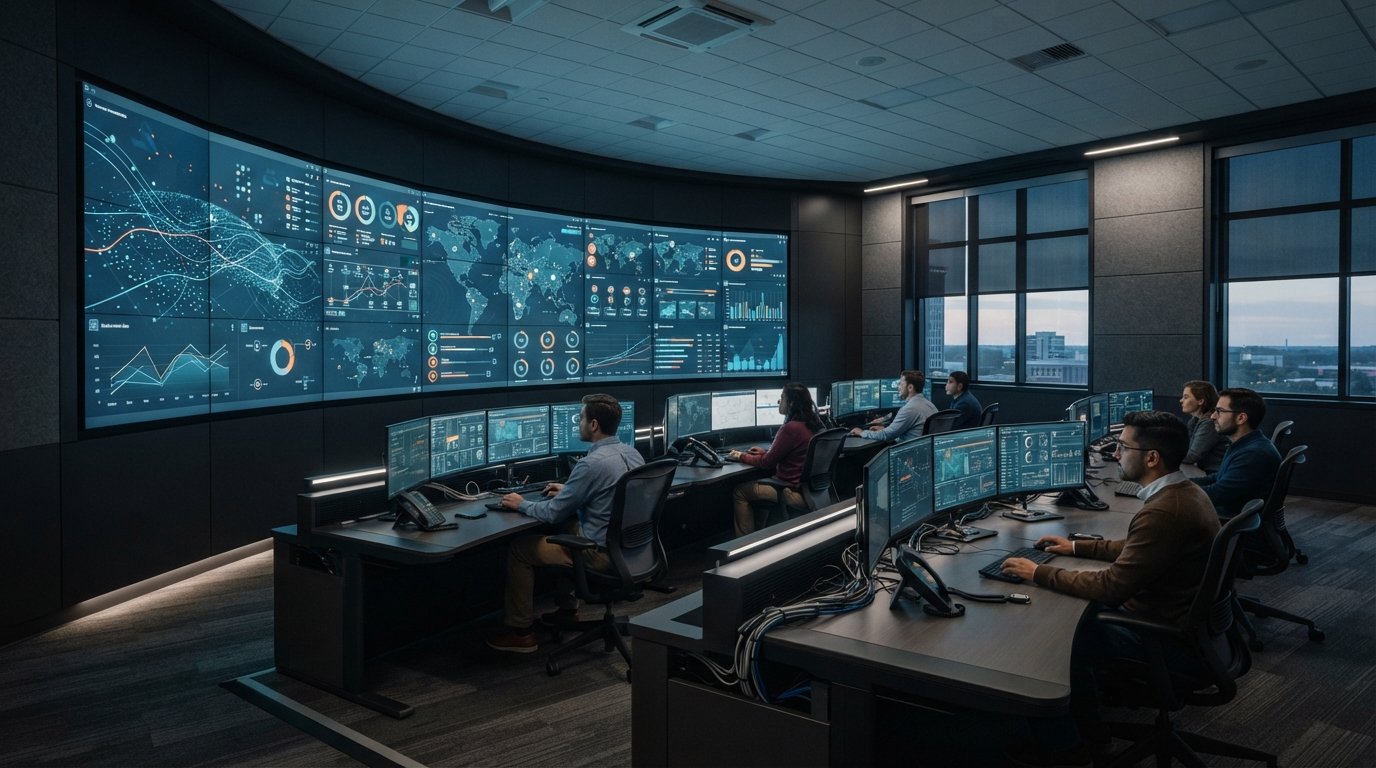
A control room’s running costs are shaped by decisions made before operations begin. Energy efficient control room design brings together window treatments, HVAC configuration, lighting, insulation and interior choices to manage energy use while maintaining a stable, comfortable workspace. Start by limiting unwanted heat gain and loss, then match heating and cooling controls to the room’s equipment, occupancy and operating schedule.
Those choices matter because operators need a dependable environment for sustained attention, and energy savings should not come at the expense of comfort or visibility. This guide explains how windows, HVAC, interior layout, lighting, and controls affect energy use and operator needs. It also considers the operational picture: fragmented data and missing automatic escalation can make it harder for teams to surface information when conditions change.
Key Takeaways
- Use window coverings and seal air leaks to help steady indoor temperatures and reduce heating and cooling demand.
- Match the HVAC configuration to the room’s layout, equipment heat load, occupancy, and operating schedule.
- Choose ergonomic workstations and interior finishes that support operator comfort without obstructing airflow or essential visibility.
- Assess lighting, controls, insulation, and HVAC together to identify practical ways to manage ongoing energy use.
- Plan for fragmented feeds and missing automatic escalation so operators can access the information they need when conditions change.
1. Window treatments for temperature regulation
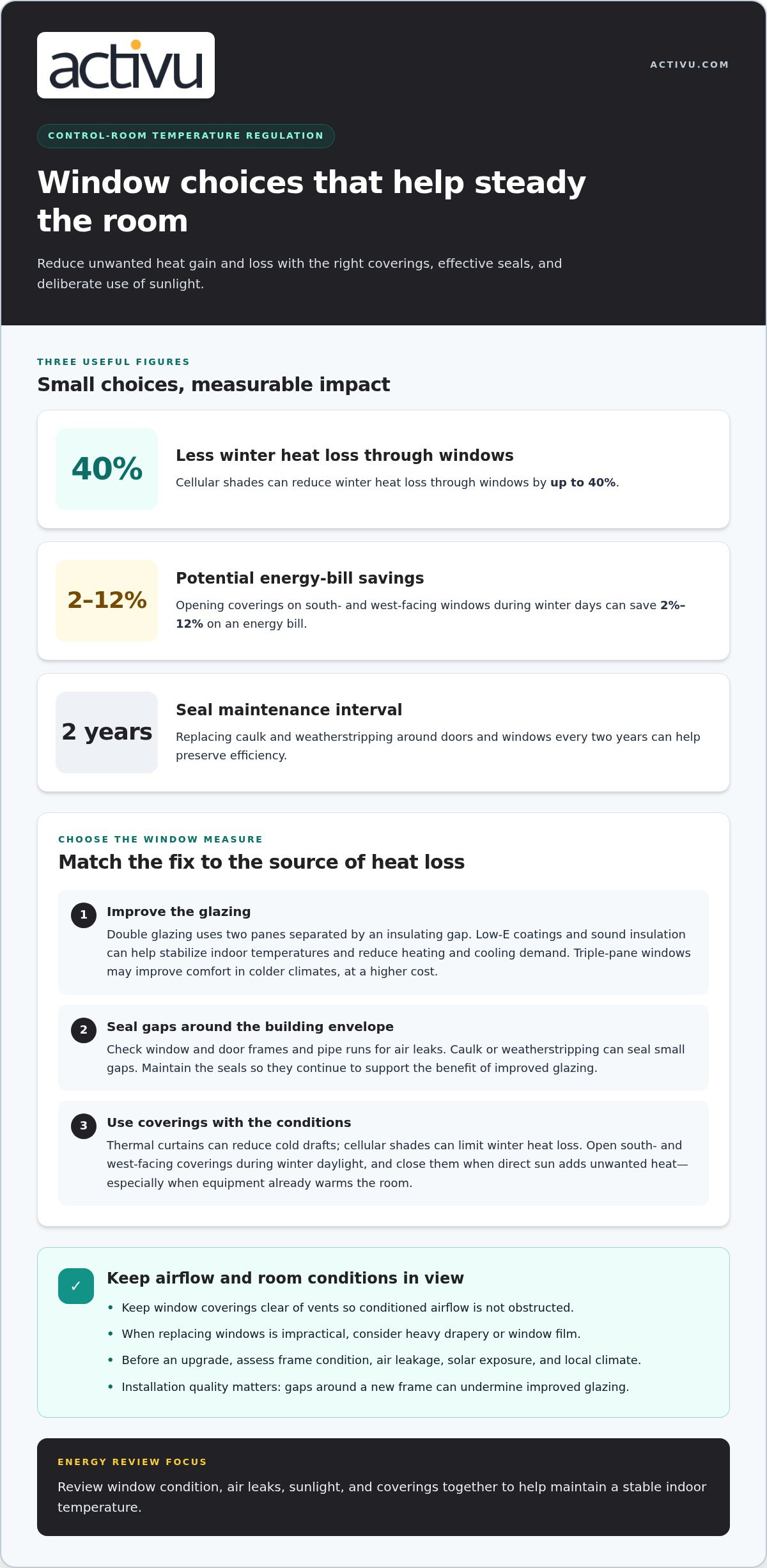
Start with the windows. Double glazing uses two panes separated by an insulating gap, while Low-E coatings and sound insulation can help stabilize indoor temperatures and reduce heating and cooling demand. Triple-pane windows may improve comfort in colder climates, but cost more. Check for air leaks around frames, doors, and pipe runs, since these can reduce the benefit of better glazing.
Inspect those edges during an energy review. Seal small gaps with caulk or weatherstripping, then maintain the seals; replacing them every two years can help preserve efficiency. Thermal curtains can reduce cold drafts, while cellular shades can reduce winter heat loss through windows by up to 40%. Keep coverings clear of vents so they don’t obstruct conditioned airflow.
Use sunlight deliberately. During winter days, opening coverings on south- and west-facing windows can save 2%-12% on an energy bill. Close them when direct sun adds unwanted heat, especially in spaces with equipment that already warms the room. This simple operating practice helps manage temperature without placing extra demand on appliances or HVAC equipment.
When replacing windows is not practical, heavy drapery or window film can help. Drapery limits drafts on the room side, while film adds a layer to the glazing. Before choosing an upgrade, assess frame condition, air leakage, solar exposure, and local climate. Installation quality matters: gaps around a new frame can undermine improved glazing.
Workstation layout and equipment choices also affect energy use. Keep consoles and furniture clear of supply and return vents, and group heat-producing equipment so cooling can target the actual load. Choose efficient equipment that meets operational needs, then arrange operator stations to preserve airflow and clear sightlines.
Occupancy sensors, daylight controls, and building automation can reduce consumption by adjusting lighting and temperature to room use and available daylight. Set controls around actual staffing patterns, then verify they do not dim work areas or change conditions during active operations. Use separate zones so an unoccupied support area does not dictate the control room’s environment.
For utility operations, coordinate building improvements with the demands of the control environment through utility energy operations. Review window condition, sun exposure, workstation placement, and control settings together; each affects how effectively the space holds a stable temperature.
Replace caulk and weather stripping around doors and windows every two years to improve energy efficiency. Weatherstripping or caulk can seal small air leaks around windows, doors, and pipe runs, so include those areas when maintaining the building envelope. For glazing, double-pane windows with low-e coatings are a good baseline; triple-pane windows can improve comfort in cold climates at higher cost. Compare these options with the condition of existing frames and the need for comfort, keeping the choice aligned with temperature-regulation priorities.
2. Typical air-conditioning system configurations
Configure heating and cooling around the room’s layout, equipment load, and operating pattern. A single system serving an entire facility may condition spaces with very different demands. Zoning allows separate control for an operations floor, equipment area, and briefing room, so the system can respond to each space rather than applying one schedule everywhere.
Size equipment for the room’s area, layout, staffing, and heat-producing devices. Oversized systems can cycle inefficiently, while undersized systems may struggle during hot weather or when equipment loads change. Include consoles, computers, lighting, and people when assessing demand. Place sensors where they reflect occupied conditions, not beside supply vents or other sources that distort readings.
What temperature and humidity ranges are recommended for control rooms and their equipment? Set conditions according to equipment operating requirements and operator comfort, and aim to keep them stable. Measure temperature and humidity near workstations and equipment air intakes, since conditions can vary across a room.
Compare system performance under real operating conditions. Track electricity use alongside temperature stability, airflow, and equipment cycling. Review summer and winter operation separately because outdoor conditions change the cooling and heating load. In utility control environments, process demands can affect room loads, so utility energy operations should be considered when planning HVAC zones and schedules.
Heat pumps are another configuration to evaluate. They can deliver about three units of heat energy for each unit of electricity used. In very cold areas, modern cold-climate heat pumps can work with good insulation and a backup heat source if needed. Compare the system with existing equipment in light of local climate, electrical capacity, and the room’s heating requirements.
Renewable generation and passive design can support a facility’s energy strategy. Solar and wind power can contribute to sustainability while supporting power reliability, and storage can help align generated electricity with periods of demand. Passive solar heating and natural ventilation use sunlight and outdoor air to help maintain comfort, although outside conditions affect temperature and air quality.
To compare performance, document system runtime, energy use, occupancy, and equipment load before making changes. Assess proposed configurations against the same operating schedule and room demands. Include conditions operators experience at different stations, not just readings from a central thermostat. This gives facilities teams a practical basis for evaluating performance while maintaining stable conditions for people and equipment.
Size heating and cooling equipment to the building’s area and layout. Solar panels and rainwater harvesting can also use natural resources to support a facility’s energy strategy.
3. Balancing efficiency, comfort, and interior design
Plan the interior around the work sequence: receive information, assess it, coordinate a response, and document decisions. Place shared reference materials and frequently used controls within reach, without requiring operators to cross another station. Keep routes clear between consoles, exits, and team areas. A floor plan that supports predictable movement can reduce interruptions during shift handovers and active incidents.
Manage sound as part of the workspace. Conversations, alarms, equipment fans, and phone calls can compete for attention in an operations room. Use sound-absorbing finishes in discussion areas while preserving clear speech for coordination. Position collaboration spaces away from operators handling voice communications. During a walkthrough, note where routine conversations make alerts or radio traffic harder to hear.
Choose interior finishes for their operational role and maintenance needs. Durable surfaces around shared consoles can withstand repeated contact, while easy-to-clean materials simplify routine upkeep. Use a consistent visual system for storage, work areas, and team spaces so staff can locate supplies quickly. Avoid decorative elements that compete with maps, status boards, or other decision-making information.
Natural elements can support a more human-centered workspace. Plants and organic materials can contribute to well-being, but placement matters. Keep plants clear of walkways, shared equipment, and access panels. Use them in break or collaboration areas where they will not obstruct work. Natural materials can also distinguish team spaces from active operating zones without adding visual clutter.
What are the risks of reducing cooling or lighting in a mission-critical control room? Too little cooling can affect equipment conditions and operator comfort. Insufficient task lighting can make controls, notes, and physical references harder to see, especially during extended shifts.
Allow the room to adapt as operational requirements change. Modular workspaces can be reconfigured when teams, workflows, or equipment needs shift. Movable furniture and accessible cable pathways can support changes without disrupting essential routes. Keep shared areas flexible, but define clear boundaries around operator stations so collaboration does not interfere with active monitoring.
Test the interior with operators before finalizing the layout. Walk through a shift change, a routine briefing, and a scenario requiring rapid team coordination. Record where people hesitate, where conversations overlap, and which supplies are hard to reach. Use those observations to refine furniture placement, storage, and collaboration areas. The result should support focused individual work and coordinated team decisions.
4. Energy-efficient design and operating costs
Control room energy use comes from systems that run for long periods, including HVAC, lighting, consoles, and supporting equipment. Track consumption alongside room conditions to see when demand occurs and whether changes affect operations. Compare utility statements with equipment schedules, then investigate increases that coincide with changed staffing, new equipment, or seasonal heating and cooling. This baseline helps distinguish routine demand from avoidable use.
Which U.S. building energy codes and standards apply to control room design? Requirements depend on the project’s jurisdiction, building scope, and locally adopted provisions. Identify applicable requirements for the site before setting envelope, HVAC, or lighting specifications, and document them in the design criteria.
Use a consistent audit sequence. First, record energy use and operating schedules. Next, inspect lighting controls, HVAC settings, equipment schedules, insulation, and visible air leaks. Compare measured conditions with operator needs and equipment requirements, then prioritize changes that preserve visibility, comfort, and stable equipment conditions. Finally, repeat measurements after each change and compare the results with the original baseline.
Assess lighting and controls as part of that review. ENERGY STAR certified LED bulbs last at least 25 times longer than incandescent bulbs and use up to 90% less electricity. Identify areas where lights remain on unnecessarily, then consider zoning, timers, or occupancy sensors. Check that any change maintains adequate task visibility at consoles and safe illumination along circulation routes.
Review thermostat settings and HVAC operation against occupancy and equipment loads. Smart thermostats can save about 8% on annual heating and cooling energy use. Programmable controls can adjust temperature by time of day, while sensors can respond to room use. Avoid settings that create uncomfortable shifts or compromise equipment conditions; assess each zone according to its function and operating schedule.
Sealing and insulating can save up to 15% on heating and cooling in the United States. Inspect the building envelope and note where drafts, uneven temperatures, or frequent HVAC operation point to losses. Pair improvements with system maintenance, including clean filters and prompt repairs. These steps reduce avoidable demand and help equipment operate as intended.
Build an improvement plan around measured results, operational priorities, and environmental goals. Record each proposed change, its expected effect on consumption, and the conditions that must remain stable. After implementation, compare energy use across similar operating periods and review operator feedback. This shows which adjustments save energy and which need further tuning, without sacrificing readiness or clear decision-making.
5. What lighting levels and controls are recommended for an energy-efficient control room?
Set lighting by task and zone, not with one room-wide setting. Operators need clear visibility at consoles, while circulation routes and support areas have different needs. Identify the tasks performed at each workstation, then test lighting from the operator’s seated position. Check screen reflections, contrast, and the visibility of written notes before finalizing fixtures or settings.
There is no single lighting level that suits every control room. Screen brightness, ambient light, surface finishes, daylight, and the work being performed all affect visual comfort. During commissioning, evaluate conditions at representative consoles and adjust fixtures or dimmers to control glare without obscuring controls. Repeat the assessment when daylight changes, especially near windows.
Divide lighting into useful control zones. For example, separate console task lights from overhead fixtures and corridor lighting. Dimmers let operators adjust light levels as duties change, while timers can turn off lighting in unused spaces. Keep manual controls accessible so staff can respond immediately when an incident requires focused attention.
Occupancy sensors can switch lights on when someone enters and off when they leave. Use them in intermittently occupied areas, such as storage or adjacent meeting spaces, rather than applying automatic shutoff across active workstations. Pair sensors with suitable time delays and manual overrides to prevent sudden darkness when an operator remains still while monitoring a display.
Daylight controls can respond to natural light near windows, reducing electric lighting when sunlight already supports the task. Set controls by zone, then test them in changing daylight and at night. An overly aggressive response can cause distracting brightness shifts; controlled adjustments help operators maintain consistent visibility of screens and physical references.
LED lighting can use up to 80% less energy than traditional incandescent lighting. Consider LEDs alongside dimmers, motion sensors, and timers, which reduce unnecessary lighting use by matching operation to occupancy and task needs. Select fixtures for even distribution, then verify that controls don’t create dark patches, glare, or distracting changes across display surfaces.
Document the final settings by zone, including manual override procedures and sensor behavior. Ask operators to report glare, fatigue, or poorly lit controls during actual shifts, then adjust the relevant circuit rather than brightening the entire room. A lighting plan tied to console tasks helps preserve visibility while controlling electricity use. For a broader operational environment review, explore SOC, NOC, and fusion center control rooms.
Activu Corporation: Video Wall Systems
Activu Corporation helps teams address fragmented systems, information silos, and gaps in automatic escalation through application integration and event-driven situational awareness. Many control rooms already have screens. What they need is a layer that determines what appears on them and escalates automatically when something needs attention.
The vis/ability platform provides an operational intelligence layer for video walls and other displays. It connects applications and data to support teams in command centers, remote locations, conference rooms, breakout rooms, huddle rooms, and on mobile devices. By organizing and presenting the operational picture, vis/ability helps teams bring relevant information into view.
Consider this approach when teams need to coordinate information across locations or surface incidents more clearly. Contact Activu Corporation to discuss your control room’s operational needs.
Set the next design priorities
Turn energy efficient control room design into decisions your team can act on. Identify the operating conditions that must remain stable, then prioritize improvements around those requirements. A clear design brief helps align facility planning with the information operators need to make timely decisions.
For teams also addressing fragmented applications and delayed escalation, Activu Corporation offers Video Wall Systems, the vis/ability Platform, and Event-Driven Situational Awareness. These offerings bring operational information together so teams can focus on what needs attention and respond with clarity.
Discuss your control room’s priorities and operational needs with Activu Corporation. Contact Activu Corporation to discuss your control room. A thoughtful next step can put your team on a clearer path to a space that supports both operational readiness and responsible energy use.
Frequently Asked Questions
What are the key principles of energy-efficient control room design?
Prioritize stable operating conditions, efficient energy use, and clear visibility for operators. Start by documenting when each zone is occupied, which equipment runs continuously, and which tasks require focused lighting or cooling. Use those details to coordinate HVAC, lighting, equipment placement, and control schedules. For example, an intermittently used briefing area can follow a different schedule from a continuously staffed console floor.
How should HVAC systems be designed for 24/7 control rooms with high equipment heat loads?
Design HVAC around continuous equipment heat, staffing, room layout, and required operating conditions. Separate zones when equipment areas and operator stations have different cooling needs, and place sensors where they measure representative conditions. Review performance during routine operation and peak demand. For example, a room with dense server racks may need airflow planning distinct from the operator console area.
What energy-efficient display walls and operator monitors are available, and how do they compare?
Compare display options by measured power draw, brightness needs, operating schedule, viewing distance, and the information operators must read. A large shared display supports team-wide visibility, while workstation monitors keep detailed information close to each operator. Assess both under typical operating conditions, including standby behavior and heat added to the room. Evaluate total system use, not screen specifications alone.
What are typical energy use and operating costs for control room lighting, HVAC, and equipment?
There is no single typical energy-use figure for control rooms; calculate consumption from each system’s power draw and operating hours. Separate lighting, HVAC, consoles, and supporting equipment in available meter data, then apply the facility’s electricity rate. This breakdown shows which loads drive consumption and helps compare changes across similar operating periods. Include seasonal HVAC demand when reviewing annual use.
How do energy-efficient control room upgrades affect upfront costs, energy savings, and payback?
Upgrade costs and payback depend on project scope, equipment selected, installation needs, operating hours, and local electricity rates. Estimate savings by comparing measured energy use before and after each change under comparable operating conditions. Calculate simple payback by dividing upfront cost by annual energy-cost savings. Track comfort and equipment conditions too, so savings do not come at the expense of operations.
What temperature and humidity ranges are recommended for control rooms and their equipment?
Set temperature and humidity according to equipment operating requirements and operator comfort, maintain stable conditions, and measure near workstations and equipment air intakes.