
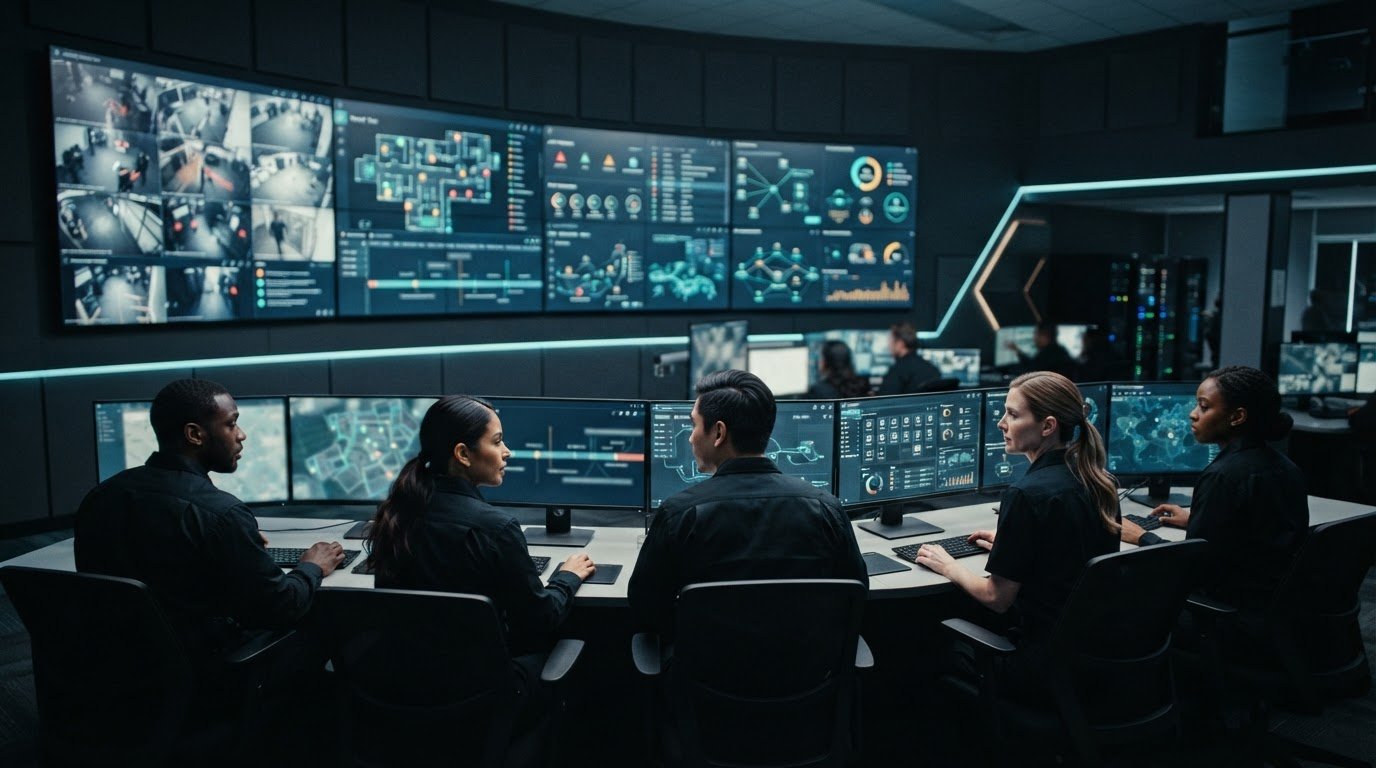
Control room security can break down between an alert and a coordinated response. Fragmented systems, missing automatic escalation, and information silos make it harder for operators to connect signals across feeds and dashboards. Control room security best practices should address those gaps alongside physical access, cybersecurity, staffing, and response procedures. Start by checking whether safeguards help people see relevant information, know who owns an alert, and act on it.
Most control rooms already have the screens. What they’re missing is the layer that decides what goes on them, and escalates automatically when something needs attention.
This checklist covers practical ways to review people, systems, and procedures, strengthen shared operational awareness, and improve incident coordination without assuming existing systems need replacing. It also explains how vis/ability serves as an operational intelligence layer that surfaces through the video wall, bringing information from existing tools into a shared view. The goal is to help teams prioritize relevant signals, understand what is happening, and make informed decisions.
Key Takeaways
- Apply control room security best practices across governance, personnel, physical access, technology, data flows, and incident readiness.
- Check whether operators can see relevant context, identify who owns an alert, and coordinate escalation across locations.
- Map assets, review access and data flows, test escalation, train teams, and reassess. Assign an owner and record evidence for each step.
- Set a consistent review cadence to track gaps and keep procedures useful as roles and systems change.
- See how vis/ability brings real-time maps, video feeds, dashboards, and event management into a shared operational view.
Control room security starts with closing operational gaps
Fragmented systems, information silos, and alerts without timely escalation can leave operators short of the context they need. A physical access alert may be separate from camera footage, a system fault may appear on another dashboard, and no shared workflow may make clear who owns the next step. Effective control room security best practices connect safeguards, information, and response instead of treating each asset in isolation.
Security protects people, facilities, operational technology, applications, data, communications, and the ability to respond to critical events. A weakness in one area can affect others. For example, if a system alert has no clear owner or location context, the team may struggle to assess its impact and coordinate a response. The Control Room Overview and Security describes the varied environments and functions that make control rooms central to operations.
The video wall is where the answer appears through vis/ability, an operational intelligence layer that surfaces through the video wall. It brings operational information into a shared view so teams can focus on relevant signals and make decisions with clearer context. In manufacturing, for example, process-control information can be central to operational awareness, as reflected in manufacturing process control.
What control room security must protect
Assess the full operating environment. People need clear procedures and useful information to make decisions. Facilities need controlled access. Operational technology and applications need protection from unauthorized use or disruption. Data and communications must remain available to the teams that rely on them. These areas are connected: a facility event can affect operations, while a loss of communications can slow coordination even when other systems remain available. For instance, if life-safety sensors or alarm systems go offline, deploying physical guards from Fire Watch Service maintains continuous on-site protection while the control room works to resolve the outage.
How fragmented systems create security blind spots
Separate alerts, dashboards, video, and operational feeds can force operators to assemble an incident picture manually. An alert may lack location context, related camera footage may be on another screen, and another team may hold information that helps interpret both. Operators may miss incidents when their attention is split across disconnected sources and no workflow connects or escalates the signals. The gap may be in workflow and shared visibility, not in the equipment itself.
Start by reviewing ownership and governance, access practices, system and data connections, escalation paths, and whether review schedules reflect operational changes. In manufacturing environments, align the review with the workflows supported by process-control operations. A useful assessment identifies what must be protected, who acts on each signal, and how teams share the context needed to respond.
Build layered control room security across people, access, and systems
Once teams understand what the control room must protect, they can assign safeguards to the people, processes, and technologies that support operations. Control room security best practices work as a coordinated set: each measure needs an owner, a purpose, and a clear connection to incident readiness.
Layered control room security aligns governance, people, access, technology, data flows, and response procedures so a weakness in one area is less likely to leave the wider operation without context. This approach supports risk management; it does not guarantee that every incident will be prevented.
Access and personnel practices that reduce exposure
Start with role-based permissions. Give each account the access required for its assigned work, then review permissions when responsibilities change. Include account creation, modification, and removal in a documented process. Set a review schedule that fits operational needs, record who completed each review, and track follow-up actions to closure.
People and handoffs matter just as much. Train operators to recognize and report suspicious activity, record relevant details, and notify the right person. When coordinating with physical security teams or corporate protection providers like regalsecurity.net, define who receives an escalation, who coordinates the response, and how responsibility transfers between shifts or teams. Clear handoff procedures help prevent an alert from losing its owner.
Technology and data-flow safeguards
Maintain an inventory of connected applications, data sources, and accountable owners. Include operational technology and tools such as SCADA, GIS, video management systems, and dashboards. In manufacturing process control environments, knowing which operational systems feed each workflow helps teams assess where a disruption could affect awareness or response.
Use the inventory to review integration paths, system dependencies, and change procedures. Assess whether network segmentation and controlled integrations fit the organization’s architecture and risk profile. Record what information moves between systems, who manages each connection, and how teams will identify changes that affect data flows. CISA’s Cybersecurity Best Practices for ICS offers guidance relevant to industrial control system security. Organizations should determine which recommendations apply to their environment.
- Governance: Assign an accountable owner to each safeguard and define how decisions are documented.
- Personnel and access: Review permissions, role changes, training, and handoff procedures.
- Technology and suppliers: Maintain system inventories and include supplier risk in the organization’s review process.
- Data and response: Map information flows, escalation paths, and operational responsibilities.
- Readiness: Review procedures after relevant changes and record lessons from exercises or incidents.
Requirements vary by sector and jurisdiction, so treat these steps as operational practices rather than universal legal duties. To connect system information with coordinated awareness, include vis/ability’s operational visibility platform in your control room security review.
Compare isolated security tools with unified operational visibility
Separate alerts and dashboards can each serve a purpose, but operators still need to connect them under pressure. A signal may lack location or event context, its owner may be unclear, or related information may sit with another team. Compare security approaches by asking whether they help people see relevant information, understand responsibility, and coordinate escalation across locations. These criteria keep the assessment focused on operational needs rather than unsupported performance claims.
vis/ability is an operational intelligence layer that surfaces through the video wall. The wall becomes the place where the operational answer appears because vis/ability brings relevant information together. This approach supports settings such as SOC, NOC, and GSOC control rooms, where teams need to coordinate across operational roles.
A practical framework for comparing security approaches
Use the same criteria to assess isolated tools and a common operating picture. A unified view can support coordination, but no single tool addresses every risk. Detection, interpretation, decisions, and response still depend on people, procedures, and organizational ownership.
Visibility: Fragmented tools show information in separate places. A common operating picture brings relevant sources into a shared view.
Context: Separate alerts may require manual cross-checking. A unified view can associate an alert with related operational information.
Escalation: Isolated systems may leave the next step unclear. Assess whether ownership and escalation paths are visible to the right team.
Collaboration: Disconnected views can make shared understanding harder across locations. Assess how teams access and discuss the same operational context.
Existing-system fit: Point tools cover specific functions. Assess whether information from existing systems can flow into a common view without assuming every tool must be replaced.
Why shared context matters when incidents unfold
Maps, video feeds, dashboards, and event management help teams examine related information together. For example, a map location can provide geographic context while relevant video and operational status help staff assess an event. The value is in presenting essential information to support human judgment, not in treating a combined view as an automatic decision-maker.
vis/ability serves as the central hub for information flowing from connected tools, with content available across command centers, conference rooms, and mobile devices. That shared context can also support coordination with remote teams. Explore vis/ability for control room visibility to see how a unified operational view can fit your workflows.
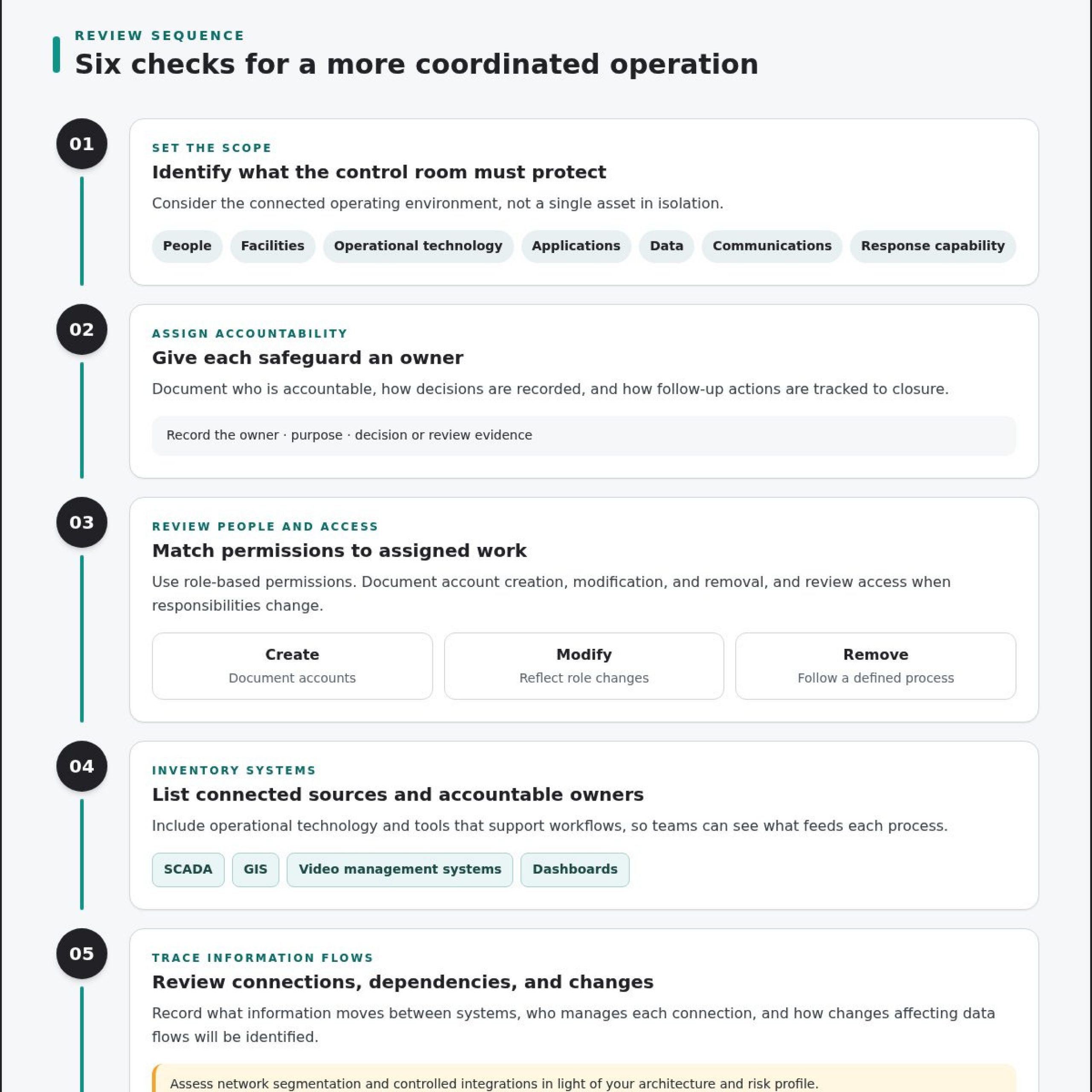
Use this control room security checklist to improve readiness
Turn control room security best practices into a repeatable review. Work through the sequence below, assign an accountable owner to every item, and keep evidence of what the team assessed and what needs attention. Set review timing to match your operating cycle, and revisit a control sooner when a role, system, or procedure changes.
Assess systems, permissions, and response paths
Begin with the environment as it operates today. Map applications, feeds, users, access levels, dependencies, and responsible teams. Then trace a representative alert from its source to the operator, decision-maker, and responding team. Document missing context, unclear ownership, and manual handoffs. These records help leaders assess gaps by their potential operational impact and organizational risk.
- Map assets. List systems, data feeds, applications, and dependencies. The system owner records the inventory and unknowns, then reviews it on the organization’s chosen schedule and after relevant changes.
- Assess access. Compare user permissions with current roles and responsibilities. The access owner records review decisions, exceptions, and follow-up actions. Revisit access through the established review process and when personnel change roles.
- Review data flows. Trace how information moves between connected systems and teams. System owners document dependencies, integration points, and unclear ownership. Update the record when a connection or workflow changes.
- Test escalation. Follow a sample alert through notification, decision, and response. The incident-process owner records delays, missing context, handoffs, and unresolved responsibilities. Repeat the review after escalation paths or supporting systems change.
- Train and exercise. Prepare operators to use procedures, report concerns, and hand off active situations. The training lead records participation and questions that expose unclear instructions. Include training during onboarding and when procedures change.
- Reassess and prioritize. Assign each documented gap an owner, next action, and rationale based on operational impact and organizational risk. The security or operations lead tracks closure and revisits priorities on the organization’s established schedule.
Test readiness and keep the checklist current
Use tabletop exercises to examine communication and coordination without disrupting live operations. Give participants a scenario, then ask who receives the alert, who makes the next decision, and how teams share updates during a handoff. Record decisions, unanswered questions, and corrective actions. Exercises can reveal process gaps, but they do not promise incident-free operations.
Close the loop by assigning each corrective action to a named role and recording its status. Revisit open items after relevant system changes, new workflows, or procedure updates, and maintain a recurring review schedule that fits your operation. Teams can also use vis/ability Academy as a training resource. Explore the vis/ability platform to assess how a shared operational view could support your readiness process.
Connect security practices to a unified control room operating picture
Fragmented systems, missing automatic escalation, and information silos can leave teams with alerts but no shared operational context. Security practices become more useful when operators, decision-makers, and responders can work with connected information across their workflows. vis/ability brings that information together as the central hub for connected operations.
vis/ability is an operational intelligence layer that surfaces through the video wall. It brings real-time maps, video feeds, dashboards, and event management into a shared view. The video wall becomes the place where an answer appears because vis/ability brings relevant information together, supporting human judgment rather than replacing it.
How vis/ability supports connected operations
Other tools and data sources flow into vis/ability, giving teams a common operational view. The platform supports mobile video streaming, remote collaboration, and software video-controller functionality. Teams can share information across command centers, remote locations, conference rooms, breakout rooms, huddle rooms, and mobile devices, helping people coordinate around a consistent operational picture.
Supported integrations include a ServiceNow incident dashboard and Active Shooter Recognition via Omnilert. These capabilities can bring relevant incident information into the wider operational context, while teams remain responsible for assessing alerts, making decisions, and following response procedures. Integration does not remove the need to define who owns an event or how teams escalate it.
A software-first approach allows vis/ability to run on common off-the-shelf hardware without proprietary AV cabling. Organizations can unify existing sources and share information across operations without assuming every existing system must be replaced.
Sustain readiness through design, support, and training
Technology serves the operational environment around it. Activu’s control room design and implementation services address how people, workflows, and systems work together. Activcare provides remote monitoring and support for control room technology stacks, while vis/ability Academy supports ongoing training. These resources help teams maintain familiarity with their environment as procedures and operational needs evolve.
Activu was founded in 1983, and more than 1,300 control rooms rely on Activu technology. These facts provide context on the company’s experience, but do not guarantee a particular security outcome. Effective readiness still depends on how each organization assigns responsibility, maintains procedures, and uses the information available to its teams.
Make operational visibility your next readiness priority
Use your next review to choose one gap that affects how teams recognize, assess, or escalate an event. Assign an owner, record the evidence needed to measure progress, and decide when the team will revisit the action. This turns control room security best practices into an active part of operational readiness, rather than a checklist that sits untouched.
A shared operational picture can connect information across existing systems and the people who need to act on it. Activu is ISO 27001 certified, and the vis/ability platform is 100% developed and maintained in the USA. These facts provide context as you consider how visibility and coordination fit your organization’s security priorities.
Frequently Asked Questions
What are the most important control room security best practices?
Prioritize clear ownership, appropriate access, connected systems, and tested response procedures. Control room security best practices should make clear who can access each system, who reviews unusual activity, and how an alert reaches the person responsible for a decision. Start with a realistic scenario, such as an access alert during a system outage, and check whether staff can identify its significance and follow the documented process.
How can a control room manage multiple data feeds without missing incidents?
Organize feeds around operational tasks and the context operators need to assess an event. In a dispatch center, for example, a team could align a reported location with relevant camera footage and current operational status, then make clear who reviews each source. A unified platform such as vis/ability can bring information from connected data sources into a shared view. Review layouts and workflows during exercises to identify distracting or overlooked information.
How should control room teams handle access for operators and remote users?
Give each user an individual account with permissions tied to current responsibilities, and apply the organization’s approved remote-access controls. Route access requests through a documented approval process. When someone changes roles or leaves the team, update or remove access and record the change. Review accounts regularly for shared credentials, inactive users, or permissions beyond what an operator or remote collaborator needs for their work.
Can a control room improve security without replacing its existing displays and systems?
Yes. vis/ability can work with existing displays, networks, and data sources, so an organization can improve information sharing without assuming a wholesale replacement. The platform runs on common off-the-shelf hardware and does not require proprietary AV cabling. First document which sources teams rely on and how they use them, then identify where a software-based operational view could address a specific visibility or coordination gap.
What should a control room security checklist include?
Include an asset inventory, access review, data-flow map, escalation paths, staff training, and scenario-based readiness checks. For each item, record an accountable owner, evidence of its status, and when the organization will review it. For example, an escalation check might document who received a test alert, what context they could see, and whether the next responsible team was clearly identified.
How can a common operating picture support control room incident response?
A common operating picture helps teams relate information from different sources and maintain shared context as an event develops. vis/ability can bring maps, video, dashboards, and event information together, giving staff a way to review location, status, and updates in one operational view. Teams should agree on who maintains event details and how updates are communicated. Operators still assess information, make decisions, and follow established response procedures.
Does a video wall alone improve control room security?
A video wall can display information, but the display alone does not determine which signals matter, connect related context, or define who should respond. Those functions depend on the systems, workflows, and people behind the information. vis/ability is an operational intelligence layer that surfaces through the video wall, while also supporting shared access across workstations and mobile devices. Assess whether information reaches the right people and supports their next decision.
Discuss control room security and operational visibility with Activu to identify a practical next step for your operation.