
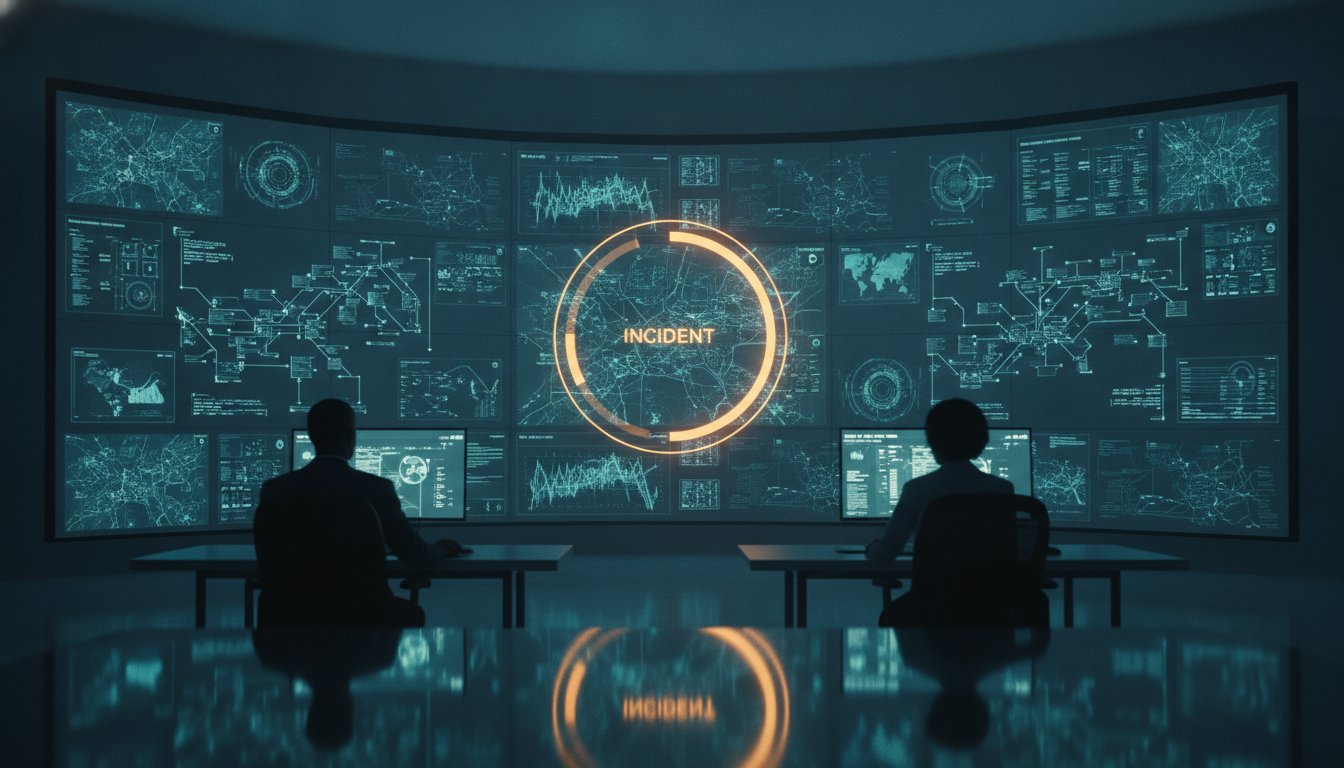
A wall of high-definition monitors is often mistaken for operational readiness, yet it frequently serves as the primary source of operator paralysis. When critical incidents occur, the volume of disconnected data feeds from tools like Axon or various SIEM platforms creates a fog that slows response times. Many control room design examples focus on the physical arrangement of desks and displays, but they fail to address the cognitive load placed on the human at the center of the operation. You likely recognize the frustration of seeing your team struggle to identify a single needle of truth in a haystack of digital noise.
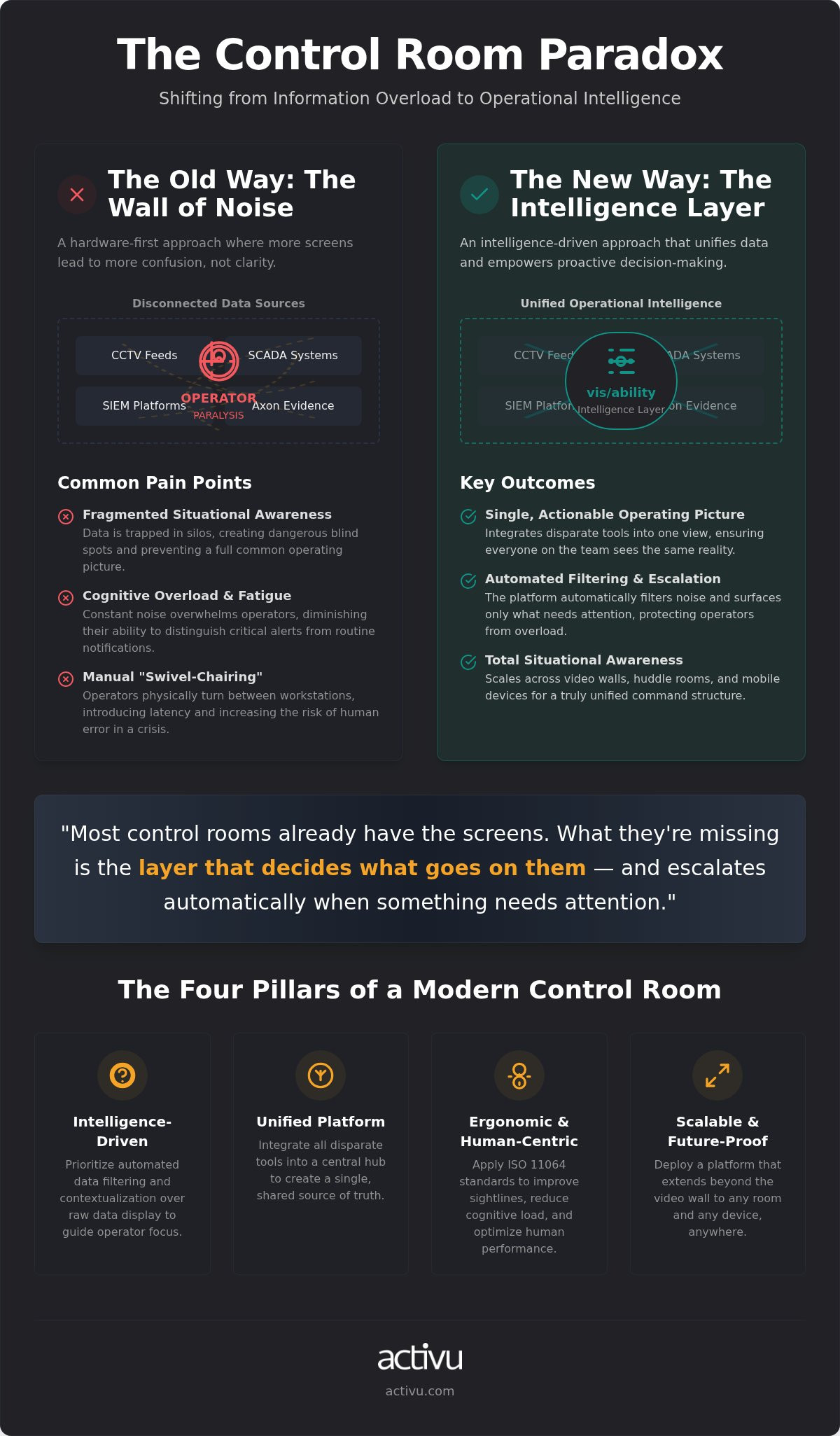
Most control rooms already have the screens. What they’re missing is the layer that decides what goes on them, and escalates automatically when something needs attention. This article explores how shifting your focus to an operational intelligence layer transforms a reactive environment into a proactive command center. We’ll examine how a unified operating picture reduces fatigue and ensures that your technology serves the mission rather than distracting from it. By the end, you’ll understand why the most effective designs prioritize vis/ability over mere visibility.
Key Takeaways
- Transition from a hardware-centric focus to an intelligence-driven approach that prioritizes automated data filtering over simple screen real estate.
- Analyze modern control room design examples across utilities and transportation sectors to see how unified platforms solve the problem of fragmented data silos.
- Integrate disparate tools like Axon or SIEM feeds into a central operational intelligence layer to create a single, actionable common operating picture.
- Apply ISO 11064 ergonomic standards to improve operator sightlines and reduce the cognitive load that leads to missed critical incidents.
- Future-proof your command center by deploying a platform that scales across video walls, huddle rooms, and mobile devices for total situational awareness.
The Operational Reality: Why Traditional Control Room Designs Fail
Modern operations have evolved from simple eyes-on monitoring to complex, multi-system coordination. Many control room design examples fail because they are built for the technology of twenty years ago, focusing on physical consoles rather than the flow of information. A beautiful room with a static video wall often becomes an operational bottleneck during a crisis. If your team has to shout across the room or physically move to another desk to see a specific data feed, the design has failed the mission. The real challenge lies in ensuring that the facility functions as a cohesive intelligence hub rather than a warehouse for hardware.
Most control rooms already have the screens. What they’re missing is the layer that decides what goes on them, and escalates automatically when something needs attention. Without this intelligence, the facility is just a collection of expensive monitors displaying disconnected information. This hardware-first mentality ignores the modern operational reality where teams must coordinate across dozens of complex, multi-layered systems.
The Problem of Fragmented Situational Awareness
Critical data often remains trapped within individual workstations or specific software applications. A control room that relies on operators manually toggling between CCTV, SCADA, and SIEM feeds is inherently vulnerable. This fragmentation creates dangerous blind spots that hide the full scope of an unfolding event. For instance, tools like Axon provide valuable evidence and management capabilities, but they only offer a partial view of the environment. Without a unifying platform, your team lacks a common operating picture, forcing them to piece together a puzzle during the height of a crisis. This manual process of “swivel-chairing” between workstations introduces latency and increases the risk of human error when seconds matter most.
Operator Fatigue and Cognitive Overload
Information overload is a physical and psychological reality in any high-stakes environment. Monitoring constant noise leads to decision fatigue, where the ability to distinguish a critical alert from a routine notification diminishes over time. Traditional control room design examples often exacerbate this by pushing every available data stream to the video wall, overwhelming the senses. The psychological strain of 24/7 mission-critical operations requires a design that acts as a filter. Instead of displaying everything, the environment should focus on operational readiness by surfacing only what is essential for the current mission. Effective design protects the operator from cognitive overload by highlighting the alerts that require immediate human intervention. This shift ensures that technology empowers individuals to act with greater certainty rather than burying them under a mountain of data.
Modern Control Room Design Examples by Industry
Strategic control room design examples illustrate that a command center’s effectiveness depends on its ability to synthesize industry-specific data into actionable intelligence. Whether managing a power grid or an urban traffic network, the environment must facilitate rapid decision-making under pressure. A design that ignores the unique data profiles of its sector will inevitably lead to information bottlenecks. Successful implementations prioritize a unified operating picture that bridges the gap between raw sensors and human judgment.
Utility and Energy: Visualizing the Grid
Utility operations require extreme precision to maintain grid stability and ensure NERC CIP compliance. Modern utilities and energy control rooms move beyond simple SCADA monitoring to provide large-scale geospatial oversight. These designs focus on long-term resilience, allowing operators to visualize cascading events across vast territories. By integrating weather patterns, asset health, and load demand into a single view, teams can anticipate outages before they occur. The goal is a steady state of operational readiness that supports 24/7 power management without overwhelming the staff.
Transportation and Logistics: Fleet and Traffic Oversight
Managing air, rail, or road networks involves a constant stream of multi-modal data. Effective transportation design integrates telematics, GPS, and live traffic feeds to enable proactive flow management. The Ergonomic design of control centres plays a vital role here, ensuring that operators can track hundreds of moving assets without physical or mental strain. When an incident occurs, the system must immediately surface the most relevant cameras and sensors, reducing the time spent searching for critical information. This transition from reactive monitoring to proactive incident response is the hallmark of a mature transportation hub.
Public Safety: Real-Time Crime Centers (RTCC)
In high-stress public safety environments, the speed of information transfer can save lives. RTCC layouts must support seamless collaboration between dispatchers and field officers. While organizations often use tools like Axon to manage evidence and body-worn camera feeds, these systems only provide a partial solution. They lack the unifying layer required to create a full common operating picture across the entire agency. Modern public safety control room design examples show how integrating these disparate feeds with incident management software allows for faster coordination. If you are looking to enhance your agency’s response capabilities, consider how a unified platform can streamline your operational intelligence.
Cybersecurity SOCs further extend this logic by merging network health data with physical security feeds. This unified posture ensures that a breach in the digital realm is immediately correlated with physical access logs. By treating the command center as a single intelligence hub, organizations can identify complex threats that would otherwise remain hidden in siloed systems.
The Intelligence Layer: Designing for Automated Escalation
Modern control room design examples often emphasize high-resolution video walls, yet the hardware is only as effective as the logic driving it. The Operational Intelligence Layer serves as the central nervous system of a command center, filtering raw data into actionable insights. Most control rooms already have the screens; what they’re missing is the layer that decides what goes on them, and escalates automatically when something needs attention. This intelligent core replaces the need for constant manual monitoring, allowing teams to focus on resolution rather than detection. It provides a steady foundation for critical decisions, ensuring that operators remain focused and analytical when stakes are at their highest. To learn more about implementing similar intelligent automation in your physical spaces, check out J3 Automated Systems.
Traditional command centers rely on a “see and react” model that forces operators to stare at static feeds for hours. This method is inefficient. As noted in the Handbook of Control Room Design and Ergonomics, human performance drops significantly during passive monitoring. Event-driven situational awareness solves this by using automated triggers to change video wall content based on incident severity. This “escalation by exception” model ensures that the primary display remains clear until a predefined threshold is met. When a critical sensor trips, the vis/ability platform automatically populates the relevant feeds. This dynamic shift eliminates routine noise and directs attention exactly where it’s needed.
Integrating SIEM, SOAR, and Operational Data
Modern control room design examples must account for threats that ignore the boundary between physical security and digital systems. Effective design requires a Cybersecurity Common Operating Picture that merges SIEM data with physical operational technology (OT). By bridging the gap between IT and OT in a single view, organizations can identify complex attack vectors that target both digital assets and physical facilities. For example, a suspicious login followed by unauthorized badge access can be correlated instantly. This level of integration ensures that the command center functions as a unifying platform. It transforms disparate data into a cohesive narrative, empowering decision-makers to act with absolute certainty when it matters most.
Optimizing Human Performance: Ergonomics and Sightlines
High-performance environments require a physical layout that supports rapid data processing. Effective control room design examples demonstrate that ergonomic excellence extends beyond furniture to include the visual and auditory environment. Sightline analysis is a critical first step. It ensures that every operator has an unobstructed view of the primary video wall without straining. Lighting must be carefully managed to eliminate glare on high-resolution displays, while acoustic treatments prevent the build-up of background noise that leads to fatigue during long shifts. These factors create the bedrock of calm needed for complex decision-making during urgent operations.
Most control rooms already have the screens. What they’re missing is the layer that decides what goes on them, and escalates automatically when something needs attention. While physical layout matters, the intelligence layer reduces the cognitive load that physical ergonomics alone cannot solve. A design that prioritizes essential information ensures that the technology serves the human element rather than distracting from it.
The Ergonomics of Information Display
Operators in mission-critical centers often work 12-hour shifts. This requires consoles with adjustable heights and monitor layouts that minimize repetitive head and neck movement. Proper sightline analysis accounts for the operator’s seated position relative to the video wall, ensuring the most vital information sits within the primary field of vision. Lighting design should focus on indirect sources to reduce eye strain, while high-contrast visualization software helps maintain alertness. These physical elements work in tandem with the software to protect the operator’s focus during high-pressure incidents. This approach ensures that technical tools empower individuals to act with greater certainty rather than burying them under digital clutter.
Designing for Distributed Collaboration
Modern operations no longer happen exclusively within four walls. Design must facilitate collaboration between team leads, operators, and field units. Creating huddle zones that mirror the common operating picture allows for deep-dive analysis without distracting the main floor. The vis/ability platform extends this intelligence to mobile devices and remote huddle rooms, ensuring that field units act with the same certainty as those in the command center. This distributed model breaks down silos and ensures that critical data flows seamlessly to whoever needs it most. Layouts should include dedicated spaces for team leads to coordinate with operators, fostering a steady communication rhythm that leads from a state of complexity to actionable intelligence.
Future-Proofing Your Control Room with vis/ability
Most organizations start their planning with a hardware list, but successful control room design examples prove that long-term effectiveness comes from the software layer. Commercial off-the-shelf hardware provides the physical interface, but it requires custom engineering to meet high-stakes operational demands. Without a unifying platform, your facility remains a collection of parts rather than a cohesive tool. Moving to an intelligence-first strategy ensures that your investment remains relevant as threats and data volumes evolve. This proactive approach positions the command center as a resilient asset capable of evolving alongside your mission requirements.
Most control rooms already have the screens. What they’re missing is the layer that decides what goes on them, and escalates automatically when something needs attention. Relying on hardware alone creates a ceiling for your operational capabilities. By contrast, an intelligence-first design focuses on the flow of information, ensuring that your team stays focused and analytical when stakes are at their highest. This transition is essential for maintaining clarity amidst the growing complexity of modern data streams.
The Scalability of vis/ability
Proprietary hardware often locks organizations into rigid configurations that are difficult and expensive to upgrade. A software-defined video wall, powered by the vis/ability platform, provides the flexibility to add new data sources without overhauling the physical infrastructure. As your operation integrates future AI and machine learning feeds, the intelligence layer adapts to filter and prioritize these new streams. This scalability ensures that your team maintains a common operating picture regardless of how complex the digital landscape becomes. Technical tools should empower individuals to act with certainty, and a software-defined approach is the only way to maintain that capability over the long term.
Designing for the Mission, Not Just the Space
Effective design begins by identifying the gaps in your current operation, such as siloed data and fragmented communication. We move through these points of pain to create an environment where information is prioritized and actionable. A unified common operating picture is the bedrock upon which critical decisions are made, especially when seconds matter. Our end-to-end control room design services focus on your operational reality, ensuring that every console, sightline, and software trigger supports the mission. Transitioning from a hardware-only mindset to an intelligence-first strategy is the definitive step toward operational excellence. If you are ready to transform your command center into a powerful engine for successful operations, contact our experts for a professional consultation.
Transforming Data into Decisive Action
Modernizing your command center requires a fundamental shift from monitoring hardware to managing intelligence. These control room design examples show that physical layouts alone cannot solve the problem of information overload. Real operational readiness depends on a unified platform that correlates disparate data into a single, actionable view. Most control rooms already have the screens; what they’re missing is the layer that decides what goes on them, and escalates automatically when something needs attention.
Activu brings over 40 years of experience in visualization and situational awareness to every project. Our solutions are the bedrock upon which federal agencies and global utility providers make their most critical decisions. By implementing an automated escalation layer, organizations significantly reduce incident response times and protect operators from cognitive fatigue. This proactive approach ensures that your team remains focused and analytical when stakes are at their highest.
Contact Activu to start your mission-critical control room design and build a foundation for long-term resilience. Your mission deserves the clarity and certainty that only a unified operating picture can provide.
Frequently Asked Questions
What are the most important elements of control room design?
Successful control room design examples prioritize the synergy between physical ergonomics and data flow. Key elements include sightline analysis to ensure unobstructed views of the video wall, adjustable console furniture for 24/7 comfort, and proper acoustic management. Beyond the physical space, the most critical element is the operational intelligence layer. This software foundation ensures that technology serves the human team by filtering noise and surfacing only the most relevant data during a crisis.
How do you reduce operator fatigue in a 24/7 control room?
Reducing operator fatigue requires a combination of environmental control and cognitive load management. Ergonomic designs according to ISO 11064 standards address physical strain through indirect lighting and height-adjustable workstations. However, the most significant factor is reducing alert fatigue through automated data filtering. By surfacing only critical incidents rather than a constant stream of routine data, the environment protects the operator’s mental focus and ensures they remain analytical during long shifts.
What is the difference between a video wall and a common operating picture?
A video wall is the physical hardware used for display, while a common operating picture is the unified intelligence layer that makes the hardware useful. While a video wall might show several disconnected feeds, a unified platform integrates those feeds into a single, cohesive narrative. This transformation allows the entire team to see the same reality simultaneously, whether they’re on the main floor, in a huddle room, or using mobile devices during urgent operations.
How does event-driven visualization improve incident response?
Event-driven visualization improves incident response by automating the transition from routine monitoring to active crisis management. Instead of operators manually searching for feeds, the system uses predefined triggers to populate the video wall with relevant data the moment an incident occurs. This escalation by exception model slashes the time between detection and action. It ensures that the team has immediate access to the sensors and cameras needed to resolve a specific threat.
Why do I need a software layer if I already have a video wall?
Most control rooms already have the screens. What they’re missing is the layer that decides what goes on them, and escalates automatically when something needs attention. Without this intelligence, a video wall is simply a static display that requires manual input to remain relevant. Adding an operational intelligence layer transforms your existing hardware into a proactive tool that identifies critical incidents and coordinates the response without relying on human operators to catch every alert.
What industries benefit most from professional control room design?
Any sector managing high-stakes, 24/7 operations benefits from professional design. Utility providers use these designs to maintain grid stability and NERC CIP compliance, while transportation hubs integrate telematics for proactive traffic management. Public safety agencies utilize real-time crime centers to coordinate field units, and cybersecurity SOCs merge network health with physical security. These control room design examples demonstrate how specialized environments protect critical infrastructure and public safety across diverse operational landscapes.
How do you integrate mobile users into a control room environment?
Integrating mobile users is achieved through a software-defined platform like vis/ability, which extends the common operating picture beyond the physical command center. Field units and remote stakeholders receive the same real-time data and visual intelligence as the operators on the main floor. This seamless connection ensures that decision-makers stay informed regardless of their location. It breaks down information silos and allows for coordinated action between the command center and personnel on the ground.
Can existing control rooms be upgraded with an intelligence layer?
Existing facilities can be upgraded with an intelligence layer without a complete hardware overhaul. Because modern situational awareness is software-defined, you can integrate the vis/ability platform with your current video wall and workstation setup. This process involves unifying your disparate data feeds, such as CCTV, SIEM, and SCADA, into a central hub. Upgrading the software layer is the most efficient way to modernize your operations and reduce the cognitive load on your current team.