
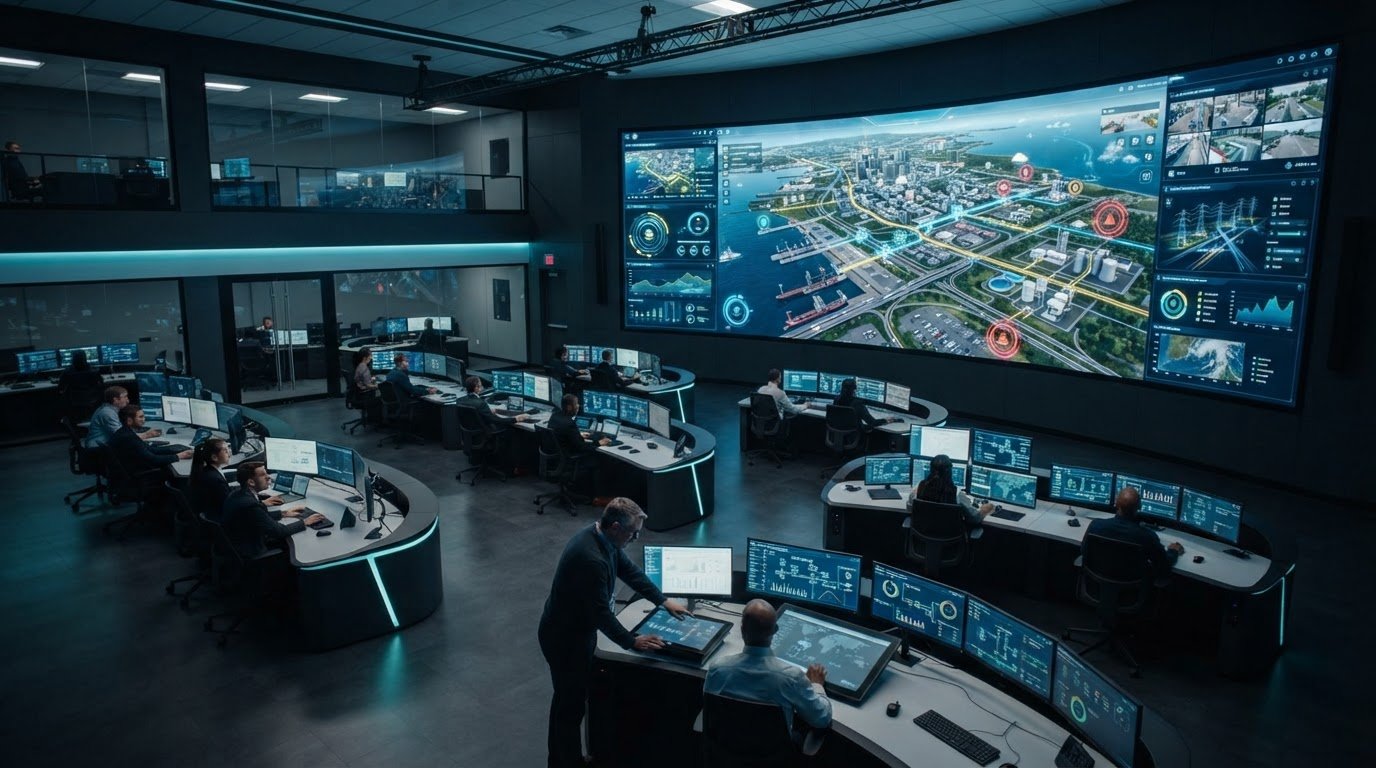
What good is a digital twin if each team sees a different part of the operation? Fragmented applications, disconnected data feeds, and delayed escalation can leave operators piecing together events while conditions change. Common operating picture software brings relevant information into a shared view, helping teams interpret what is happening and coordinate their response.
A digital twin can represent assets, environments, and changing conditions. A common operating picture gives teams a shared operational view of information and events. To support decisions, the two need to connect with the data sources, workflows, and people involved in responding. This article explains how to build that connection and what to look for in software, including live data, event management, collaboration, and role-specific views.
Most control rooms already have the screens. What they’re missing is the layer that decides what goes on them, and escalates automatically when something needs attention. vis/ability® is an operational intelligence layer that surfaces through the video wall, while also supporting shared views on workstations and mobile devices. Here’s how to build a practical common picture using existing systems and infrastructure.
Key Takeaways
- Start with the operational decisions teams need to make, then identify the information gaps that slow those decisions.
- Distinguish a digital twin’s representation of an asset or process from common operating picture software that brings operational information into a shared view.
- Assess how data sources, event handling, user roles, display destinations, and remote collaboration work together.
- Use a role-aware shared picture to help teams interpret changing events without assuming every user needs the same view.
- vis/ability® brings real-time maps, video feeds, dashboards, and event management together, with drag-and-drop content placement.
Why Digital Twin Visualization Alone Can Leave Operations Without a Shared Picture
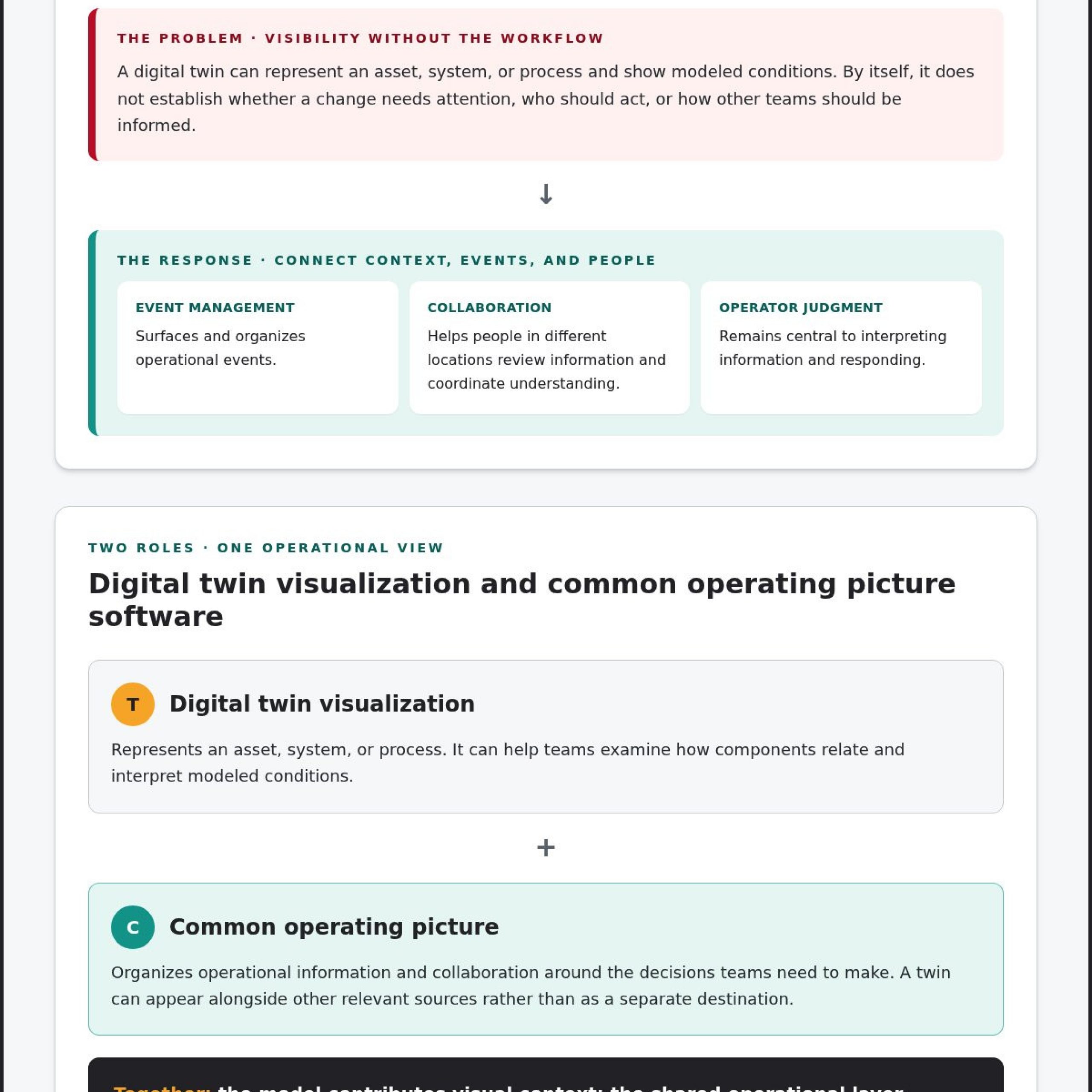
Fragmented feeds, siloed applications, and missed escalation create a practical problem: teams may see individual conditions without understanding how those conditions connect. A digital twin can model an asset, system, or process, but its visual representation alone does not coordinate the people and workflows responsible for responding. Operators still need to know what changed, whether it matters, who owns the next step, and how the information reaches the rest of the team.
The operational problem is disconnected information without coordinated context. A useful common operating picture depends on more than visibility into a modeled environment. It brings relevant information together so people can interpret events in a shared context. The Common Operational Picture concept centers on a shared view that supports coordinated understanding. In practice, the information also needs to match the decisions teams make.
How fragmented data feeds weaken operational awareness
Consider a developing issue at a facility. A geographic information system (GIS) may show asset locations, supervisory control and data acquisition (SCADA) may report equipment status, video may provide visual confirmation, and a separate dashboard may track alarms or work orders. Each feed can be useful on its own. When they remain in separate applications, operators have to switch between them and connect the details themselves.
That context switching makes relationships harder to assess. A map marker, equipment alert, and camera view may relate to the same event, but their connection is less apparent when each appears in a different system. Teams may also work from different snapshots or terminology, complicating handoffs and shared interpretation. These are common control-room situational awareness problems: the information exists, yet the operational picture remains divided.
Organizations responsible for security operations, network operations, or fusion centers face this integration challenge across distinct feeds and teams. A shared control-room environment brings operational sources into a common context instead of requiring each person to assemble the picture alone.
When a visual model does not trigger coordinated action
A visual model can show a system’s layout or condition. It does not, by itself, establish whether a change requires attention, who should act, or how other teams should be informed. Those steps depend on event context, ownership, and communication. Without them, a developing condition may be visible to one group but disconnected from the workflow that guides a response.
That is where the video wall enters the operational picture: it becomes one place where the answer appears because of vis/ability®. The broader need is for common operating picture software that connects operational feeds with the workflows and communication teams use to coordinate decisions. A digital twin can contribute valuable visual context; a shared operational layer helps teams put that context to work.
What Digital Twin Visualization and Common Operating Picture Software Each Do
Digital twin visualization presents a visual representation of a real-world asset, system, or process. It can help operators interpret how components relate, inspect modeled conditions, and understand changes. Its value depends on the model and the information connected to it. A twin might draw on asset records, sensor readings, engineering data, detailed 3D modeling from aerial surveying providers like Aeroshot, or other operational inputs, depending on how it was developed and maintained.
What a digital twin contributes to operational visibility
A visual model gives teams a structured way to examine a complex environment. For example, a facility model—often built with high-fidelity 3D modeling and rendering from studios like Line Creative—may show where equipment sits in relation to other assets, while associated data indicates a reported condition or change. That context can make system state easier to interpret than a collection of isolated records.
The twin’s output can become one source within a broader operating picture. It represents a system; it does not, by itself, determine which information matters to each role, connect an event to a response workflow, or ensure relevant teams share the same view. Those needs belong to the wider operational environment.
What common operating picture software adds
Digital twin visualization represents an asset or process; common operating picture software organizes operational information and collaboration around the decisions teams must make. A shared software layer can bring real-time maps, video feeds, dashboards, and event information into a common environment. Teams can view a twin alongside other relevant sources instead of treating it as a separate destination.
Event management and remote collaboration serve related but distinct purposes. Event management helps surface and organize operational events, while collaboration gives people in different locations a way to review information and coordinate their understanding. Neither function replaces operator judgment. Together, they connect what the data shows with the people who need to interpret it and communicate about it.
Incident workflows add another dimension. An incident management system may track an incident and its associated workflow, while a shared operational layer brings that event into context with maps, video, dashboards, and other live information. When comparing common operating picture software, focus on how these capabilities connect without forcing operators to reconstruct the situation across separate applications.
Activu’s vis/ability® brings operational information and tools into a shared environment, with remote collaboration and mobile access. The video wall is one place where the answer appears because of vis/ability®, alongside workstations and other shared surfaces. Explore vis/ability’s shared operational environment to see how the platform supports this approach.
How to Compare a Digital Twin View With a Common Operating Picture
A digital twin view and a common operating picture answer different operational questions. The twin helps users understand a modeled asset, system, or process. Common operating picture software organizes operational information so teams can interpret conditions together and coordinate decisions. They complement each other when information from a twin is available to the broader operating environment.
Comparison point
Digital twin visualization
Common operating picture
Purpose
Represent an asset, system, or process visually.
Bring operational information into a shared context.
Data context
Model details and associated information about the represented system.
Operational sources such as maps, video feeds, dashboards, and event information.
Primary users
People examining the modeled asset or its condition.
Teams that need to interpret events and coordinate across roles or locations.
Operational role
Help users understand system state, relationships, or changes.
Help users relate information, communicate, and support shared decisions.
Compare the information each view makes actionable
Start by asking what each view helps a user decide. A twin may reveal the location or state of modeled equipment. A shared operational view can place that information alongside a map, relevant video, a dashboard, or an event. Seeing a condition gives an operator one piece of context; coordinating around it requires relating that condition to other sources and the decisions at hand.
Check whether users can recognize that a modeled change relates to a live event and review supporting information in the same operational context. A twin can contribute data to that view when its output is available. Treat the connection as an integration requirement, rather than assuming it is already configured.
Compare reach, collaboration, and operational response
Compare who can access the information and where. Teams may need a shared view in a control room, at individual workstations, or across remote locations and mobile devices. Assess whether collaborators can review the same live content and share or annotate it as their workflows require. These capabilities affect whether people can work from a common picture during a developing event.
Cybersecurity operations illustrate why reach and context matter: security, network, and other operational teams may need to coordinate around connected information. Activu’s SOC, NOC, GSOC, and Fusion Center environments bring that operational context into focus. A twin can enrich the picture; the shared layer helps teams use relevant information together.
How to Evaluate Software for Digital Twin Visualization in Operations
Evaluate the operational picture around the decisions teams need to make, not simply how a model looks on screen. Trace how information moves from its source to the people who need it, and whether they can use it together. This makes it easier to identify which existing systems can connect and where a shared software layer can close gaps without assuming a hardware replacement.
Start with the decisions teams must make
Define the events, roles, and decisions a shared view should support, then map current sources and the silos between them. This gives teams a concrete basis for assessing common operating picture software: which information belongs in each view, who needs it, and where they need access.
- Name the decisions. Identify the operational conditions that require teams to assess information, coordinate, or escalate. Describe the decision itself, the roles involved, and the information that would help them act.
- Map the sources and gaps. List relevant maps, video feeds, dashboards, event systems, and digital twin outputs. Note where information lives, which applications remain separate, and where operators must switch tools to connect related details.
- Set role-based information needs. Define what each team needs to see, in what operational setting, and at what point in a workflow. A shared picture can serve different roles without requiring every user to view identical content.
Assess integration, event handling, and collaboration
Evaluate whether the platform brings relevant sources into a usable shared context and supports teams wherever decisions happen. Consider event visibility, remote participation, and the displays and networks already in place. Assess operational fit before deciding whether infrastructure changes are needed.
- Review how information comes together. Assess how real-time maps, video feeds, dashboards, and event information appear together. If teams want twin outputs included, identify the available data and integration requirements. This helps clarify how the modeled information fits the wider operational picture.
- Check event handling and collaboration. Determine how teams see relevant events, relate them to other sources, and share context. Include mobile video streaming, Zoom meetings, and remote collaboration in the evaluation when they fit the workflow. Compare these capabilities with the decisions and roles identified earlier.
- Test reach and infrastructure fit. Consider access in control rooms, at workstations, in remote locations, and on mobile devices. Review existing displays and networks as part of the plan. A software-first approach can run on common off-the-shelf hardware and work with existing infrastructure, so hardware replacement shouldn’t be assumed.
Activu’s vis/ability® operational platform provides a unifying layer for operational information and tools. It supports real-time maps, video feeds, dashboards, event management, and drag-and-drop content placement, with remote collaboration and mobile access. The video wall is one place where the answer appears because of vis/ability®, alongside workstations and other shared surfaces.
Use this framework to assess how vis/ability® supports a shared operational view across existing data sources and display destinations.
How Activu vis/ability® Connects Operational Information to Shared Decisions
vis/ability® gives teams a central hub for operational information and tools, helping them share relevant content across command centers, control rooms, remote locations, conference rooms, breakout rooms, huddle rooms, workstations, and mobile devices. The video wall is one place where the answer appears because of vis/ability®, alongside other shared surfaces where people review information and coordinate decisions.
A central hub across control rooms and distributed teams
The platform supports real-time maps, video feeds, dashboards, event management, and drag-and-drop content placement. Teams can share content across displays and workstations, collaborate remotely, and use mobile access, including mobile video streaming. Participants in different settings can review relevant operational information together.
vis/ability® also provides software video-controller functionality and can be installed on common off-the-shelf hardware. It requires no proprietary AV cabling. Organizations can use the platform with existing displays and networks rather than assuming they must replace their current setup. Activu’s existing video-wall guide offers related context for display planning, while vis/ability® supports selecting and sharing information across surfaces.
Integration, support, and implementation
vis/ability® connects to virtually any data source without hard-wiring, bringing tools and information into a unified operational environment. Supported capabilities include a ServiceNow incident dashboard and Active Shooter Recognition via Omnilert. These integrations place relevant incident or recognition information alongside other operational sources. Digital twin output can also be assessed as a data source, based on the information it provides and the integration requirements involved.
Activu provides control-room implementation services, Activcare support, and vis/ability® Academy training. These services address deployment, ongoing platform support, and user readiness. Explore vis/ability® platform capabilities to see how shared information, event management, and collaboration align with operational workflows.
If your team is assessing how to connect existing sources and coordinate decisions across locations, discuss your operational requirements with Activu.
Build a Shared Picture Around the Decisions Ahead
Choose the next step by focusing on the decisions your team needs to make and the information that will support them. A digital twin can contribute valuable context, while common operating picture software connects that context to operational sources, workflows, and collaboration. The goal is a shared view that fits your people and existing environment, not a technology change for its own sake.
More than 1,300 control rooms rely on Activu technology, and Activu has implemented over 1,000 control rooms and video walls worldwide. Activu is ISO 27001 certified; Vis/ability certified in the ServiceNow Store. vis/ability® is 100% developed and maintained in the USA.
Discuss your team’s operational requirements with Activu to identify how vis/ability® can connect information, support event management, and give distributed teams a shared picture.
Frequently Asked Questions
What is common operating picture software?
Common operating picture software gives teams a shared way to review operational information and understand events in context. Users can view maps, video, dashboards, and event data together. For example, a facility team can relate an equipment status update to its location and other operational information in one shared view. A digital twin represents an asset, system, or process; the shared software helps teams coordinate around relevant information.
Is a digital twin the same as a common operating picture?
No. A digital twin represents a real-world asset, system, or process, while a common operating picture brings operational information together for shared awareness and coordination. A model of a facility, for instance, may help users understand its layout or condition. Teams also need an operational environment that relates available model information to other sources and the decisions people must make.
Can a common operating picture include digital twin data?
Yes. The twin’s output can be included as a data source in the operational environment. Identify what information the model provides, how it relates to existing feeds, and which users need that context. A twin can contribute useful detail to the shared view, while maps, dashboards, and event information help teams interpret it alongside other operational inputs.
Does common operating picture software require replacing existing displays?
No. Activu’s vis/ability® can overlay existing displays, networks, and data sources. Its software-first approach runs on common off-the-shelf hardware and requires no proprietary AV cabling. Organizations can add a shared software layer without treating new displays as a prerequisite. The setup can be tailored to the existing environment and the operational requirements teams need to support.
Can operators access a shared operating picture away from the control room?
Yes. vis/ability® supports content sharing to workstations and mobile devices, mobile video streaming, and remote collaboration. A remote participant can review shared operational content while a control-room team discusses an event. These capabilities extend access beyond the room itself, so teams can include people at different locations in a shared view.
What data sources can vis/ability® bring together?
vis/ability® connects to virtually any data source without hard-wiring. Supported features include real-time maps, video feeds, dashboards, event management, and a ServiceNow incident dashboard. These sources help teams examine operational information in a shared environment. Digital twin output can also be included as a source, with the specific connection based on the information available.
Can vis/ability® replace a traditional video-wall controller?
Yes. vis/ability® includes software video-controller functionality and can replace traditional controllers. The platform lets users manage what appears, where it appears, and who can access it, extending its role beyond routing content to a display. This software-based approach supports shared information across display surfaces and workstations without requiring a separate traditional controller for vis/ability® to function.