
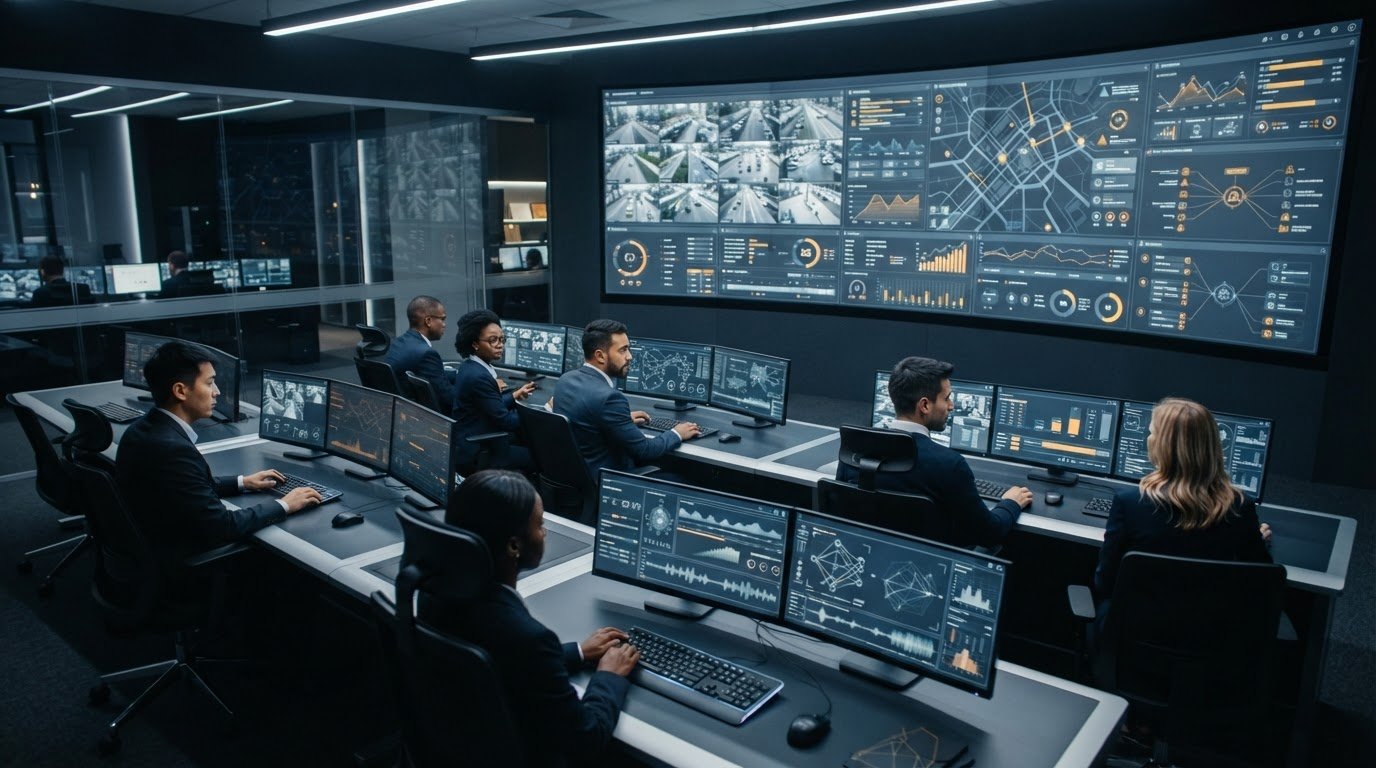
How can a control room manage multiple video sources without losing the context that makes an incident actionable? When camera feeds, dispatch applications, and operational data sit in separate systems, operators must piece together events themselves. Fragmented information, missing automatic escalation, and team silos can delay the moment when the right people see what needs attention.
Most control rooms already have the screens. What they’re missing is the layer that decides what goes on them – and escalates automatically when something needs attention.
Activu’s vis/ability is an operational intelligence layer that surfaces through the video wall, bringing applications, real-time data, and video streams into a shared operational view. This article explores how event-driven information can help teams prioritize relevant feeds, add context to emerging incidents, and support timely escalation. You’ll also see how a common view can extend beyond the control room to remote teams and mobile users, helping people act with greater clarity across locations.
Key Takeaways
- Identify where source switching interrupts operational decisions, and map the information teams need to respond to an event.
- Use a structured approach to managing multiple video sources, from connecting relevant context to reviewing how event workflows perform.
- Compare source-management approaches by their ability to integrate applications, provide event context, support escalation, and extend visibility to distributed teams.
- Build workflows around priority incidents, sources, and decision owners instead of recreating disconnected screens in a new system.
- See how vis/ability can serve as the central hub for operational tools and feeds, with the video wall presenting the resulting view.
Why managing multiple video sources becomes a control-room problem
Fragmented systems force operators to assemble an incident from isolated camera feeds, alerts, operational data, and applications. One system may show a developing event while another holds the details needed to assess it. If those sources don’t connect, operators must switch tools and interpret the gaps while operations continue. Context can fall away, and important information may not reach the people who need it.
Managing multiple video sources means organizing relevant feeds and their supporting context around operational decisions. That differs from production or presentation workflows, where the goal may be to switch between sources or compose a scene. In a control room, operators need to understand what’s happening, connect the evidence, and know which information deserves attention. The SOC, NOC, GSOC, and fusion center control-room environments make this coordination challenge clear: teams need relevant information aligned with the work they’re doing.
Fragmentation also creates silos between people and tools. An alert may appear in one application, while its related video sits elsewhere and the operational record lives in a separate system. Without a shared view, each team can hold only part of the picture. The risk comes from the missing links between sources, not simply from having a large number of them.
Most control rooms already have the screens. What they’re missing is the layer that decides what goes on them – and escalates automatically when something needs attention.
Which sources create fragmentation in a control room?
Camera feeds show activity as it unfolds. Operational data can indicate system status or changing conditions, while alerts call attention to events that may require review. Applications hold additional details, records, or views used to assess what is happening. Each source has a role, but separate interfaces can leave operators to identify which items relate to the same event.
That coordination burden can also make it difficult for teams in different rooms or locations to share the same understanding. A useful Control Room overview describes the centralized monitoring and control function behind these environments. For operators, that function depends on more than access to information: related signals must be understood together.
How does fragmentation affect operator situational awareness?
Repeatedly moving between applications draws attention away from interpreting events. An operator may need to remember an alert, locate the corresponding camera view, and compare it with data elsewhere. Each transition adds another task during active operations, making it harder to keep an overview as new information arrives.
Disconnected alerts can also separate a notification from the video or application context that would help explain it. Control-room situational awareness is an operator’s understanding of current conditions, relevant events, and how those conditions inform operational decisions.
When an event’s signals remain scattered, teams must spend time building that understanding manually. Effective source management connects the information around operational priorities, so people can focus on assessing the situation and deciding what to do next.
How to manage multiple video sources with event-driven context
Start with the operational event, then determine which feeds help the team understand and act on it. This keeps source management tied to decisions rather than to a screen layout. For example, a developing facility issue may call for a relevant camera view alongside operational data and the application used to assess the situation. Fragmented feeds, application silos, and the absence of automatic escalation are the gaps this process should address.
Map sources to the events operators need to understand
Inventory the video feeds, applications, alerts, and real-time data streams available to the team. For each source, record what it helps operators detect, verify, or decide. Then identify essential decision context, such as a related camera view or system status, and distinguish it from information that doesn’t change the response. This map gives integration a clear operational purpose.
Use a repeatable sequence:
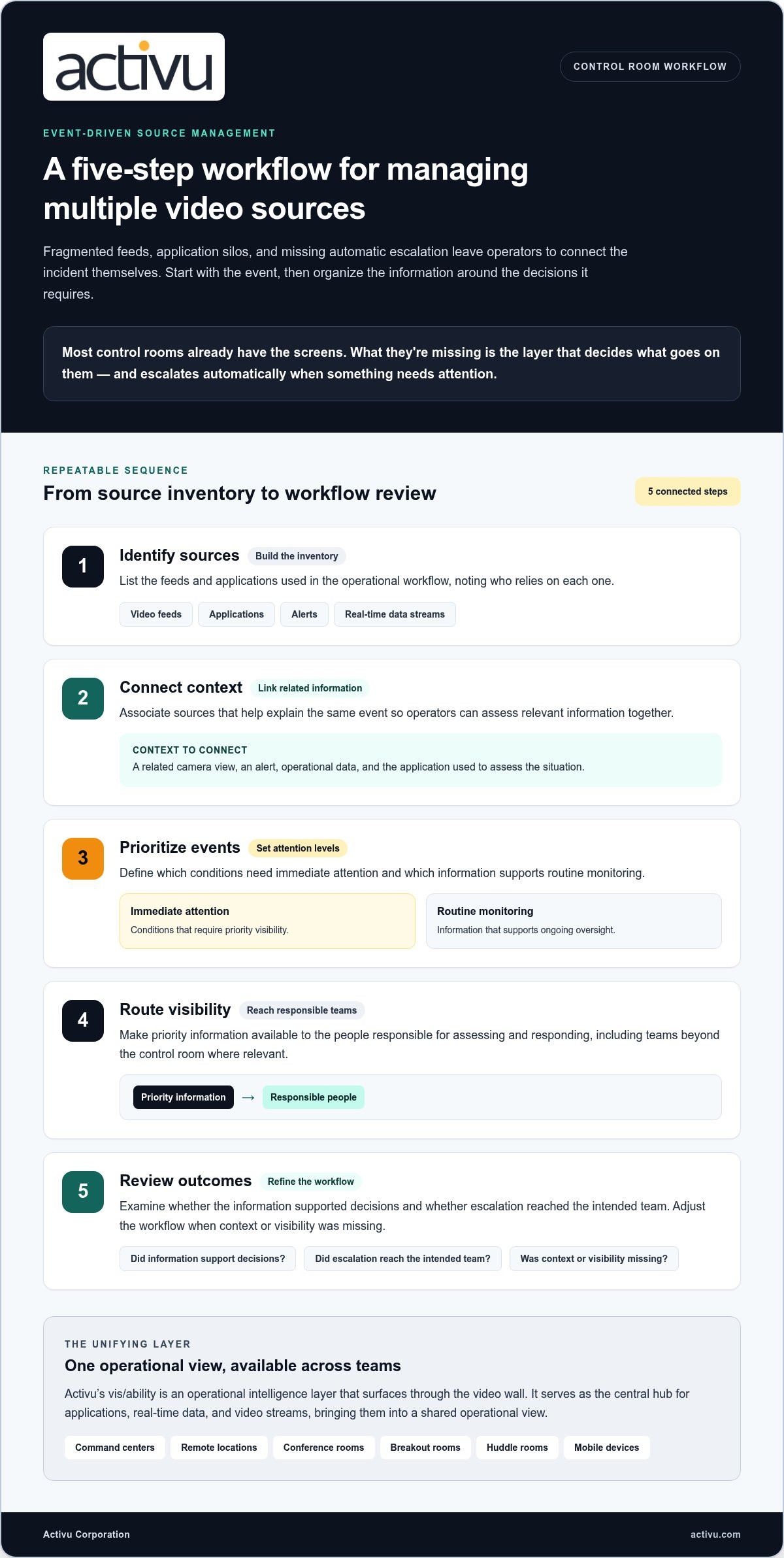
- Identify sources. List the feeds and applications used in the operational workflow, noting who relies on each one.
- Connect context. Associate sources that help explain the same event so operators can assess relevant information together.
- Prioritize events. Define which conditions need immediate attention and which information supports routine monitoring.
- Route visibility. Make priority information available to the people responsible for assessing and responding, including teams beyond the control room where relevant.
- Review outcomes. Examine whether the information supported decisions and whether escalation reached the intended team. Adjust the workflow when context or visibility was missing.
Prioritize information and coordinate escalation
Event-driven visibility organizes information around what is happening, rather than asking operators to repeatedly search across separate tools. An alert should be considered alongside the related video and operational data that help explain it. As Situational Awareness in Control Rooms emphasizes, awareness depends on operators being able to interpret conditions and act on what they understand.
Escalation should follow the operational workflow: surface the relevant information, support assessment, and make it visible to the people who need to coordinate. That reduces reliance on a separate notification that may lack context. Event context turns separate feeds into actionable awareness by showing how signals relate to the decision at hand.
Activu’s vis/ability is an operational intelligence layer that surfaces through the video wall. It integrates applications with real-time data and video streams, serving as the central hub for operational tools and feeds. The video wall becomes the place where the answer appears because vis/ability brings priority information into a shared view and supports event-driven situational awareness. Learn how vis/ability brings operational information together for teams.
With a clear source map and event workflow in place, managing multiple video sources becomes a deliberate process: connect relevant context, prioritize what matters, and review whether visibility supported the decision.
How to compare source-management approaches for operational use
Choose an approach by asking what operators need to understand and coordinate, not only how they want to arrange feeds. A source tool can make video visible or let a user switch views. Control-room operations also need relevant applications and data connected to events, clear prioritization, and visibility that can reach people working across locations.
When is a source mixer or streaming tool insufficient?
Production-oriented tools such as OBS and ManyCam focus on mixing, switching, or arranging sources for streams, calls, and presentations. Those functions can address how sources appear, but they don’t by themselves establish why a feed matters to an operational event, connect it with supporting applications, or coordinate escalation. A control room needs an approach that supports decisions, not just presentation.
Use these criteria to compare the capabilities that matter during operational use:
| Capability | Source switching or presentation tool | Operational coordination platform |
|---|---|---|
| Source switching | Lets users select or arrange sources for viewing. | Connects relevant sources to operational workflows and event context. |
| Application integration | May focus on video and presentation inputs. | Brings applications together with real-time data and video streams. |
| Event context | Shows a feed, but may leave its operational significance to the operator. | Supports a view organized around the event and information needed to assess it. |
| Escalation | Doesn’t inherently define who needs to see an operational event. | Supports event-driven visibility and escalation within an operational workflow. |
| Distributed access | May center on a production or presentation setting. | Can extend shared visibility to control-room and remote teams, including mobile users. |
What should an operational approach connect?
Assess whether video, applications, and real-time data streams can contribute to one operating picture. Then consider whether priority information can reach the relevant teams beyond the main control room. The answer should help operators see why a feed matters and how it relates to the situation, rather than leaving them to infer the connection from separate screens.
Source display shows what is on screen; operational intelligence connects feeds to the event, the decision, and the people who need to act.
That distinction shapes the video wall’s role in situational awareness: it’s where the operational answer appears because of the information coordinated through the platform. See how the video wall supports situational awareness without treating display alone as the solution.
For teams managing multiple video sources, the comparison comes down to whether the approach connects event context, escalation, and shared visibility, or simply makes feeds easier to switch between.
How to implement a multiple-source workflow without adding more silos
Begin with one operational use case, such as assessing a facility event or coordinating a response across teams. Name the roles responsible for interpreting the event, making decisions, and receiving updates. Then identify the priority events that should change what information becomes visible. This gives the workflow a clear purpose before teams connect or reorganize sources.
Group feeds by incident or workflow, not by the disconnected systems they came from. For each priority event, determine which camera views, applications, and data streams help operators assess conditions and decide what happens next. Keep the group focused on decision context. Reproducing every existing screen in a new interface can carry the old silos forward under a different layout.
- Define the use case and event. Describe the operational situation the workflow must support and the signals that matter to it.
- Assign decision owners. Identify who assesses the information, who coordinates action, and who needs visibility as the situation develops.
- Connect relevant sources. Bring together the video, applications, and real-time data that help those roles understand the event.
- Plan shared access. Decide which teams need the same view in the control room, remote locations, or on mobile devices.
- Review and refine. Ask the people using the workflow whether sources are relevant, handoffs are clear, and escalation reaches the intended roles.
Configure a shared operating picture around team roles
Different roles may need a common event context while focusing on distinct responsibilities. A shared operating picture can support coordination in the control room and in conference, breakout, or huddle rooms where teams review a developing situation together. Mobile vis/ability extends visibility to users outside the control room, helping distributed colleagues work from shared operational information.
Plan access around the decisions each group makes. A remote lead may need the same incident context as the control-room team, while another role may need only the information tied to its part of the response. This role-based planning keeps the shared view useful without exposing every team to every feed.
Review the workflow after deployment
Test the workflow against actual operational tasks. Can operators find the sources relevant to an event? Can they see why those sources belong together? Review handoffs and escalation paths with the teams responsible for using them, including remote and mobile users. Their feedback can reveal missing context, duplicated views, or groupings that distract from priority information.
Refine the workflow when a source adds little decision value or recreates an existing silo. Incident response coordination can also involve clear handoffs between teams; the source groupings should support that process rather than create another disconnected step.
For teams managing multiple video sources, implementation is an operational design task: align information with events, roles, and the locations where decisions happen. Explore vis/ability for shared operational visibility across control-room and distributed teams.
How Activu brings multiple video sources into one operational view
Control-room teams need a shared operational view that connects video with the applications and data used to interpret events. Activu’s vis/ability serves as the central hub for those tools and feeds. It integrates applications with real-time data and video streams to support event-driven situational awareness, giving teams a coordinated way to bring relevant operational information together.
vis/ability is an operational intelligence layer that surfaces through the video wall. The wall is where the answer appears because vis/ability brings the context into view. Operators can see relevant information together instead of relying on isolated sources to build their own picture of an event.
How vis/ability supports event-driven situational awareness
Teams can organize visibility around the events they need to interpret. When an event calls for attention, the relevant video, application information, and data streams can contribute to a clearer operational view. This keeps the focus on why information matters and how it supports a decision, rather than on switching between unrelated sources.
Automatic escalation is part of the operational principle: the right information should come forward when attention is needed. As the article’s bridge sentence states, “Most control rooms already have the screens. What they’re missing is the layer that decides what goes on them – and escalates automatically when something needs attention.” vis/ability provides that operational layer, while the video wall presents the resulting view. Explore the vis/ability platform to see how integrated sources support event-driven operations.
This approach is relevant across SOC, NOC, GSOC, and fusion-center control rooms, where teams need operational tools and feeds to contribute to a shared understanding. The specific sources will vary by workflow, but the purpose remains consistent: connect information to events so people can assess conditions with context.
Extend operational visibility beyond the control room
Decisions often involve people who are not in the main control room. Mobile vis/ability extends visibility to users outside it, supporting collaboration with distributed teams. Command centers, remote locations, conference rooms, breakout rooms, and huddle rooms can all play a role in sharing operational context across the people involved.
That shared visibility helps teams coordinate around the same developing situation, even when they work in different places. It also gives remote participants a way to stay connected to operational information rather than relying only on relayed updates.
For teams managing multiple video sources, vis/ability brings applications, real-time data, and video streams into a unified operational view, with the video wall showing the answer because of the intelligence layer behind it. Discuss an operational visibility solution for your team’s workflows and locations.
Make the next operational decision clearer
Choose one workflow where teams need to make a shared decision, then identify what would help them reach it with greater clarity. Consider who needs to see the event, which context informs their judgment, and where those people work. This gives your team a practical starting point for managing multiple video sources around operational priorities rather than adding another layer of disconnected views.
From there, define what useful visibility looks like for your operators and decision-makers. A focused conversation about the workflow can help reveal where information loses context, where handoffs need attention, and how teams across locations should stay aligned. vis/ability can serve as the unifying platform for that operational view, supporting the people who turn incoming information into decisions.
Explore how a unified approach could support your team’s workflows and locations. Discuss a unified operational view with Activu and take the next step toward clearer, more coordinated operations.
With the right context in view, your people can focus on the decisions that move the response forward.
Frequently Asked Questions
How do you manage multiple video sources in a control room?
Manage multiple video sources by organizing them around the decisions operators must make. Start with a specific scenario, such as verifying an access alert, and identify which camera view, system status, and application record help assess it. Assign someone to maintain the source groupings and review them with operators. This keeps the workflow tied to real tasks, and helps teams spot when a feed is missing, outdated, or no longer useful.
Can multiple video feeds and operational applications appear in one view?
Yes. An operational platform can integrate video feeds with applications and real-time data so teams can view related information together. For example, an operator reviewing a facility alert could use a relevant camera view alongside the application record that explains the alert. The specific sources depend on the operational workflow and integrations in use. The goal is to help staff interpret connected information without repeatedly searching across separate systems.
What is the difference between video mixing and operational video-source management?
Video mixing arranges or switches between visual inputs, often for a production, stream, or presentation. Operational video-source management connects feeds to the context needed for decisions, such as an event, related application information, and the team responsible for response. A useful test is whether the approach helps an operator understand why a source matters and what action it informs, rather than only making the source visible.
How can operators avoid missing incidents when monitoring several feeds?
Reduce reliance on constant manual scanning by setting clear priorities for events and defining how operators should verify them. Pair alerts with the relevant camera view or operational record, assign responsibility for reviewing each event type, and make handoffs explicit. Teams should also check whether priority information is easy to locate during exercises or routine reviews. These practices support attention and coordination, though no workflow can guarantee that every incident will be detected.
Can teams access a shared operating picture outside the control room?
Yes. Mobile access can extend operational visibility to authorized users outside the control room, while shared views can support coordination in remote locations and other team workspaces. For instance, a remote decision-maker may need the same event context as operators on site to contribute to a discussion. Plan access according to each role’s information needs, and include distributed users when reviewing whether the shared picture supports effective handoffs.
Does managing multiple video sources require replacing existing operational tools?
Not necessarily. Application integration can bring information from existing operational tools into a broader view, allowing teams to consider how current systems fit their workflows before planning replacement. Start by identifying which tools provide essential information and where their data or video needs to connect. Then evaluate the intended integrations and operational requirements. This helps organizations make deliberate decisions about their environment instead of assuming a complete system change is required.
How should a control room decide which video sources to prioritize?
Prioritize sources according to the decisions they support. Consider how directly a feed relates to a current event, whether it adds information unavailable elsewhere, and how quickly a team needs it to assess conditions. A camera view tied to an active alert may deserve attention before a routine monitoring feed. Review priorities with operators and decision owners, since source value can differ across roles and operational scenarios.