
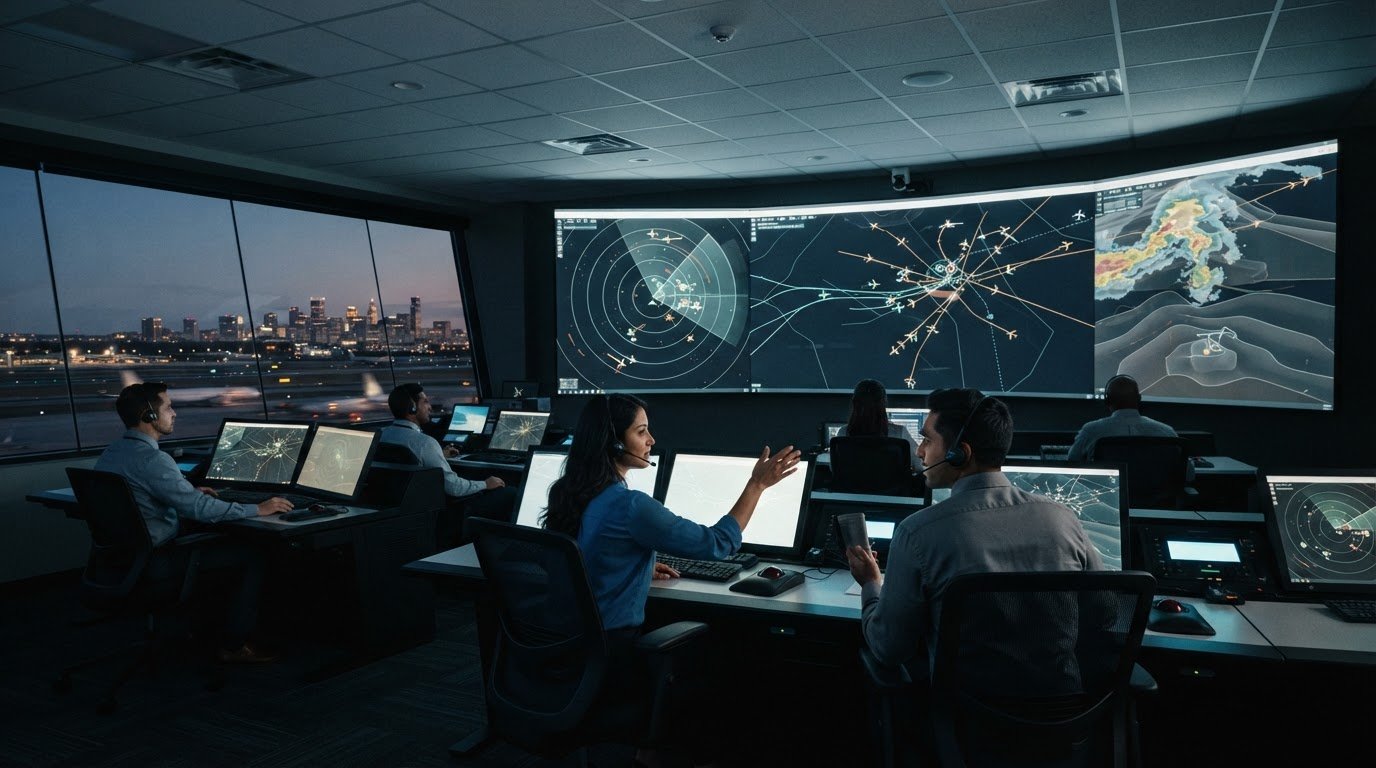
Air traffic control room visualization shows how controllers combine radar, flight data, weather information, and communications to monitor aircraft and coordinate movement. Tower control rooms typically oversee immediate airport airspace up to 5 nautical miles, while approach and departure facilities typically manage arriving and departing aircraft within a radius of 30 to 50 nautical miles. Regional centers coordinate traffic across broader airspace and manage handoffs between sectors.
A clear view matters because controllers interpret changing conditions, maintain traffic flow, and pass aircraft information between teams without losing operational context. The room’s layout supports this work: tower positions prioritize direct views of airport activity, while regional centers arrange workstations and shared displays for coordinated surveillance and communication.
This guide explains what an air traffic control room is, how tower and regional center layouts differ, and how radar, flight data, and communication tools help controllers track routes and manage handoffs. It also explains how a unified operational picture can make essential information easier to interpret as decisions pass between controllers and sectors.
Key Takeaways
- Distinguish tower operations from regional airspace management by the area each team monitors and the coordination its layout supports.
- Understand how radar, flight data, weather information, and radio communications contribute to an operational picture.
- Compare what two-dimensional radar views show with the additional spatial context a three-dimensional visualization can provide.
- Follow how controllers coordinate aircraft movement and pass responsibility between sectors while preserving flight context.
- Assess how workstation arrangement, lighting, and acoustics can support clear attention and effective teamwork.
Control tower and regional control center layouts
Air traffic control room layouts reflect the airspace each team monitors and the decisions it must make. Tower positions prioritize views of airport activity; regional centers organize surveillance and coordination across wider areas.
Two-Dimensional and Three-Dimensional Displays
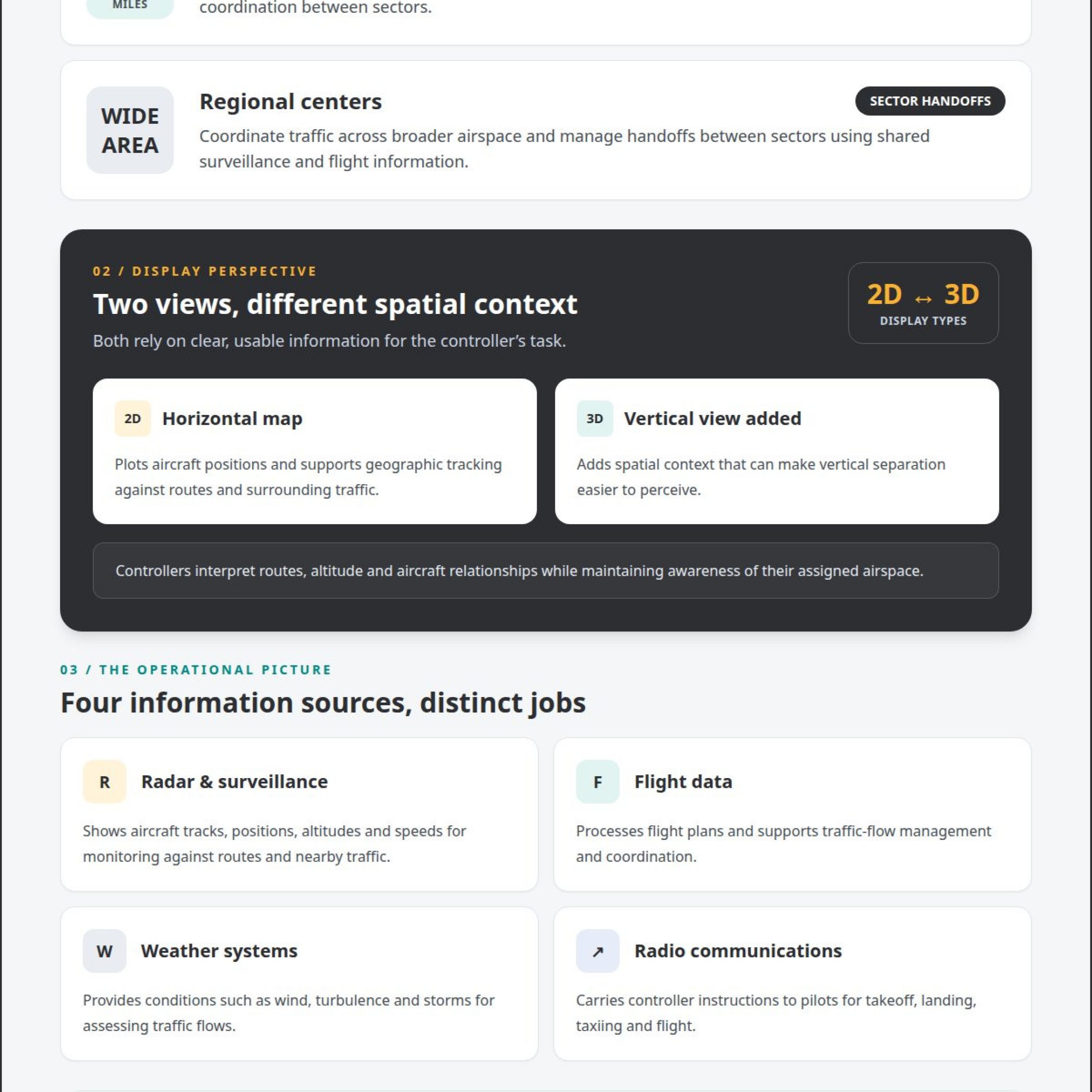
A two-dimensional radar display plots aircraft positions on a horizontal map, while a three-dimensional visualization adds a vertical view of traffic. The distinction matters because controllers need to interpret route, altitude, and aircraft relationships without losing sight of the assigned airspace. A 2D display supports geographic tracking; a 3D view can make vertical separation easier to perceive. Both depend on clear, usable information for the controller’s task.
In a tower, the physical layout supports direct observation of runways, taxiways, and nearby airport activity. Tower control rooms typically oversee immediate airport airspace up to 5 nautical miles. Large, circular-style windows support ground-to-air visibility, while work positions arrange controllers to monitor activity and communicate efficiently. The layout must also keep attention on instruments when weather or other conditions limit what staff can see outside.
Regional facilities prioritize instrument-based monitoring and coordination. Approach and departure control facilities typically manage arriving and departing aircraft within a radius of 30 to 50 nautical miles. Their workstations support a broader view of traffic flows and allow teams to coordinate aircraft moving between airspace sectors. Unlike a tower’s direct view of airport operations, a regional center depends on shared surveillance and flight information.
Room Equipment and Displays
Air traffic control rooms combine radar screens, computer systems, weather displays, and radios to support monitoring and communication. Radar and computer systems show aircraft positions, altitudes, and speeds; weather systems provide conditions such as wind, turbulence, and storms. Radios carry instructions to pilots for takeoff, landing, taxiing, and flight. Positioning these tools for each role helps controllers access relevant information while managing active traffic.
Handoffs connect these roles as aircraft move between sectors. The receiving controller needs the aircraft’s identity, position, altitude, route, and relevant traffic context to continue managing it. Flight-data systems support coordination by processing flight plans and helping manage traffic flows and airspace restrictions. An organized room lets controllers review these details alongside surveillance displays and maintain communication as responsibility changes.
Workstation design also shapes how teams use the room. ISO 11064 Part 4 covers control-centre workstation layout and dimensions, while Part 6 covers environmental conditions, including lighting and acoustics. These considerations affect sightlines, display placement, and communication between positions. Similar operational planning applies in manufacturing process control environments, where teams also coordinate information across workstations. Clear spatial organization helps each controller understand their role in the wider traffic picture.
What equipment and displays are used in an air traffic control room?
An air traffic control room combines surveillance displays, flight-data computers, weather systems, and radios. Each tool serves a distinct purpose. Radar screens show aircraft positions, altitudes, and speeds, while flight-data systems support flight-plan processing and traffic-flow management. Together, these systems give controllers the information they need to assess traffic and communicate instructions.
Surveillance and flight-data systems
Radar systems display aircraft tracks for controllers to monitor against routes and surrounding traffic. Primary radar detects aircraft from reflected radio signals, while secondary radar receives transponder signals that can include identity and altitude. Modern centers may also use multilateration and ADS-B to improve surveillance accuracy and reduce blind spots. Flight-data processing combines radar and other sensor information into a cohesive traffic picture.
ADS-B adds position reports based on an aircraft’s satellite-navigation data, which the aircraft periodically broadcasts. Multilateration uses multiple receiver locations to support surveillance. These sources can complement radar coverage, giving controllers additional information to interpret alongside track displays. Displays are most useful when each aircraft’s relevant data is presented clearly and consistently.
Weather displays and radio communications
Weather systems provide real-time information about wind speeds, turbulence, and storms. Controllers consider these conditions when assessing traffic flows and coordinating aircraft movement. For example, a storm near an active route can inform decisions about managing traffic. A well-organized display places weather information in operational context alongside aircraft positions and flight data.
Radios provide the direct communication channel between controllers and pilots. Controllers use them to give instructions for takeoff, landing, taxiing, and flight. A radio exchange turns a decision into a clear instruction, while surveillance displays help controllers continue monitoring aircraft movement. Keeping communication tools accessible at the relevant position supports coordination during routine operations and changing conditions.
How the systems work together
Each screen is more useful when its information is considered alongside other operational data. A radar track shows aircraft movement; flight data provides plan context; weather systems show conditions affecting traffic. Controllers interpret these inputs together rather than treating each display as an isolated source. This helps them maintain a coherent view while monitoring routes and restrictions.
Display arrangement should reflect the controller’s responsibilities and the decisions made at that workstation. For example, a position managing traffic flows needs access to surveillance and relevant flight data, while radio equipment supports pilot communication. Control-centre design also considers workstation layout and dimensions under ISO 11064 Part 4, and environmental conditions such as lighting and acoustics under Part 6. Those factors shape how operators access information and communicate while working with multiple systems.
How do air traffic controllers visualize aircraft positions and flight paths?
Controllers read aircraft tracks alongside flight-plan information to understand current positions and intended movement. The display connects each aircraft’s location with its altitude, speed, route, and surrounding traffic. This combined view helps a controller assess whether a flight is following its planned path and how nearby aircraft may affect the next decision.
From position data to a usable track
Surveillance inputs show observed aircraft positions, while flight-data processing provides plan context. Controllers interpret these sources together rather than treating a position as a complete account of a flight. For example, a track near a route boundary gains meaning when compared with the aircraft’s assigned route and altitude. Comparing observed movement with expected movement supports ongoing monitoring.
Altitude and speed help controllers assess how a track changes over time. A position display indicates where an aircraft is; its associated flight information helps explain where it is heading and how it fits among other flights. Controllers use these details to monitor routes, identify developing traffic conflicts, and sequence arrivals or departures while maintaining safe distances between aircraft. They continually interpret movement within their assigned airspace.
Following routes across sectors
A flight may cross several sectors during a longer journey, so its path must remain understandable as responsibility changes. Controllers coordinate with other facilities to manage flights across airspace sectors. Before a handoff, the current controller and receiving team need shared context about the aircraft’s position, route, and relevant traffic. That context supports continuity as the receiving controller assumes responsibility.
Consider an aircraft approaching the edge of its current sector. Its track and flight-plan context help controllers understand its direction and anticipated transition. The receiving sector can then relate the aircraft to traffic already under its control. This coordination connects the route across sector boundaries instead of treating each handoff as an isolated event. The display supports the exchange, while controllers remain responsible for interpreting the information and coordinating action.
Traffic density shapes how much information a controller must evaluate at once. Air traffic controllers typically manage 5-10 aircraft at once, making clear track relationships important to maintaining awareness. When several routes converge near an arrival area, controllers assess aircraft positions, altitudes, speeds, and planned movement together. They sequence arrivals and departures to reduce congestion and delays while maintaining safe distances.
Effective air traffic control room visualization links current position to route context and sector coordination. A track becomes operationally useful when controllers can interpret its movement, compare it with flight data, and preserve that context through handoffs. This integrated view supports decisions throughout a flight, from monitoring its current sector to coordinating the next controller’s role.
How do 2D radar displays compare with 3D air traffic control visualizations?
A 2D radar display maps aircraft position horizontally, while a 3D visualization adds altitude as a spatial dimension. The difference affects how controllers interpret traffic relationships. A map can show routes and lateral spacing clearly; a three-dimensional view can make vertical separation easier to perceive. Neither format replaces the need to read aircraft identity, altitude, speed, and flight context.
What a 2D display makes clear
On a 2D display, aircraft tracks appear against a horizontal representation of airspace. Controllers can compare lateral positions, routes, and nearby traffic at a glance. Altitude and other flight details may appear alongside each track, allowing the operator to assess more than location alone. For example, two symbols close together on the map may have different altitudes, so the associated data matters.
This format keeps geographic relationships clear. A controller can follow a track along its route and see how it relates to nearby airspace. Primary radar supplies position from reflected signals; secondary radar can provide identity and altitude through transponder signals. The display is most useful when those details remain readable without obscuring the map or other aircraft symbols.
What 3D adds, and what it can complicate
A 3D view represents position across horizontal space and altitude. That added dimension can help people interpret vertical relationships, such as aircraft at different levels following intersecting routes. It can also change how distance and alignment appear from a chosen viewing angle. A clear 3D view therefore needs deliberate perspective and uncluttered symbols, so operators can judge aircraft relationships rather than decode the display.
ADS-B broadcasts an aircraft’s satellite-navigation position, and flight-data systems combine radar and other sensor inputs. Those data sources inform the traffic picture; switching from 2D to 3D changes how the information is presented, not what the underlying source reports. Controllers still need to interpret the track, its altitude, and its flight context. A spatial rendering cannot replace that assessment.
Choosing a view for the task
Use the view that makes the relevant relationship easiest to assess. For route monitoring, a horizontal map emphasizes aircraft positions and paths. For understanding vertical traffic relationships, a 3D perspective may add useful context. In either case, consistent symbols, legible labels, and access to flight details matter more than visual complexity.
Effective air traffic control room visualization supports the controller’s decision rather than drawing attention to the display itself. A useful design keeps routes clear and makes altitude information easy to interpret. For instance, a controller comparing crossing paths needs both the map relationship and aircraft altitudes. Presenting these inputs together gives the controller a coherent picture for operational judgment.
Control rooms
Air traffic control rooms must support sustained attention, clear communication, and reliable access to operational information. Their design connects controller tasks with workstation arrangement, environmental conditions, and equipment placement. For example, a controller monitoring traffic while communicating by radio needs a workspace where both tasks remain accessible. The layout should support these interactions without obstructing sightlines or team coordination.
Ergonomics applies across the control centre, not only at an individual console. The ISO 11064 series addresses ergonomic control-centre design, giving planners a framework for considering how people, workstations, and the wider room relate. A workstation should fit its operational role, while the room should support communication between positions. This helps keep the physical environment aligned with the work controllers perform.
Environmental conditions also shape how operators use a room. Lighting affects visibility across displays and work surfaces; acoustics affect communication between colleagues and over radio. ISO 11064 Part 6 covers control-centre environmental conditions, including lighting and acoustics. In a practical review, teams can consider whether display glare distracts from track information or background noise makes a spoken handoff harder to hear.
Reliability matters because air traffic control operations run 24/7/365, making durability and dependable operation important considerations in console design. A console supports recurring work across shifts, so planners consider how operators access controls and information throughout the operational cycle. For instance, a radio position and a surveillance display should remain usable together during routine coordination and changing traffic conditions.
Human-factors guidance informs how furniture and workstations support the people using them. Air traffic control furniture projects may reference FAA human-factors guidance. Practical questions include whether controllers can reach necessary controls, read displayed information, and communicate with nearby positions. Reviewing these interactions against actual tasks helps teams identify layout conflicts before they affect daily workflows.
Room planning also connects individual workstations to team coordination. A clear sightline between positions can support communication; well-planned display placement can help staff direct attention to relevant information. These choices should reflect the room’s operating roles rather than follow a generic arrangement. Teams assessing transportation environments can explore transportation control room solutions as part of that design conversation.
A structured design review can consider workstation arrangement, lighting, acoustics, furniture, and durability together. For example, if a revised console position improves access to controls but blocks communication with an adjacent position, the room-wide impact matters. Evaluating the work area and shared environment as one system helps align physical design with operational requirements.
Activu Corporation: Video Wall Systems
Activu Corporation helps teams address fragmented systems, siloed information, and missing automatic escalation through application integration and event-driven situational awareness. Many control rooms already have screens; what they need is a layer that determines what appears on them and automatically escalates information when something requires attention.
vis/ability is an operational intelligence layer that brings information to the video wall. As a unifying platform, it connects teams in command centers, remote locations, conference rooms, breakout rooms, and huddle rooms, with access extending to mobile devices. The video wall becomes one place to present a shared operational picture.
Contact Activu Corporation to discuss your control room requirements.
Set the Next Design Priority
The next step is to assess how operational information supports decisions in your environment. Identify where teams lose context, which information needs priority, and how a developing event should reach the people who need to act. These questions turn air traffic control room visualization from a display concept into a defined operational requirement.
Use that review to define what operators need to see, how teams coordinate across roles, and where information should appear as conditions change. A focused design conversation can connect those priorities with the systems and workflows already in use, while keeping the human judgment behind each decision central.
Activu Corporation can discuss how its solutions fit your control room priorities. Start a conversation with Activu Corporation about the operational picture your teams need. A clear next step can help turn complex information into a more deliberate design direction.
Frequently Asked Questions
What is an Air Traffic Control Room?
An air traffic control room is a staffed operational workspace where controllers monitor aircraft and coordinate movement through airport or regional airspace. Teams use surveillance information, flight data, and communications to make decisions about traffic flow. For example, a controller may track an aircraft approaching an airport while coordinating with another facility responsible for the next part of its route.
What does an air traffic control room look like?
An air traffic control room usually combines operator workstations, radar and computer displays, communication equipment, and shared views of operational information. In an airport tower, large windows provide direct views of airport activity. A regional center relies more heavily on instrument displays and coordinated workstations. The arrangement reflects each team’s duties, from monitoring runway activity to managing aircraft moving across wider airspace.
What is the difference between airport tower, approach control, and en-route control rooms?
An airport tower oversees immediate airport airspace, typically up to 5 nautical miles. Approach and departure facilities typically manage arriving and departing aircraft within a radius of 30 to 50 nautical miles. En-route control teams coordinate longer-distance flights across multiple sectors. As an aircraft progresses, controllers coordinate handoffs so the next team can continue managing its movement with relevant flight context.
How is an air traffic control room designed for visibility, ergonomics, and teamwork?
Design decisions should align workstation positions, sightlines, lighting, acoustics, and communication needs with controllers’ tasks. ISO 11064 Part 4 covers workstation layout and dimensions, while Part 6 addresses environmental conditions such as lighting and acoustics. For example, a design review can examine whether a controller can read displays, operate controls, and coordinate with nearby colleagues without competing visual or audio distractions.
What software and technology power modern air traffic control visualizations?
Modern visualizations rely on software that processes surveillance and flight data alongside weather information and communication systems. These tools help controllers interpret aircraft activity in context. In broader control-room environments, application integration can bring data streams and video into a shared operational view. Controllers use that information to inform decisions, while training and judgment guide coordination and action.