
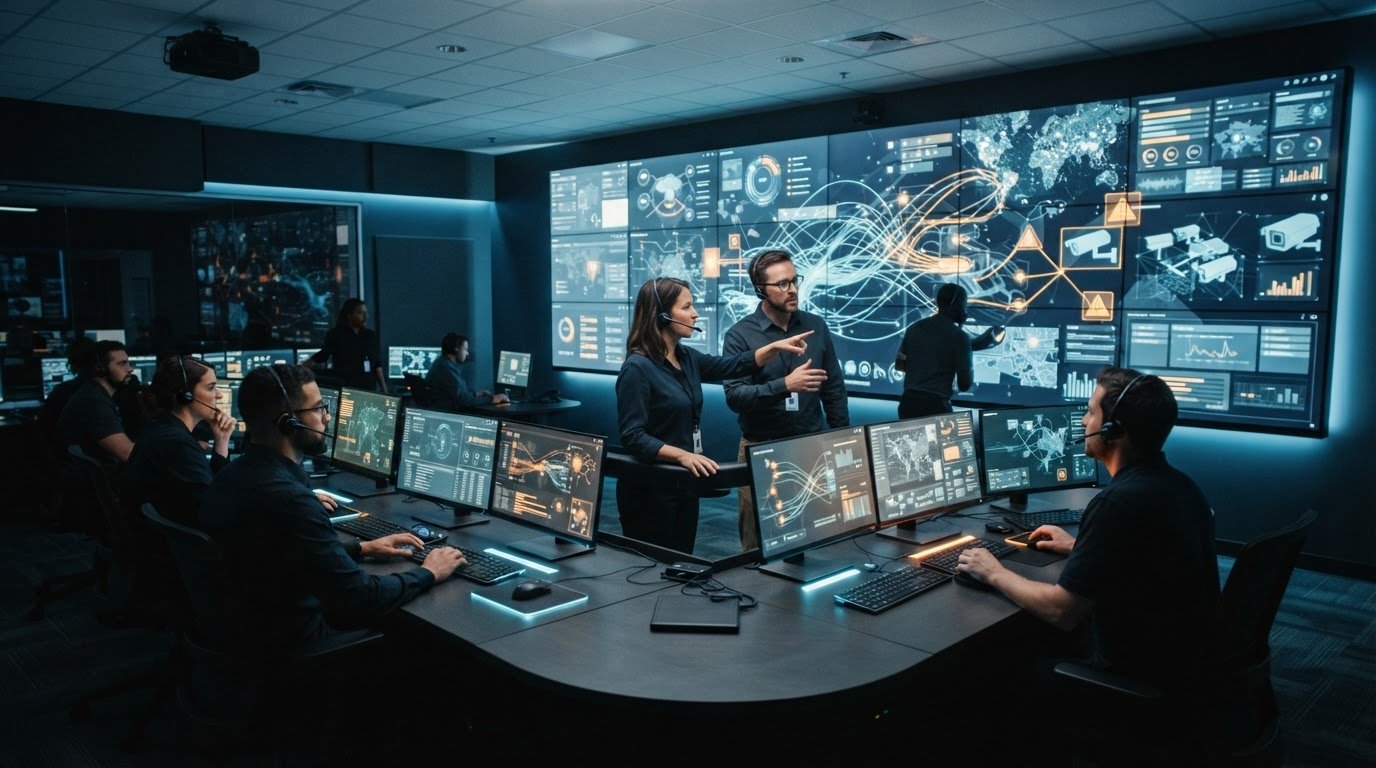
Fragmented applications, disconnected feeds, and information silos make it harder for operators to recognize an event and coordinate a response. The Activu vis/ability platform brings data and video streams together to help teams build a shared operating picture and make relevant information available for review.
Many control rooms already have video walls, but a wall alone does not connect the systems behind the displays or give teams a shared view of an event. vis/ability is an operational intelligence layer that aggregates applications, real-time data, and video streams, then surfaces relevant information through the video wall.
For dispatchers managing multiple feeds or emergency operations teams seeking a common operating picture, the practical challenge is to connect the sources that matter and make their context available to the people involved in a decision. This article explains how vis/ability can fit into an operational environment, how event-driven situational awareness supports review and coordination, and how visibility can extend across command centers, remote locations, meeting spaces, and mobile users. The right setup depends on each organization’s systems, workflows, and access requirements.
Key Takeaways
- Identify where fragmented applications, data silos, and manual handoffs leave operators without the context to assess an event.
- See how the Activu vis/ability platform brings operational tools and feeds into a shared view, with relevant information surfaced through the video wall.
- Consider how shared visibility may support workflows across command centers, remote locations, conference rooms, breakout rooms, huddle rooms, and mobile users.
- Evaluate your environment by mapping information sources, escalation gaps, decision-makers, and the places where teams need shared context.
- Follow a practical evaluation path: connect relevant sources, define what context teams need, and assess how it supports coordinated decisions.
Why control room teams lose situational awareness across fragmented systems
In a control room, important information often sits across separate applications, feeds, and teams. An alert may appear in one system while related video, location details, or operational updates remain elsewhere. Operators have to identify the connections, interpret what they mean, and decide who needs to know. When those steps rely on manual handoffs, relevant context may not reach everyone who needs it at the same time.
This is why adding more screens does not necessarily solve the problem for dispatch teams managing multiple data feeds. Operators may still need to switch between sources, assemble the context, and determine who owns the next step. The same challenge affects emergency operations centers looking for EOC common operating picture solutions: information needs to be organized around operational decisions, not simply displayed in more places.
How fragmented feeds obscure operational priorities
Competing alerts, dashboards, and video feeds can demand attention at once. Each source may contain useful information, but operators must move between them to understand what matters and how the details relate. A display can make a feed visible without making its significance clear.
For example, a report of smoke might appear in a dispatch application while nearby camera footage and a facility status update remain in separate systems. An operator must locate and compare those details before assessing the event. A common operational picture gives teams shared situational context. Fragmented feeds make that context harder to assemble, and important details may compete with other information for attention on a video wall.
Why manual escalation leaves gaps between detection and response
Seeing an alert is only the first step. Someone must assess its relevance, find supporting information, identify the responsible team, and communicate what needs attention. When escalation relies on manual handoffs, context may arrive late or reach people without the details needed to make a decision.
This coordination burden reflects the work conditions, not a failure of operator judgment. Without a shared operational view, teams may interpret the same event differently or be unclear about who owns the next action. Mapping how an event moves from detection to review can help reveal where information is lost or delayed.
A video wall is one part of a control room, but it does not by itself connect applications or coordinate information between teams. vis/ability provides an operational intelligence layer that brings operational applications, data, and video together and surfaces relevant information through the wall. The next section explains how the Activu vis/ability platform can support a unified operating picture.
What the Activu vis/ability platform does in an operational environment
Once teams identify fragmented applications, data silos, and gaps in manual escalation, they can assess what would help information move from separate sources into coordinated operational use. The Activu vis/ability platform serves as a central hub for operational tools and feeds, bringing relevant information together to support a shared view.
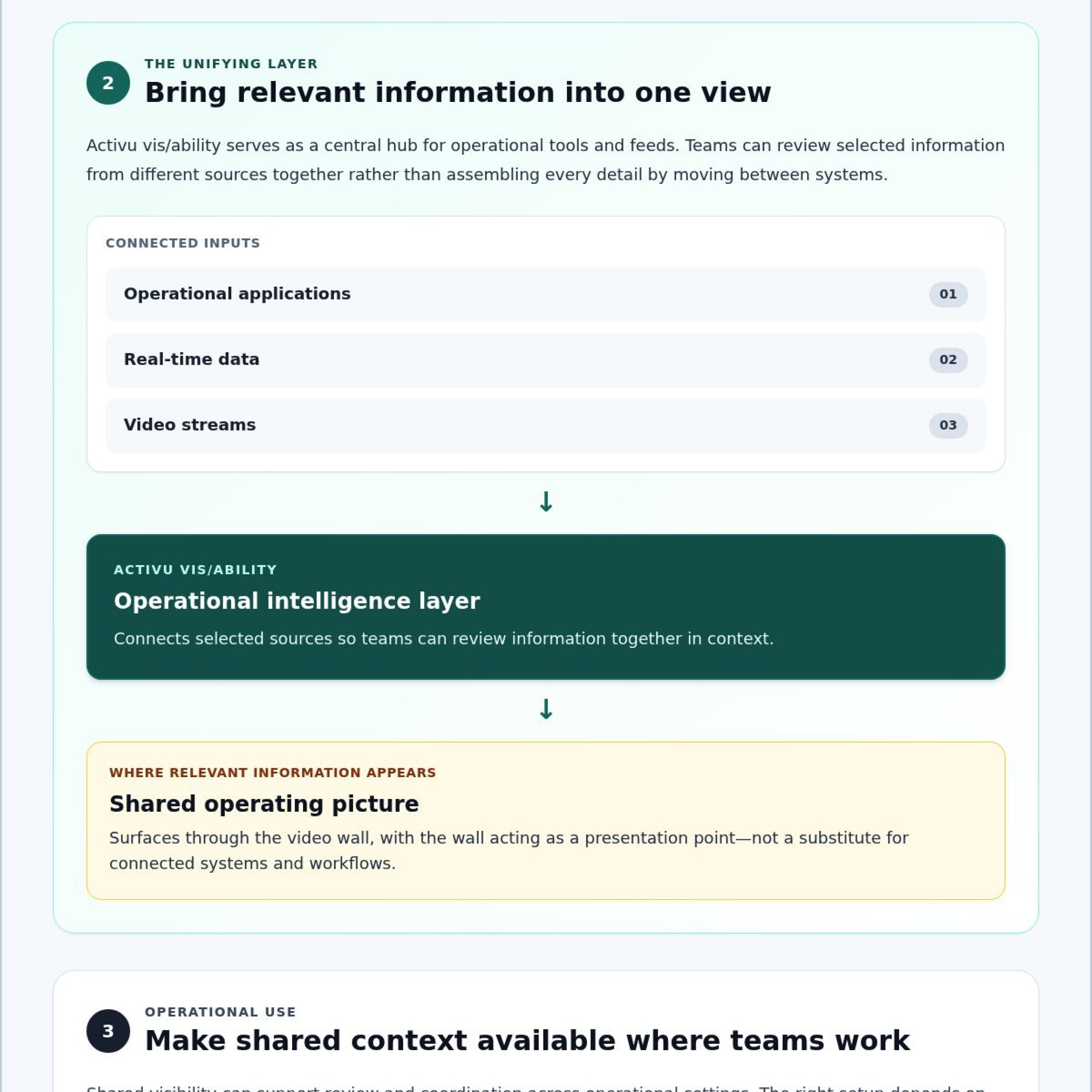
It is useful to distinguish the platform from the display. A video wall presents information to a room; the platform connects applications and data streams so teams can review selected information in context. The wall is one place that shared view can appear, not a substitute for the systems and workflows behind it.
From separate applications to a shared operating picture
The Activu vis/ability platform connects operational applications with real-time data and video streams, bringing selected information into a unified operating picture. In practical terms, teams can review information from different sources together instead of relying on operators to move between systems and assemble every detail themselves.
vis/ability connects operational applications, real-time data, and video streams into a shared operating picture for teams.
Integration depends on the systems and workflows involved, so teams should identify the sources they need to connect and confirm their requirements. Start with a representative operational decision: list the alert or event, the supporting data or video, and the roles that need to review it. This helps keep the integration discussion focused on useful context while leaving existing specialist tools in place. The relationship between people, technology, and organizational needs also matters in Control Room Design.
How event-driven visibility supports operator decisions
Event-driven situational awareness can help bring relevant information into view in relation to an operational event. For example, a team may need to review an alert alongside related video or data before deciding what it means. Identifying these information needs in advance helps teams assess whether a shared view fits the workflow. Specific integrations and escalation processes should be evaluated against the organization’s systems and requirements.
The platform supports awareness and coordination; operators still interpret context and determine the appropriate response. Bringing information together does not establish that an event has a particular cause or dictate what action to take. Human judgment remains central to assessing the available information and deciding how to respond.
To explore how the platform may fit your operational environment, review Activu’s vis/ability platform.
How vis/ability fits control room, security, and operations workflows
Operational workflows differ by the information teams monitor, who owns a response, and where decisions happen. The Activu vis/ability platform can serve as a central hub for relevant operational feeds, bringing shared context to teams without replacing the specialist systems they use to detect, investigate, or manage events.
A practical way to assess fit is to trace a real workflow from information source to decision:
- Information source: Which applications, real-time data, or video streams provide context?
- Responsible team: Who reviews the information and determines the next step?
- Escalation need: Who else needs to see the event, and what context do they need?
- Shared visibility: Where must teams coordinate, from a command center to a remote location or mobile device?
This exercise helps clarify where a common view can support coordination while preserving each team’s role and established tools. The cybersecurity operations control room overview offers relevant context for SOC, NOC, and GSOC environments.
Applying a shared operational picture in IT and cybersecurity
Security and IT teams may work with information from monitoring tools, incident systems, and other operational sources. SIEM and SOAR are examples of system types that may contribute context, depending on the organization’s environment and integration requirements. Their mention does not mean a specific integration is available; teams should verify compatibility and workflow needs.
For incident coordination, a shared view can help relevant teams understand what information is available and where response decisions are taking place. Specialist systems still retain their purpose. The aim is to make selected context visible across the operation, rather than asking every participant to work from an isolated view.
Extending coordination beyond the command center
Decisions often involve people who are not seated at the main console. Remote personnel, conference participants, and teams in breakout or huddle rooms may need access to relevant operational context. Mobile visibility can also extend collaboration beyond the control room. Teams should confirm the appropriate access and workflow for each environment.
Activu’s National Homeland Security Conference exhibitor listing describes the company’s focus on helping operational teams see, share, and respond to events with context. That principle applies across command centers, collaboration spaces, remote locations, and mobile users: shared information supports coordination, while accountable teams interpret it and decide how to act.
How to evaluate an operational intelligence platform for your team
Start with the operational problem you need to solve, not a feature list. Assess the Activu vis/ability platform against the systems your teams use, the events they need to recognize, and the decisions they must coordinate. Map the current workflow first so technical and operational stakeholders have a shared basis for discussing integrations, escalation paths, and access across locations.
Map feeds, users, and decision points before selecting a platform
Build an inventory of the sources operators rely on, including applications, data streams, and video. Then trace a representative event from detection to decision. Ask who needs to see it, what context they require, and where they will act. Include command centers and distributed settings where relevant, such as remote locations, conference rooms, huddle rooms, and mobile users.
Record the handoffs, too. Note where an operator has to switch applications, relay an alert, or determine who owns the next step. These points can reveal where manual escalation interrupts the workflow and where a shared operating picture may help.
- Map sources: Which feeds support detection, verification, and response?
- Define users: Which roles need the information, and at what stage?
- Locate decisions: Where do teams review context and coordinate action?
- Surface gaps: Which handoffs rely on someone noticing and forwarding information?
Test the operating model, not just the interface
Use scenarios drawn from actual workflows to examine how information would reach each relevant team. For each scenario, specify the triggering event, supporting context, intended recipients, and expected handoff. This helps distinguish a useful shared view from a display that simply presents more information.
Bring operational leaders and technical stakeholders into the review. Confirm which applications and feeds need integration, what access and governance requirements apply, and which escalation behaviors require technical validation. Do not assume compatibility or automation; document what needs to be verified in your environment.
Agree on evaluation criteria before testing. Teams might assess whether the right roles can find the required context, whether handoffs are clear, and whether the workflow reflects actual decision-making. Keep the criteria specific to your operation rather than relying on unsupported performance benchmarks or guaranteed outcomes.
With your workflows mapped, review the vis/ability platform against those needs. Use the discussion to identify relevant sources, users, and coordination requirements for your operational environment.
How Activu vis/ability brings teams toward a unified operating picture
Fragmented systems, information silos, and manual escalation can leave teams with different views of the same event. A practical path toward a unified operating picture starts by identifying those gaps, connecting relevant sources, surfacing context, and coordinating decisions across the people who need to act.
The Activu vis/ability platform serves as a central hub for operational tools and feeds. It aggregates applications, real-time data, and video streams to support event-driven situational awareness. Relevant information can be surfaced through the video wall, while visibility can extend to remote locations and mobile users. Which sources and workflows are appropriate depends on the organization’s operational requirements.
Fit depends on your organization’s workflows, integrations, users, and access requirements. A useful platform discussion connects those factors to real decision points rather than assuming every team needs the same view or escalation path.
What teams should bring to an initial platform discussion
Prepare a concise outline of the current environment and the coordination challenges your teams face. Include representative events, the systems that provide relevant information, and the people who need shared context to make decisions.
- Existing systems: List operational applications, data feeds, and video sources that may need to contribute context.
- Users and locations: Identify who needs visibility in the command center, remote locations, conference rooms, breakout rooms, huddle rooms, or on mobile devices.
- Decision workflows: Describe who reviews an event, who receives an escalation, and where handoffs occur.
- Technical questions: Note integration requirements, security and governance considerations, and what needs review for mobile visibility.
These details keep discovery grounded in your operating reality. They also give technical stakeholders a clear basis for confirming which integrations and access requirements need further validation.
From operational requirements to a relevant platform conversation
Use a representative scenario to explain how an event moves from detection to review and coordinated action. Clarify which information should be available, who needs it, and where decisions take place. Then assess how a shared operational picture could support those steps without displacing the specialist systems teams rely on.
For product context, review the vis/ability platform overview alongside your mapped requirements. This can help frame a focused discussion about the workflows, sources, and users your environment needs to support.
Discuss your operational requirements with Activu to explore how vis/ability may fit your team’s workflows.
Turn shared visibility into coordinated action
Control room teams need relevant information connected, presented with context, and shared with the people responsible for the next step. Fragmented feeds and manual escalation can make that difficult, even when teams have access to the underlying data.
The Activu vis/ability platform brings operational information together as a central hub. It aggregates applications, data, and video to support situational awareness, with relevant information surfaced through the video wall. Activu also provides application integration and control room design services to help organizations consider how technology fits their operational environment.
Start by mapping your systems, users, handoffs, and decision locations. Then assess platform fit against the workflows your teams actually follow, including what context they need and where they need access. A useful operating picture supports human judgment and helps teams coordinate from a shared understanding.
Ready to explore how these capabilities could align with your environment? Discuss your operational requirements with Activu and take a clear next step toward connected operations.
Frequently Asked Questions
What is the Activu vis/ability platform?
The Activu vis/ability platform is an operational intelligence layer that aggregates operational applications, real-time data, and video streams to support event-driven situational awareness. It acts as a central hub for these sources, helping teams review relevant information in a shared operating picture and coordinate decisions. Visibility can extend beyond control rooms to mobile users. Operators remain responsible for interpreting context and choosing a response.
How does vis/ability help teams manage multiple data feeds in a control room?
vis/ability brings relevant information from operational applications, real-time data, and video streams into a shared operating picture. Depending on the systems and workflows involved, this can help operators review related sources together rather than switching between them to assemble context. Teams should identify which feeds matter for each event, who needs to review them, and what integration requirements need technical validation. The platform supports awareness; it does not replace operator judgment.
Can vis/ability create a common operating picture across distributed teams?
Activu describes vis/ability as supporting operational visibility across control rooms, remote locations, and mobile users. A shared view can help people in command centers and distributed locations work from relevant context when coordinating an event. Organizations should define which information each team needs and where decisions take place, including conference, breakout, and huddle rooms. The appropriate setup depends on the organization’s workflows, integrations, and operational requirements.
How does vis/ability support event-driven escalation?
vis/ability supports event-driven situational awareness by bringing relevant operational information into view in relation to events. This can help teams review context and determine who needs to be involved. Specific escalation behavior depends on the configured workflow and connected systems, so organizations should confirm requirements with technical stakeholders. The platform can support information sharing and coordination, while designated personnel assess the event and decide what action to take.
Does vis/ability work with existing operational applications and video feeds?
Activu provides application integration, and its platform aggregates real-time data and video streams. Whether a particular application or feed can be incorporated depends on the organization’s environment and integration requirements. Before evaluation, inventory the systems operators rely on and identify the information each workflow requires. Ask technical stakeholders to validate compatibility, access, and governance needs rather than assuming every application or feed will connect in the same way.
How does vis/ability extend visibility to mobile users?
Mobile vis/ability extends operational visibility and collaboration beyond the control room to mobile users. This can help personnel who are not at the main console access relevant shared context as teams coordinate. Organizations should identify which users need mobile visibility, what information supports their role, and what technical or governance requirements apply. Confirm the access and workflow capabilities needed for your environment with Activu rather than assuming every mobile use case is supported.
What should an organization assess before evaluating vis/ability?
Start by mapping operational applications, data and video sources, users, and decision points. Identify which events require attention, who needs context, where decisions happen, and where manual handoffs or escalation gaps occur. Then document integration, security, governance, and mobile visibility questions for technical review. Use representative workflows to assess fit. This preparation helps teams evaluate vis/ability against their operational requirements instead of relying on a feature list alone.