
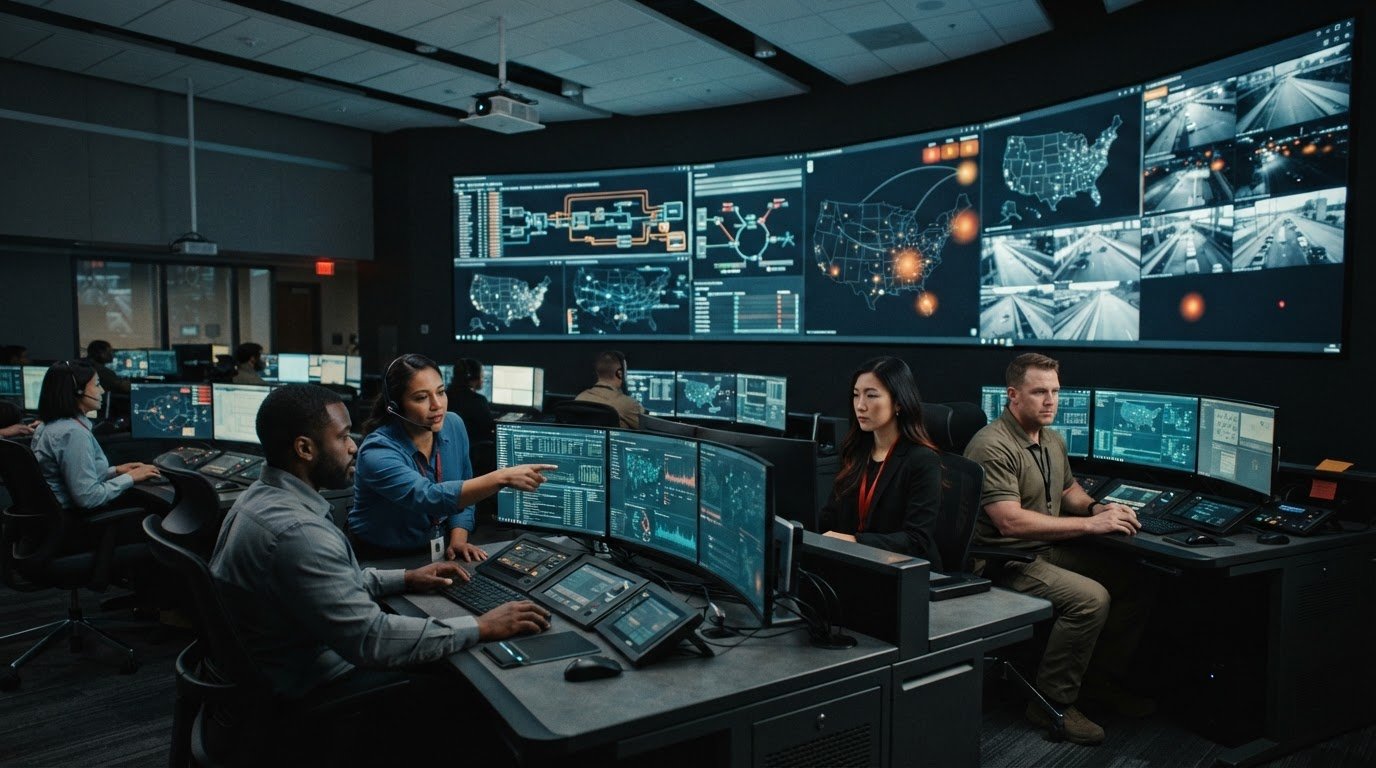
A workstation can display every feed and still leave an operator late to a decision. Effective operator workstation design guidelines start with the work people need to do, not the number of screens in front of them. When applications and data streams remain fragmented, developing incidents can be hard to spot, and essential information can disappear in the noise.
Operators need information organized around operational tasks, with important changes brought to attention rather than left for someone to notice. Silos between systems and teams make that harder. Most control rooms already have screens. The challenge is deciding what belongs on them, how information relates, and when a change needs attention. vis/ability is an operational intelligence layer that surfaces through the video wall, bringing applications and data streams into a central hub so teams can view relevant context where they coordinate and act.
This article offers a practical framework for assessing workstation design against real workflows and human needs. You’ll learn how to make relevant information easier to access, reduce avoidable distractions, and support coordinated decisions across control rooms, remote locations, collaboration spaces, and mobile users.
Key Takeaways
- Use operator workstation design guidelines to map real tasks, decision points, and information needs before choosing a layout.
- Assess sightlines, posture, lighting, noise, and access to frequently used controls alongside monitoring and shift handoff workflows.
- Compare workstation approaches by how well they provide context, prioritize information, support escalation, and enable team coordination.
- Follow a practical evaluation checklist, from user and workflow discovery through information sources, escalation paths, collaboration needs, and scenario-based validation.
- Fragmented applications and missing escalation paths can leave operators without a shared operational picture. Assess how information is prioritized and how important changes reach the people who need to act.
Operator Workstation Design Guidelines Start with the Operational Problem
Workstation design begins with the work operators must perform: the decisions they make, the information they need, and the environment in which they act. Fragmented systems, application silos, and missing escalation paths can force operators to check multiple sources and manually relay developing issues. Adding more visible feeds may increase monitoring demands without making relevant changes easier to recognize.
Instead of starting with a screen count, define what information should be available for each task, who needs it, and how it should reach them. This helps distinguish a display or layout issue from a gap in workflow or integration.
What problems should a control room workstation solve?
Map operational decisions before evaluating the setup. Identify what an operator needs to notice, verify, communicate, and do at each decision point. Follow the workflow from initial signal through response, including shift handoffs and coordination with other teams.
Look for friction in that process: repeated checks across applications, switching between tools to assemble context, or relying on someone to notice an event and manually alert colleagues. These are signs of workflow or integration gaps. Screen overload may be visible, but adding or rearranging displays alone won’t resolve the underlying problem.
In manufacturing process control, for example, teams can assess whether operators can connect process information to the decisions and coordination their role requires. Activu’s manufacturing process control page provides relevant context for that operational setting.
How do fragmented data feeds affect situational awareness?
Separate tools can show different parts of an operation without giving teams the context to understand how those parts relate. An operator may need to compare data across applications, repeat checks to confirm a change, or pass updates between colleagues. Each extra step competes with the attention needed to detect a developing issue.
Workstation design aligns operator tasks, access to relevant information, and the working environment so people can make and coordinate decisions with clarity. More visible data doesn’t automatically create a clearer operating picture. Without prioritization and context, additional feeds can obscure the changes that matter.
Use control room design as a starting point for understanding the setting and its human factors. Then assess the actual workflow in your operation. Consider where information originates, which teams need to see it, and how a change reaches the people responsible for action.
After defining those needs, decide how information should appear across displays. The goal is to give operators timely, relevant context and a clear path to coordinated action, rather than simply increasing the amount of information they monitor.
Apply Human-Factors Guidelines to Operator Workstation Design
Once you’ve mapped the operational problem, evaluate how people interact with information throughout a shift. Strong operator workstation design guidelines account for routine monitoring, handoffs, interruptions, and high-pressure decisions. A layout that feels workable during steady operations may become difficult when an operator must verify an alert, communicate with a colleague, and track changing conditions at the same time.
How should workstation layout support operator tasks?
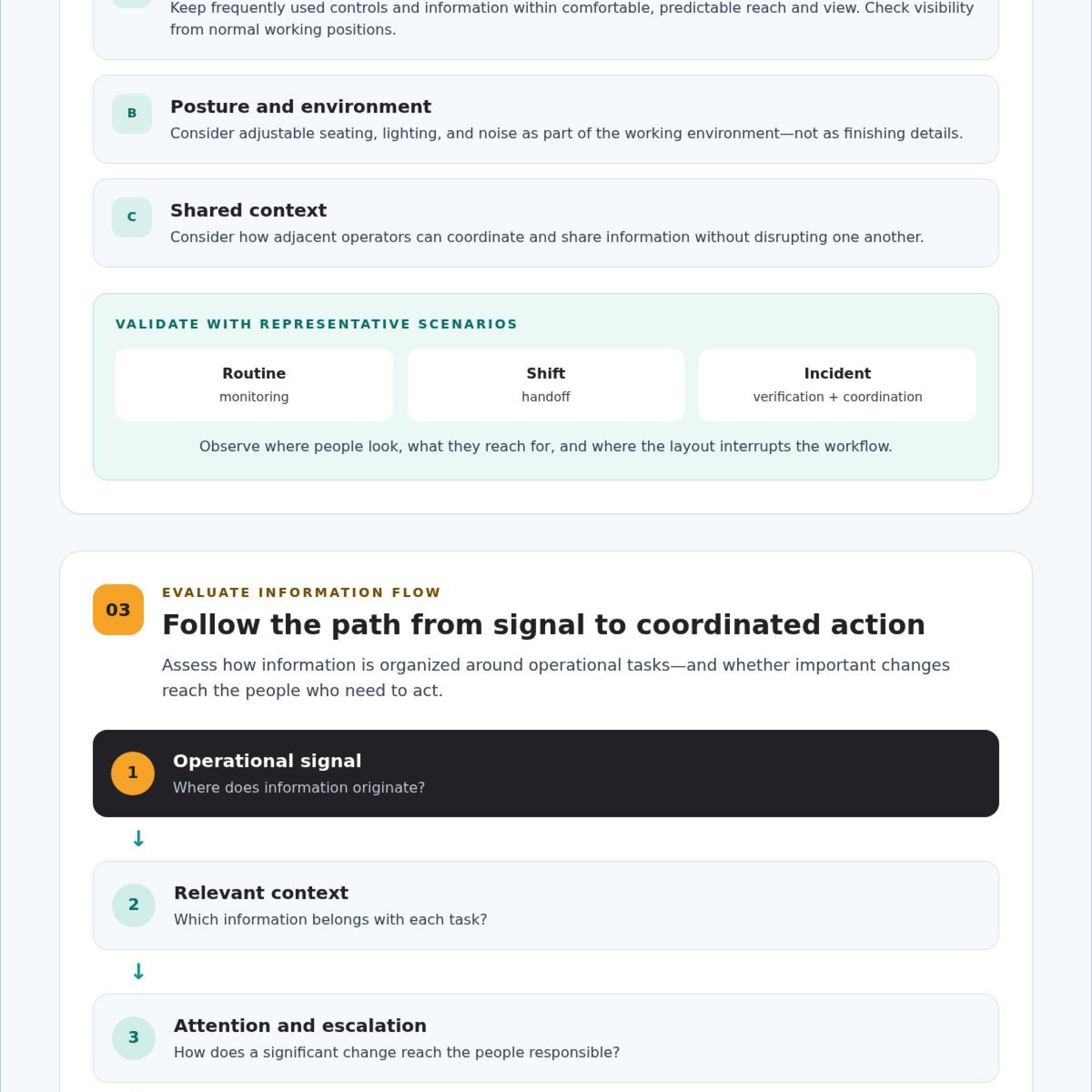
Arrange frequently used controls and information within comfortable, predictable reach and view. Check sightlines from normal working positions, including whether an operator can view relevant displays without repeated head or body movement. Consider posture, adjustable seating, lighting, and noise as part of the working environment, not as finishing details.
Design around how people actually work. An operator at an individual position may need a clear view of primary information and direct access to controls. Adjacent operators may also need to share context and coordinate without disrupting one another. Test proposed layouts using representative scenarios: routine monitoring, a shift handoff, and an incident that requires verification and team coordination. Observe where people look, what they reach for, and where the layout interrupts their workflow.
The National Academies Press report on bus operators offers a structured reference for workstation design guidelines focused on human factors, health, and safety. Its setting differs from a control room, so use it as a reference point rather than a substitute for evaluating your own tasks and environment.
How can design reduce cognitive workload?
Group related information so an operator can interpret a developing situation without repeatedly switching applications to rebuild context. Establish a consistent visual hierarchy: routine status should remain distinguishable from information that requires attention. Avoid redundant presentation and competing alerts that force operators to decide which signal deserves focus before they can assess the event itself.
Prioritization makes essential information easier to identify, interpret, and act on. That principle applies to both the physical layout and the way information is organized across tools.
Separate general human factors principles from requirements that depend on your organization, workforce, and operating environment. ISO 11064 provides a framework for control-centre ergonomics, but teams should verify which standards, accessibility needs, and internal requirements apply to their facility. Document those needs before finalizing a layout, then validate the design with the people who will use it.
Where operators need coordinated access to applications beyond one position, Activu’s vis/ability platform can serve as a central information layer across control rooms and distributed users. Evaluate that information flow alongside the human factors design, so the interface supports operator judgment rather than adding another source to monitor.
Compare Workstation Approaches by Information Flow and Coordination
Fragmented applications and data feeds can leave operators assembling context manually, while missing escalation paths can make teams depend on someone noticing and relaying a change. These gaps help determine which workstation approach will be useful. Assess how each option supports context, prioritization, collaboration, and existing tools before deciding how information should appear.
When are individual workstations and shared displays each useful?
Individual application screens support focused work, detailed analysis, and role-specific tasks. Shared views help teams discuss the same operational context. Many control rooms need both: operators retain access to the detailed tools their roles require, while colleagues coordinate around a shared picture. A video wall alone, however, cannot connect fragmented systems or determine which information deserves attention.
| Approach | Useful for | What to assess |
|---|---|---|
| Standalone application screens | Role-specific tasks and detailed views | Whether operators must switch tools or manually assemble context |
| Shared displays | Common context and coordinated discussion | Whether teams can see relevant information without losing needed detail |
| Integrated information workflow | Connecting tools, events, and escalation paths | Whether information is prioritized and can reach the right teams |
What should an integrated workstation design connect?
Assess whether operational applications, relevant video streams, event information, and escalation workflows can contribute to a coherent operating picture. Consider how that context needs to move between the control room, conference rooms, and remote users. The video wall situational awareness guide provides related context on how vis/ability can bring applications and data streams together.
vis/ability is an operational intelligence layer that surfaces through the video wall. It acts as a central hub for connected tools, so teams can use the wall to view information and context together rather than as a collection of unrelated feeds. Mobile vis/ability extends visibility to users outside the control room.
For a formal reference on human-system interfaces and design review, consult the U.S. Nuclear Regulatory Commission’s NUREG-0700, Human-System Interface Design Review Guidelines. Use it alongside your operational requirements to evaluate how information is presented and reviewed.
For more on integrated information in control rooms, review Activu’s control room solutions.
Use a Practical Checklist to Evaluate Workstation Design
A structured assessment keeps redesign decisions tied to operator needs instead of assumptions about the room. Use these operator workstation design guidelines to document current workflows, identify constraints, and test whether a proposed setup supports clear decisions. Teams in manufacturing process control environments should include the information operators need to monitor and coordinate their work.
What should teams document before redesigning a workstation?
Start with the people and the work. Record operator roles, critical decisions, routine tasks, existing applications, and recurring information gaps. Trace how information moves through the operation, from detection to escalation, acknowledgement, and sharing with other teams. Include the control room and any conference or collaboration spaces where staff coordinate.
Then document constraints that will shape the design, including existing infrastructure, room layout, security needs, and accessibility requirements. This discovery helps distinguish needs the workstation can address from issues that require changes to workflows or information integration.
How should teams validate a proposed design?
Walk operators through representative work before finalizing the layout. Include routine monitoring, a shift handoff, and an incident scenario that requires the team to verify information, communicate, and coordinate a response. Observe whether people can find relevant context, understand alerts, and move through tasks without unnecessary switching or confusion.
- Map tasks: Document operator roles, decisions, handoffs, and coordination needs.
- Inventory information: Identify applications, data sources, and recurring gaps or duplicative checks.
- Trace escalation: Record how events are detected, acknowledged, escalated, and shared.
- Check constraints: Capture room, infrastructure, security, and accessibility considerations.
- Test scenarios: Gather operator feedback on visibility, context switching, alert clarity, and team coordination.
Use the findings to refine a control room situational awareness framework that connects information needs with operator decisions. Repeat scenario walkthroughs after adjustments. A layout that looks clear in a plan still needs to work under realistic operating conditions.
For details on how integrated information may fit your workflows, review Activu’s control room design services.
Connect Operator Workstations to an Operational Intelligence Layer
Fragmented applications, data silos, and manual escalation can leave operators piecing together context while important changes compete for attention. Workstation design needs to address how information reaches the people making decisions, including how teams share relevant updates across locations.
An operational intelligence layer can change how a video wall is used. vis/ability surfaces through the video wall and brings operational tools and information together in a central hub. This supports a coordinated view instead of a set of isolated feeds.
How can vis/ability support a coordinated operating picture?
vis/ability aggregates applications, data streams, and video to support situational awareness. Its event-driven approach can help surface relevant information and support escalation workflows, giving teams a way to bring developing activity to attention rather than relying only on continuous manual monitoring. Assess specific workflows against operational needs and existing systems.
For a closer look at the platform, see the vis/ability platform overview. Consider how the information operators use today could connect through a shared operational layer while preserving access to the tools required for role-specific work. These are practical operator workstation design guidelines: organize information around tasks, decisions, and coordination needs.
How can workstation design extend beyond the control room?
Coordination often includes people who aren’t at an operator’s workstation. Command centers may need to share context with remote locations, conference rooms, huddle spaces, or breakout rooms. Mobile vis/ability extends visibility to users outside the control room, helping distributed teams access operational information as they coordinate. Design the information flow around who needs to understand an event and where they need that context, rather than treating each space as a separate information silo.
Before choosing an approach, map the applications and data streams involved, the events that require attention, and the teams that need to coordinate. Then assess how the shared picture should appear in each setting and how information should move between them. This keeps workstation decisions grounded in actual workflows and gives operators, leaders, and remote colleagues a clearer basis for coordinated judgment.
If you’re evaluating how an operational intelligence layer could fit your workflows and spaces, discuss your control room design requirements with Activu.
Design Workstations Around the Decisions Ahead
Clear workstation design starts with operational reality. Map operator tasks, decision points, and handoffs before selecting a layout. Then assess whether information is easy to interpret, controls are comfortable to use, and teams can coordinate across roles and locations. These operator workstation design guidelines keep human needs and information flow at the center of the design.
Fragmented applications, information silos, and manual escalation can make important changes harder to catch. vis/ability is an operational intelligence layer that surfaces through the video wall, aggregating applications and data streams to support situational awareness. Mobile vis/ability extends visibility to users outside the control room.
Activu provides control room design services and video wall system engineering to support this connected approach. Start with your workflows, then evaluate how information should reach operators and collaborating teams. Discuss your control room design requirements with Activu and take the next step toward clearer, coordinated decisions.
Frequently Asked Questions
What are the most important operator workstation design guidelines?
The most important operator workstation design guidelines align real tasks, information access, and the working environment. Identify operator roles, decisions, handoffs, and the information needed at each step. Then assess sightlines, reach, posture, lighting, noise, and access to frequently used controls. Organize information by operational relevance and test the design with representative workflows so operators can assess clarity and coordination before implementation.
How do you design a workstation for a 24/7 control room?
Design for changing operators, sustained monitoring, and reliable handoffs across shifts. Provide comfortable work positions, clear views of relevant information, accessible controls, and consistent information presentation so incoming operators can establish context. Test the layout during routine monitoring and handoff scenarios, and consider fatigue, accessibility, and varied user needs. Verify which ergonomic standards and organizational requirements apply to your facility rather than assuming one design fits every operation.
How can a control room manage multiple data feeds without overwhelming operators?
To address how to manage multiple data feeds in a dispatch center, group related information and prioritize feeds by operational relevance. Distinguish events requiring attention from routine status, reduce duplication, and connect context so operators don’t need to switch among applications to assemble a picture. Define how events should be surfaced and escalated, then test the workflow with users. The goal is to make information easier to interpret, not simply display every available source.
Why do operators miss incidents on video walls?
Operators may miss incidents when a wall presents competing feeds without clear prioritization, shared context, or an escalation path. These are common control room situational awareness problems. A display can show information, but it can’t by itself resolve fragmented systems or determine what deserves attention.
Should operators use individual monitors, a shared display, or both?
Many operations need both. Individual monitors support detailed, role-specific applications and focused analysis. Shared displays help teams discuss a common operational picture and coordinate around relevant information. Connect these views through a consistent information workflow so operators retain the detail required for their tasks while colleagues share context. Assess the balance against actual roles, collaboration needs, and incident scenarios instead of selecting a setup based only on room layout.
What should be included in an operator workstation design checklist?
Begin with operator roles, tasks, and decision points. Document existing applications, information sources, and recurring gaps; map how events are detected, escalated, acknowledged, and shared. Record room, infrastructure, security, and accessibility constraints. Then test the proposed arrangement against routine monitoring, shift handoffs, and representative incident scenarios. Gather operator feedback on visibility, alert clarity, context switching, and coordination, and use it to refine the design.
How does vis/ability relate to operator workstation design?
vis/ability is an operational intelligence layer that surfaces through the video wall. It serves as a central hub for operational tools and information, aggregating applications, data streams, and video to support situational awareness. For organizations evaluating EOC common operating picture solutions, this kind of connected information flow can help bring relevant context together. Event-driven capabilities can surface information and support escalation workflows, while Mobile vis/ability extends visibility beyond the control room.