
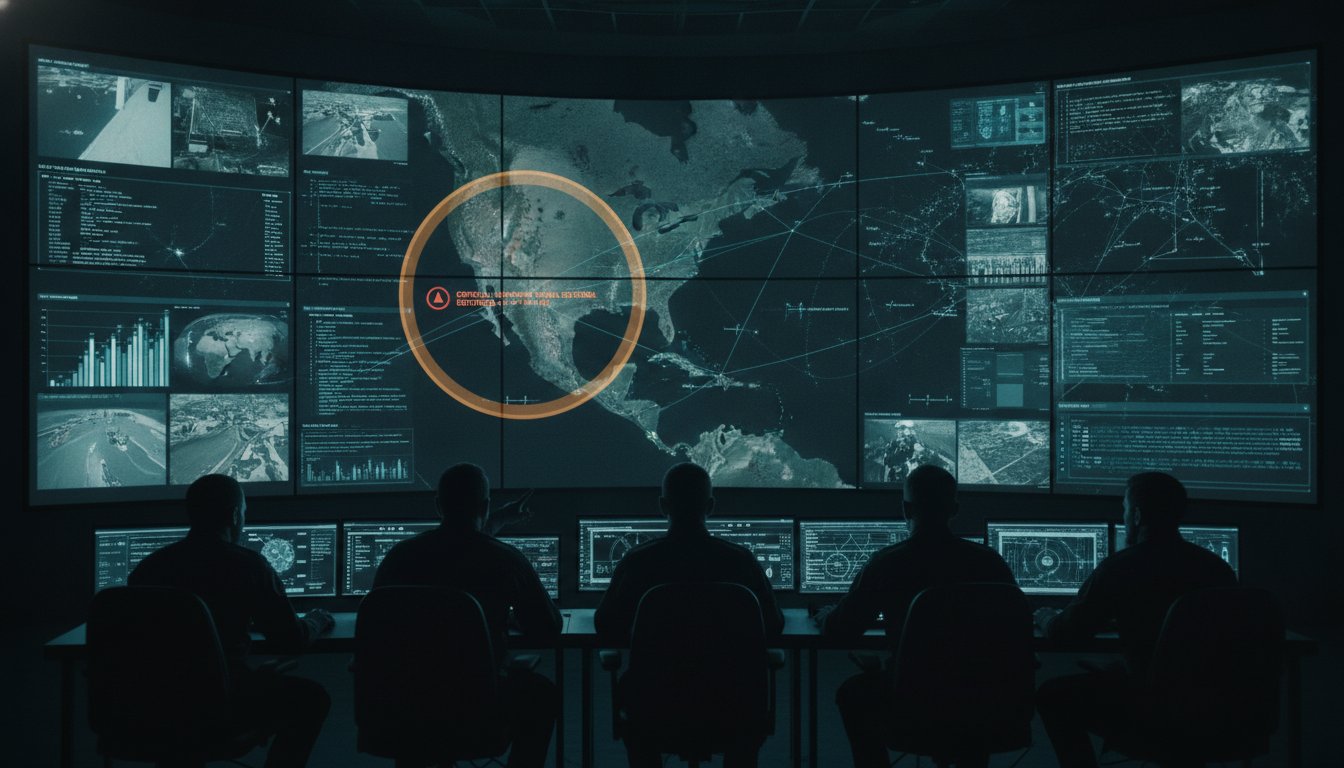
A high pixel count does not guarantee a high-functioning command center. While 4k resolution is now the baseline for modern video walls, simply increasing the density of your display often leads to a dangerous paradox where more data results in less clarity. When operators struggle with information overload or network bandwidth strain, the technical superiority of 3840×2160 pixels becomes a liability rather than an asset. You likely recognize that seeing more doesn’t always mean understanding more, especially when critical incidents are buried under a mountain of high-definition feeds.
Most control rooms already have the screens. What they’re missing is the layer that decides what goes on them; it escalates automatically when something needs attention. This article provides a clear technical breakdown of 4K standards and a strategy for managing dense data visualizations. You will learn how to justify high-performance infrastructure while ensuring your team maintains superior situational awareness. We will examine the transition from raw display hardware to the vis/ability platform, the operational intelligence layer that empowers decisive action when stakes are at their highest.
Key Takeaways
- Differentiate between UHD and DCI 4K standards to ensure technical precision when specifying high-density display hardware for command environments.
- Leverage 4k resolution to increase data density and maintain font legibility, allowing operators to view a more comprehensive common operating picture.
- Identify the risks of screen saturation and information overload that occur when high-resolution hardware lacks an intelligent management layer.
- Evaluate the bandwidth and network requirements for streaming ultra-high-definition content, focusing on the efficiency of HEVC compression.
- Utilize the vis/ability platform as an operational intelligence layer to unify fragmented data streams and automate the escalation of critical information.
What is 4K Resolution? Technical Standards and Dimensions
Technical precision is the foundation of effective command center operations. At its core, 4K resolution refers to a display horizontal pixel count of approximately 4,000. In professional environments, two distinct standards exist: Ultra High Definition (UHD) and Digital Cinema Initiatives (DCI) 4K. While DCI 4K uses a 4096×2160 resolution for cinema production, the enterprise standard is UHD, which measures 3840×2160 pixels. This specific 4K resolution maintains a 16:9 aspect ratio, ensuring seamless compatibility with modern workstations, software applications, and network video streams.
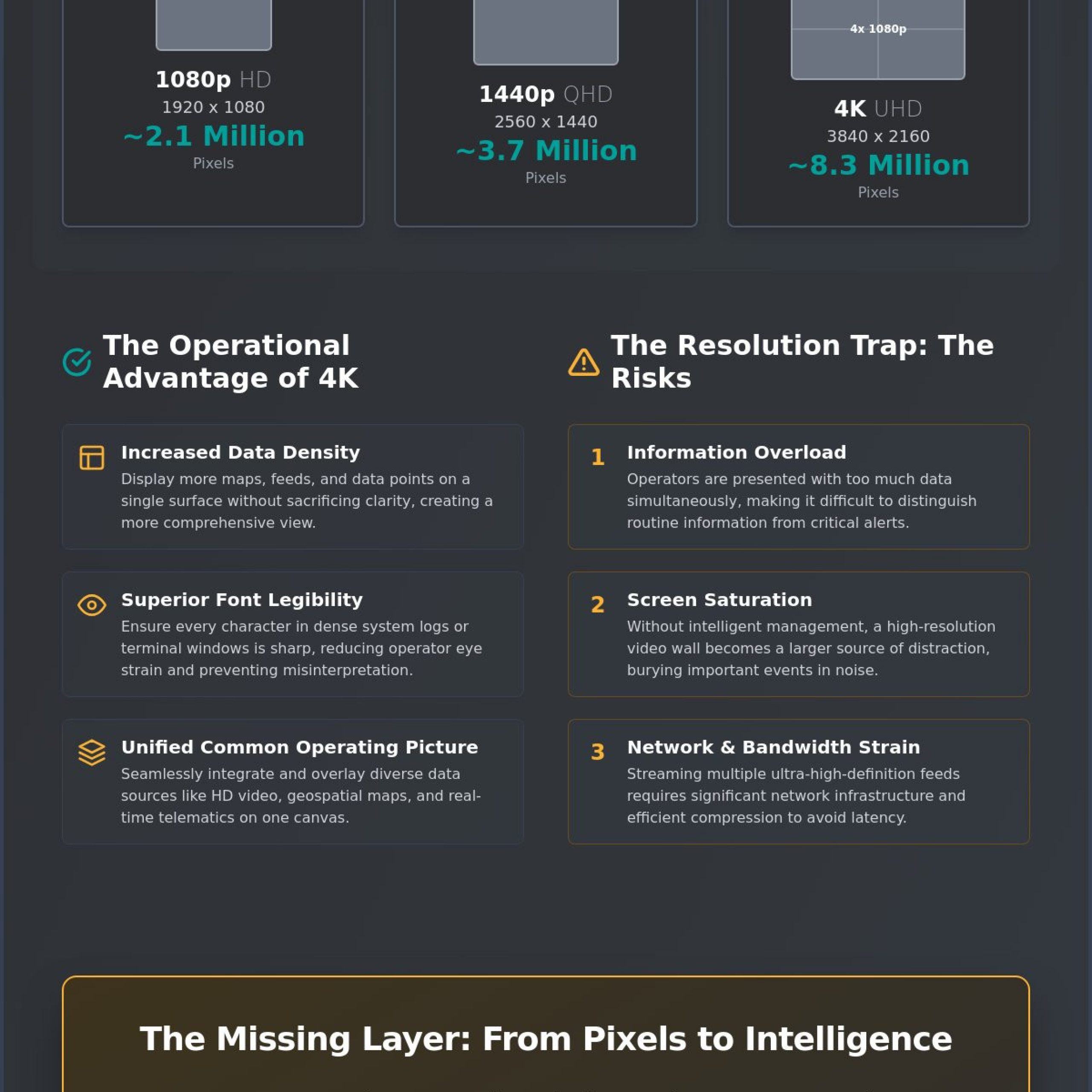
The transition from 1080p to 4K represents a massive leap in data density. A standard 1080p High Definition screen contains roughly 2.1 million pixels. In contrast, a 4K panel houses 8.3 million pixels. This quadrupling of the pixel count allows for a significantly higher concentration of information on a single display surface without sacrificing clarity. For an operator, this means more windows, more maps, and more data points can occupy the same physical space while remaining perfectly legible. Most control rooms already have the screens. What they’re missing is the layer that decides what goes on them, and escalates automatically when something needs attention.
The 3840×2160 Standard (UHD)
UHD is the primary resolution for modern command center displays because it aligns with the native output of professional graphics cards and data sources. The 3840×2160 grid provides the density required for operators who must sit in close proximity to large video walls. High pixel density prevents the “screen door effect” where individual pixels become visible to the eye. This clarity is essential for monitoring complex network topologies or high-resolution geospatial overlays where a single pixel might represent a critical asset or a potential threat.
Comparing 4K to 1080p and 1440p
Think of 4K as “Quad-HD” because it provides the exact real estate of four 1080p screens arranged in a two-by-two grid. This allows for native, pixel-perfect scaling of existing HD content. While 1440p (2560×1440) offers an improvement over standard HD, it lacks the standardized scaling benefits of 4K, often leading to blurred text or distorted icons in large-scale visualizations. In a NOC or SOC environment, native resolution is vital for text legibility. When systems must display small-font terminal windows or dense system logs, 4k resolution ensures every character is sharp, reducing eye strain and preventing the misinterpretation of critical data strings.
Operational Impact: Why 4K Matters in Mission-Critical Environments
In high-stakes environments, 4k resolution is far more than a visual upgrade. It’s a technical requirement for maintaining operational tempo. When an operator monitors a complex network for a twelve-hour shift, the ability to read small-font telemetry data without squinting is a matter of safety. High-density displays allow for a massive increase in the amount of information visible at once, but only if that information remains sharp. Crisp lines and defined characters prevent the cognitive fatigue that sets in when the brain must compensate for blurry or pixelated imagery. By quadrupling the pixel count of standard HD, 4K provides the granular detail necessary to identify anomalies before they escalate into crises.
Most control rooms already have the screens. What they’re missing is the layer that decides what goes on them, and escalates automatically when something needs attention. Without this intelligence, a high-resolution wall is just a larger source of distraction. The goal isn’t just to see more; it’s to see what matters with absolute certainty.
Visualizing Complex Data Streams
A unified Common Operating Picture (COP) relies on the seamless integration of disparate data sources into a single, coherent view. In public safety operations, this often involves overlaying high-definition video feeds with real-time geospatial maps, vehicle telematics, and weather patterns. Using 4k resolution allows these diverse elements to coexist on the same canvas without overlapping or obscuring critical details. Understanding the technical nuances between 4K and Ultra HD (UHD) ensures that your hardware can handle the high-bandwidth bitrates required for these dense data streams. When every pixel represents a potential emergency response variable, absolute visual fidelity is the only acceptable standard for mission-critical oversight.
Reducing Cognitive Overload with Clarity
Visual clarity directly impacts an operator’s ability to distinguish between an urgent alert and routine system noise. Higher resolution provides a tighter pixel pitch, which improves the ergonomics of the control room by allowing for flexible viewing distances. Operators can move closer to the wall to inspect a specific data point without the image breaking down into individual blocks. This level of detail is crucial for long-term monitoring, as it significantly reduces eye strain and the mental fatigue associated with interpreting low-quality visuals. For more on how to optimize your environment, consult our SOC and NOC design resources or speak with an expert about your specific video wall system requirements. Accurate visualization acts as the bridge between raw telemetry and the human judgment required to act upon it.
The Resolution Trap: Managing Information Overload
Deploying 4k resolution across a massive video wall creates an impressive visual environment, but it frequently introduces a phenomenon known as screen saturation. In this state, the sheer volume of high-density data becomes counterproductive. When every pixel is occupied by a different stream, map, or sensor feed, the human brain reaches its processing limit. Operators find themselves staring at a wall of information without a clear path to action. This gap between possessing high-resolution hardware and having actionable intelligence is where most organizations struggle. Simply seeing more data doesn’t translate to better decisions if that data lacks context or priority.
Most control rooms already have the screens. What they’re missing is the layer that decides what goes on them, and escalates automatically when something needs attention. Relying on a reactive model where operators manually scan thousands of data points is a recipe for failure. In a high-stakes environment, the goal isn’t to monitor every pixel. It’s to ensure the right information reaches the right person the moment it becomes critical.
The Problem of Static Displays
Static displays are inherently limited because they treat all data as equally important. A 4K wall might show dozens of camera feeds and system dashboards, but a critical incident can easily remain hidden in the noise. Many organizations utilize disparate video management platforms that provide valuable visual data, yet these systems often exist as siloed feeds that don’t communicate with the rest of the operational environment. This fragmentation forces operators to toggle between different interfaces, leading to operator blindness. When an incident occurs, the delay caused by searching through fragmented systems can be catastrophic. The hardware’s resolution becomes irrelevant if the operator is looking at the wrong quadrant of the wall at the wrong time.
Transitioning to Event-Driven Visualization
Moving beyond the resolution trap requires a shift from monitoring pixels to managing incidents. This transition is made possible by an operational intelligence layer that manages the 4K canvas dynamically. The vis/ability platform, developed by Activu Corporation, serves as this central hub, unifying disparate data streams into a cohesive common operating picture. Instead of a static grid, the display becomes event-driven. When a sensor triggers an alert or a specific threshold is met, the system automatically promotes that information to the forefront. This ensures that the team’s focus is always directed toward the most urgent operational needs, transforming the video wall from a passive monitor into a proactive tool for situational awareness.
Technical Requirements for 4K Video Wall Integration
Integrating 4k resolution into a mission-critical environment requires more than just high-density panels. It demands a robust network architecture capable of handling massive data throughput. Standard 1080p feeds are relatively light, but a single 4K stream at 60 frames per second can require bitrates between 20 and 50 Mbps to maintain operational clarity. Without proper management, these feeds can quickly saturate a corporate LAN, leading to dropped frames or pixelation. High Efficiency Video Coding (HEVC or H.265) is essential here. It reduces bandwidth requirements by nearly 50 percent compared to older H.264 standards while preserving the image quality necessary for precise oversight. This same technical efficiency allows platforms like MediaVision TV to deliver premium, always-on 4K channels and live events without compromising visual fidelity.
In an Emergency Operations Center (EOC), latency is the enemy. Sub-second response times are non-negotiable when operators are tracking live assets or responding to unfolding threats. Any delay between the event and its visualization on the wall can lead to misinformed decisions. High-performance IPTV encoders serve as the critical first link in this chain. They convert raw HDMI or DisplayPort signals into network-ready streams with minimal overhead, ensuring that what the operator sees is happening in real time.
Most control rooms already have the screens. What they’re missing is the layer that decides what goes on them, and escalates automatically when something needs attention. Hardware alone cannot solve the problem of data prioritization.
Bandwidth and Bitrate Management
A single 4K 60fps stream typically demands a dedicated bitrate of 25 Mbps for consistent high-quality visualization. Network Operations Centers manage this traffic by segmenting video data and utilizing Secure Reliable Transport (SRT) protocols. SRT provides the stability of TCP with the speed of UDP; this ensures that 4K distribution remains resilient even across unpredictable network conditions. This protocol is vital for maintaining the integrity of a common operating picture across geographically dispersed sites.
Hardware vs. Software Decoding
Relying on software-based decoding on underpowered workstations is a significant operational risk. High-resolution video walls require dedicated processing power to handle the simultaneous decoding of multiple 4K feeds. Utilizing commercial off-the-shelf (COTS) hardware with hardware-accelerated decoding ensures that the system remains responsive under heavy load. Our COTS Guide provides deeper context on selecting processors that won’t bottleneck your operations. Ensure your infrastructure can handle the load by consulting with our technical integration team about your specific requirements.
vis/ability: The Intelligence Layer for 4K Operations
A high-performance video wall requires a sophisticated brain to manage its capabilities. While hardware provides the 4k resolution necessary for granular detail, the vis/ability platform serves as the operational intelligence layer that translates those pixels into actionable insights. It functions as the central hub for all data streams, unifying fragmented inputs from network monitors, geospatial sensors, and high-definition video feeds into a single, cohesive environment. By acting as the unifying platform, it ensures that your common operating picture remains focused on essential information rather than becoming a source of cognitive overload. This strategic approach transforms the video wall from a passive monitor into the bedrock of your command operation.
Most control rooms already have the screens. What they’re missing is the layer that decides what goes on them, and escalates automatically when something needs attention. Without this intelligent management, the technical advantages of high-density displays are lost in the noise of unprioritized data. vis/ability fills this gap by providing the logic necessary to navigate complexity with absolute clarity.
The platform also extends 4K situational awareness beyond the physical command center. It reaches huddle rooms and mobile devices, ensuring that distributed teams and field responders see the same curated intelligence as the operators in the room. This seamless distribution of data is critical during multi-agency responses or large-scale emergencies where every stakeholder requires the same level of visual fidelity. By integrating a cybersecurity common operating picture directly into the visual environment, vis/ability allows teams to monitor physical and digital threats simultaneously, providing a truly comprehensive view of the operational landscape.
Unifying Disparate Data Feeds
Fragmented systems often force operators to toggle between siloed applications, a process that introduces dangerous delays during a crisis. vis/ability pulls from these disparate sources to create a unified 4K picture, eliminating the friction of manual data management. This empowers operators with high-resolution intelligence that has been curated for relevance. By prioritizing the human element within a digital context, the platform ensures that technology empowers individuals to act with greater certainty. This methodology is central to our incident management framework, where the goal is to bridge the gap between raw telemetry and decisive human judgment.
Automated Escalation and Decision Support
Automation is the defining feature of a modern, event-driven command center. The vis/ability platform uses specific triggers to “decide” which information matters most during an unfolding incident. When a sensor threshold is met or an alert is triggered, the system automatically escalates that data to the 4K wall. This workflow ensures that critical incidents are never missed, even in high-density environments. The transition from a state of monitoring to a state of action happens instantly, providing the decision support necessary for successful operations. To see this operational intelligence in action, request a demo of vis/ability and discover how to leverage 4k resolution for superior situational awareness.
Maximizing Operational Intelligence Through High-Resolution Visualization
The transition to 4k resolution represents a significant milestone for any command center, but its true value is realized only when paired with a dynamic management strategy. We have established that technical standards like UHD provide the necessary canvas for high-density data, provided the underlying network can handle the increased bitrate and latency requirements. Most control rooms already have the screens. What they’re missing is the layer that decides what goes on them, and escalates automatically when something needs attention.
Activu Corporation has led the field in mission-critical visualization since 1983, supporting the complex needs of the Utilities & Energy and Transportation sectors. By moving beyond static displays and embracing event-driven automation, organizations can significantly reduce time-to-decision and eliminate the cognitive bottlenecks caused by screen saturation. This shift ensures that every pixel on the video wall contributes directly to a clearer, more actionable common operating picture.
Upgrade your situational awareness with Activu Corporation’s vis/ability platform to ensure your technology serves your operators with absolute precision. We remain a dedicated partner in providing the clarity required when stakes are at their highest.
Frequently Asked Questions
What is the exact resolution of 4K UHD?
The exact resolution of 4K Ultra High Definition is 3840 x 2160 pixels. This standard maintains a 16:9 aspect ratio, which is the baseline for professional display hardware and workstation outputs. By providing 8.3 million pixels, it offers four times the detail of standard 1080p High Definition screens.
How much bandwidth does a 4K video stream require for a control room?
A single 4K stream typically requires between 20 and 50 Mbps of network bandwidth to maintain a high frame rate and visual fidelity. Utilizing HEVC compression reduces this requirement significantly, allowing for high-quality visualization at lower bitrates. Proper network segmentation is necessary to prevent these dense feeds from impacting other critical system traffic.
Is 4K resolution necessary for every display in a NOC?
No, but it is becoming the technical baseline for primary visualization surfaces where data density is highest. Most control rooms already have the screens. What they’re missing is the layer that decides what goes on them, and escalates automatically when something needs attention. Deploying 4k resolution strategically on main video walls ensures that complex terminal logs and geospatial maps remain perfectly legible.
What is the difference between 4K and Ultra HD (UHD)?
Ultra HD refers specifically to the 3840 x 2160 resolution used in enterprise and consumer displays. In contrast, DCI 4K is a cinema standard with a resolution of 4096 x 2160. For command center operations, UHD is the preferred standard because it aligns with the 16:9 aspect ratio of modern software applications and data dashboards.
Can 4K resolution help reduce operator fatigue in 24/7 environments?
Yes, higher resolution significantly reduces eye strain by providing sharper text and clearer imagery. Operators working 12 hour shifts benefit from the increased pixel density, which eliminates the need to squint at small telemetry data. This clarity helps maintain cognitive focus and reduces the mental fatigue associated with interpreting low-quality visual feeds.
What hardware is required to support a 4K video wall system?
A complete system requires 4K-capable displays, high-performance IPTV encoders, and COTS processors with hardware-accelerated decoding. These components must be integrated through an operational intelligence layer to ensure data flows smoothly across the network. Without dedicated hardware for decoding, high-resolution streams can bottleneck system performance and delay response times.
How does 4K resolution impact situational awareness in an EOC?
It allows for a significantly larger volume of information to be displayed on a single canvas without losing detail. In an Emergency Operations Center, this means high-definition camera feeds, weather radar, and vehicle telematics can coexist in a unified common operating picture. The increased real estate provided by 4k resolution ensures that no critical detail is obscured by overlapping windows.
Does 4K resolution increase system latency in incident management?
Latency only increases if the underlying network and processing hardware are underpowered for the data load. Using the vis/ability platform alongside high-performance encoders ensures sub-second response times for every feed on the wall. When the infrastructure is correctly specified, high-resolution visualization provides the clarity needed for rapid decision-making without introducing delays.