
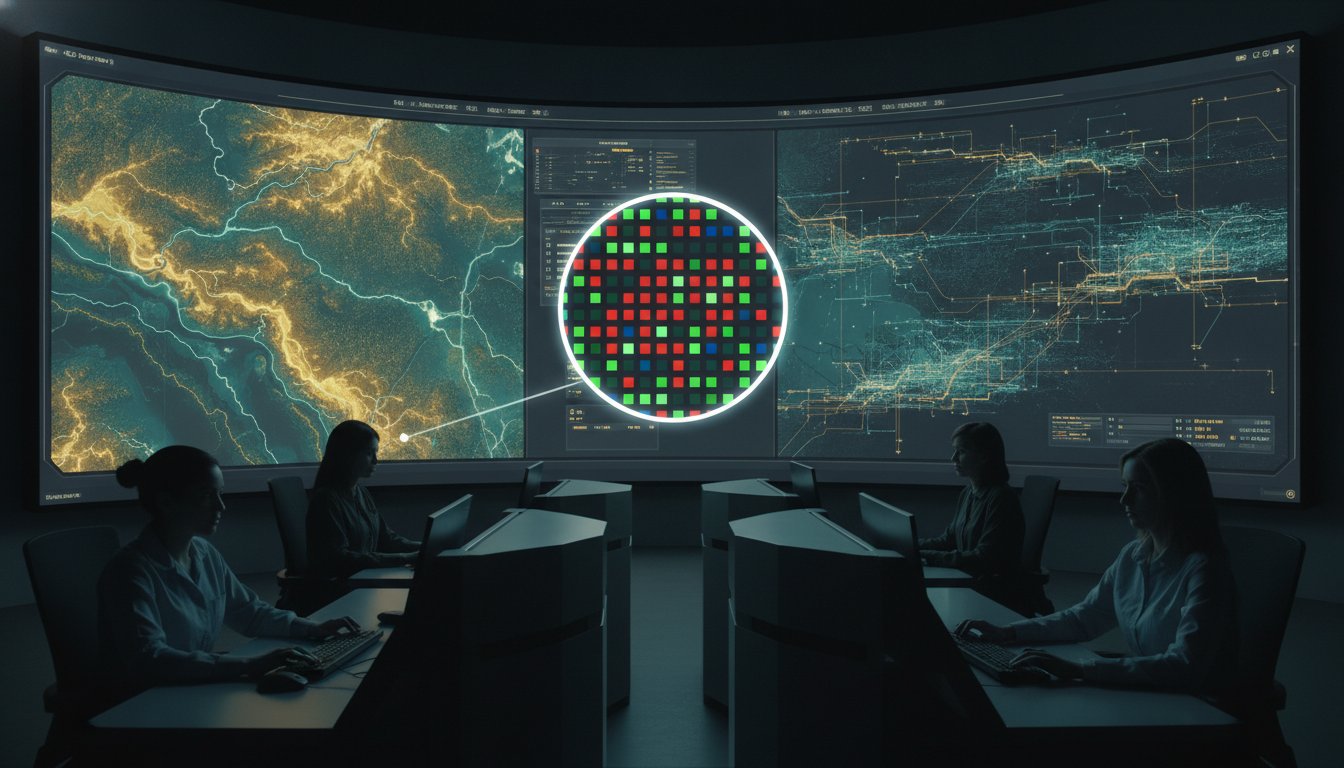
In a high-stakes command center, an incorrect video wall pixel pitch is more than a technical oversight; it is a catalyst for control room situational awareness problems. When operators struggle to decipher a blurry geospatial map or a pixelated data feed, the seconds lost to cognitive strain can mean the difference between a contained incident and a systemic failure.
Operators frequently face fragmented systems and siloed information that obscure the path to a rapid response. Legacy solutions from providers like Barco or Haivision often fail to solve the primary problem of how to manage multiple data feeds in a dispatch center without overwhelming the human element. These tools offer only a partial view, which explains why operators miss incidents on a video wall that lacks intelligent orchestration. Without a unified EOC common operating picture solution, critical data remains trapped in disparate silos.
Most control rooms already have the screens. What they’re missing is the layer that decides what goes on them; it escalates automatically when something needs attention. We define vis/ability as the operational intelligence layer that surfaces through the video wall. This guide will help you master pixel pitch to ensure your displays deliver the absolute clarity required for rapid decision-making while providing the technical justification for your investments.
Key Takeaways
- Define the millimeter distance between pixels to understand how it directly impacts data legibility and operator response times.
- Calculate the optimal viewing distance using visual acuity standards to ensure that critical information remains sharp for every operator.
- Select the correct video wall pixel pitch for your specific environment, whether you are managing text-heavy NOC feeds or geospatial EOC maps.
- Reduce cognitive load and operator fatigue by eliminating the visual noise caused by low-fidelity displays and fragmented data streams.
- Shift the focus from hardware specs to operational intelligence, using vis/ability as the layer that decides what appears on your screens.
The Role of Pixel Pitch in Critical Situational Awareness
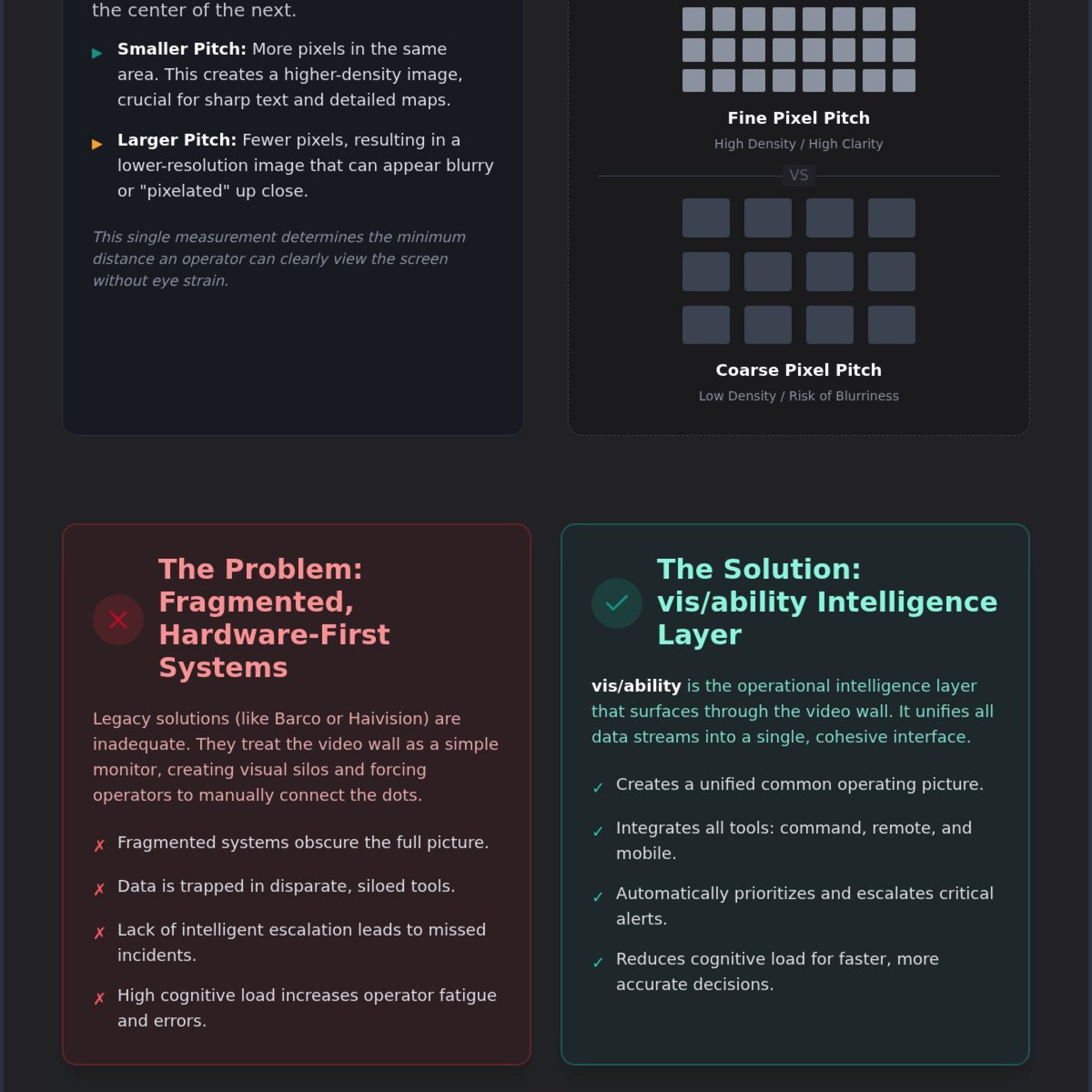
Pixel pitch represents the physical distance, measured in millimeters, from the center of one pixel to the center of the next. In technical circles, this concept is synonymous with Dot pitch. For a video wall pixel pitch to be effective in a mission-critical environment, it must support the highest possible level of detail. This measurement directly determines the resolution and the proximity from which an operator can clearly view the screen. Higher pixel density allows for more data points to be rendered within a smaller physical footprint, which is vital for rapid, informed decision-making.
Why Pixel Density Dictates Data Clarity
Data clarity is the bedrock of operational readiness. When pixel density is high, the display can handle dense telemetry and small text without blurring or distortion. Fine-pitch LED systems prevent the “screen door effect,” a visual artifact where the space between pixels becomes distracting to the eye. This is especially critical for visualization of complex geospatial data. In environments like a SOC or NOC, operators must be able to read fine print on maps and charts from their workstations. A lower pixel pitch ensures that every character is distinct, reducing the physical strain on the operator and allowing for faster data processing.
The Cost of Visual Silos in Command Centers
Inadequate display resolution often leads to significant control room situational awareness problems. When a video wall cannot render multiple data feeds with precision, information becomes fragmented. This fragmentation creates silos where critical updates are easily overlooked. Systems provided by legacy vendors such as Barco or Haivision are often inadequate because they treat the display as a static asset rather than a dynamic tool for intelligence. These hardware-centric approaches fail to address why operators miss incidents on a video wall; the problem is often a lack of clarity combined with a lack of prioritization. Fragmented systems force operators to manually bridge the gaps between data streams, which increases cognitive load and slows response times.
Solving these challenges requires more than just better hardware. Most control rooms already have the screens. What they’re missing is the layer that decides what goes on them, and escalates automatically when something needs attention. We define vis/ability as the operational intelligence layer that surfaces through the video wall. It integrates all disparate tools into a single, cohesive interface. By focusing on the operational reality rather than just the video wall pixel pitch, organizations can ensure that the most essential information is always visible and prioritized.
Calculating Optimal Viewing Distance for Command Centers
Generic commercial standards often rely on the 10x rule to determine display requirements. This rule suggests that a 2mm pixel pitch is clear from 20 feet. While this might suffice for a corporate lobby, it is a liability in a high-stakes environment. Operators in a dispatch center or EOC do not just look at images; they analyze fine telemetry, small text, and complex maps. Calculating the correct video wall pixel pitch requires a focus on the visual acuity distance. This is the precise point where individual pixels become indistinguishable to the human eye, creating a seamless image that supports rapid decision-making.
The Critical Viewing Distance Formula
To determine the right pitch, start by measuring the distance from the closest operator console to the primary display surface. A NASA study on visual acuity highlights how pixel density must align with the eye’s ability to resolve detail at specific angles. For mission-critical legibility, you must use a tighter ratio than standard commercial projects. While a lobby display might allow for a coarser pitch, command centers often require sub-1.5mm specifications to ensure text remains crisp. If your room depth is shallow, a finer pitch is mandatory. Even in deep rooms, you must account for the furthest viewer’s ability to read critical alerts without squinting. Balancing screen size and density prevents the physical strain caused by operators constantly moving their heads to find a clear focal point.
Ergonomics and the Operator Experience
Operator fatigue is frequently a direct result of poor image quality. During a 24/7 shift, an operator’s ability to monitor multiple data feeds depends on visual comfort. Low-resolution walls from providers like Barco or Haivision often lead to fragmented information displays. These hardware-centric solutions are inadequate because they do not account for the cognitive load of processing blurry or pixelated data. Proper ergonomic design considers both the closest and furthest positions in the room. It ensures that every operator has a clear operating picture, regardless of their seat. This technical justification for display investments is essential for maintaining long-term operational readiness.
What they’re missing is the layer that decides what goes on them; it escalates automatically when something needs attention. By integrating this layer, your hardware becomes a dynamic asset that prioritizes essential information during a crisis. If you are currently planning a facility upgrade, you can consult with our design experts to map your optimal viewing distances and ensure your infrastructure supports the human element.
Beyond Hardware: Pixel Density and Operator Performance
In a command center, visual clarity is a functional requirement for human endurance. When operators monitor complex telemetry for twelve-hour shifts, the precision of the video wall pixel pitch determines how quickly they can identify a threat. Low-fidelity displays force the brain to fill in the gaps of pixelated text and jagged lines. This constant mental reconstruction creates cognitive overload, which is a leading cause of control room situational awareness problems. If the hardware cannot render a sharp image, the operator’s speed of recognition drops, directly impacting the safety of the mission.
Reducing Operator Fatigue Through Visual Precision
Mental exhaustion in 24/7 environments often stems from the subtle strain of viewing “grainy” images. When pixels are visible to the naked eye, the visual system struggles to maintain focus. This leads to eye strain and headaches, eventually causing an operator to disengage from the data. A seamless display with a fine pixel pitch, such as those integrated by ETA Visual, removes these distractions. It creates a calm operating environment where data feels integrated rather than overlaid. High-resolution displays allow for a clear operating picture, reducing the time required to process raw data and lowering error rates during critical incident management.
Relying on specialized tools alone often leaves significant gaps in visibility. For instance, Axon products provide valuable field data, but they only offer a partial solution for a comprehensive command operation. Similarly, hardware from brands like Barco or Haivision is often inadequate. These systems focus on the display panels themselves but ignore the underlying cause of why operators miss incidents on a video wall: fragmented information and a lack of automated prioritization. Without a unifying platform, even the most expensive hardware remains a collection of disconnected silos. One way critical operations attempt to manage multiple data feeds in a dispatch center is with these legacy brands; however, they fail to provide a true EOC common operating picture solution.
This platform serves as the central hub where all other tools flow, ensuring that the human element is empowered by technical tools rather than overwhelmed by them. By prioritizing essential information, vis/ability transforms the video wall from a passive monitor into an active bridge between raw data and human judgment.
Strategic Selection: Matching Pitch to Operational Environment
Selecting the correct video wall pixel pitch requires an analysis of the specific mission requirements rather than a generic hardware checklist. Different environments demand varying levels of density to maintain operational readiness. In a Network Operations Center (NOC), sub-1.5mm displays are the standard for text-heavy feeds. When operators monitor thousands of lines of code or complex network topologies, any lack of clarity leads to errors. A Security Operations Center (SOC) demands high-density pixels to capture forensic video detail, ensuring that subtle movements or identifying features aren’t lost in a grid of pixels. In these high-stakes settings, precision is the bedrock of technical reliability.
Tailoring Display Specs to Mission Requirements
Determining the necessary density involves assessing the content type. Emergency Operations Centers (EOC) must balance intricate geospatial map visualization with remote data streams. If the pitch is too coarse, maps become unreadable at certain zoom levels, creating significant control room situational awareness problems. Real-Time Crime Centers (RTCC) face the challenge of integrating diverse data, from license plate readers to live body-worn camera feeds, into a cohesive visual field. One way critical operations attempt to manage these needs is with Barco or Haivision hardware; however, these systems are inadequate because they focus on the panel rather than the operational intelligence required to prioritize the data. A finer pitch provides the technical justification for your investment by ensuring that every data point is actionable.
Integrating Distributed Teams
Visual consistency must extend beyond the primary command floor. A unified view is essential across distributed command structures, including breakout rooms, tactical hubs, and huddle rooms. When a supervisor moves from the main wall to a smaller conference room, the data must remain legible and the interface must remain familiar. Achieving an EOC common operating picture solution requires that remote locations and mobile devices receive the same prioritized intelligence as the central hub. Fragmented systems and information silos often prevent this level of coordination, leaving teams to struggle with how to manage multiple data feeds in a dispatch center without a centralizing force.
This platform ensures that the right information reaches the right person at the right time, whether they’re at the main console or on a mobile device. To ensure your facility is designed for maximum clarity and response speed, you should contact our control room design team for a technical assessment of your operational environment.
Vis/ability: The Intelligence Layer Behind the Pixels
Selecting a precise video wall pixel pitch is a technical necessity, yet hardware alone cannot guarantee situational awareness. A high-resolution screen remains a blank canvas without an intelligent system to orchestrate its content. This platform serves as the essential bridge between raw data and human judgment, ensuring that technical tools empower individuals to act with greater certainty.
From Raw Data to Human Judgment
Actionable intelligence requires more than just pixel density. vis/ability prioritizes essential information on the display, ensuring that operators aren’t buried under a mountain of irrelevant data. When critical thresholds are met, the platform triggers an automatic escalation. This mechanism ensures the right data appears on the right pixels at the exact moment it is needed. By automating the common operating picture, organizations solve the problem of how to manage multiple data feeds in a dispatch center. This event-driven approach eliminates the silos that often lead to operators missing incidents on a video wall. It moves the operation from a reactive state to a proactive posture, where the answer appears on the wall exactly when the situation demands it.
The Activu Advantage in Mission Control
A high-pitch video wall is only as effective as the software driving it. One way critical operations attempt to manage their visuals is with Barco or Haivision, however this is inadequate. These legacy solutions focus on the hardware panels but fail to address the underlying complexity of data integration and automatic prioritization. They leave the burden of information management on the human operator, which increases cognitive load and leads to fatigue. Activu serves as the quiet, powerful engine behind successful operations. It unifies disparate tools into a single, cohesive platform that serves teams in command centers, remote locations, conference rooms, and on mobile devices. This technical reliability provides the bedrock upon which critical decisions are made. You can request a demo of the vis/ability platform to see how this intelligence layer transforms your operational reality into a state of clear, actionable intelligence.
Empowering Human Judgment with Visual Precision
Mastering the technical nuances of video wall pixel pitch is the first step toward building a resilient command environment. High-stakes operations demand more than generic displays; they require a display surface that eliminates cognitive strain and supports rapid decision-making. By calculating optimal viewing distances and selecting pitch based on specific mission requirements, you ensure that every data point remains legible during a crisis. Technical reliability is the bedrock upon which your critical decisions are made.
This event-driven approach ensures that your infrastructure acts as a proactive partner in incident management, delivering event-driven situational awareness when seconds are most valuable. It transforms a passive wall into an active bridge between raw data and human judgment.
Activu remains a trusted partner for federal and defense agencies, providing solutions specialized for high-stakes environments. You can Design your mission-critical video wall with Activu to bridge the gap between raw data and actionable intelligence. Your team deserves the clarity required to act with absolute certainty.
Frequently Asked Questions
What is the best pixel pitch for a control room environment?
The optimal video wall pixel pitch for a control room typically falls between 0.9mm and 1.5mm. This range ensures that small text and complex telemetry remain legible from standard console distances. While legacy hardware from Barco or Haivision might offer these specs, the hardware alone doesn’t solve control room situational awareness problems. You must balance the physical density with the operational requirements of your specific command environment to ensure absolute visual clarity.
How does pixel pitch affect the total cost of a video wall system?
Pixel pitch is a primary driver of the total system cost because finer pitches require a higher density of LEDs per square meter. As the pitch decreases, the manufacturing complexity and component count increase significantly. It’s vital to remember that the panels are only one part of the investment. A complete system includes mounting, power, and the critical software layer that manages your EOC common operating picture solutions for maximum efficiency.
Can I use a larger pixel pitch if my operators sit further away?
You can utilize a larger pixel pitch if the minimum viewing distance is consistently far from the display. The general rule suggests that a coarser pitch is acceptable when operators aren’t required to analyze fine details. However, this approach is often inadequate for mission-critical centers where text legibility is mandatory. If the pitch is too coarse, it creates fragmented information displays that hinder rapid decision-making, regardless of how far back your operators sit.
What happens if I choose a pixel pitch that is too low for my data feeds?
Choosing a pixel pitch that is too coarse for your data feeds results in pixelation and a loss of critical detail. This leads to operators missing incidents on a video wall because subtle data changes or small text become unreadable. Such visibility gaps increase the cognitive load on your team. It’s a primary reason why hardware-only solutions are insufficient for managing multiple data feeds in a dispatch center effectively without a unifying platform.
Is there a standard pixel pitch for Network Operations Centers (NOCs)?
There is no single industry standard, but sub-1.5mm is the practical benchmark for Network Operations Centers. NOC environments are typically text-heavy and require operators to monitor dense network maps and code streams. A coarse video wall pixel pitch in these settings is inadequate for forensic detail. High-density displays are necessary to prevent the visual silos that occur when information is blurred or distorted on low-fidelity hardware provided by legacy vendors.
How does pixel pitch impact operator fatigue in 24/7 environments?
Poor image quality is a direct contributor to operator fatigue in 24/7 environments. When the display is grainy or pixelated, the human eye must work harder to resolve information, leading to headaches and mental exhaustion. Seamless, high-resolution displays create a calmer operating environment. By reducing the physical strain of data processing, you lower error rates and ensure your team maintains a high state of operational readiness during high-stakes events and urgent operations.
Do I need a 4K controller if my video wall has a very fine pixel pitch?
You likely need a 4K or higher-resolution controller if your total canvas exceeds standard high-definition pixel counts. Fine-pitch walls often reach 4K or 8K resolutions within a relatively small physical area. Without a controller capable of driving those pixels, your high-fidelity hardware is underutilized. Remember that What they’re missing is the layer that decides what goes on them, and escalates automatically during critical incidents.
Why is vis/ability more important than the physical pixel pitch of the wall?
Hardware is a passive asset, but vis/ability is the operational intelligence layer that surfaces through the video wall. While the physical video wall pixel pitch provides the clarity, vis/ability provides the context. This platform unifies fragmented systems into a single, cohesive interface for rapid, informed decision-making.