
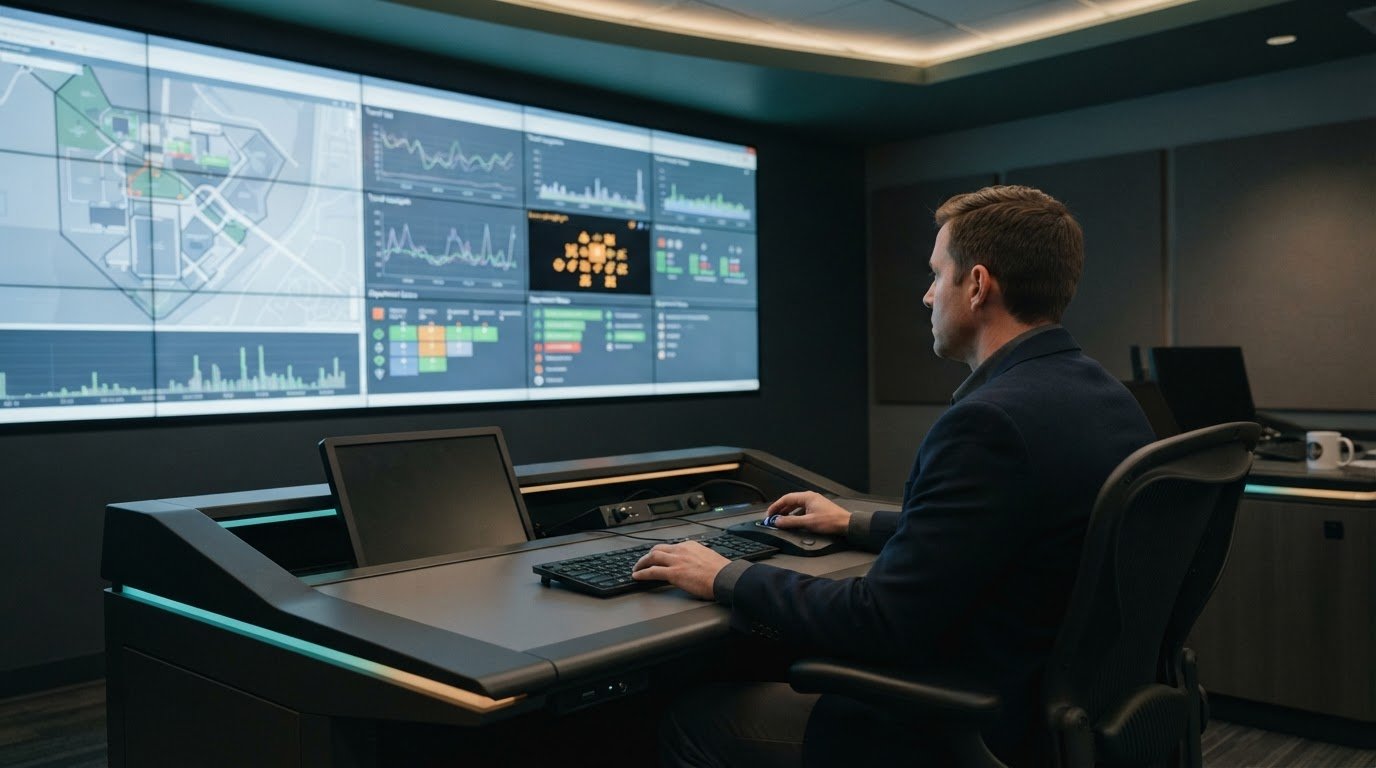
Physical presence isn’t required for effective operational leadership; reliable visibility is. Providing remote executives with an operational view starts with connected departmental systems, clear ownership, and timely information showing what is progressing, where work is blocked, and when an issue needs escalation.
Remote leaders need a dependable way to understand how departments affect one another. Fragmented systems, silos, and manual updates can delay that picture, leaving executives to react after conditions have changed. Most control rooms already have the screens. What they’re missing is the layer that decides what goes on them – and escalates automatically when something needs attention. The goal is actionable awareness that lets teams own execution while leaders focus on decisions.
This article explains how integrated information, defined operating rhythms, and event-driven escalation help virtual COOs lead without being physically present. It also explains how vis/ability is an operational intelligence layer that surfaces through the video wall, so people can act with greater certainty.
Key Takeaways
- Define roles, decision rights, and communication rhythms so remote teams can work with greater clarity and less unnecessary oversight.
- Connect departmental information to shared objectives, giving leaders a clearer view of progress, delays, and emerging priorities.
- Use operational indicators to focus executive attention on outcomes, employee engagement, and issues that need a decision.
- Recognize how fragmented systems, silos, and missing escalation paths can create blind spots across distributed operations.
- See how an operational intelligence layer can bring relevant information together for leaders working across locations and devices.
1. Remote operational leadership through systems and documentation
Remote leadership depends on documented ownership, decision boundaries, and escalation paths. For example, a process guide can identify who handles a delayed deliverable and when a manager should intervene. Clear expectations help team members focus on results rather than proving they are busy. They also let leaders manage through outcomes while building a culture of trust.
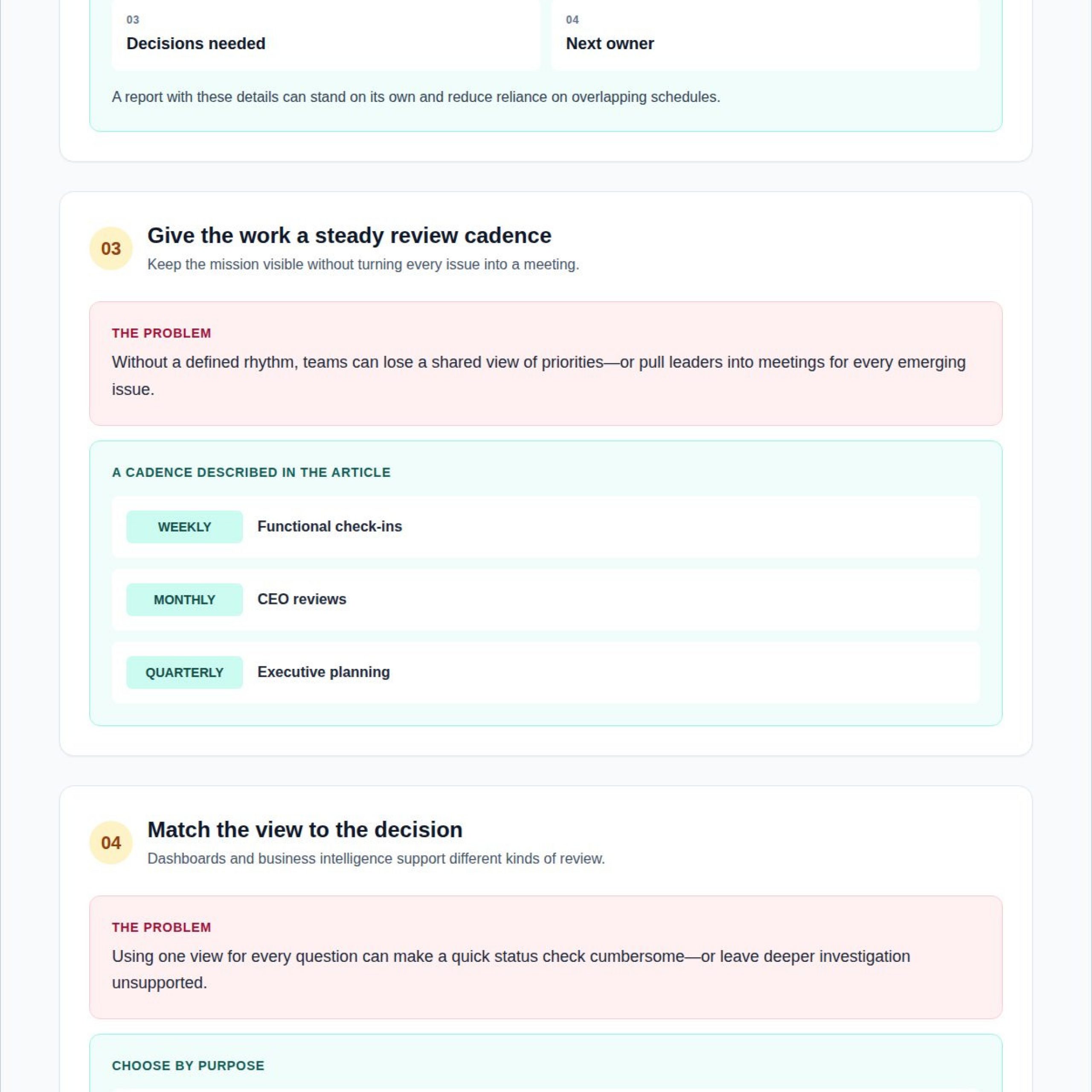
Asynchronous work needs written updates that stand on their own. A weekly status report can record progress, blockers, decisions needed, and the next owner, reducing reliance on overlapping schedules. Leaders can pair those updates with weekly functional check-ins, monthly CEO reviews, and quarterly executive planning. This cadence keeps the mission visible without turning every issue into a meeting.
Competency screening should test the work itself. For a remote operations leader, an interview exercise might ask a candidate to prioritize competing requests, document a decision, and explain when to escalate. Once hired, leadership development can draw on evidence such as training participation, mentoring sessions, and how promptly team issues are addressed. A weekly employee check-in can use a one-to-five scale to surface workload or support concerns.
Executive dashboards and business intelligence platforms serve related but distinct purposes. A dashboard prioritizes current indicators for fast executive review; a BI platform supports deeper analysis across datasets and time periods. The right choice depends on whether leaders need immediate status, investigative analysis, or both.
Executive dashboard software costs depend on licensing, integrations, access requirements, and deployment. Pricing varies by project and is provided after a quote request.
Remote data sharing can expose sensitive operational details through excessive permissions, shared credentials, or access that remains active after roles change. Assign access by role, limit each view to necessary information, and review permissions when responsibilities shift.
Measure visibility-tool ROI through leadership time recovered, execution delays reduced, and operational follow-through improved. Compare these measures before and after deployment, then review whether leaders and team members use shared information to resolve blockers and advance agreed objectives.
Trust also grows when managers deliberately guide remote teams and reinforce confidence in their leadership. That does not mean directing every move. Leaders should clarify roles and expectations, define who is responsible for specific tasks, and make clear whom to contact about them. This structure can reduce confusion while allowing employees to work without unnecessary oversight. Trusting remote employees to complete their assigned work, rather than overmanaging them, keeps responsibility with the people closest to each task.
Shared direction supports sound decisions when a leader is not immediately available. Remote employees should understand the company’s mission and vision so they can make decisions that advance the business without waiting for a response. Leaders can assess remote team productivity by tracking project deadlines, output quality, and team completion rates. Together, these measures help review delivery and work quality while keeping attention on completed work. Clear responsibility, confidence in employees, and a shared understanding of the business’s direction give teams a basis for acting independently while staying focused on common objectives.
2. Connected operational visibility across departments
Organizations connect departmental information by agreeing on shared objectives and measurable definitions of progress. Providing remote executives with an operational view depends on connecting those measures across teams. For example, operations may track service completion while finance monitors costs; a common view shows whether delivery targets and spending remain aligned. Employees can then see how their work contributes to outcomes beyond their own department.
Start with the decisions executives need to make. An integration team can map each decision to its data owner, source system, update cadence, and escalation path. A delayed project milestone, for instance, becomes more useful when leaders can see the accountable team, dependencies, and impact on a broader objective. This context supports providing remote executives with an operational view that links departmental activity to business priorities.
Connected information can also make meetings more decisive. A cross-functional review can present the same project status to operations, finance, and customer service, reducing time spent reconciling separate reports. Leaders can focus the discussion on a blocker, assign an owner, and record the next decision instead of debating which department has the current figure.
To integrate multiple systems, identify relevant sources, map fields to shared definitions, and combine the information in an executive dashboard. Preserve context, such as ownership and update timing, so each metric remains interpretable across departments.
Remote leadership teams should look for a platform that fits their workflows, connects their data sources, and shapes views around executive decisions. Clear data ownership, role-based access, and a process for resolving inconsistent records help keep the dashboard useful as teams and objectives change.
Implementation works best as a staged process. First, define priority decisions and audiences; then connect selected systems and build views around those needs. Leaders and employees can review results against source records, refine unclear measures, and establish how teams will use the dashboard in meetings and routine updates.
After launch, assess success through concrete outcomes: whether teams resolve workflow issues faster, meet project deadlines, and complete agreed actions. Reviewing these indicators alongside employee feedback helps executives distinguish a data-access problem from a process or ownership gap.
3. Operational data trends and priorities
Executives assess operational information by connecting each measure to a decision. A project status indicator, for example, matters when a delayed milestone changes staffing, delivery, or customer commitments. Compare current results with the agreed objective, then examine the owner, trend, and blocker. This sequence clarifies where progress has slowed and what action can move work forward.
Update frequency should match how quickly a metric changes and how soon leaders need to act. An incident queue may need frequent refreshes, while a training participation measure can support scheduled review. Set a clear update cadence for each data source, show when information was last refreshed, and flag stale data so executives can judge its relevance before making decisions.
Engagement requires more than attendance at virtual meetings. Leaders can assess communication through feedback on clarity and responsiveness, workflow issue resolution time, and manager check-in frequency. For leadership development, track training participation, mentoring sessions offered, development opportunities, and how promptly team issues receive attention. Together, these measures help distinguish a skills gap from unclear priorities or delayed support.
Physical operations need a view of conditions that affect service delivery. For example, facilities leaders may review open maintenance issues alongside operational schedules, while a transport team may assess service disruptions against current activity. Pair each indicator with its location, status, and accountable team. These details help remote executives understand whether an operational change calls for coordination, escalation, or continued monitoring.
Trend review turns reporting into a decision process. First, compare the current measure with its target and previous direction. Next, identify which team or dependency explains the change. Then record the decision, owner, and follow-up measure. If an objective remains off track, assess whether the cause is capacity, process, or unresolved coordination. This approach connects engagement and operational performance to specific actions rather than isolated dashboard readings.
Attention is also a practical operational consideration. Microsoft’s Work Trend Index found that employees are interrupted by meetings, emails, or messages every 2 minutes on average. For leaders, this is a reason to ask whether communication practices help people complete priority work or repeatedly pull them away from it. The finding does not, by itself, explain why interruptions occur or whether they can be avoided, so teams should interpret it alongside their own workflow context.
Executives can use operational reviews to distinguish necessary coordination from avoidable fragmentation. Ask teams which updates require a meeting, which can be handled asynchronously, and whether requests arrive with enough context to support action. Consider these questions alongside delivery measures, unresolved issues, and employee feedback; fewer messages alone should not count as success if service or collaboration suffers. When recurring interruptions appear to block focused work, assign an owner to test a change in communication routines and check whether related work progresses more smoothly. Keep the result visible in later reviews and adjust the practice if it leads to slower decisions or missed handoffs. This applies the same decision discipline used for other operational indicators: identify the effect, agree on a response, and revisit the evidence.
4. What key KPIs should an executive operational dashboard include?
An executive dashboard should connect indicators to decisions, not simply collect department reports. For example, a delayed project milestone matters when it threatens a delivery objective. Pair each KPI with its owner, source, current status, and trend so leaders can see what changed and who can act. This structure supports providing remote executives with an operational view across departments.
A practical set can cover delivery, quality, capacity, and stakeholder outcomes:
- Deadline adherence: Show whether key milestones are on schedule, with delayed work identified by project and owner.
- Output quality: Track rework or defect patterns alongside completed work, so volume does not conceal declining standards.
- Team completion rates: Compare planned and completed commitments to reveal capacity or coordination issues.
- Client satisfaction ratings: Pair feedback with the service or project outcome it reflects.
- Workflow resolution time: Highlight recurring blockers that delay handoffs between departments.
Executives should distinguish leading indicators from outcome measures. An increase in unresolved requests can signal pressure before missed deadlines appear; completed milestones show what teams have already delivered. Displaying both helps leaders act early while retaining a clear record of results. This balance is especially useful when providing remote executives with an operational view of emerging risks and completed work.
Each KPI needs a definition that teams interpret consistently. “On track,” for example, should refer to an agreed milestone or delivery condition, not an individual manager’s judgment. The dashboard should also show the update time and data source. These details help remote executives assess whether a change reflects current operations or an older report.
Keep the executive view focused on exceptions and decisions. A department-level summary can reveal a trend, while a linked detail view shows the affected project, team, or location. This lets leaders move from a signal to its operational context without crowding the primary view with every available measure.
Review dashboard KPIs during established business reviews and adjust them when objectives change. If a measure no longer informs a decision, replace it with one that does. A concise set of owned, consistently defined indicators gives executives a stronger basis for prioritizing attention across departments.
5. Why fragmented systems create operational blind spots
Fragmented systems force leaders to piece together an operational picture from separate applications, reports, and messages. An incident may appear in one system while staffing, facility status, or customer impact sits elsewhere. Without shared context, executives can miss how those signals connect. Different update cycles and ownership records make it harder to determine which information is current and who is responsible for action.
Departmental silos deepen the gap. Operations may report a service delay, customer support may see rising complaints, and facilities may track an equipment issue. Each team holds relevant information, yet no single view shows how these conditions affect one another. Remote leaders may receive separate summaries and make a decision before seeing the combined operational impact.
Missing automatic escalation adds another failure point. A warning can remain inside an application if no owner receives a prompt or no response threshold has been defined. Teams then rely on someone noticing the signal, judging its urgency, and contacting the right decision-maker. Each manual handoff can delay attention, especially when several departments share responsibility.
Most control rooms already have the screens. What they’re missing is the layer that decides what goes on them – and escalates automatically when something needs attention. vis/ability is an operational intelligence layer that surfaces through the video wall, making it the place where the answer appears. It brings relevant information together so teams can share an operational view instead of searching separate systems.
To locate a blind spot, trace an operational event from its first signal through resolution. Identify where the event is recorded, who owns the response, what should trigger escalation, and where executives can see its status. If a delay never reaches leadership, determine whether the break occurred in source integration, ownership, or escalation. This diagnosis helps address the specific handoff failure while keeping team responsibilities clear.
6. Which tools provide real-time operational visibility for remote executives?
Remote executives need connected information that supports decisions across departments, not a collection of isolated feeds. vis/ability serves as a central platform for operational applications and data streams. By bringing relevant information together, it helps leaders understand how a signal relates to current activity and where attention may be needed.
Through the vis/ability Platform, organizations can connect applications and data sources into a shared operational picture. For example, an executive reviewing an emerging issue can see related operational information in context, rather than switching between separate tools to piece together the situation. Event-driven situational awareness helps bring important conditions forward for review.
The video wall is one place where that connected picture can appear. It gives command-center teams a shared view, while vis/ability supports collaboration across remote locations, conference rooms, breakout rooms, and huddle rooms. Teams can work from a common operational picture even when participants are not physically together.
Remote executive access also matters outside scheduled meetings. Mobile vis/ability extends access to mobile devices, helping leaders stay connected to operational information when away from the command center. This supports timely awareness across distributed teams without making the physical control room the only point of visibility.
Organizations can assess these tools by identifying the decisions executives need to make, the applications that inform those decisions, and the teams that must coordinate. vis/ability provides a central point for incoming tools and helps surface relevant information through video walls and across distributed settings. This gives remote leaders a coherent view of operations while keeping the focus on the information people need to act.
Activu Corporation
Activu Corporation helps organizations address fragmented systems, manual updates, and the lack of automatic escalation that can leave teams without a shared operational picture. Its vis/ability Platform, Application Integration, and Event-Driven Situational Awareness connect relevant applications and data streams. This helps leaders see information in context and understand how an issue affects multiple functions before making decisions.
The process starts with the organization’s operational priorities. Activu aligns integrated information with the decisions leaders need to make, the teams responsible for action, and the events that require escalation. Connected applications and event-driven awareness bring relevant signals into a shared view, supporting timely coordination across departments.
vis/ability is the central hub: an operational intelligence layer that surfaces through the video wall. It brings tools and information together for teams in command centers, remote locations, conference rooms, breakout rooms, and huddle rooms. Mobile vis/ability extends the shared operational view to distributed work settings, helping leaders stay connected to decision-relevant information when away from the command center.
Organizations should consider this approach when departmental systems provide only partial context, teams rely on manual updates, or important events lack a clear route to attention. Activu connects relevant applications and operational information, keeping executive views focused on important signals and decisions. That creates a more coherent basis for leadership across locations without depending on physical presence.
To discuss your operational visibility needs, contact Activu Corporation.
Frequently Asked Questions
How does a virtual COO operate effectively without being physically present?
A virtual COO leads through clear decision authority, reliable operating information, and consistent follow-through. For example, department heads can own routine staffing decisions while escalating cross-department risks that affect delivery or customer commitments. The COO reviews exceptions, confirms accountable owners, and tracks agreed actions to completion. This approach lets team members act within defined boundaries while keeping executive attention focused on decisions that require organization-wide judgment.