

An operation can have abundant data and still lack a shared picture. Managing information silos in operations starts with recognizing how they form: teams keep information in separate systems, processes, or communication channels, limiting what other departments can see and use. The result can be fragmented updates, duplicated work, and slower decisions when teams need to coordinate. A disciplined approach to managing information silos in operations connects information sharing to real operational needs.
Information silos often have practical causes. Departments may use different tools, follow inconsistent workflows, or pursue priorities that do not align. Some information should remain restricted, but when teams that need to coordinate cannot access a shared operational picture, gaps can affect response and execution.
Clearer coordination takes more than asking people to communicate. It requires shared workflows, defined information-sharing practices, and cross-departmental projects that clarify handoffs and responsibilities. This article explains what information silos are, how they affect operations, and how open communication and collaborative work can reduce friction. It also explores how managing information silos in operations through connected systems and shared operational views helps teams act on essential information with greater clarity.
Key Takeaways
- Recognize how fragmented systems, isolated workflows, and team silos can limit shared operational awareness.
- Look for coordination risks such as conflicting data, duplicated work, unclear handoffs, and inventory decisions made without a network-wide view.
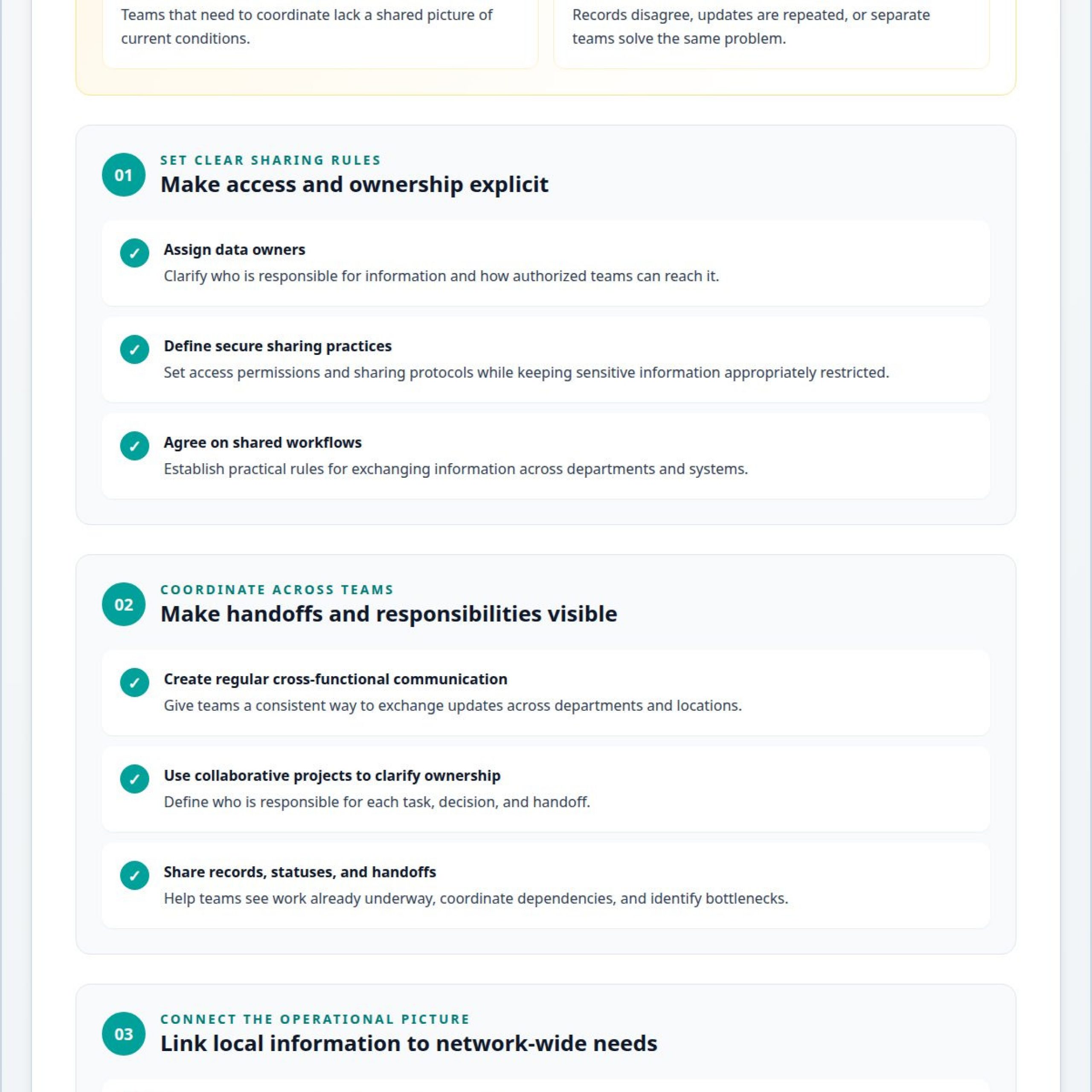
- Use clear data ownership, secure sharing protocols, and collaboration measures to support information exchange across departments.
- Strengthen teamwork through regular cross-functional communication, shared workflows, and projects that clarify responsibilities and handoffs.
- Unify operational feeds through vis/ability, an operational intelligence layer that surfaces through the video wall and supports teams across command centers, remote locations, meeting spaces, and mobile devices.
What Are Information Silos in Operations?
Information silos form when teams or systems keep data separate, limiting its usefulness across an organization. In operations, that separation can obscure the shared conditions teams need to coordinate work and decisions.
Information Silo Definitions
An information silo is a body of records or knowledge isolated within a department, system, or location. A data silo is the technical concentration of that information; an operational silo occurs when teams cannot coordinate because they lack shared information or processes. The two can overlap. For example, a dispatch team may hold incident updates that a planning team cannot access. This distinction matters because better coordination may require connecting systems, changing workflows, or both.
Organizational Causes of Silos
Organizational silos develop when structures, priorities, or workplace habits discourage information sharing. Separate reporting lines can leave teams accountable for local targets rather than shared operational outcomes. Departments may use different processes, restrict information by habit, or communicate infrequently across physical locations. A merger can also bring together teams with distinct systems and practices. In some organizations, staff maintain separate records simply because no shared method exists. These causes matter because a technical connection alone cannot resolve conflicting priorities or unclear ownership. Teams need agreed responsibilities and practical rules for sharing information.
Technical Causes of Data Silos
Technical silos arise when systems store information in incompatible formats or cannot exchange records effectively. For example, a scheduling platform and a field-operations database may use different identifiers for the same work order. Without interoperability, staff may re-enter details or rely on manual updates, leading to delays and conflicting records. Limited technical know-how can also make it harder to map data structures and meanings between systems. Sometimes, transferring data to another system is not feasible. Organizations can designate data owners and access permissions so authorized teams can reach the information they need while sensitive records remain appropriately restricted.
The European Union’s General Data Protection Regulation (GDPR) establishes data security and privacy controls that shape how enterprises manage data storage and access. Physical separation can reinforce these barriers.
How Silos Undermine Coordination and Decision-Making
Operational silos limit shared visibility, leaving teams to act on different versions of the same situation. Integration costs depend on system complexity, data scope, governance needs, and project requirements; pricing is determined after a quote request.
Operational Effects on Decisions
When teams control information within functional boundaries, decisions reflect only part of the operation. A dispatch group may see active incidents while a field team tracks resource availability separately. Without a shared view, leaders may assign resources based on incomplete information or miss conflicts between priorities. DecisionOps depends on connecting operational data with clear decision processes, so teams can act on information that reflects the broader situation.
Inventory boundaries create a similar coordination problem. A location may increase safety stock because it cannot see supplies elsewhere in the network. Another site may then run short even as total inventory remains over-buffered. Shared visibility can reveal the imbalance, but teams still need coordinated decisions to transfer, reallocate, or reorder stock. Network-level planning helps distinguish genuine demand variation from uncertainty caused by siloed information.
Data Quality and Decision Impacts
Inconsistent data undermines decisions because employees cannot tell which source reflects current conditions. For example, separate reports may show different service statuses for the same request. Disconnected systems can also introduce errors during data entry, analysis, and reporting. A manager facing conflicting figures may delay action, spend time reconciling records, or plan based on outdated information. Data quality is therefore an operational concern, not just a reporting issue.
Information silos also create duplicate work. Two departments may independently develop solutions to the same problem because neither can see the other team’s work. Repeated data entry, overlapping analysis, and redundant roles consume time and resources. Disconnected processes can also result in inconsistent service and unclear accountability. Shared records and visible handoffs help teams identify ownership, coordinate tasks, and reduce avoidable rework.
XEM inventory coordination also depends on visibility across locations and functions. When teams can see stock positions together, they can assess whether to transfer, reallocate, or reorder supplies instead of making isolated decisions. The same principle applies to service work: shared status information helps employees coordinate dependencies and identify bottlenecks. These practices reduce inefficiencies by linking local actions to network-wide needs.
Where Operational Information Silos Appear Across Systems
Operational silos can form wherever teams store records, files, or updates in separate tools. Measure the return on reducing them by comparing operational performance before and after changes, including productivity, quality, resource use, and avoidable inefficiencies.
Silos Across Business Systems
Business-system silos arise when departments maintain related information in separate applications without a reliable shared view. For example, an enterprise resource planning (ERP) system may track orders while a customer relationship management (CRM) platform holds account updates. Document management tools may contain the latest procedure, but employees might rely on an older email attachment. Shared drives can divide files by team, while digital assets sit in repositories that other departments rarely access. These divisions can create conflicting records and missed updates during handoffs.
Map where information about a work item lives to identify these breaks. A service request, for instance, may appear in a CRM record, a spreadsheet, and an email thread, each with different status details. Clear ownership and sharing protocols help employees know which record to update and who needs access.
Integrated Systems and Real-Time Sharing
System integration connects relevant data flows so authorized teams can use current information across their workflows. A shared view of an order, its documents, and its service status can reduce repeated entry and help departments coordinate next steps. Effective integration also requires systems to interpret data consistently, not merely exchange files. Otherwise, differing definitions of a status or identifier can preserve confusion across connected tools.
Secure data-sharing governance defines who can access information, for what purpose, and through which approved processes. For example, a team can set data owners, access permissions, and handling rules before connecting repositories. Governance helps align useful sharing with privacy and security needs—a balance that is particularly vital when deploying automated systems, where solutions like NovaCortex provide a self-hosted memory layer to keep AI agents context-aware across operations without exposing sensitive data.
Evaluate collaboration using measures tied to operational goals. Track the time needed to find information, completion of cross-team requests, customer satisfaction, employee engagement, and the efficiency of problem-solving and decisions. Compare results before and after a knowledge-sharing change, and review dashboards during planning meetings and project retrospectives. The Centers for Disease Control and Prevention identifies improved transparency into operations and resource use as a way to inform ROI assessments, including through productivity, quality, and efficiency.
Regular reviews also reveal where integration falls short. If a shared request still generates duplicate emails or conflicting files, teams can adjust ownership, status definitions, or workflow handoffs. These practical checks help organizations distinguish effective information sharing from simply adding another platform.
Open Communication and Cross-Departmental Coordination
Open communication gives departments a practical way to surface blockers, clarify ownership, and coordinate work across organizational boundaries.
Barriers to Cross-Department Communication
Communication barriers arise when information stops at management levels, stays within teams, or follows unclear sharing rules. Vertical communication can fail when frontline employees’ updates do not reach decision-makers, or leadership priorities do not reach the teams responsible for action. Restricted data sharing can also limit collaboration when access rules lack clear ownership. For example, a field team may identify a changing condition, but operations leaders may not receive the update in time to adjust plans.
Set clear guidance on where, when, and how teams share operational information. Define which records require restricted access, who owns them, and what relevant teams can share. For a cross-department request, identify a contact in each participating department and set response expectations. These steps preserve appropriate limits while reducing delays caused by uncertainty about ownership or access.
Cross-Functional Teamwork
Cross-functional teamwork brings employees from different departments together around a shared operational outcome. A project involving dispatch, field operations, and planning can map handoffs, approvals, and decision points before a new workflow goes live. Regular meetings and brainstorming sessions give each group a place to raise constraints and align priorities. The IBM Institute for Business Value reports that 83% of survey respondents believed data silos undermine innovation by limiting cross-departmental idea sharing.
Make collaboration part of the workflow, not an informal side channel. Record decisions, blockers, and updates in shared requests rather than private emails. Use consistent status terms so each department knows whether work is pending, active, or complete. Regular review sessions can then identify bottlenecks and tool issues before they affect efficiency or deadlines.
Cross-departmental projects also give leaders a way to establish accountability. Name the participating teams, assign a contact for each, and document how requests move between them. Shared dashboards can help teams review work status and service performance together. After a project, a retrospective can capture which handoffs worked, where communication failed, and what process changes will support the next coordinated effort.
Managing Multiple Data Feeds and Building a Common Operating Picture
A dispatch center or emergency operations center (EOC) may draw on incident records, maps, alerts, and video feeds. A common operating picture brings relevant information together so teams can understand conditions and coordinate decisions.
To manage multiple data feeds in a dispatch center, teams need more than access to each source. They need consistent context: what an update means, when it occurred, who owns it, and whether it requires action. Without that structure, operators must switch between applications and interpret separate updates under pressure. A status change in one system may not appear alongside related activity in another.
Fragmented systems, information silos, and a lack of automatic escalation can leave important updates unseen. Most control rooms already have the screens. What they’re missing is the layer that decides what goes on them – and escalates automatically when something needs attention.
vis/ability is an operational intelligence layer that surfaces through the video wall. It acts as a central hub for operational tools and data feeds, helping teams see relevant information in context. The wall is where the answer appears because vis/ability organizes what operators need to see. This supports shared operational visibility instead of isolated displays that leave staff to connect the dots manually.
Operators can miss incidents when displays show separate feeds without clear relationships, priorities, or escalation. An alert may appear apart from the map, live video, or resource information that explains its significance. If staff must notice each change and decide independently what deserves attention, a critical update can compete with routine activity. Organizing information around operational relevance helps direct attention to decisions that need human judgment.
EOC common operating picture solutions should make essential information accessible to people coordinating across locations. vis/ability supports teams in command centers, remote locations, conference rooms, breakout rooms, and huddle rooms, as well as on mobile devices. This gives distributed personnel a common operational view while supporting the way each team works. By unifying tools and surfacing priority information where decisions happen, teams can coordinate with greater clarity.
Activu Corporation
Activu Corporation is a practical next step when departments cannot assemble a dependable operating picture from separate systems. Its work connects applications and data streams so relevant information supports coordination in control room environments. Start with the operational problem: which information must reach which teams, and how should it appear when conditions change? This frames information silos as both a coordination challenge and a technology issue.
Application Integration brings operational applications and data streams into a more unified view. This is useful when teams rely on separate tools and need information to work together across established workflows. Rather than asking operators to reconcile each system manually, integration can make related information accessible in one operational context. Teams can then assess how data should be presented and used to support decisions.
The vis/ability Platform serves as the hub for that shared operational picture. It is an operational intelligence layer that surfaces through the video wall, bringing essential details into view for human judgment. Activu’s Event-Driven Situational Awareness addresses the need to surface relevant updates as operational conditions change. Together, these capabilities help teams move from disconnected feeds to coordinated visibility, with information organized around operational needs.
This approach is relevant when control room teams struggle to maintain situational awareness across applications, decision-makers need a common operating picture, or distributed staff need to coordinate around shared information. Activu’s Video Wall Systems provide a place for teams to see the operational information they need to act on. The focus remains on what people need to see and do, rather than treating displays as an end in themselves.
Activu’s offerings can also support operations that extend beyond a single room. A common operational view can serve command center personnel and teams working remotely or in other operational spaces. The right configuration depends on the applications, information flows, and coordination requirements involved. Clarifying those needs helps define how teams should access and use essential information across their operation.
Contact Activu Corporation to discuss your operational coordination needs.
Frequently Asked Questions
What Is an Information Silo?
An information silo is a body of information that remains difficult for people outside its team or system to access and use. For example, a maintenance team may keep inspection notes in a workspace that operations planners cannot search. Some access limits protect sensitive information; a silo becomes an operational concern when authorized colleagues lack the context needed to coordinate work or make a decision.
What Are Data Silos?
Data silos are datasets held in separate systems, repositories, or locations without practical access or exchange across the organization. A fleet team, for example, might store equipment condition data separately from work-order records. Staff then have to connect those details themselves before assigning maintenance. The data may be accurate within each system yet difficult to combine for a broader operational decision.
What Are the Risks of Organizations Working in Silos?
Organizations working in silos risk delays, duplicated effort, inconsistent service, and decisions based on partial context. For example, a facilities team might schedule repairs without seeing a site-access restriction held by security. The work may need rescheduling, while teams spend time resolving a preventable conflict. Siloed accountability can also make it harder to identify who owns a handoff or unresolved issue.
What Is a Data Silo?
A data silo is a specific collection of information controlled by one team, application, or location and not readily available for broader use. Consider equipment records stored in a local spreadsheet that cannot be linked to the asset-management system. A data silo describes the isolated data itself; the wider information silo can also include related documents, expertise, and communication practices.
What Is the Meaning of Silos in Business?
In business, silos describe departments or functions that operate with limited information exchange and coordination. A purchasing team may prioritize supplier terms while operations focuses on uninterrupted service. Each team can meet its own objectives even as the organization misses a shared priority. The term can describe organizational behavior, separate processes, or divided information, depending on where coordination breaks down.
What Are Information Silos in Operations, and What Causes Them?
In operations, information silos arise when teams cannot readily share information needed to coordinate tasks and decisions. Causes include separate reporting structures, location boundaries, different software, inconsistent processes, and unclear sharing responsibilities. A newly combined operation may also retain legacy tools and procedures, leaving staff unsure which system contains current guidance. Identifying the cause helps determine whether the remedy involves governance, workflow changes, technology, or a combination.
How Do Operational Information Silos Affect Productivity, Costs, and Decision-Making?
Operational silos reduce productive time when employees search for records, reconcile conflicting versions, or repeat work already completed elsewhere. These activities consume staff capacity and may require additional effort to correct missed handoffs or reporting errors. Decisions also slow when managers must assemble context from separate sources. The impact depends on how often information is reused, how many processes rely on it, and how quickly teams need to act.
How Can Organizations Identify and Measure Information Silos in Operations?
Organizations can identify silos by tracing a representative task from its first update through each handoff and decision. Note where teams search for information, re-enter data, or maintain competing records. Then track measures such as retrieval time, duplicate requests, reconciliation effort, handoff completion, and decision turnaround. Compare the same measures over time and review them with participating teams to locate persistent gaps and assess whether changes improve coordination.