
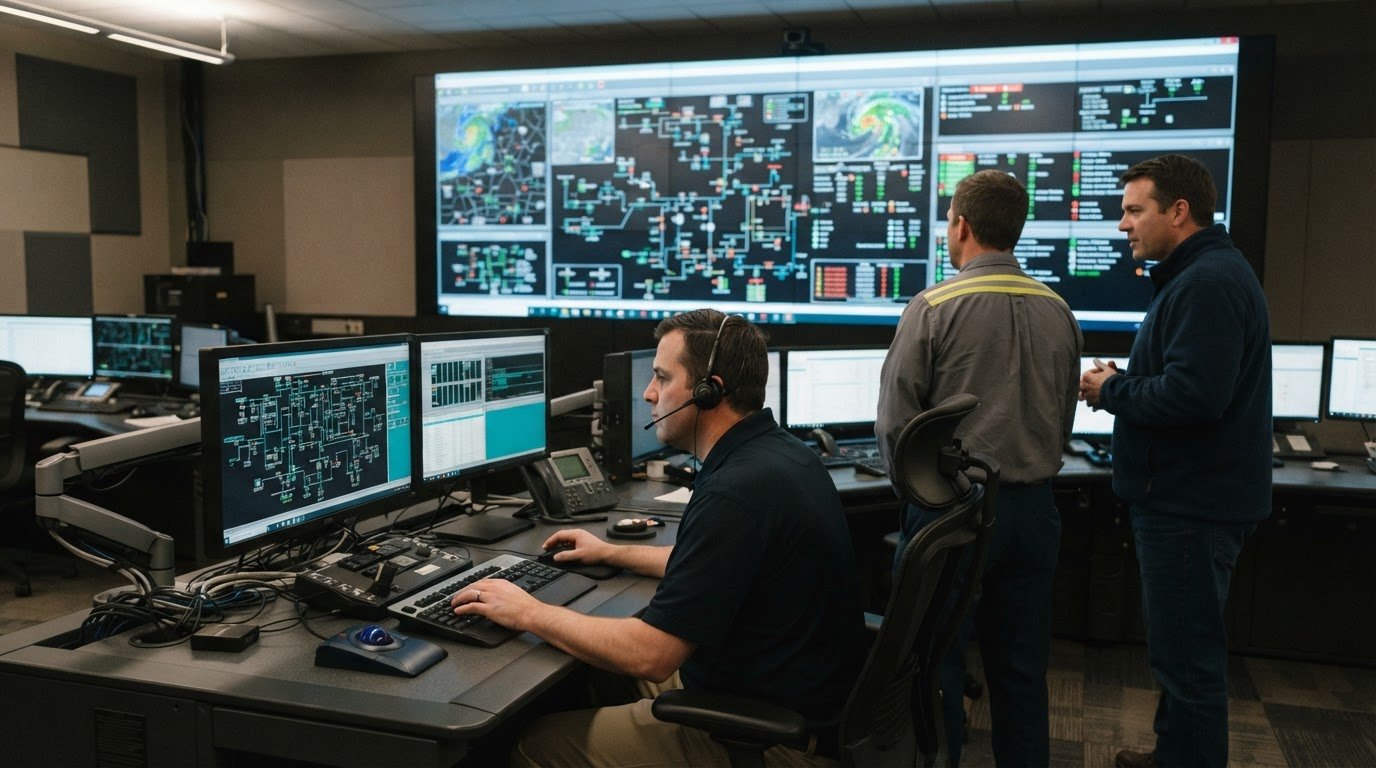
A scope gap can surface at the worst possible moment: when operators need a clear, trusted picture to act. Knowing how to write a scope of work for a control room project means defining the operational outcome, deliverables, boundaries, trade responsibilities, and acceptance criteria before design and integration begin. The scope gives stakeholders a shared basis for decisions and makes proposed changes easier to assess.
That clarity matters because fragmented systems, data silos, and missing automatic escalation can leave teams without the context they need. Most control rooms already have the screens. What they’re missing is the layer that decides what goes on them – and escalates automatically when something needs attention. This guide explains how to set the objective, define included and excluded work, assign interfaces across trades, write testable acceptance criteria, document gaps and assumptions, and review the scope with those responsible for delivery and operational readiness. The result is a scope grounded in how people work, not just a list of equipment.
Key Takeaways
- Document fragmented systems, data-feed silos, and missing escalation paths before defining the technical solution.
- Set a shared project objective, then describe deliverables, exclusions, assumptions, constraints, and scope boundaries.
- Assign each trade clear responsibility for its work, interfaces, dependencies, and approvals.
- Make acceptance criteria observable so teams can assess operational readiness and approve completed work.
- Review ambiguities and change requests together; consider vis/ability when teams need a central hub for operational information.
Define the Operational Gaps Before Specifying the Control Room
Start with the work operators must perform and the information they need to make decisions. A control room project can add technology without solving the underlying problem if teams still switch between disconnected applications, interpret conflicting data, or depend on someone noticing and reporting an event. Record where these breakdowns occur during routine monitoring, incident response, and shift handoffs.
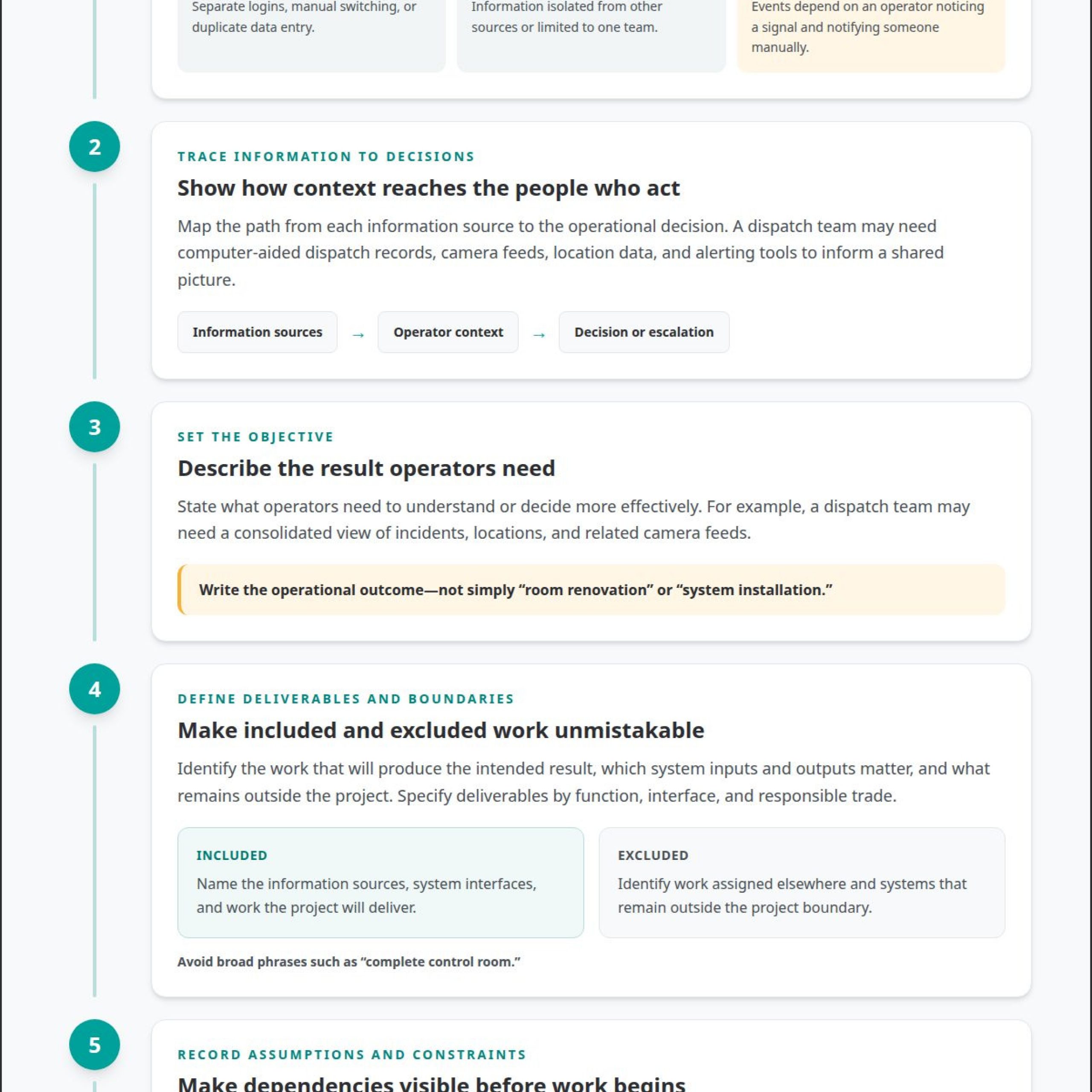
Map the information path from source to decision. A dispatch team, for example, may use computer-aided dispatch records, camera feeds, location data, and alerting tools. If each feed sits in a separate interface, operators must assemble context themselves. These silos slow shared understanding and make it harder to see how one event relates to another. In manufacturing process control operations, the scope should likewise identify which systems and teams need a coordinated operational picture.
- Fragmented systems: Identify applications that require separate logins, manual switching, or duplicate data entry.
- Data-feed silos: Note information that remains isolated from other sources or reaches only one team.
- Missing escalation: Describe events that depend on an operator noticing a signal and manually notifying the next person.
Turn each gap into an operational requirement. State what information must come together, who needs to see it, and what action or escalation should follow a defined event. Tie the requirement to the decision, not a preferred display or device. This gives the project team a clear problem to solve while leaving room to determine the right integration approach.
Most control rooms already have the screens. What they’re missing is the layer that decides what goes on them – and escalates automatically when something needs attention. vis/ability is an operational intelligence layer that surfaces through the video wall. The video wall is where its answer appears: the relevant information and priorities operators need to recognize context and act. Let those needs guide the room design, so the environment supports operators rather than dictating how they work.
What Is Project Scope?
Project scope defines the result, work, boundaries, assumptions, and completion criteria. For a control room, it connects project execution to operators’ situational-awareness needs. A clear scope gives stakeholders a shared basis for assessing changes. Understanding these elements is a practical starting point for learning how to write a scope of work for a control room project.
- Define the operational objective. State what operators need to understand or decide more effectively. For example, a dispatch team may need a consolidated view of incidents, locations, and related camera feeds. Describe the operational result, rather than simply naming a room renovation or system installation. Project management specialists may begin by defining scope or goals using client input, according to the U.S. Bureau of Labor Statistics.
- Describe deliverables and boundaries. Identify the work that will produce the intended result, along with excluded work. A defined scope should clarify which system inputs, outputs, and organizational interfaces matter; the Internal Revenue Service identifies these as elements of scope definition. For example, name the included information sources and distinguish them from systems that remain outside the project.
- Record assumptions and constraints. Document conditions that shape execution, such as access to existing systems, source-data availability, or coordination between operational and technical teams. State who supplies required information and when decisions are due. If an assumption changes, the project team can assess the impact instead of allowing an unplanned task to become accepted work.
- Control scope changes. Use a project management process to record each proposed change, its reason, its effect on deliverables, and the decision-maker’s approval. A request to add another data feed, for example, should trigger a review of integration work and acceptance criteria. Teams learning how to write a scope of work for a control room project can use a tailored template to standardize this review. This discipline helps prevent scope creep while keeping decisions tied to operational needs.
A project scope statement creates a shared understanding of deliverables and helps the team plan, estimate, and manage change. Clear communication and decision rights help reduce the risk of scope creep.
Scope Exclusions and Trade Responsibility Assignment
Specify consoles, furniture, displays, and audiovisual systems by function, deliverable, interface, and responsible trade. Document risks, assumptions, exclusions, constraints, and change approvals so each boundary stays clear throughout the project.
Defining Inclusions and Exclusions
List each included deliverable and define its boundaries. For consoles and furniture, describe the required locations, intended operator use, and coordination with room design. For displays and audiovisual systems, state what the project includes, such as installation, connection, or integration, and identify work assigned elsewhere—for instance, when specialized display hardware and video distribution equipment from Synergy Medical Inc. are handled through a separate trade package. Avoid broad phrases such as “complete control room.”
Separate exclusions from assumptions. For example, state whether existing network infrastructure remains in place, and identify any work outside the project boundary. Record constraints such as access to operational areas or dependencies on existing systems. Specialized hardware or software may address specific functions, but provide only a partial solution; define any interfaces and related work required for the wider operational need.
Use a deliverables schedule to link each item to its acceptance owner. This makes omissions easier to spot before work begins.
Assigning Trade Responsibilities
Assign a named role or trade to every deliverable, interface, and approval. For example, identify who supplies console furniture, coordinates power and network connections, and integrates audiovisual systems—whether engaging an AV integration provider like JVG Sound Lighting & Visual Pty Ltd for display hardware or utilizing an internal team. Clarify which party provides design information, installation, configuration, testing, and handoff. Avoid assigning the same task to multiple trades without naming one accountable lead.
Record handoffs between trades. If furniture placement affects display sightlines or cable routes, specify which team provides the required dimensions and when. Identify dependencies on the owner, facility team, or existing technology systems. A responsibility matrix can show who performs, reviews, and approves each task, helping prevent gaps between contracted work packages.
Document risks and change control alongside assignments. For each assumption, state the impact if it proves incorrect and who evaluates that impact. Define how proposed changes are submitted, assessed for their effects on schedule and deliverables, and approved before work proceeds. Name one authorized decision-maker for scope changes, and keep approval records with the project documents.
Acceptance Criteria
Include design, integration, testing, commissioning, and handoff phases, with milestones tied to completed deliverables. Clear acceptance criteria are central to how to write a scope of work for a control room project because they define the evidence required for approval. Set criteria that show whether systems work as intended, operators can use them, and the designated approver accepts the results.
Setting Acceptance Criteria
- Define observable results for each deliverable. For an integrated incident view, criteria might require agreed data sources to appear with correct labels and context. State the test method, expected result, evidence to record, and person responsible for review. Avoid terms such as “works properly,” which leave acceptance open to interpretation.
- Connect each test to an operational task. A control room team might demonstrate that an operator can locate an incident, view related information, and follow the documented escalation path. Include tests for system interfaces, user workflows, and handoff materials. Set criteria during planning so the delivery team can build and test against the same expectations.
Planning Approvals and Final Acceptance
- Assign approval authority at each milestone. Name the operational representative who reviews workflow tests, the technical lead who reviews integration evidence, and the sponsor who grants final acceptance. Record the required evidence and approval method. A milestone can close when its deliverables pass the agreed tests and the authorized reviewer records the decision.
- Resolve uncertainty through a documented decision. For an uncertain interface, the project team can accept the risk, transfer responsibility to an accountable party, or mitigate it through a test or design change. Record the selected response, owner, and effect on acceptance criteria. If a test fails, document the issue, corrective action, retest result, and approval before closing that milestone.
Keep the schedule tied to verifiable handoffs. For example, make integration testing a milestone after interface configuration, then schedule operational workflow testing before final acceptance. Define dependencies and approval owners alongside each milestone. For teams planning how to write a scope of work for a control room project, this sequence connects progress tracking to evidence operators and decision-makers can review. Final approval should confirm that agreed criteria are met, open issues have documented dispositions, and operational ownership has transferred through the planned handoff.
Scope Gaps, Ambiguity, and Construction Change Orders
Unclear interfaces and missing site details can create rework during construction. Record uncertainties early, then route proposed changes through documented review and approval.
Identifying Scope Gaps and Ambiguity
- Compare deliverables with interfaces and handoffs. Look for work that falls between trades, such as cable pathways where furniture, electrical, and audiovisual work meet. Clarify who supplies, installs, connects, and tests each component. Replace phrases such as “as needed” with defined responsibilities, boundaries, and completion evidence.
- Document each unclear expectation. Name the affected components, stakeholders, and decision required. For example, record whether relocating an existing device is included in the project or requires a change request. Everyone should understand the baseline before construction starts, so assumptions do not become disputed additions later.
Documenting Site Surveys and Requirements
- Capture existing conditions before design. A site survey should record room dimensions, access routes, operator positions, sightlines, existing furniture, and visible service connections. Note constraints that could affect installation or operational use, such as restricted access or equipment that must remain in service. Tie each observation to a drawing, photograph, or written requirement.
- Record operational and facility requirements. Identify who uses the room, how they work, and which activities must continue during construction. Document requirements for consoles, displays, audiovisual systems, power, cooling, and cabling as applicable. State assumptions and dependencies clearly; do not treat an unverified site condition as an agreed deliverable.
Recording IT and Integration Requirements
- Describe each system connection and its owner. Document source systems, data exchanged, network interfaces, access requirements, and the party responsible for providing connection details. For cybersecurity, record applicable organizational policies, access controls, review responsibilities, and approval points. Keep requirements specific enough for technical teams to assess without assuming every system connects in the same way.
- Control changes through a recorded decision. For each request, document its reason, affected components, schedule or deliverable impact, and stakeholder approval. A construction change order should identify the revised work and authorized approver before that work proceeds. Track the decision with the scope baseline, then update related drawings, responsibilities, and acceptance records.
Sharing and Reviewing the Scope Statement
Define objectives as operational results, then connect each boundary and deliverable to those results. A complete statement records assumptions, constraints, responsibilities, milestones, acceptance criteria, and approval authority.
- Write the objective around an operator decision. For example, state that operators need a shared view of incident information to assess events and coordinate a response. List the deliverables that support that outcome, such as integrated data sources, workflows, and an operational display environment. Identify excluded work and assumptions so readers can distinguish committed results from dependencies.
- Organize the statement for fast reference. Use clear sections for objectives, included work, exclusions, interfaces, schedule, acceptance criteria, and approvals. Define technical terms when they first appear. A stakeholder reviewing the integration section should be able to identify source systems, responsible parties, and expected handoffs without searching separate project documents.
- Describe the operating model in the example. vis/ability is an operational intelligence layer that surfaces through the video wall, acting as the central hub for connected tools. The video wall is where the answer appears through vis/ability, so the scope should specify which operational information and workflows the shared picture must support. The display is where that information appears, not the objective by itself.
- Share one controlled version with reviewers. Distribute the same statement to operational leads, IT, facilities, integrators, and project decision-makers. Include the document owner, revision date, and approval status. For example, reviewers can comment on the relevant section while the owner records the resolution and updates the reference copy.
- Resolve comments before approval. Ask each stakeholder to identify unclear deliverables, conflicting assumptions, or missing interfaces. Record decisions, open items, and the person authorized to approve changes. Final sign-off should show that the objective, boundaries, responsibilities, and completion criteria align, giving the project team a usable baseline throughout execution.
During review, test the statement against the decisions the team must make, rather than treating approval as a formality. Confirm that every deliverable has a clear owner, dependencies are visible, and acceptance can be demonstrated using the stated criteria. Check whether exclusions leave gaps between teams, especially where information, access, or facilities support crosses an interface. When a comment suggests new work, distinguish a clarification from a change to the agreed boundary. Record its impact and route it to the authorized decision-maker before revising the baseline. Keep the scope tied to agreed work and assumptions so reviewers can identify mismatches before commitments are made.
Reviewers can make their feedback more useful by identifying the passage at issue, describing the operational consequence, and proposing what would resolve the ambiguity. The owner can group related comments, note whether they were accepted or declined, and preserve the rationale with the decision record. Recheck the revised statement against the objective, interfaces, exclusions, schedule, and acceptance criteria; a change in one area may alter responsibilities or completion evidence elsewhere. A construction SOW review is described as taking five minutes, which is less costly than a potential $10,000 dispute. Treat that review as a practical opportunity to catch vague wording, omitted obligations, or assumptions that have not been confirmed. Once the approved copy is circulated, direct later edits through the change process so teams continue to work from the same agreed scope.
Activu Corporation: Control Room Design Services
Activu Corporation can help project teams align control room design with operational requirements. Its Control Room Design Services translate scope priorities into design decisions. Bring operator workflows, information needs, constraints, and open questions identified in the project statement.
Fragmented systems, disconnected information, and a lack of automatic escalation can make coordination difficult. Teams need a shared view of the information and issues that shape daily operations. Document workflows and requirements to guide design discussions around how people work, not isolated room components.
Most control rooms already have the screens. vis/ability is the central hub for operational applications and data, an operational intelligence layer that surfaces through the video wall. The wall is where answers appear for shared awareness, based on the information teams need and the decisions they must make.
vis/ability connects teams in command centers, remote locations, conference rooms, breakout rooms, huddle rooms, and on mobile devices. Define intended operational uses and system interfaces in the scope, then connect those requirements to the project’s design and acceptance process.
To make a discussion productive, prepare the current scope statement, its operational priorities, and unresolved design or integration questions. Activu Corporation can discuss how its Control Room Design Services, vis/ability Platform, or Event-Driven Situational Awareness may fit the project’s needs. Contact Activu Corporation to discuss your control room project.
Frequently Asked Questions
What Is a Scope of Work?
A scope of work is a practical reference for coordinating agreed work from planning through delivery. Teams use it to distinguish project commitments from separate operational or facility needs. For instance, a control room initiative might cover integrating selected information sources, while a separate facilities effort handles unrelated building upgrades. This distinction helps stakeholders direct requests to the right workstream.
What should a scope of work for a control room project include?
Include the operational scenarios the finished environment must support. For example, describe how an operator handles routine monitoring, an emerging incident, and a shift handoff. Note where existing process diagrams, system inventories, or room drawings inform those scenarios. These references give designers and integration teams useful context, help identify conflicting source information, and make it easier to trace design decisions to real operating conditions.
What safety, accessibility, building code, and permitting requirements apply to control room projects?
Requirements depend on the building, proposed work, and authorities having jurisdiction. During planning, identify applicable accessibility needs, safe circulation and egress, electrical and fire-protection considerations, and any permits tied to construction or equipment installation. Record who will evaluate each item and how approvals will be documented. Engage qualified design professionals and relevant local authorities to establish which requirements apply to the project and site.