

For steady-state operations, EEMUA Publication 191 recommends an average of no more than one alarm every ten minutes; after a major plant upset, it recommends fewer than ten alarms displayed in the first ten minutes. Effective alarm management and visualization helps operators focus on the signals that need action while keeping event records available for review.
Alarm floods make it harder to distinguish urgent alerts from nuisance alarms, but a high alarm count alone does not show whether the system is working well. What matters is whether alarms are relevant, prioritized, and displayed clearly enough to support a timely response.
This guide explains how to monitor live alarm activity, investigate events through their records, and organize displays around severity and operational context. It also covers grouping and suppression to reduce clutter during an upset while preserving individual events for troubleshooting.
Key Takeaways
- Use alarm filtering and latch variables to manage repeated event signals while keeping the underlying activity reviewable.
- Capture useful event metadata so operators can reconstruct what happened, when it occurred, and how the alarm was handled.
- Set priorities around operational significance, then make the most urgent signals clear on fixed-location displays.
- Review alarm trends and event records to identify flood patterns, recurring nuisance alarms, and opportunities to refine the system.
- Build a real-time overview that groups activity by severity and operational context, helping teams direct attention where it matters.
What is alarm management software?
Alarm management software monitors events, applies defined filters, and presents operators with prioritized information. ISA-18.2 and IEC 62682 guide teams in structuring alarm management through documented practices, rationalization, design, operation, and ongoing review.
-
Filter Events with Latch Variables
Configure latch variables to retain an alarm condition until a defined reset or acknowledgment occurs. Before using these variables as filter criteria, inspect their contents, including the event state and relevant device or process identifier.
For example, a control-room application can use a latched status to group repeated signals linked to one equipment condition. Keep the underlying event record intact, and test how the filter behaves when the condition clears, returns, or remains active. A latch should clarify the event state, not hide an unresolved alarm.
-
Prioritize and Filter Alarms
Assign alarm priorities according to the response each condition requires, then filter duplicate or nuisance signals from the operator’s immediate view. Keep safety-related alarms prominent and preserve individual records for later troubleshooting.
Clinical alarm filtering needs careful review because an estimated 80-99% of hospital alarms are false or clinically insignificant. Configure escalation around the alarm’s urgency and acknowledgment status; don’t suppress a signal if doing so could conceal a meaningful change in a patient’s condition.
- Set a clear alarm banner in the monitoring application. Show the active condition, priority, affected device, and acknowledgment state, then let operators filter the banner by severity or equipment group. A dashboard can distinguish urgent events from lower-priority notifications while preserving access to the complete event list.
- Implement the system in a control room by documenting alarm philosophy, rationalizing existing alarms, configuring priorities and filters, testing operator displays, and reviewing performance during operation. ISA-18.2 describes a lifecycle that spans philosophy and rationalization through design, operation, monitoring, and continuous improvement. Treat each stage as a controlled implementation step.
- Limit cybersecurity, safety, and operational risks by controlling access to alarm settings, reviewing configuration changes, and testing alert routing. Unauthorized edits can alter what operators see; failed connections can interrupt event delivery; and poor filtering can obscure a developing hazard. For distributed teams, verify that each application displays the intended alarms and escalation state.
During upset conditions, software can help reduce alarm fatigue by prioritizing and filtering nuisance and duplicate alarms. Grouping and suppression can keep individual alarms recorded for troubleshooting while showing operators condensed, relevant information.
Alarm event metadata and audit logs
Useful event records help operators reconstruct alarm activity and evaluate system configuration. Use the steps below to make each record actionable for investigations, routine reviews, and updates.
- Define the metadata each event needs for investigation. Capture the date, customer or operating area, asset, severity, alarm code, and maintenance object where relevant. For alarms linked to service tickets, retain the timestamp, customer, and affected asset. These fields connect an alert to its source and operational context, rather than leaving operators to interpret an isolated code.
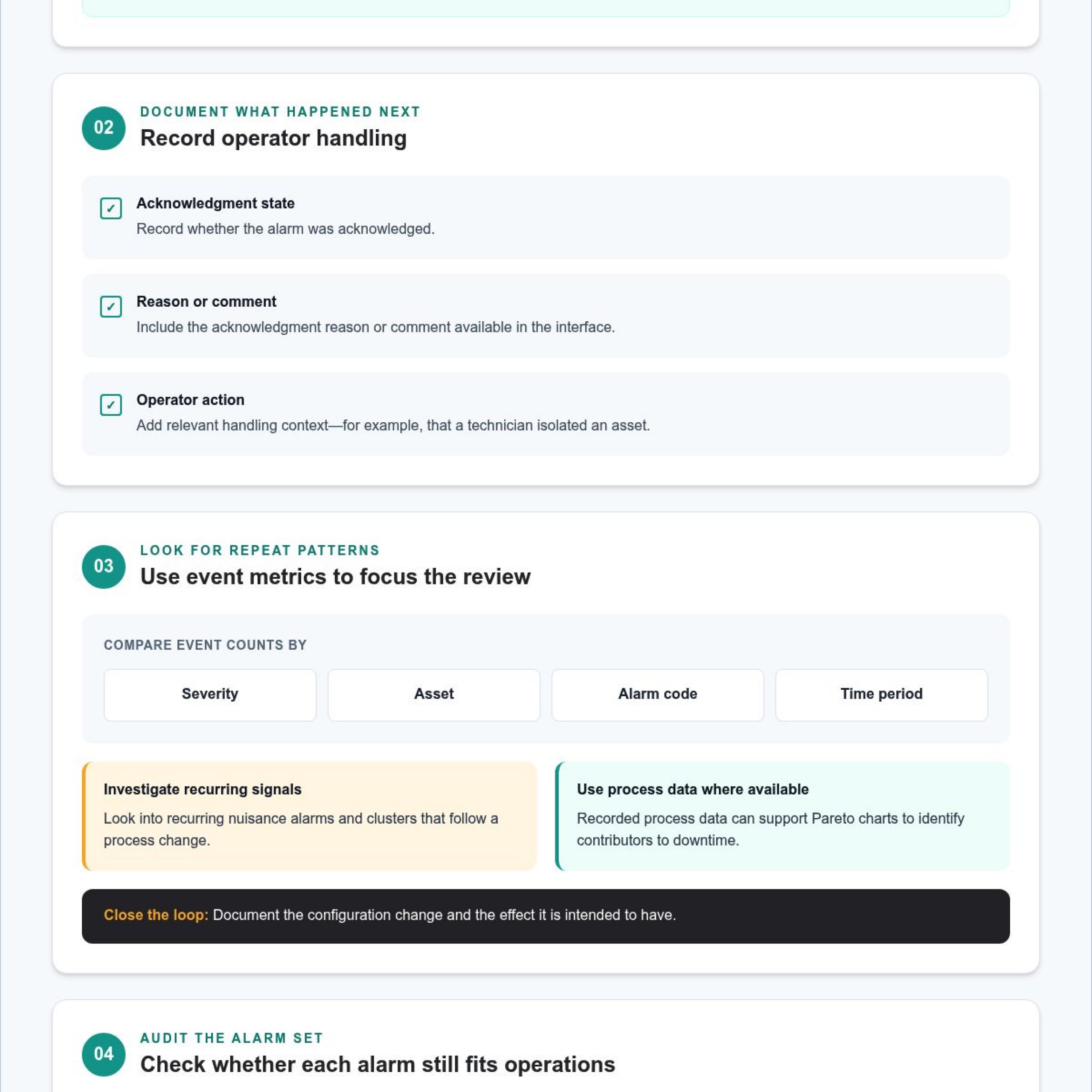
- Record operator actions alongside each alarm. Include whether the event was acknowledged and any acknowledgment reason or comment available in the interface. For example, a note that a technician isolated an asset gives reviewers context a timestamp alone cannot provide. Keep event details legible and consistent across applications so the alarm can be traced through its handling.
- Review alarm metrics for patterns that require action. Compare event counts by severity, asset, alarm code, and time period, then investigate recurring nuisance alarms or clusters following a process change. Recorded process data can support Pareto charts to identify contributors to downtime. Use the results to focus on recurring causes, then document the configuration change and its intended effect.
- Audit the alarm set systematically. Decide whether each alarm remains necessary and correctly configured, then check its priority, event description, and response path. Regular reviews and updates can help prevent fatigue caused by frequent nuisance signals. Dynamic alarm rationalization uses process changes and historical data to guide adjustments and keep the configuration aligned with current operating conditions.
- Turn audit findings into a controlled update cycle. Assign responsibility for reviewing proposed changes, record the reason for each adjustment, and preserve the previous setting in the audit trail. After a change, monitor the affected alarm’s recurrence, acknowledgment, and escalation behavior. Event-driven situational awareness helps teams connect changing events with their operational context and maintain a broader view.
Use this basic test for every alarm: is it needed, and is it correctly set? Considering both questions prevents treating a setting as acceptable just because the alarm exists, or treating an alarm as useful just because its setting is correct. Reach a clear conclusion on each point before considering the alarm suitable. If either answer is no, the alarm has not passed the review and should remain under consideration.
Alarm prioritization and fixed-location displays
Set alarm priorities according to the response each condition requires, then make the distinctions clear on the fixed display. Use the steps below to keep urgent signals visible and support consistent handling.
-
Assign Alarm Severity Priorities
Classify each alarm by its consequences and the action the operator must take. A safety-related condition requiring immediate intervention should rank above a status notification that needs routine follow-up. Define the meaning, response, and escalation path for each priority. Avoid assigning high priority to every alarm, since doing so removes the distinctions operators need during a developing situation.
Review alarm limits for the same process value together. Digital systems can assign levels such as high and high-high, or low and low-low. Confirm that each level signals a meaningful change and requires a distinct response. If two levels trigger the same action, reconsider whether both need to appear on the display.
-
Configure Annunciation and Fixed Displays
Configure annunciation so the fixed-location display makes priorities clear through labels, position, and visual treatment. Keep the alarm description, affected asset, current state, and acknowledgment status together. For example, operators should be able to distinguish an active high-priority alert from an acknowledged lower-priority event without opening several screens.
Test the layout from the operator’s normal position. Check that important text is legible and that a changing alarm does not disappear behind another application. A fixed display should support scanning, selection, and acknowledgment without forcing operators to search through unrelated information.
- Show current and past alarms in a way that supports comparison by priority. Provide a clear route to the event history and let operators record acknowledgment reasons or comments. After an alarm clears, for example, its recorded status and operator note can help explain how the situation was handled. Keep active alarms visually distinct from historical entries.
- Validate priority behavior with representative scenarios before relying on the configuration. Test a single urgent alarm, several alarms arriving together, and an alarm that remains unacknowledged. Confirm that annunciation draws attention to the highest-priority condition while operators can still access lower-priority records. This check can reveal display rules that work in isolation but obscure essential information during simultaneous events.
- Review the priority distribution across the operating environment. If routine notifications receive the same emphasis as alarms requiring immediate action, operators lose a useful cue. Compare each alarm’s assigned severity with its required response, preserve meaningful distinctions, and revisit the display after configuration changes.
Digital alarm displays and alarm floods
Use digital displays to track active alarms and spot event surges before they obscure operator priorities. The steps below connect live activity with reviewable records and practical follow-up.
-
Monitor Alarms on Digital Displays
Configure the display to show active status, severity, timestamp, and affected asset together. During monitoring, compare new alarms with nearby events; several signals from one asset, for example, may share a process cause. Keep the summary easy to scan while preserving access to each event record. Operators need those details to confirm the source and decide whether the signals require separate responses.
-
Identify Floods and Nuisance Alarms
Look for rapid bursts, repeated codes, and alerts that prompt no distinct action. Use timestamps and affected assets to determine whether a single initiating event produced multiple alarms. Then examine recurring signals under similar operating conditions. This helps distinguish a genuine cascade from nuisance activity, so teams can investigate causes instead of treating every notification as an unrelated problem.
- Compare alarm volume with the operating situation before changing the configuration. A process upset may produce several downstream signals, while repeated alerts can also indicate a nuisance condition. Review event sequences and asset relationships to identify the likely pattern. Do not suppress an alarm just because it appears during a surge; first establish whether it contains information needed for a critical response.
- Assess nuisance alarms by recurrence, relevance, and the operator action required. If an alert repeatedly appears without prompting a meaningful response, for example, review its trigger and operating context. Adjust the configuration only when the investigation supports a change. Preserve the original event records so later troubleshooting can reconstruct what operators saw before filtering or grouping changed the live display.
- Trace an alarm flood through its event history, from the first signal to the final acknowledgment. Check timestamps, priority changes, and operator comments to determine where handling became difficult. If several alarms share a timestamp or asset, investigate whether they reflect one underlying condition. This sequence gives reviewers a practical basis for identifying gaps in escalation and display logic.
- Test digital displays with realistic scenarios, including a sudden burst and recurring nuisance signals. Confirm that operators can locate the initiating event, understand the required response, and open related records without losing context. After each test, review the alarm configuration and display behavior together. Revise filters that conceal useful details, then repeat the scenario to confirm the updated view supports clear decisions.
Real-time alarm activity overview
Build a live overview showing where alarm activity is concentrated and which events need attention. A useful dashboard connects current signals with severity, asset, and operating context.
- Start with a real-time dashboard covering the monitored environment. Show active alarm counts and break activity down by severity, product, error code, and asset. These views help operators identify whether a problem is isolated or spread across systems. Keep the overview focused on decision-ready information, with a route from each summary to its underlying events.
- Separate alarm volume from operational significance. A high count may reflect repeated signals from one source, while fewer alarms may indicate a more urgent situation. Compare severity and affected assets before directing a response. For example, investigate a cluster tied to one asset alongside any high-priority event, rather than treating all activity as a single undifferentiated total.
- Use trend displays to reveal changes across operating periods. A daily alarm trend chart can distinguish minor alarms in yellow from major alarms in red. Look for sudden increases, recurring peaks, or shifts in severity. Pair each visible change with event records so operators can determine whether process conditions, configuration changes, or recurring nuisance signals explain the trend.
- Segment the overview by the operational group responsible for the response. A customer alarm panel, for example, separates alert data by client. A summary table can show date, customer, asset, IP address, severity, alarm code, onboarding status, and maintenance object. These fields help teams identify ownership and context without scanning unrelated dashboard activity.
- Connect live totals to actionable records. An alarms-by-tickets table can include timestamps, customer, and affected assets for alarms linked to service tickets. Use these details to see whether an active alert already has a response underway. Keep the live overview concise, while making related records accessible to operators who need to trace prior actions.
- Review the dashboard during live operations and after alarm configuration changes. Check whether emerging activity is visible, priorities remain clear, and operators can move from summary to detail without losing context. For a unified operational view, explore operational intelligence for control rooms to connect distributed information and support shared decisions.
Activu Corporation: Video Wall Systems
Fragmented applications, siloed data, and manual escalation can leave operators without a shared operational picture. Activu Corporation addresses this challenge with vis/ability, which brings information together before it reaches the video wall. Many control rooms already have screens; the missing piece is a software layer that determines what appears on them and supports timely escalation.
vis/ability is an operational intelligence layer that presents information across video walls and other displays, while connecting tools and data. Teams can use it across command centers, remote locations, conference and breakout rooms, huddle rooms, and mobile devices. Activu’s event-driven situational awareness and application integration bring operational information into a shared view.
Contact Activu Corporation to discuss your control-room requirements.
Make the next alarm easier to act on
Use your next operational review to map how an alert moves from detection to decision. Identify where operators lose context, where escalation depends on manual handoffs, and which teams need the same live picture. These findings turn alarm management and visualization into a practical design question: what information must reach the right person, and what should happen next?
Then test the workflow against real operating scenarios. Trace a developing event across the systems involved, note where teams switch applications, and assess whether each handoff preserves the details needed for action. This gives control-room leaders a concrete basis for improving coordination without adding noise to the operator’s view.
When fragmented feeds or disconnected workflows limit shared awareness, Activu Corporation can discuss how its solutions fit your control-room needs. Contact Activu Corporation to discuss alarm displays and define a clearer path from live activity to informed action.
Frequently Asked Questions
How many alarms is enough?
For steady-state operations, EEMUA Publication 191 recommends an average of no more than one alarm every ten minutes. After a major plant upset, it recommends fewer than ten alarms displayed in the first ten minutes. Treat these as operational benchmarks, then assess whether each alarm prompts a useful response. If operators can’t distinguish urgent conditions from routine notifications, review the alarm configuration and operating context.
What is alarm management and visualization in industrial control systems?
Alarm management and visualization combines alarm rules, prioritization, displays, and event records so operators can interpret changing conditions. In an industrial control system, a pressure deviation might trigger an alarm, appear alongside its asset context, and be recorded for follow-up. Visualization makes the signal easier to assess; management defines how it is classified, presented, acknowledged, and reviewed.
What are the core features of alarm management software and dashboards?
Core capabilities include capturing alarm events, assigning severity, filtering or grouping signals, and showing current activity in a dashboard. Operators also need access to event history and a way to record acknowledgments or comments. A practical test is whether a shift lead can move from an overview to the relevant asset record and understand what action has already occurred. That path helps turn raw alerts into coordinated handling.
What are best practices for designing clear, actionable alarm visualizations?
Design each display around the decision an operator must make. Use consistent labels, distinguish active from cleared conditions, and do not rely on color alone to communicate severity. For example, pair a high-priority label with a concise description and the affected equipment. Test the layout during shift handoffs and simultaneous events, when operators need to scan quickly and preserve context across screens.
How can alarm floods, nuisance alarms, and standing alarms be reduced?
Reduce nuisance alarms by investigating repeated events, correcting unnecessary alarms, and reviewing conditions that remain active without a clear response. Compare event timing with process changes to identify common triggers. For standing alarms, identify the underlying condition and assign a corrective action rather than repeatedly acknowledging the same signal. Keep records available during filtering so troubleshooting preserves the original event sequence.
What metrics measure alarm system performance, such as alarms per operator per hour?
Track alarms per operator-hour alongside priority distribution, repeated alarm frequency, standing alarms, and acknowledgment patterns. Compare these measures across operating periods and shifts to spot workload changes or recurring problem assets. Interpret counts in context: a lower total does not necessarily indicate better performance if important events are missing. Combine quantitative trends with operator review to identify alarm settings or procedures that need attention.
How do leading alarm management and visualization platforms compare in features and pricing?
Features described include prioritizing, filtering, grouping, and suppressing alarms while preserving event records, as well as dashboards that show activity by severity, product, error code, and asset. No pricing information is provided for comparing platforms.
How does alarm management differ across process industries and facility sizes?
Across process operations, priorities should reflect the response required, and grouping or filtering can reduce clutter while preserving individual records. Clinical alarm filtering needs particular care to avoid concealing meaningful patient changes; plants may also need to track large numbers of machines, data points, and workers.