
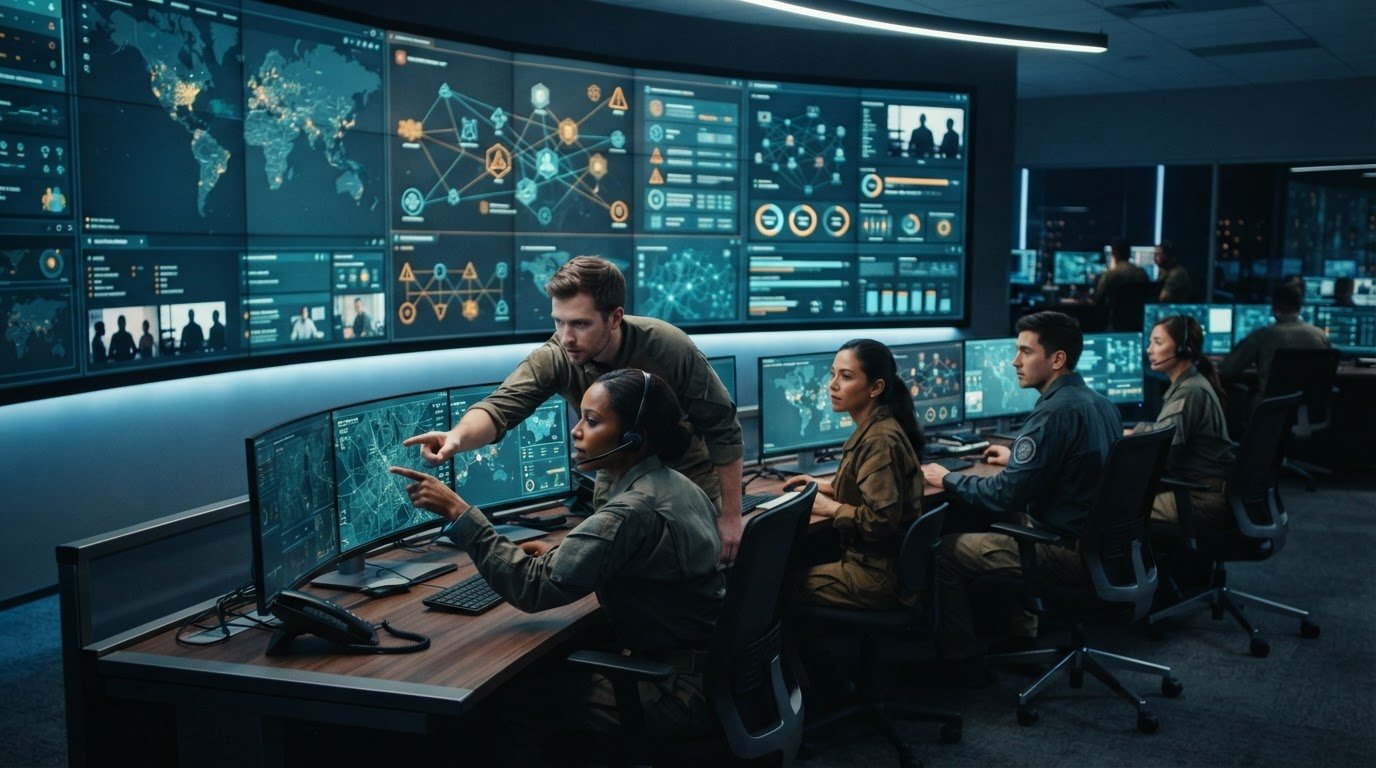
How can command center teams coordinate action when each operator sees a different version of an event? Creating a collaborative environment in a command center starts with solving that operational gap: fragmented systems, disconnected data feeds, manual escalation, and silos between in-room and remote teams. Operators need the same timely context to understand priorities and act with confidence.
Most control rooms already have the screens. What they’re missing is the layer that decides what goes on them – and escalates automatically when something needs attention. Activu’s vis/ability is an operational intelligence layer that surfaces through the video wall, bringing information from existing tools into a central hub for coordinated awareness. The wall is where that shared picture becomes visible to the team.
This article outlines a practical approach to moving information from detection to coordinated action. You’ll learn how to establish a consistent operating picture, clarify escalation and human ownership, and extend shared context across command centers, conference and breakout rooms, remote locations, and mobile users.
Key Takeaways
- Fragmented systems, data silos, and manual escalation can leave teams working from different versions of an event. Map where information breaks down before selecting new tools.
- Creating a collaborative environment in a command center starts with defining information sources, decision owners, roles, and escalation paths for a specific workflow.
- Most control rooms already have the screens. What they’re missing is the layer that decides what goes on them – and escalates automatically when something needs attention.
- Compare collaboration approaches by how well they connect information, preserve event context, support escalation, and fit operator workflows. vis/ability is an operational intelligence layer that surfaces through the video wall.
- Plan for shared context across command centers, conference and breakout rooms, remote locations, and mobile users, so teams can coordinate around the same operational picture.
Why command center collaboration breaks down across teams and systems
Fragmented systems, data silos, and unclear escalation paths can leave command center operators responding to the same developing event with different information. One team may see an alert, another may have relevant video or status data, and a decision owner may not know that action is needed. These are common sources of control room situational awareness problems: teams have information, but lack a consistent way to connect it, set priorities, and transfer responsibility.
How fragmented information weakens shared operational context
Separate applications often show different pieces of an event. Each view may help the person monitoring it, yet the broader picture remains distributed across tools. Operators must compare details, confirm whether updates refer to the same incident, and decide what deserves attention as conditions change. Differences in available information can leave teams with competing interpretations of the event.
Shared operational context is the timely, relevant information teams need to understand an event, its priority, and the actions already underway. It depends on more than access to data. Information must be organized around current events and surfaced in a way that supports each role’s decisions. A dispatcher, analyst, supervisor, and incident lead may need different details, while still relying on a coherent account of what is happening.
Why manual escalation and unclear ownership slow coordination
Consider a generic event: a system detects an anomaly, an operator reviews the signal, and the team determines whether it requires escalation. Someone then needs to notify the appropriate decision owner, share supporting context, and confirm who will take the next action. When each step depends on a separate message or handoff, details may be delayed, repeated, or left out. Teams may also assume another group has accepted responsibility.
These breakdowns point to a communication and workflow design problem, not necessarily a lack of operator skill. Experienced staff can still miss an update when ownership is ambiguous or information sits in disconnected tools. Frameworks such as the Incident Command System establish defined roles and reporting relationships; command center teams likewise need clear decision authority and escalation routes that fit their operations.
Creating a collaborative environment in a command center means addressing fragmentation, silos, and the lack of automatic escalation before selecting technology. Most control rooms already have the screens. What they’re missing is the layer that decides what goes on them – and escalates automatically when something needs attention. vis/ability is an operational intelligence layer that surfaces through the video wall, bringing connected tools and information into a central hub where the shared operational picture becomes visible to the team.
How to establish shared context, clear roles, and dependable escalation
Before choosing new technology, define how teams should work together. Creating a collaborative environment in a command center begins with a practical map of participating teams, information sources, decision owners, and escalation paths. This makes gaps visible while the process is still being designed, rather than during a developing event.
Map information flows and decision ownership
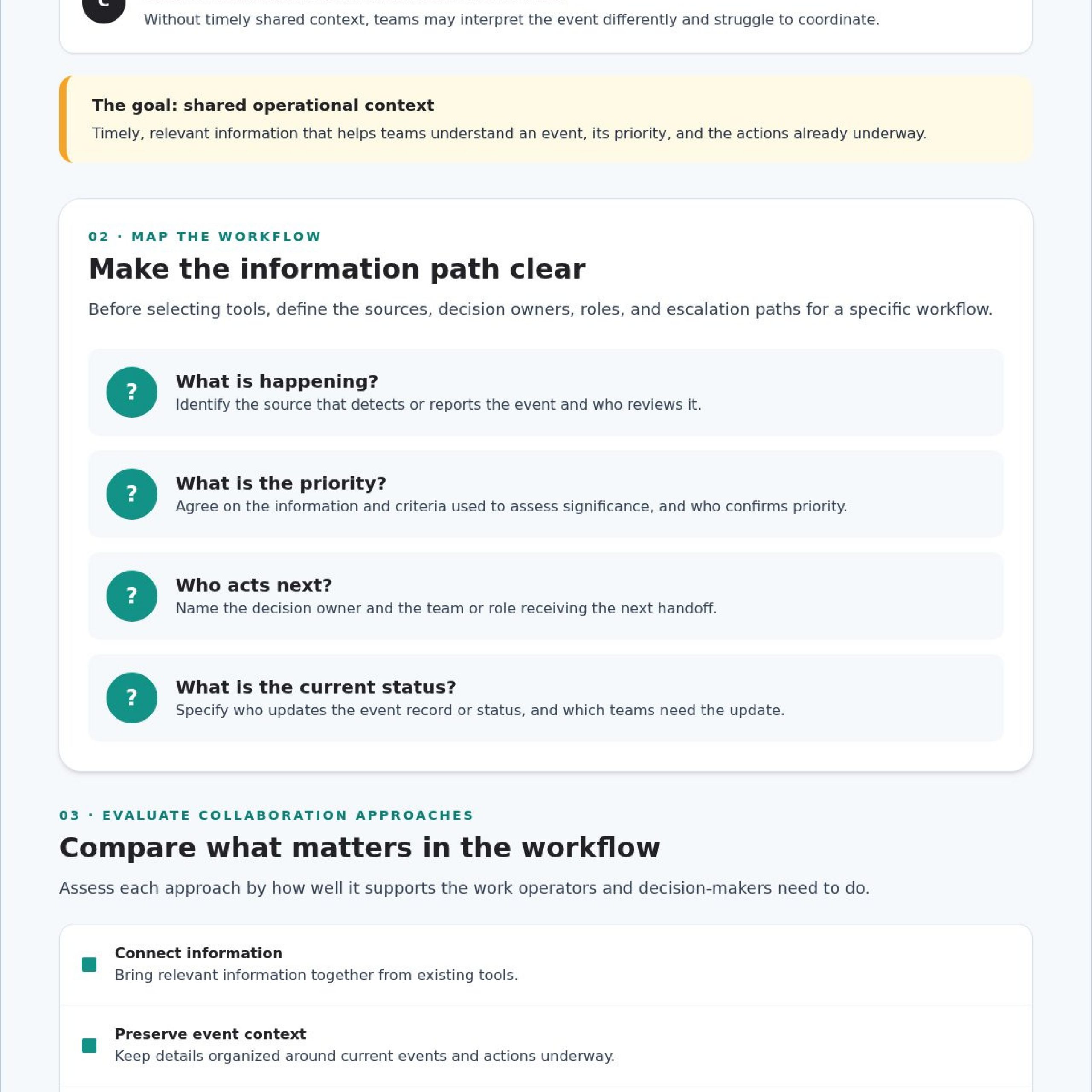
Start with the questions operators and decision-makers must answer during routine and high-priority events:
- What is happening? Identify the source that detects or reports the event and the role responsible for reviewing it.
- What is the priority? Agree on the information and criteria teams use to assess significance, then identify who confirms the priority.
- Who acts next? Name the decision owner and the team or role that receives the next handoff.
- What is the current status? Specify who updates the event record or communicates status, and which teams need that update.
Track where each answer comes from and what decision it supports. If information appears duplicated, delayed, or isolated in one team’s workflow, flag it for investigation. Don’t assume the cause before tracing how the information moves. Shared terminology and consistent status labels help teams distinguish an event that is newly detected from one under review, escalated, or assigned for action.
Set escalation rules teams can follow
For each event type, define the conditions that trigger escalation, who receives the notification, and what information must accompany it. Then specify how the recipient acknowledges the handoff, who owns the next action, and who provides status updates. Clear rules reduce ambiguity without removing the judgment operators need to assess changing conditions.
Use a workflow review to test the sequence against realistic scenarios. Ask operators to walk through detection, review, escalation, and response, including what happens when the expected decision owner is unavailable or the initial information is incomplete. Capture unclear instructions and revise them with the people who will use the process during live operations. FEMA’s National Incident Management System (NIMS) provides a reference for common approaches to incident management across participating organizations.
Once roles and information flows are clear, the team can assess which tools support the agreed process. Fragmentation, silos, and the absence of automatic escalation should guide that evaluation. vis/ability is an operational intelligence layer that surfaces through the video wall. Explore vis/ability platform information as one way to consider how connected information can support the workflow.
Compare collaboration approaches by integration, context, and usability
Fragmented information, data silos, and unclear escalation can leave teams without a dependable way to prioritize events or coordinate decisions. Adding more technology alone won’t resolve those gaps. Compare each approach by how well it connects information, preserves event context, clarifies ownership, and helps the right people access relevant updates.
What a shared display can and cannot do by itself
Disconnected point tools keep information in separate applications, so operators may need to reconcile views and pass details between systems. A shared display makes selected information visible to a team, but it doesn’t determine what matters, who owns the next action, or when escalation should occur. This helps explain the search “why operators miss incidents video wall”: a visible feed can still be overlooked when priorities and workflows aren’t clear.
vis/ability is an operational intelligence layer that surfaces through the video wall. The wall is where the answer appears for the command center team, because vis/ability brings relevant information into a shared operational view.
Use these criteria to compare approaches:
- Information integration: Point tools separate information; a shared display presents selected views; an integrated operational platform can bring connected tools and data streams into a shared operating picture.
- Event context: Check whether the approach helps operators relate updates to the same event and understand its status and priority.
- Escalation: Determine whether ownership and notification steps are clear or depend on manual handoffs.
- User access: Consider whether in-room, remote, and mobile decision-makers can access relevant context.
- Workflow fit: Confirm the approach supports established roles and decisions without adding unnecessary steps.
Questions to ask when evaluating an integrated approach
A practical answer to “how to manage multiple data feeds dispatch center” teams rely on starts by identifying what each feed contributes, who needs it, and which decision it supports. Then assess how existing applications and data streams can be brought into a common operational picture, and whether remote users can access the context required for their roles. The International Association of Fire Chiefs’ Emergency Operations Center (EOC) Toolkit offers additional operational guidance to consider alongside your workflows.
Validate the approach with operators and decision owners using realistic scenarios. Creating a collaborative environment in a command center requires a fit between information, people, and process. Activu’s control room design services provide a relevant starting point for considering how the operating environment supports collaboration.
Put a collaboration model into practice across rooms and remote teams
Fragmentation, data silos, and unclear escalation can persist even after teams agree on roles and decision paths. Put the collaboration model into practice one workflow at a time. Starting with a defined operational process lets operators, technical stakeholders, and decision owners test how information moves before extending the approach across the organization.
Pilot one workflow and validate it with operators
Choose a recurring coordination challenge with identifiable information sources, a clear decision owner, and a defined next action. Map the workflow from initial detection through review, escalation, and status updates. Include the people who perform each step, along with technical stakeholders who understand the systems and decision owners responsible for approving action.
Walk through representative scenarios and check whether participants can determine:
- What event is underway and which information supports that assessment.
- Whether the event is new, under review, or assigned for action.
- Who owns the next decision and how the handoff is acknowledged.
Ask operators where information is missing, duplicated, or difficult to interpret. Refine the information priorities and workflow based on their feedback before expanding the model. This keeps implementation grounded in actual operator tasks instead of assumptions made during planning.
Make collaboration work beyond the main control room
Teams may need to coordinate from the command center, conference and breakout rooms, remote locations, or mobile devices. Define what each group needs to see to carry out its role, and distinguish essential event context from detail that can remain available in its source application. Keep event status, ownership, and escalation information consistent wherever teams participate.
As the central hub, it brings connected tools and information together so the shared operational picture can reach in-room teams and users outside the control room. Explore SOC, NOC, and GSOC control rooms and mobile operational visibility as part of planning for different work settings.
Once the workflow has been validated, extend it to another coordination need and repeat the review. For guidance on aligning the operational environment with team workflows, contact Activu about command center collaboration.
Unify command center collaboration with an operational intelligence layer
For teams evaluating EOC common operating picture solutions, the core need is a dependable way to connect information with event context and decision-making workflows. Activu’s vis/ability platform aggregates real-time data and video streams to support event-driven situational awareness, bringing connected tools and information into a central operational hub.
How vis/ability connects information to coordinated action
The platform helps prioritize and surface relevant information for the command center team, with the wall serving as the place where the shared operational picture becomes visible.
Data informs context, and operators apply their judgment to decide what action an event requires. vis/ability supports that process by making relevant information available to the people coordinating a response. Teams define decision ownership and escalation procedures, then use the shared view to support those workflows.
Extend the shared operating picture to more teams
Coordination often reaches beyond the primary command center. Conference rooms, breakout rooms, and huddle rooms may bring decision-makers together, while remote locations and mobile users need visibility outside the control room. A shared operating picture helps participating teams work from consistent event context, status, and priorities suited to their responsibilities.
Mobile vis/ability extends visibility to users outside the control room. Review the vis/ability platform overview to learn how the platform brings information into a central operational view for teams working across locations.
Creating a collaborative environment in a command center depends on aligning information with team roles and established workflows. Discuss your command center collaboration needs with Activu.
Put shared operational context into action
Creating a collaborative environment in a command center starts with clear information flows, decision ownership, and escalation paths. Define those workflows first, then validate them with operators and decision-makers before extending them across teams and locations. The right approach helps people focus on relevant event information and understand who acts next.
Activu Corporation aggregates real-time data and video streams to support situational awareness, while mobile visibility extends visibility to users outside the control room. Activu also provides application integration and control room design services to support connected operational environments.
With a shared picture across command centers, meeting rooms, remote locations, and mobile users, teams can coordinate from more consistent context. Start a conversation about your operational workflows and collaboration priorities. Discuss your command center collaboration needs with Activu, and take the next step toward clearer, more coordinated decisions.
Frequently Asked Questions
How do you create a collaborative environment in a command center?
Start by mapping information sources, team roles, decision owners, and escalation paths. Agree on shared event terminology and priorities so participants can interpret status consistently. Then test the workflow with the operators who will use it and refine unclear handoffs before expanding it. Technology should support these practices by bringing relevant context together and making it available to the people responsible for decisions.
What causes poor collaboration in a command center?
Poor collaboration often stems from fragmented applications, isolated data, unclear ownership, and manual handoffs. Teams may see separate parts of a developing event and lack a consistent way to share updates or confirm who acts next. Review how information moves between roles, where handoffs occur, and who owns escalation. This helps identify coordination gaps before changing workflows or selecting technology.
How do you manage multiple data feeds in a dispatch center?
Identify what each feed contributes, who uses it, and which operational decisions depend on it. For example, map the source of an event update to the role that reviews it and the next decision owner. Establish priorities and define how event context moves between roles. An integrated operating view can bring relevant information together, while the workflow must still clarify responsibility and escalation.
Can a video wall improve command center collaboration?
A video wall can make selected information visible to a team, but it doesn’t establish event priorities, shared context, or escalation ownership by itself. First clarify how teams identify events, assign responsibility, and coordinate action. Then assess how information should be selected and surfaced for decision-makers. An operational intelligence layer can provide the context that determines what appears and helps teams work from a shared view.
What is an operational intelligence layer in a command center?
An operational intelligence layer connects information with event context and decision-making workflows. Activu defines vis/ability as an “operational intelligence layer that surfaces through the video wall.” The platform aggregates real-time data and video streams to support situational awareness, bringing information into a central operational view. Teams still define decision ownership and escalation procedures, using the shared context to support operator judgment.
How can remote teams collaborate with a command center?
Define what information remote participants need, which decisions they support, and how they receive updates or escalations. Keep event status and terminology consistent across locations so teams can coordinate from shared context. Mobile vis/ability extends visibility to users outside the control room. Establish clear ownership for each action and agree how participants communicate status changes, including when responsibility passes between teams.
How do you know whether a command center collaboration model is working?
Check whether participants can identify relevant event context, understand their responsibilities, and follow the agreed escalation path. Ask operators to walk through the workflow and describe what they would do at each handoff. Gather feedback on missing information, unclear ownership, or status updates that are difficult to interpret. Define evaluation measures around your organization’s operational objectives rather than relying on unsupported performance claims.