
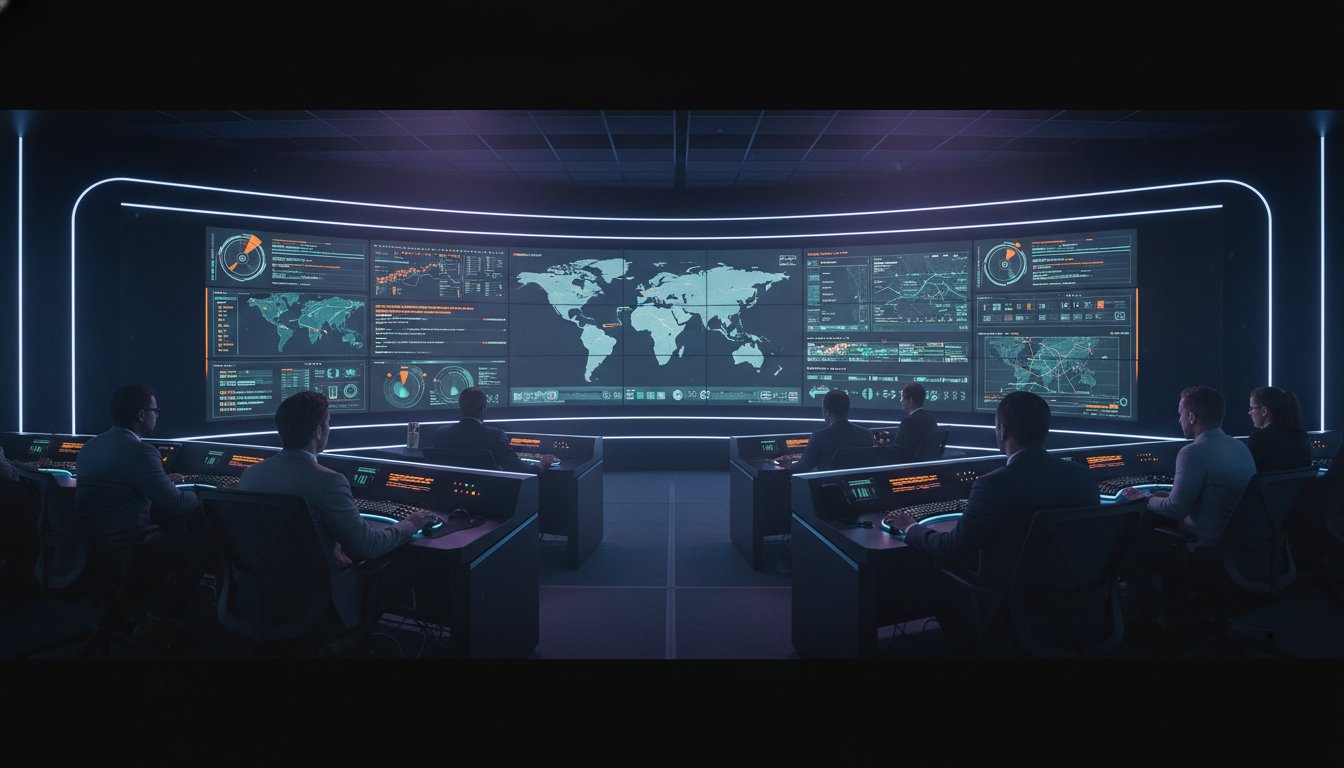
A recent study of advanced automated systems found that 45% of operators reported complacency and 15% experienced mind wandering despite having access to more data than ever before. This highlights a critical failure in how we approach control room ergonomics and human factors. When operators are forced to manage fragmented monitors and navigate data silos during a crisis, their cognitive load spikes and incident response times suffer. Most control rooms already have the screens. What they’re missing is the layer that decides what goes on them, and escalates automatically when something needs attention.
You know that a high-stakes environment requires more than just high-resolution video walls; it requires a system that works the way the human brain does. This guide provides a strategy to optimize performance by integrating human factors engineering with the vis/ability operational intelligence layer. You’ll learn how to apply the latest ISO 11064 standards and the 2024 Human Readiness Level requirements to reduce fatigue. We’ll explore how to transform a cluttered workspace into a unified operating picture that ensures your team sees exactly what matters when the stakes are highest.
Key Takeaways
- Quantify the relationship between control room ergonomics and human factors and your facility’s Mean Time to Respond (MTTR) to ensure mission-critical reliability.
- Apply ISO 11064 standards to define optimal sightlines and fields of view that prevent physical fatigue and maintain situational awareness.
- Identify the inefficiencies of the swivel-chair effect and how fragmented data silos compromise decision-making during high-stress operations.
- Implement an operational intelligence layer that moves beyond simple screen space to decide what data reaches the operator and when to escalate critical alerts automatically.
The High Stakes of Control Room Ergonomics and Human Factors
Human factors represent the critical intersection of psychology, engineering, and environmental design. In a command center, this discipline dictates how an operator interacts with technology under extreme pressure. Poor execution in ergonomic control room design leads to a direct increase in Mean Time to Respond (MTTR). When the environment fights the operator, seconds are lost. These lost seconds accumulate into minutes, potentially resulting in catastrophic infrastructure failure or compromised public safety.
Fragmented data streams create a specific “pain of the silo” that traditional furniture cannot solve. Operators often juggle multiple monitors and keyboards just to correlate a single event. This manual synthesis causes rapid physical and mental fatigue, leading to a dangerous decline in situational awareness. We must shift the focus from passive monitoring, where operators stare at static walls, to mission-critical alertness. True alertness requires a system that proactively surfaces what matters, ensuring the operator remains an active participant in the decision-making loop rather than a weary observer of irrelevant data.
Why Physical Comfort is Only the First Step
Adjustable consoles and circadian lighting are essential for 24/7 environments, but they don’t solve the underlying operational challenge. Control room staff often oscillate on a boredom-to-panic spectrum. Long periods of inactivity are suddenly interrupted by high-intensity crises. If the environment doesn’t support this transition, reaction times lag significantly. Effective Mission Critical Operations rely on a workspace that maintains engagement during lulls and provides absolute clarity during emergencies. Physical comfort provides the foundation, but it is the information architecture that determines the outcome of a crisis.
The True Cost of Operator Cognitive Overload
Cognitive load reaches a breaking point when a single operator must manage 50 or more data feeds simultaneously. This volume triggers the “attention blink,” a psychological phenomenon where the brain misses a second critical stimulus because it is still processing the first. Cluttered screens and irrelevant alerts ensure that vital incidents go unnoticed. Most control rooms already have the screens. What they’re missing is the layer that decides what goes on them; and escalates automatically when something needs attention. This is why control room ergonomics and human factors must address the digital workspace with the same rigor as the physical one.
Cognitive ergonomics is the optimization of mental workload to ensure decision-makers can act with certainty during high-consequence events.
Applying Human Factors Engineering to Mission-Critical Environments
Effective design begins with ISO 11064. This multi-part global standard provides the blueprint for arranging control suites and workstations; it emphasizes that the physical layout must support the operator’s cognitive processes. A central tenet is the “Primary Field of View.” For large-scale video walls, critical information must stay within a 30-degree cone of vision to prevent physical strain. Neck fatigue isn’t just a comfort issue; it’s a safety risk. When operators are physically taxed, their ability to process complex data streams diminishes. Extensive research into human factors in control rooms confirms that layout directly impacts error rates during high-stress events.
There is a persistent misconception that more data feeds lead to better situational awareness. In reality, adding more monitors often creates “data blindness.” Operators end up managing the technology instead of the mission. Most control rooms already have the screens. What they’re missing is the layer that decides what goes on them, and escalates automatically when something needs attention. By establishing a Common Operating Picture, organizations can consolidate fragmented tools into a single, ergonomic visualization. This approach reduces the friction of jumping between disparate systems and ensures the most vital information remains front and center. For a deep dive into how these factors integrate with your specific workflow, you can consult with our design experts.
Visual Ergonomics: Resolution, Contrast, and Clarity
Visual fatigue is a silent threat in 24/7 operations. Pixel pitch and display brightness are the primary drivers of eye strain over a 12-hour shift. If the resolution is too low, the brain works harder to interpret blurred text or grainy video feeds. High-contrast visualization is essential for identifying anomalies quickly against a complex background. Proper calibration ensures that displays remain legible without causing glare or headaches. You can find more on optimizing these displays in The Video Wall Guide. This technical precision is a core component of control room ergonomics and human factors, ensuring that the hardware serves the human eye.
Environmental Factors: Acoustics and Lighting
The physical environment must remain stable even when operations aren’t. Ambient noise is a major disruptor; it can mask verbal coordination during a crisis. Acoustic dampening is necessary to ensure clear communication between team members. Lighting also plays a mission-critical role. Circadian lighting strategies adjust color temperature throughout the day to maintain operator alertness and regulate sleep cycles for night-shift staff. Additionally, hardware heat dissipation must be managed. High-performance workstations generate significant thermal energy that can cause discomfort if not properly ducted away from the operator’s immediate workspace.
Solving the Cognitive Load Crisis: Beyond Physical Furniture
Physical ergonomics focuses on the body; desks, chairs, and consoles. While these are necessary, they do nothing to address the mental strain of managing a crisis. Cognitive ergonomics addresses the flow of data and how the human brain processes it. In high-stakes environments, control room ergonomics and human factors must prioritize reducing the mental workload. If an operator spends more energy navigating software than solving the problem, the system has failed. This failure often explains why operators miss incidents despite having a wall of screens in front of them.
Operators frequently suffer from the “swivel-chair effect.” This occurs when they must manually jump between specialized tools like Axon for video, Juvare for emergency management, and SIEM platforms for cybersecurity. Each of these tools is powerful on its own, but they exist in silos. They provide only a partial view of the operational reality. Forcing an operator to synthesize data from three different interfaces during a high-pressure event leads to fatigue and delayed response times. Adhering to Human-System Interface Design Guidelines is critical to preventing this type of systemic breakdown.
Most control rooms already have the screens. What they’re missing is the layer that decides what goes on them, and escalates automatically when something needs attention. Without this unifying layer, the video wall becomes a source of distraction rather than a tool for clarity.
The Myth of the Standalone Tool
Organizations often adopt specialized software because it’s considered a top-tier solution for a specific task. While a tool like Axon excels at evidence management, it wasn’t designed to be a central command hub. When these tools operate in isolation, they create alarm fatigue. Every system has its own notification logic, leading to a constant barrage of alerts that lack context. A unified operating picture is the only way to turn these fragmented signals into actionable intelligence.
Comparison: Traditional vs. Intelligent Control Rooms
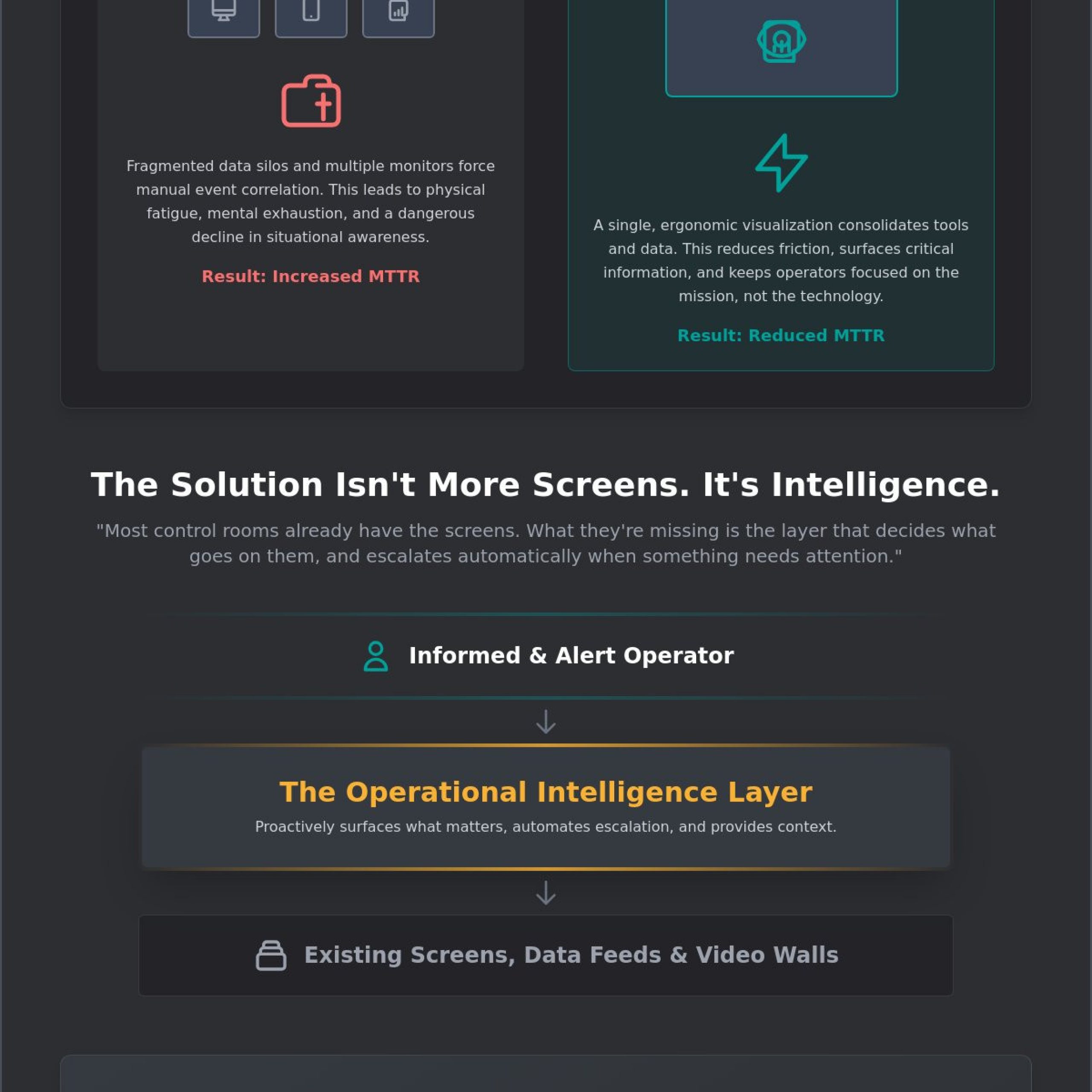
Traditional control rooms rely on manual data aggregation. Operators must click through menus, export reports, and manually push content to the video wall. This process is slow and prone to human error. In contrast, an intelligent control room uses automated escalation. The system identifies a critical threshold and surfaces the relevant data immediately across all devices. This transition to incident management software designed for visualization reduces the number of clicks required to reach a decision. By automating the “where” and “when” of data display, you empower your team to focus entirely on the “how” of the response.
Building a Unified Operating Picture for Operator Alertness
The transition from a reactive environment to a proactive command center requires a fundamental shift in how data is presented. Most control rooms already have the screens. What they’re missing is the layer that decides what goes on them, and escalates automatically when something needs attention. This Operational Intelligence Layer serves as the central hub for all mission-critical data. It filters the noise, ensuring that control room ergonomics and human factors are prioritized by presenting only the most relevant information to the right person at the right time.
Automating the Escalation Path
The vis/ability platform identifies critical triggers across your integrated applications, whether they originate from cybersecurity sensors, utility grid monitors, or public safety feeds. This automation creates a seamless escalation path that moves information from a background state to the primary field of view without human intervention. This proactive approach eliminates the seconds wasted during manual screen switching. Event-driven logic preserves operator cognitive bandwidth by eliminating the need to search for the source of an alarm. You can schedule a demonstration to see how this automation streamlines incident response.
Extending Ergonomics to Distributed Teams
Situational awareness cannot be confined to the physical walls of a command center. True operational resilience requires that field personnel and executives have access to the same unified operating picture as the control room staff. This is where mobile vis/ability becomes essential. It extends the ergonomic benefits of filtered, high-priority data to any device. Whether a team member is in a huddle room or on-site at a remote facility, they receive the same event-driven updates. This ensures that every stakeholder acts with the same certainty, regardless of their physical location, maintaining the integrity of the mission-critical response.
Activu vis/ability: Human-Centric Design for the Modern Command Center
vis/ability is the operational intelligence layer that transforms a room of screens into a decisive command environment. It functions as the central hub where all other tools, from geospatial analysis to real-time video, converge into a single source of truth. Most control rooms already have the screens. What they’re missing is the layer that decides what goes on them, and escalates automatically when something needs attention. By placing control room ergonomics and human factors at the center of the technology stack, Activu ensures that operators are never overwhelmed by the very data they’re meant to manage. This approach provides a steady sense of reassurance, knowing that the system is engineered to surface only what is mission-critical.
The platform serves as the essential bridge between raw data and human judgment. It empowers people to act with greater certainty by humanizing the digital workspace. While specialized applications like Axon or Juvare provide specific data points, they often remain siloed, offering only a partial solution to complex operational challenges. vis/ability unifies these tools, making them useful for the entire team whether they’re in the command center, a huddle room, or using mobile devices in the field. This integration eliminates the cognitive friction that typically leads to fatigue and delayed response times.
Design Services Built on Operational Reality
Activu provides an end-to-end engineering approach for SOC, NOC, and GSOC environments. This process begins with the initial blueprint, ensuring that human-centric design is baked into the physical and digital infrastructure from day one. We prevent the “fragmented systems” trap by designing workflows that unify disparate tools into a single, cohesive interface. For instance, a cybersecurity common operating picture allows SOC operators to identify and mitigate threats with far greater efficiency by removing the need to toggle between security sensors and physical surveillance feeds. This methodology ensures that the technological environment supports the operator’s mission rather than hindering it.
Future-Proofing the Mission-Critical Environment
The demand for data density will continue to increase as we move toward 2026. Control rooms must be prepared to ingest more feeds, higher resolutions, and more complex AI-supported insights without sacrificing operator wellbeing. The release of vis/ability 6.7G on October 24, 2024, established a new benchmark for software-driven visualization, ensuring operational continuity even as the technological landscape shifts. This platform is the quiet, powerful engine that allows your team to remain focused and analytical when stakes are at their highest. It ensures that as your data grows, your clarity remains absolute.
If your current environment feels fragmented or your operators are struggling with alert fatigue, it’s time to realign your technology with the human element. Contact Activu to discuss a human-centric audit of your control room and discover how an intelligent visualization layer can secure your mission.
Securing the Future of Mission-Critical Operations
Optimizing control room ergonomics and human factors requires a shift from physical comfort to cognitive clarity. We’ve explored how the 2024 Human Readiness Level standards and ISO 11064 principles provide the framework for a safer environment. However, the physical layout is only the foundation. True operational performance depends on eliminating the data silos that lead to 45% operator complacency rates. Most control rooms already have the screens. What they’re missing is the layer that decides what goes on them, and escalates automatically when something needs attention.
Activu brings over 40 years of mission-critical experience to federal government, defense, and global utility partners. By implementing event-driven situational awareness, you can significantly reduce Mean Time to Respond (MTTR) and protect your most valuable asset: the operator’s focus. Empower your team with the vis/ability operational intelligence layer. Your team deserves a unified operating picture that provides absolute visibility into what matters most. You can move forward with the confidence that your technology and your people are finally in perfect alignment.
Frequently Asked Questions
What is the difference between human factors and ergonomics in a control room?
Human factors represent the broad discipline of understanding human interactions with systems; while ergonomics often focuses on the physical design of workstations. In a command center, these two fields merge to ensure that operators can process complex data without physical strain or mental exhaustion. Effective control room ergonomics and human factors planning considers everything from chair height to the psychological impact of alarm frequency. This holistic approach ensures that technology serves the human operator rather than creating additional obstacles.
How does ISO 11064 affect control room design?
ISO 11064 establishes a multi-part global standard for the design of control centers, covering everything from room layout to workstation dimensions. It provides a methodical approach to arranging suites and equipment to minimize human error. Following these seven parts ensures that the environment meets rigorous safety and performance requirements for 24/7 operations. This standard is essential for creating a predictable, reliable workspace that supports the complex needs of high-stakes environments.
What are the most common causes of operator fatigue in command centers?
Operator fatigue stems from a combination of extended 12-hour shifts, poor circadian lighting, and excessive cognitive load. When operators must manually synthesize data from fragmented silos, their mental energy depletes rapidly. This leads to a 15% rate of mind-wandering as reported in recent human performance studies. Managing these stressors is essential for maintaining mission-critical alertness and preventing the complacency that often follows long periods of passive monitoring.
How can situational awareness software reduce cognitive load?
Situational awareness software reduces cognitive load by automating the filtering and escalation of data. Most control rooms already have the screens. What they’re missing is the layer that decides what goes on them, and escalates automatically when something needs attention. This operational intelligence layer allows teams to manage by exception rather than manually monitoring every feed. It ensures that only the most relevant information reaches the operator during high-pressure events.
Why do operators miss critical incidents on video walls?
Operators miss incidents because of “attention blink,” a phenomenon where the brain fails to process a second stimulus while occupied with the first. When video walls are cluttered with irrelevant data, the human eye cannot distinguish a critical anomaly from background noise. Proper control room ergonomics and human factors design prioritizes high-contrast, event-driven visualization to overcome this psychological limit. This ensures that critical incidents are identified and addressed within seconds of their occurrence.
What environmental factors most impact 24/7 operator performance?
Acoustics and lighting are the environmental factors with the highest impact on 24/7 performance. Ambient noise must remain low enough for clear verbal coordination during a crisis, while circadian lighting helps regulate operator sleep cycles. These elements work together to ensure that the team remains focused and analytical even during the most demanding shifts. Proper climate control also prevents hardware heat from causing operator discomfort during long rotations.
How do you manage multiple data feeds without overwhelming operators?
You can manage multiple data feeds by integrating them into a unified operating picture that filters information based on priority. This eliminates the “swivel-chair effect” where operators jump between disparate tools like Axon or SIEM platforms. By centralizing these feeds into an operational intelligence layer, you provide a single, clear source of truth for the entire team. This approach reduces the number of clicks required to access critical information during an emergency.
What is the role of event-driven visualization in ergonomics?
Event-driven visualization supports cognitive ergonomics by only surfacing data when a specific operational trigger occurs. Instead of forcing operators into passive monitoring, the system proactively pushes relevant information to the primary field of view. This shift allows the operator to focus on high-level decision-making rather than searching for the source of an alarm. It preserves mental bandwidth for the moments when human judgment is most critical to the mission.