

The right stakeholders are the people who shape an operation, carry it out, or are affected by it. A shared operational picture for stakeholders should give decision-makers, operators, field teams, partner agencies, and data owners the information they need to coordinate. Identifying stakeholders by role and influence is only the first step; their responsibilities and information needs determine what belongs in the picture.
Fragmented systems, data silos, and missing automatic escalation can leave teams working from different versions of events. Most control rooms already have the screens. What they’re missing is the layer that decides what goes on them – and escalates automatically when something needs attention. This guide explains how to identify stakeholders, assess their information needs, align reporting expectations, and bring relevant data into a consistent operational view. The goal is to give each stakeholder the information needed for decisions without obscuring what requires immediate attention.
Key Takeaways
- Map stakeholders by their decision authority, operational role, and level of impact to identify what each needs to know.
- Match information and reporting expectations to stakeholders’ responsibilities, capabilities, and communication needs.
- Bring relevant data into a coordinated view, then use clear update practices and measurable reporting goals to keep teams aligned.
- Prioritize information that supports decisions, including current conditions, developing risks, assigned actions, and changes that affect the operation.
- Use vis/ability as the operational intelligence layer that unifies incoming tools and surfaces relevant information across control rooms, remote teams, meeting spaces, and mobile devices.
Why stakeholders lack a shared operational picture
Operational awareness breaks down when teams rely on separate systems that capture only part of an incident. Dispatch may see call details, field personnel may rely on radio updates, and leadership may receive a status report assembled from messages and spreadsheets. Each view can be useful on its own, but information may arrive at different times, use different labels, or omit context another team needs. Stakeholders then make decisions based on incomplete or conflicting accounts.
Data silos compound the problem. A location update in one system may not appear alongside a camera view, infrastructure alert, or resource status in another. Staff must switch between applications, interpret what they see, and relay important details manually. These handoffs divert attention from monitoring and make it harder to connect developments, especially when teams work across agencies, sites, or shifts.
Missing automatic escalation creates another gap. An alert can remain in the application that generated it, waiting for someone to notice and communicate it. If responsibility is unclear or no one is monitoring the relevant feed, the information may not reach the stakeholder who can act. For example, a developing facility issue may affect operations, security, and command staff, yet each team may receive a different update or none at all.
These are common control room situational awareness problems: fragmented feeds, inconsistent context, and no reliable path from an event to the people who need to respond. A shared operational picture for stakeholders connects relevant information and directs attention to developments that affect decisions. Most control rooms already have the screens. What they’re missing is the layer that decides what goes on them – and escalates automatically when something needs attention. A video wall can present the answer, but only when the operational information behind it is coordinated and prioritized. Otherwise, even more visible feeds can leave teams working in silos.
Analyzing stakeholder information needs
Start stakeholder analysis by naming each person or group that can affect operations or experience their effects. Include people indirectly affected by a service change, not just department heads. For example, a dispatch supervisor, field responder, utility operator, and nearby community may need different information about the same incident. Naming roles makes ownership and communication needs clear.
Next, map stakeholders by power and interest, then assess their influence and support for the effort. High-power stakeholders need confidence that decisions address their concerns; highly interested groups need timely, relevant updates. This analysis helps plan engagement around each group’s role instead of sending everyone the same report.
Assess how directly each stakeholder is affected, which decisions they control, and what experience they bring. A field supervisor may know which access routes crews can use, while an executive may authorize resource priorities. Record barriers to participation, such as limited access to operational systems, and clarify how involved each person expects to be.
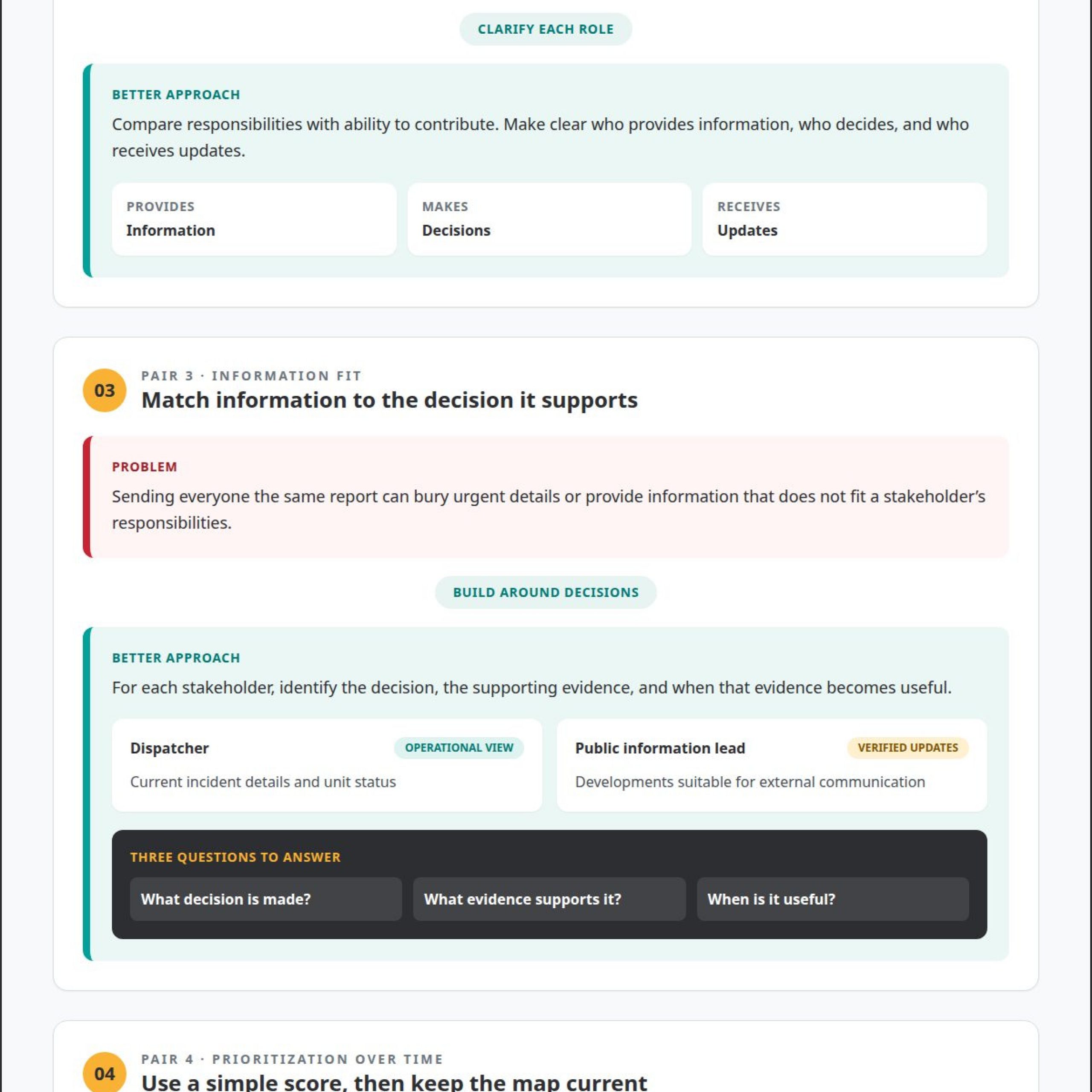
Translate those findings into information requirements. Ask what decision each stakeholder makes, what evidence supports it, and when that evidence becomes useful. A dispatcher may need current incident details and unit status; a public information lead may need verified developments suitable for external communication. Distinguish immediate alerts from context used for planning.
For prioritization, score each stakeholder’s interest and influence on a 0-10 scale. A stakeholder scoring highly on both dimensions may need direct access to decision updates, while a low-interest group may need concise summaries. Use the scores to guide communication, not to replace discussion about rights, responsibilities, knowledge, and lived experience.
Repeat the assessment as the operation or project changes. Stakeholder groups and their information needs may shift at different lifecycle stages; a new operational responsibility could make frontline staff central to feasibility decisions. Review the stakeholder map when roles, risks, or plans change, then update the shared operational picture for stakeholders to reflect current decision needs.
Aligning stakeholder needs and expectations
After mapping influence and interest, compare each stakeholder’s responsibilities with their ability to contribute. A field team may identify access constraints, while an executive can authorize resources. Clarify who provides information, who makes decisions, and who receives updates. This prevents influence from being mistaken for operational knowledge or implementation capacity.
Make competing interests explicit before decisions become commitments. For example, a response team may prioritize rapid deployment, while communications staff need verified details before issuing public updates. Agree on the information each decision requires, who validates it, and how unresolved differences reach the decision-maker. Record the rationale so later teams understand how priorities were set.
Address concerns directly and specifically. If staff expect a new process to add reporting work, map the extra steps and identify duplicate entry that can be removed. If a partner doubts an alert will reach the right role, walk through the escalation path using a realistic incident scenario. Acknowledging the concern creates a practical basis for improvement.
Expand agreement through staged participation. The IAP2 Public Participation Spectrum describes five levels, from informing to empowering. Select the level that matches each stakeholder’s role: frontline personnel might help shape procedures, while affected groups may need clear information and a channel to raise concerns. A participation matrix can capture the approach, owner, and expected contribution.
Measure effectiveness through whether stakeholders receive usable information and make coordinated decisions. Track indicators such as alert acknowledgment, conflicting status reports, decision delays, and whether assigned actions reach the responsible team. Define each measure consistently, then review results with stakeholders and adjust reporting or escalation paths. The PMBOK® Guide’s 7th edition describes stakeholders as dynamic participants, so reassess engagement as roles and conditions change.
Close each alignment cycle with a recorded agreement on decision authority, information needs, escalation ownership, and unresolved risks. For a multi-agency exercise, document which agency leads each action and what updates partner teams need. Revisit the agreement when plans change and communicate revisions to affected stakeholders. Consistent follow-through builds trust through visible action.
Centralizing data and streamlining reports
Begin with a defined operational record that connects updates from dispatch, field teams, facilities, and partner agencies. For a road closure, for example, the record could combine the location, reported condition, assigned crew, and latest status. Give each data element a clear owner and timestamp so readers can see where information came from and when it changed.
Use a shared structure for incoming information. Standardize terms such as “reported,” “verified,” and “resolved,” and distinguish confirmed details from assessments. A common incident identifier can connect updates from separate teams without combining unrelated events. Build reports from this coordinated record, tailoring views to stakeholder responsibilities rather than asking teams to reconcile separate documents.
To protect accuracy, assign an owner to each source, preserve timestamps, and define how authorized staff correct conflicting entries. For example, a dispatcher can update a unit status while a designated incident lead confirms the overall incident summary. Review access permissions against job responsibilities and limit sensitive information to roles that need it.
Benefits include faster sharing of context, fewer duplicate reports, and clearer coordination across teams. Risks include spreading an incorrect entry, exposing sensitive details through excessive access, or creating confusion when teams use inconsistent definitions. A correction process, role-based permissions, and clear labels for source and status help reduce those risks.
Set an update cadence that matches operational tempo. Stakeholder updates may be monthly, fortnightly, or weekly, with more frequent communication during peak periods when needed. For a changing incident, communicate material developments as they occur and identify the roles that need immediate notice. Keep routine summaries focused on decisions, changes, and outstanding actions.
Support engagement with accessible reports, briefings, and remote participation. Assess reporting effectiveness by checking whether stakeholders receive the information needed for their decisions, understand status terms, and can identify current actions. If a partner agency repeatedly asks for a missing field, revise the report and review the change with that audience.
Centralization strengthens a shared operational picture when teams maintain clear ownership, controlled access, and consistent updates. Review these practices when responsibilities or information needs change, so reporting continues to support coordinated decisions.
What information should a shared operational picture include?
A useful shared operational picture for stakeholders focuses on the conditions and decisions that affect the operation. During an active road closure, teams need its location, verified status, affected routes, and the authority coordinating the response. Include the last update time and information source so readers can distinguish current facts from older reports.
Show operational status in context. A facility incident may require the affected area, current impact, available resources, assigned response actions, and outstanding needs. Link each action to an owner and status, such as “crew dispatched” or “access route under review.” These details help stakeholders understand what has happened and what needs attention next.
Separate confirmed information from reports awaiting validation. For example, label a caller’s observation as reported until an authorized role verifies it. Include relevant risks, dependencies, and changes that could alter the response. Distinguishing evidence from assessment helps decision-makers act without treating an unverified detail as established fact.
- Current conditions: incident status, affected location, and operational impact.
- Resources and actions: assigned teams, responsible owners, and pending tasks.
- Decision context: known risks, dependencies, and outstanding approvals.
- Information provenance: source, update time, and verification status.
Keep the shared view within an agreed scope. Project managers should ensure stakeholders understand and accept the project scope. For a planned system change, show affected functions, operational dependencies, implementation status, and decisions still required, without mixing unrelated work into the same view.
Tailor the presentation to the decision-maker while preserving a common underlying picture. A field supervisor may need crew assignments and access conditions; an executive may need operational impact, resource constraints, and unresolved decisions. Both views should use the same status definitions and source information. Remove details that do not support a stakeholder’s actions, but retain enough context to explain why a decision matters.
Stakeholder coverage should extend beyond people directly involved in the response or project. Project stakeholders include people or organizations actively involved in a project or whose interests may be affected by its execution or successful completion (1996). Identification should also include groups that may be indirectly affected by a policy, service, development, or transportation change. Assess whether workers who will carry out new responsibilities can feasibly do so, and consider the impact the change may have on them.
After plotting stakeholders by power and interest or by power and support, assess their information needs. In a power-interest analysis, keep stakeholders with high power satisfied and those with high interest informed. Project managers should account for different information needs when designing communications and make relevant information available in a timely manner. A shared picture can support this by presenting status and decisions in ways suited to each group while maintaining a consistent account of operational conditions.
What tools and platforms support a shared operational picture?
An effective platform connects the applications teams already use and organizes their outputs around operational priorities. For example, an incident record, resource status, and camera feed can inform one decision when presented with shared context. Separate dashboards may show the data, yet still leave operators manually reconciling updates across systems.
The vis/ability platform serves as the central hub for incoming tools and data streams. It is an operational intelligence layer that surfaces through the video wall. Teams can use this layer to bring information together, prioritize what matters, and make the relevant operational view available to decision-makers.
When an incident changes, event-driven situational awareness can direct attention to relevant information and escalate developments that require action. With vis/ability, the video wall can display that coordinated picture. Operators can assess the event alongside its context instead of relying on one isolated application or manually switching among feeds.
The same operational picture can support teams beyond the command center. vis/ability serves command centers, remote locations, conference rooms, breakout rooms, and huddle rooms, as well as mobile devices. Distributed teams can therefore work from relevant shared information even when their members are not in the same room.
Application integration matters because each tool may present a different view of the operation. A dispatch feed, facility system, and partner-agency update should contribute to a coordinated picture. Teams can then focus on decisions and responsibilities while the platform brings together the information they need across operational settings.
Assess platforms against practical requirements: which data sources must connect, which developments require escalation, and which groups need access from each location. For example, an emergency operations team may need command-center staff, remote participants, and mobile users aligned around the same changing event. The right platform connects these needs in a common operational view.
Activu Corporation: Cybersecurity Common Operating Picture
Activu Corporation is a natural next step when security teams need relevant operational information coordinated across stakeholders. Its Cybersecurity Common Operating Picture supports teams working to align security information and decision-making. The focus is the operational need: bring the right context into view so responsible people can assess conditions and coordinate their response.
Consider this offering when security information is spread across separate applications, teams need a clearer common view, or stakeholders struggle to align reports as conditions change. A cybersecurity picture is most useful when it supports the organization’s defined roles, decision processes, and information needs. Identify which updates inform decisions and which stakeholders need to see them.
The vis/ability Platform serves as a central hub for incoming tools and data streams, bringing relevant information into an operational view that can appear on a video wall. Event-Driven Situational Awareness directs attention to developments that require review or action. Together, these offerings connect operational context with human judgment.
Video Wall Systems provide a shared viewing environment for teams coordinating in a command center. Through vis/ability, the operational picture reflects the information and priorities the operation needs to surface. The platform also supports teams beyond the command center, including remote locations, conference rooms, breakout rooms, huddle rooms, and mobile devices. This helps distributed stakeholders work from a coordinated view.
Organizations should consider these capabilities when current workflows make it difficult to coordinate security information, surface important developments, or keep stakeholders aligned across locations. Start with the operational challenge: which teams need a shared view, what information supports their decisions, and where that information must be available. These requirements shape a common operating picture around real operational needs rather than a generic display of feeds.
For a focused discussion about your operational requirements, contact Activu Corporation.
Frequently Asked Questions
Who are potential stakeholders?
Potential stakeholders include anyone who can affect an operation or experience its consequences. They may include decision-makers, employees, partner organizations, suppliers, regulators, and affected communities. During a transit disruption, station staff and passengers may be affected, while dispatchers and maintenance teams influence the response. Include indirect stakeholders, such as nearby service providers, when an operational change could affect their work or access.
What is a shared operational picture?
A shared operational picture is a coordinated view of conditions, activity, and decisions that helps people work from consistent information. During a facility outage, for example, it could show which systems are affected, what response actions are underway, and which issues remain unresolved. Clear status labels and update times help readers interpret the information and distinguish current conditions from earlier reports.
Who are the stakeholders in a shared operational picture?
Stakeholders in the picture are the people who contribute operational information, make decisions, coordinate action, or need awareness of outcomes. An incident team may include a command lead, dispatch personnel, field responders, technical specialists, and communications staff. Partner agencies can provide relevant updates, while a designated liaison can relay information to affected communities. Include each role when its decisions or actions depend on the evolving situation.
How do you create and maintain a shared operational picture?
Define the decisions the picture must support, assign owners to each information source, and establish common labels for status and responsibility. Then test the process with a realistic scenario, such as a network outage affecting several facilities. Record where updates originate, how corrections are made, and who receives significant changes. After exercises or real incidents, review gaps and update roles, views, and procedures.
What data standards and integrations are needed?
Choose conventions that let systems interpret key fields consistently, including incident identifiers, timestamps, locations, status labels, and responsible teams. Integrations should preserve the source and meaning of incoming information instead of flattening important context. For example, a map location and dispatch record should refer to the same incident. Test how updates, corrections, and access permissions work across connected applications before relying on the combined view.