
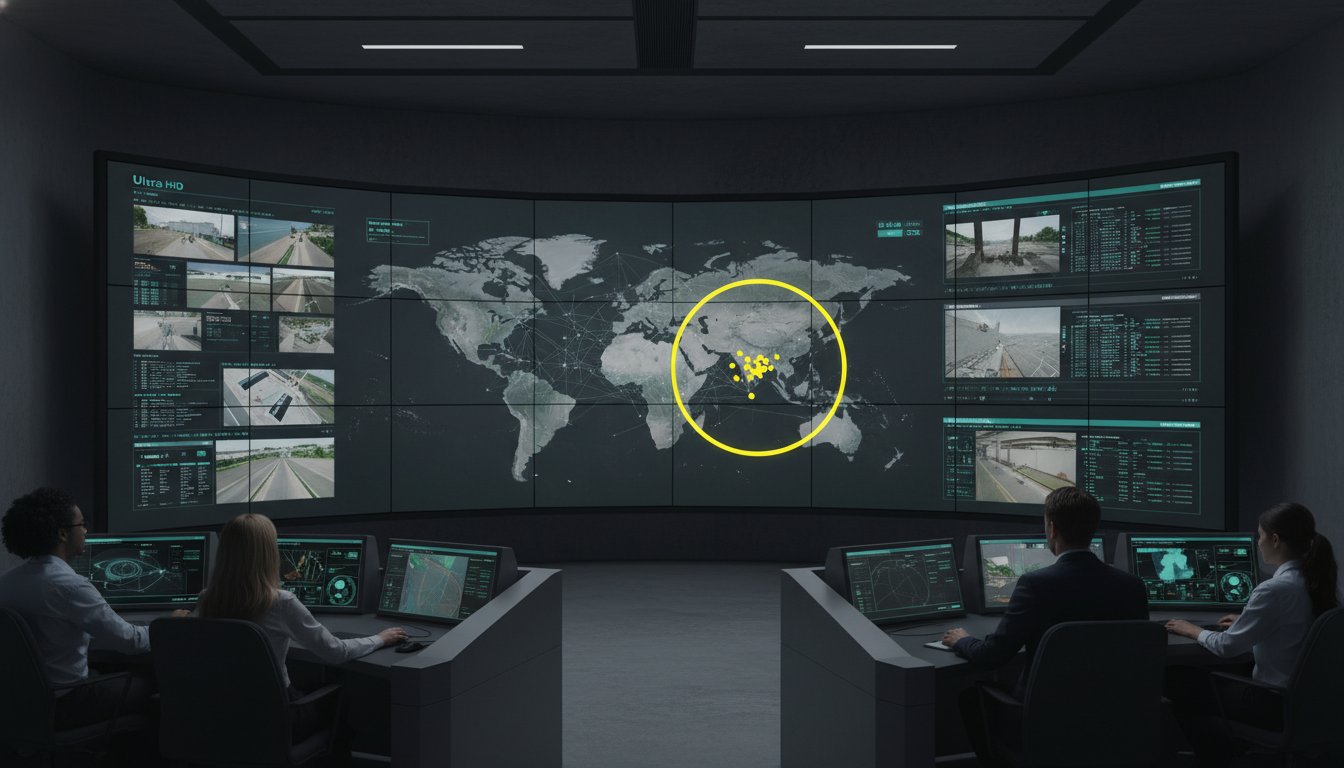
A 4K display feed that lags by 500 milliseconds is more dangerous to a mission-critical operation than a standard definition feed that arrives in real-time. You know that visual clarity is the bedrock of situational awareness, yet technical overhead often creates the very fog of war you’re trying to eliminate. Choosing between hd or ultra hd is not merely a hardware upgrade; it’s a strategic decision that dictates how quickly your team identifies a breach or a system failure. Most control rooms already have the screens. What they’re missing is the layer that decides what goes on them, and escalates automatically when something needs attention.
A 2023 analysis of emergency operations centers found that 42% of critical incidents were initially obscured by high-bandwidth stream latency. This guide provides a framework for balancing high-fidelity image quality with the rigorous performance demands of 24/7 environments. You’ll discover how to eliminate information silos and implement a future-proofed video wall strategy that prioritizes decision-making speed over empty specifications. We’ll move past the hardware to ensure your visualization layer empowers your personnel to act with certainty when stakes are at their highest.
Key Takeaways
- Understand how pixel density functions as a tool for situational awareness, directly impacting operator fatigue and cognitive load during critical shifts.
- Evaluate the technical requirements of hd or ultra hd to ensure your resolution choice supports the specific visual acuity needs of close-proximity operator consoles.
- Identify the hidden operational trade-offs of high-resolution video, including the impact of bitrate and network congestion on real-time decision-making.
- Audit your primary data sources and viewing distances to ensure your hardware specification aligns with the native resolution of your most critical assets.
- Most control rooms already have the screens; what they are missing is the layer that decides what goes on them and escalates automatically when something needs attention.
Resolution and Cognitive Load in Mission-Critical Environments
Resolution in a command center isn’t a luxury; it’s a functional requirement for survival. When deciding between hd or ultra hd, you aren’t just choosing image quality. You’re selecting the level of detail that determines whether an operator identifies a critical anomaly or overlooks a brewing crisis. During a 12-hour shift, the physical strain of processing low-density visual data leads to cognitive exhaustion. This fatigue is a primary reason why operators miss incidents video wall displays were meant to prevent. High pixel density reduces the effort required to parse complex information, allowing personnel to maintain focus on the mission at hand. When every second counts, the clarity of a display becomes the difference between a controlled response and a catastrophic failure.
The Problem of Data Overload and Visual Clarity
Low resolution creates a barrier between the operator and the truth. If a technician has to squint or zoom to read a label on a SCADA system, they lose precious seconds that could be spent on mitigation. In utility grids, the screen door effect, where the gaps between pixels become visible, can obscure small grid markers or status indicators. This lack of clarity forces the brain to fill in the visual gaps, which accelerates burnout and decreases accuracy. Standard 4K resolution provides four times the pixel count of standard HD, offering the precision needed for complex maps and dense telemetry. Most control rooms already have the screens. What they’re missing is the layer that decides what goes on them, and escalates automatically when something needs attention.
Situational Awareness: More Than Just Pixels
Operators face immense pressure when managing multiple data feeds in a dispatch center. Pixels alone don’t solve control room situational awareness problems. A high-resolution screen is effectively useless if the data feeds it displays remain siloed and disconnected. Organizations often struggle with fragmented visual data that obscures the bigger picture. True situational awareness requires an integrated Cybersecurity Common Operating Picture that aligns hardware capabilities with operational software. This alignment ensures that the choice between hd or ultra hd translates into actionable insights rather than just more noise. When visual data is fragmented, it creates operational risks that hardware alone cannot fix. Visibility into what matters requires a seamless bridge between raw data and human judgment, ensuring that the right information reaches the right person at the right time.
Comparing HD and Ultra HD for Operational Visibility
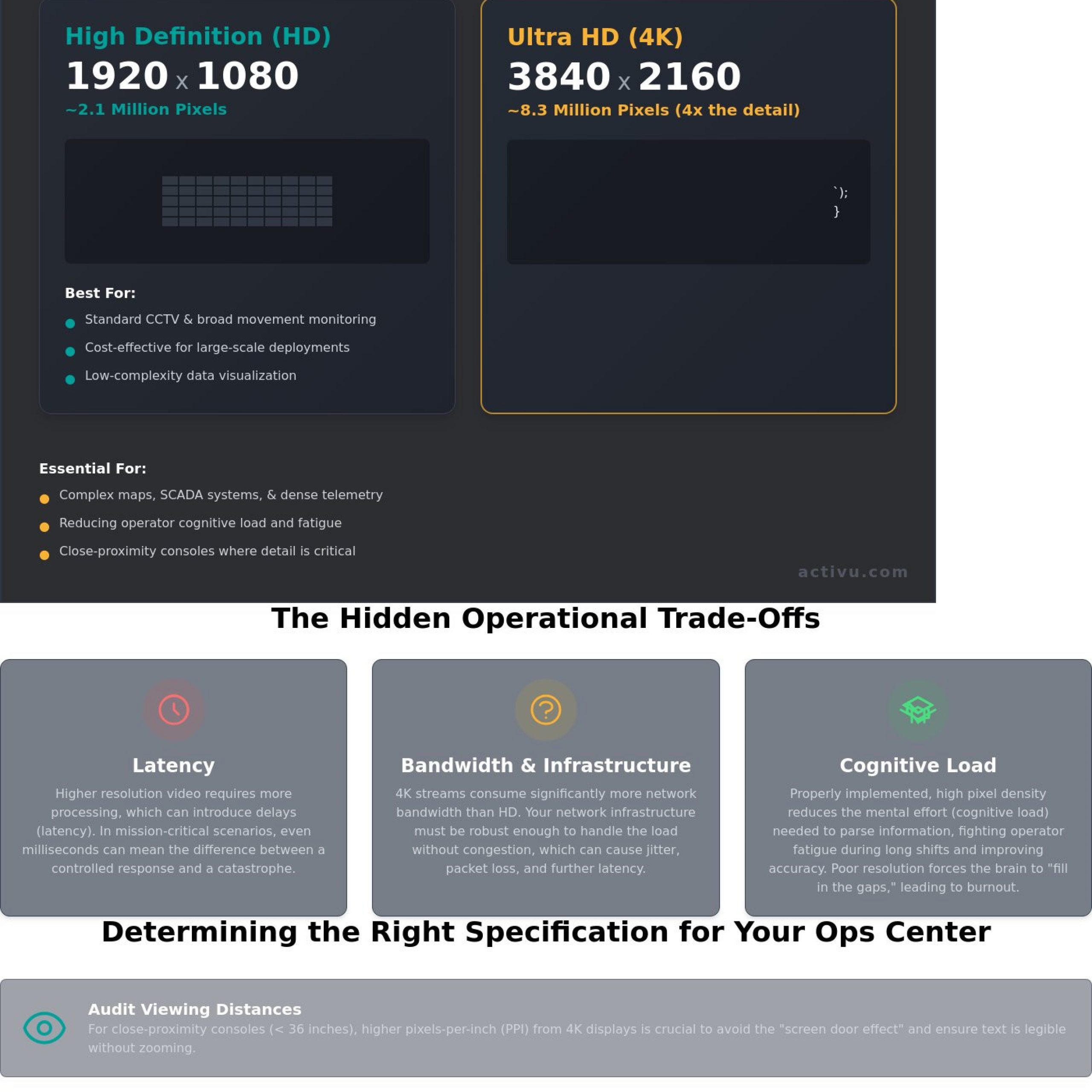
Choosing between hd or ultra hd determines how much raw data your team can transform into actionable intelligence. A standard HD display provides 1920 by 1080 pixels, totaling roughly 2.07 million points of data. In contrast, Ultra HD, or 4K, delivers 3840 by 2160 pixels. This equates to 8.29 million pixels, providing four times the detail in the same physical space. Most control rooms already have the screens. What they’re missing is the layer that decides what goes on them, and escalates automatically when something needs attention.
Pixel-per-inch (PPI) requirements change based on how far an operator sits from the console. For close-proximity work within 36 inches, low PPI causes a screen door effect that obscures critical alerts. Incorporating Human Factors Considerations into your layout design ensures that resolution supports cognitive clarity rather than hindering it. If your data feeds are natively HD, upscaling them to a 4K screen won’t create new detail. It often introduces artifacts that distract from real-time events. Evaluating the native resolution of your source material is a prerequisite for any hardware upgrade.
High Definition (HD): The Baseline for Monitoring
For standard CCTV or low-complexity monitoring, 1080p remains a reliable baseline. It’s cost-effective for large-scale deployments where operators monitor broad movements rather than fine text. However, HD fails when scaling intricate network diagrams or small-font sensor data. Information silos often form because HD screens lack the resolution to show a complete operational picture, forcing operators to toggle between tabs and lose situational awareness. When hd or ultra hd is the question, HD is the answer only when fine detail is secondary to budget constraints.
Ultra HD (UHD): Precision for Complex Data
Complex environments like transportation logistics and GIS mapping demand 4K precision. High-density coding and detailed infrastructure maps require every one of those 8 million pixels to remain actionable. A single Ultra HD display enables a quad-view setup. This allows four native 1080p feeds to sit on one screen without losing a single pixel of detail. You can learn more in our technical explainer on 4K Resolution Video Walls.
While some organizations use basic matrix switchers to manage these feeds, these tools often struggle with the bandwidth required for multiple 4K streams, which creates lag when seconds matter. Our vis/ability platform solves this by managing the data layer itself, ensuring the right resolution reaches the right person at the right moment. This approach transforms a static video wall into a dynamic engine for situational awareness.
The Operational Trade-offs: Bandwidth, Latency, and Infrastructure
Standardizing on 4K across an entire facility sounds like a future-proof strategy. However, the hidden costs of data often outweigh the visual benefits. Deciding between hd or ultra hd isn’t just about buying better monitors. It’s about the infrastructure required to move those pixels. High-resolution streams demand massive bitrates. Without proper management, these streams create network bottlenecks that compromise the very reliability a command center requires. Most control rooms already have the screens. What they’re missing is the layer that decides what goes on them, and escalates automatically when something needs attention.
The relationship between resolution and network performance is a zero-sum game in many environments. As resolution increases, the processing power required to encode and decode signals also rises. This creates a strain on hardware encoders. If the hardware can’t keep up, the system introduces artifacts or, worse, stops the stream entirely. Operators then face fragmented systems and siloed information at the exact moment they need a unified view.
Network Impact of Ultra HD Streams
A single 4K stream at 60 frames per second typically requires between 15 and 25 Mbps of bandwidth. In a utility control room monitoring 30 or 40 feeds simultaneously, the cumulative load can quickly saturate a standard 1Gbps network. This congestion leads to frame drops and stuttering. When an operator misses a two-second flicker on a substation camera because the network was struggling with an unnecessary 4K stream, the consequences are measured in infrastructure downtime and safety risks. Understanding the bandwidth and infrastructure requirements is vital before committing to a site-wide Ultra HD rollout.
Strategic hardware selection remains the best defense against these bottlenecks. Modern encoders can help manage the load, but they don’t eliminate the physics of data. Organizations often find that a mix of resolutions, tailored to the specific data being viewed, provides the most stable environment for mission-critical decision making.
Latency: The Silent Killer of Response Time
Latency is the delay between a real-world event and its appearance on the video wall. Processing 8.3 million pixels per frame takes time. Every millisecond spent encoding and decoding an Ultra HD signal adds to that delay. For federal government and defense centers, this lag is unacceptable. An HD feed with sub-50ms latency is infinitely more valuable than a 4K feed with a 500ms lag. When stakes are high, real-time data accuracy matters more than pixel density.
Managing the trade-off between visual fidelity and response time requires a focus on the user’s operational reality. If an operator is interacting with a remote GIS map or a drone feed, they need immediate feedback. If the visual layer trails the action, the human-machine interface breaks down. Choosing hd or ultra hd must be a functional decision based on whether the extra resolution actually helps the operator act with greater certainty, or if it simply adds a dangerous delay to the mission.
Determining the Right Specification for Your Operations Center
Selecting between hd or ultra hd is a technical calculation based on human physiology and network architecture. Decision makers often focus on the hardware specs while ignoring the operational reality of the room. To avoid a costly mismatch between technology and utility, follow this four-step audit before procurement.
- Step 1: Audit Data Sources. Catalog every primary data source, from legacy SCADA systems to modern GIS maps. If your core applications output at 1080p, an Ultra HD wall won’t create detail where none exists; it simply stretches the existing pixels.
- Step 2: Measure Viewing Distance. Calculate the visual acuity limit for your team. If an operator sits 20 feet from the wall, their eyes cannot physically distinguish 4K pixels from 1080p.
- Step 3: Define Common Operating Picture Requirements. Identify how many windows must be visible simultaneously. High-density layouts for EOC common operating picture solutions often require the higher pixel real estate of 4K to prevent text from becoming unreadable.
- Step 4: Assess Network Capacity. A single 4K stream at 60fps can consume 25 Mbps, compared to 5 Mbps for HD. By 2026, as IoT sensor data increases, your network must handle these 5x data loads without latency.
Most control rooms already have the screens. What they’re missing is the layer that decides what goes on them, and escalates automatically when something needs attention. This lack of an intelligent layer is a primary reason why operators miss incidents on a video wall, regardless of the resolution.
Viewing Distance and the Lechner Distance Factor
Ultra HD is frequently wasted on screens viewed from across a large room. The Lechner Distance suggests that for a 4K display, the viewer must be within 1.5 times the screen height to see the benefit. For public safety dispatchers at console stations, 4K is vital because they sit within 3 to 5 feet of the glass. At this close range, high resolution prevents eye fatigue and ensures that critical text in CAD systems remains sharp during 12-hour shifts.
Matching Resolution to Mission Objectives
A Manufacturing Process Control center requires higher density than a standard NOC. In 2024, process engineers need to see minute fluctuations in pressure or temperature across hundreds of data points. Managing dozens of high-resolution feeds in a dispatch center without clutter requires a system that prioritizes visibility into what matters. Organizations often face control room situational awareness problems when they treat the video wall as a static wallpaper rather than a dynamic intelligence tool. You can find more about tailored control room solutions that align resolution with your specific mission parameters.
Beyond the Pixels: Leveraging vis/ability for True Situational Awareness
Operational success in a high-stakes command center depends on human judgment, not just pixel density. Whether you deploy hd or ultra hd displays, the hardware remains a passive tool until it’s fueled by relevant, actionable data. In many dispatch centers and emergency operations hubs, operators face a wall of information but lack the clarity to act. Fragmented systems and siloed data feeds cause critical delays during active incidents. A 2023 analysis of emergency management workflows indicates that cognitive overload can reduce decision-making speed by 30% when operators must manually filter more than five simultaneous data streams.
Most control rooms already have the screens. What they’re missing is the layer that decides what goes on them; and escalates automatically when something needs attention.
The vis/ability Intelligence Layer
The vis/ability platform acts as the brain of your operation, moving beyond static monitoring toward event-driven visualization. It solves EOC common operating picture solutions by prioritizing content based on incident severity. When a sensor detects a perimeter breach or a utility grid fluctuation, the software automatically surfaces the relevant camera feeds and geospatial data. This eliminates the “why operators miss incidents” problem often caused by visual fatigue. Key benefits include:
- Automatic escalation of critical alerts to the main video wall.
- Consistent visual integrity across mismatched resolutions, ensuring a field officer on a mobile device sees the same detail as the commander at HQ.
- Seamless integration of legacy hardware with modern digital feeds.
Future-Proofing Your Mission-Critical Environment
Choosing between hd or ultra hd is a hardware decision, but your long-term strategy must focus on how data is integrated and surfaced. Modern situational awareness tools must now handle a 40% increase in data volume year-over-year from IoT sensors, social media monitors, and drone feeds. The software layer ensures your team isn’t buried under this data. By focusing on the intelligence layer, you prepare for the next generation of situational awareness tools that favor proactive response over reactive watching. This approach transforms the video wall from a simple display into a dynamic asset that empowers certain action.
Ready to bridge the gap between your hardware and your operational needs? Contact Activu for a Control Room Design Consultation to see how the right software layer can transform your situational awareness.
Optimizing Your Command Center’s Visual Intelligence
Choosing between hd or ultra hd isn’t just a technical hardware decision; it’s a strategic choice that dictates operator cognitive load and system response times. While Ultra HD offers 8.3 million pixels for high-density geospatial analysis, standard HD often provides the low-latency performance required for real-time video monitoring. Most control rooms already have the screens. What they’re missing is the layer that decides what goes on them, and escalates automatically when something needs attention. Relying on manual switching or siloed data feeds leads to fragmented situational awareness and increases the risk that your team’ll miss a critical incident during high-stress operations.
Activu has served as a pioneer in situational awareness since 1983, building a cyber-secure platform trusted by Global 500 companies and federal agencies. Our technology acts as the essential bridge between raw data and human judgment, ensuring mission-critical resilience in the most demanding environments. We help you move beyond the limitations of your physical infrastructure to achieve true operational clarity. Take the next step in securing your facility’s future with a platform designed for absolute reliability.
Request a vis/ability Demo to Enhance Your Operational Clarity
Frequently Asked Questions
Is Ultra HD necessary for a standard Network Operations Center (NOC)?
Ultra HD is necessary when operators sit within 10 feet of large displays or need to view 4 or more distinct data sources on a single screen without losing legibility. While HD serves basic surveillance, Ultra HD provides the 8.3 million pixels required for intricate SCADA maps or high-density dashboards. Most control rooms already have the screens. What they’re missing is the layer that decides what goes on them, and escalates automatically when something needs attention.
What is the main difference between HD and Ultra HD for text-heavy data?
The primary difference lies in character definition and screen real estate. An Ultra HD display renders text with 4 times the pixel count of HD, preventing the aliasing that makes small 8-point fonts unreadable on lower-resolution screens. This clarity is vital for 24/7 operations where reading log files or spreadsheets is constant. Deciding between hd or ultra hd often determines whether an operator can identify a critical alert at a glance or must lean in to decipher blurred text.
How does resolution impact operator eye strain in 24/7 environments?
Low resolution forces the human eye to work harder to resolve blurred edges, a leading cause of Computer Vision Syndrome which affects up to 90% of heavy computer users. In a 24/7 environment, Ultra HD reduces this cognitive load by providing sharp, stable imagery. When operators spend 12-hour shifts monitoring screens, the 140 pixels per inch provided by 4K displays significantly reduces the visual fatigue that leads to missed incidents and delayed response times.
Can I mix HD and Ultra HD displays on the same video wall?
You can mix resolutions, but it often creates visual discontinuities and scaling artifacts that distract operators. Mismatched pixel pitches mean a window dragged from an HD screen to an Ultra HD screen will suddenly shrink by 50% in physical size. To avoid this, a sophisticated management layer is required to normalize the view. Most control rooms already have the screens. What they’re missing is the layer that decides what goes on them, and escalates automatically when something needs attention.
Why do some 4K feeds look blurry on high-resolution video walls?
Blurriness usually stems from a 1080p source being upscaled to a 4K canvas or excessive chroma subsampling like 4:2:0 which discards 75% of color data to save bandwidth. If the source signal isn’t native 2160p, the video wall simply enlarges the existing pixels, resulting in a soft image. This highlights why high-end hardware alone isn’t enough; organizations need an intelligent platform to manage source quality and ensure the right data reaches the right screen.
How much bandwidth does an Ultra HD stream require compared to HD?
An uncompressed Ultra HD stream at 60Hz requires roughly 12 Gbps, while a standard HD stream needs only 3 Gbps. Even with H.264 compression, a 4K feed typically consumes 15 to 25 Mbps of network capacity, compared to 4 to 6 Mbps for HD. This 400% increase in data load can cripple a network not designed for mission-critical visualization, making efficient content distribution more important than the raw resolution of the panels.
Does higher resolution always mean better situational awareness?
Higher resolution provides more pixels, but it doesn’t inherently improve situational awareness if those pixels are filled with irrelevant data. A 4K screen can still suffer from information silos if the operator is manually switching between 15 different applications. True situational awareness comes from the software layer that filters noise. Most control rooms already have the screens. What they’re missing is the layer that decides what goes on them, and escalates automatically when something needs attention.
What role does the video wall controller play in managing HD or Ultra HD signals?
The controller acts as the central nervous system, processing various hd or ultra hd inputs and mapping them to the display array. It handles the heavy lifting of hardware scaling, frame rate conversion, and windowing. However, a controller is just a tool. To maximize operational efficiency, you need a system like vis/ability that goes beyond simple signal routing to provide an automated, intelligent common operating picture across the entire enterprise.